


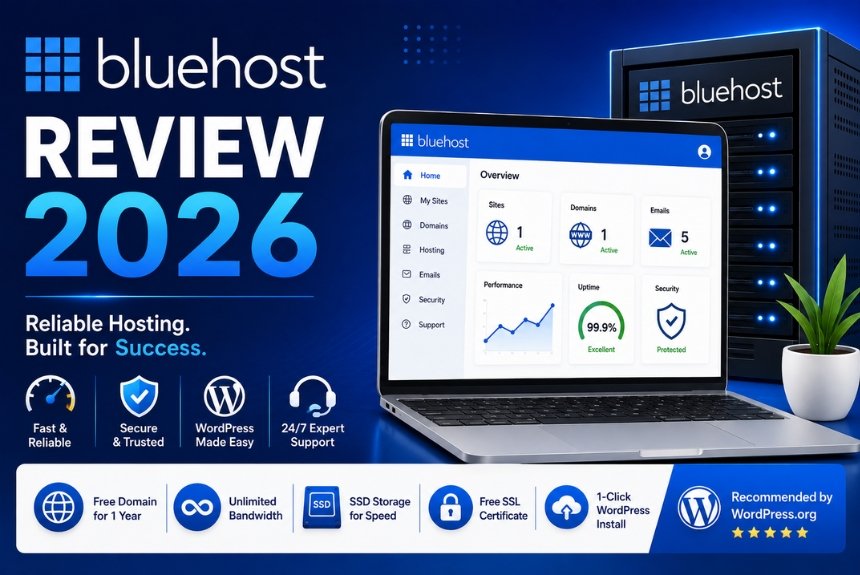
Choosing the right web hosting provider is one of the most important decisions for anyone planning to build a website. Whether you’re launching a personal blog, an online portfolio, a business website, or a full-scale e-commerce store, your hosting provider directly affects your website’s speed, uptime, security, and overall user experience. A reliable hosting service not only improves website performance but also supports better search engine rankings and customer satisfaction.
With hundreds of hosting providers available today, selecting the best option can be challenging. Some providers focus on affordability, while others emphasize speed, advanced features, or managed services. Among these providers, Bluehost has consistently remained one of the most recognized names in the web hosting industry. It has built a strong reputation by offering beginner-friendly hosting solutions, seamless WordPress integration, and dependable customer support.
Bluehost is widely recommended for individuals and small businesses because it combines ease of use with a comprehensive range of hosting services. From shared hosting for beginners to dedicated servers for large websites, the platform caters to users with different levels of experience and technical requirements. It also provides useful tools such as a free domain for the first year on eligible plans, one-click WordPress installation, website migration options, email hosting, SSL certificates, and integrated website management features.
One of Bluehost’s strongest advantages is its close relationship with WordPress. Since WordPress powers a significant percentage of websites worldwide, having hosting optimized specifically for WordPress can simplify website management and improve overall performance. Many beginners choose Bluehost because they can launch a WordPress website within minutes without needing advanced technical knowledge.
However, no hosting provider is perfect. While Bluehost offers several attractive features, potential buyers should also consider factors such as renewal pricing, performance under high traffic, customer support quality, and available alternatives before making a decision.
In this comprehensive Bluehost Review 2026, we’ll examine every major aspect of the platform, including its hosting plans, website performance, uptime, WordPress integration, security features, control panel, customer support, pricing structure, advantages, disadvantages, and ideal use cases. By the end of this review, you’ll have a clear understanding of whether Bluehost is the right hosting provider for your website.
What is Bluehost?
Bluehost is a web hosting company that provides hosting solutions for individuals, bloggers, startups, small businesses, developers, and enterprise users. It offers a variety of hosting services designed to help users build, manage, and grow websites without requiring extensive technical expertise.
Founded in 2003, Bluehost has grown into one of the world’s most recognized hosting providers and now hosts millions of websites globally. Its long-standing presence in the hosting industry has helped establish a reputation for reliability, beginner-friendly tools, and consistent performance.
The platform offers multiple hosting options, allowing users to choose services based on their website’s size and technical requirements.
Some of Bluehost’s most popular hosting solutions include:
- Shared Hosting
- WordPress Hosting
- WooCommerce Hosting
- VPS Hosting
- Dedicated Hosting
- Cloud Hosting (where available)
- Domain Registration
- Professional Email Hosting
This variety makes Bluehost suitable for users at different stages of website growth.

Key Features of Bluehost
Some of the platform’s most notable features include:
- One-click WordPress installation
- Free SSL certificate on eligible plans
- Free domain name for the first year on qualifying plans
- User-friendly hosting dashboard
- Built-in website management tools
- Website migration assistance
- Integrated marketing tools
- Daily and automated backup options on selected plans
- Scalable hosting upgrades
- 24/7 customer support
These features help simplify website management for beginners while still providing flexibility for experienced users.
Why Bluehost Is Popular
Bluehost has remained popular for several reasons.
Beginner-Friendly Interface
Users with little technical knowledge can create and manage websites using intuitive tools and guided setup processes.
WordPress Optimization
Bluehost is well known for its seamless WordPress installation and optimized hosting environment.
Affordable Entry Plans
Its introductory pricing makes it attractive for individuals launching their first websites.
Scalable Hosting
As websites grow, users can upgrade from shared hosting to VPS or dedicated servers without switching providers.
Comprehensive Services
Beyond hosting, Bluehost also offers domains, professional email, security tools, website builders, and e-commerce solutions.
Types of Websites Bluehost Supports
Bluehost can host many types of websites, including:
- Personal blogs
- Business websites
- Portfolio websites
- Educational websites
- News websites
- Membership websites
- WooCommerce stores
- Landing pages
- Agency websites
- Corporate websites
Its flexibility makes it suitable for both small and medium-sized online projects.
Benefits of Using Bluehost
Some key benefits include:
- Easy website setup
- Reliable hosting infrastructure
- Good security features
- Beginner-friendly dashboard
- Wide range of hosting plans
- Strong WordPress compatibility
- Large knowledge base
- Regular feature updates
These advantages have helped Bluehost remain one of the most recommended hosting providers for new website owners.
Company Overview
Understanding the company behind a hosting service is just as important as evaluating its technical features. A provider’s experience, infrastructure, customer base, and long-term reputation all influence the quality and reliability of its services.
Bluehost has been operating in the web hosting industry for more than two decades and has established itself as one of the leading hosting providers worldwide. Over the years, it has expanded its services to meet the needs of bloggers, entrepreneurs, developers, agencies, and businesses of all sizes.
Its continued investment in infrastructure, website management tools, and customer support has contributed to its strong reputation among website owners.
Bluehost at a Glance
| Feature | Details |
| Company Name | Bluehost |
| Founded | 2003 |
| Industry | Web Hosting & Domain Services |
| Headquarters | United States |
| Primary Services | Shared, VPS, Dedicated, WordPress, WooCommerce Hosting |
| Global Customers | Millions of websites hosted |
| Target Users | Bloggers, Businesses, Developers, Agencies |
Mission
Bluehost aims to make website creation simple, reliable, and accessible for users of all experience levels. Its hosting services are designed to help individuals and businesses establish a strong online presence while providing the tools needed to grow over time.
Industry Reputation
Bluehost has earned a reputation for:
- Reliable hosting services
- Strong WordPress integration
- Beginner-friendly tools
- Comprehensive hosting solutions
- Continuous platform improvements
Its longevity and large customer base make it one of the most recognized brands in the hosting industry.
Continuous Innovation
To remain competitive, Bluehost regularly enhances its platform by introducing:
- Faster hosting technologies
- Improved security measures
- Updated website management tools
- Better WordPress performance
- Enhanced customer experience
- New hosting solutions
These ongoing improvements help ensure that the platform continues to meet evolving website requirements.
Summary
Bluehost has built a strong reputation by providing reliable hosting, beginner-friendly website management, and scalable solutions for millions of users worldwide. Its combination of affordability, WordPress optimization, and comprehensive hosting services makes it a popular choice for both first-time website owners and experienced professionals.
Hosting Plans
One of Bluehost’s biggest strengths is its wide range of hosting plans designed for different types of users. Whether you’re launching your first personal blog or managing a high-traffic business website, Bluehost offers scalable hosting solutions that grow with your needs.
Choosing the right hosting plan is important because it directly affects your website’s speed, storage, scalability, and overall performance. Bluehost categorizes its hosting services to make it easier for users to select a plan based on their experience level and business requirements.
In this section, we’ll explore the major hosting plans offered by Bluehost and discuss who each plan is best suited for.
Shared Hosting
Shared hosting is the most affordable hosting solution offered by Bluehost. In this hosting environment, multiple websites share the same server resources, making it an excellent choice for beginners and small websites.
Shared hosting is ideal for:
- Personal blogs
- Portfolio websites
- Small business websites
- Startup websites
- Educational websites
Advantages of Shared Hosting
- Budget-friendly pricing
- Easy setup process
- Beginner-friendly interface
- One-click WordPress installation
- Free SSL certificate on eligible plans
- Free domain for the first year on qualifying plans
Limitations
- Shared server resources
- Lower performance during traffic spikes
- Less customization
- Not ideal for very large websites
For users starting their online journey, shared hosting provides an excellent balance between affordability and functionality.
WordPress Hosting
Bluehost is widely recognized for its WordPress hosting services. Since WordPress powers a significant percentage of websites worldwide, Bluehost has optimized its servers specifically for WordPress performance.
WordPress hosting includes features that simplify website management while improving security and speed.
Key Features
- Automatic WordPress installation
- Automatic updates
- Optimized server configuration
- Enhanced security
- Improved performance
- Beginner-friendly dashboard
This hosting option is recommended for bloggers, content creators, and businesses using WordPress as their content management system.
WooCommerce Hosting
WooCommerce Hosting is specifically designed for users who want to build an online store using WordPress and WooCommerce.
Instead of manually installing multiple plugins, Bluehost provides an optimized e-commerce environment.
Features include:
- WooCommerce pre-installed
- Secure payment support
- Product management tools
- Store customization
- Marketing integrations
- Enhanced security
This plan works well for:
- Online retailers
- Small businesses
- Digital product sellers
- Subscription websites
VPS Hosting
Virtual Private Server (VPS) Hosting provides dedicated resources within a virtual environment.
Unlike shared hosting, VPS users receive greater control and improved performance.
Benefits include:
- Better speed
- Increased flexibility
- Dedicated resources
- Improved security
- Greater customization
VPS hosting is suitable for:
- Growing businesses
- Medium-sized websites
- Developers
- High-traffic blogs
Although VPS hosting costs more than shared hosting, the additional resources make it worthwhile for expanding websites.
Dedicated Hosting
Dedicated Hosting provides an entire physical server exclusively for one customer.
This option delivers maximum performance and control.
Advantages include:
- Complete server control
- Maximum speed
- High reliability
- Advanced security
- Custom configurations
Dedicated servers are commonly used by:
- Large businesses
- Enterprise websites
- High-traffic e-commerce stores
- Organizations with complex hosting requirements
Because dedicated hosting offers premium resources, it is also one of Bluehost’s most expensive hosting solutions.
Cloud Hosting
Bluehost also continues to expand its cloud hosting offerings for users seeking greater scalability and reliability.
Cloud hosting distributes website resources across multiple servers instead of relying on a single physical machine.
Benefits include:
- Improved scalability
- Better uptime
- Faster resource allocation
- Enhanced reliability
- Flexible performance
Cloud hosting is particularly useful for websites that experience fluctuating traffic.
Comparing Bluehost Hosting Plans
| Hosting Type | Best For | Performance | Scalability | Technical Knowledge |
| Shared Hosting | Beginners | Moderate | Limited | Low |
| WordPress Hosting | Bloggers | Good | Moderate | Low |
| WooCommerce Hosting | Online Stores | Good | Moderate | Low |
| VPS Hosting | Growing Businesses | High | High | Medium |
| Dedicated Hosting | Enterprises | Excellent | Excellent | High |
| Cloud Hosting | Scaling Websites | Excellent | Excellent | Medium |

Which Hosting Plan Should You Choose?
The best hosting plan depends on your goals.
Choose:
- Shared Hosting if you’re building your first website.
- WordPress Hosting if your site runs on WordPress.
- WooCommerce Hosting for online stores.
- VPS Hosting if your website is growing rapidly.
- Dedicated Hosting for enterprise-level performance.
- Cloud Hosting if you require scalability and flexibility.
Selecting the appropriate plan from the beginning can reduce future migration challenges.
Summary
Bluehost offers hosting solutions for every stage of website growth. Beginners can start with affordable shared hosting, while businesses with increasing traffic can upgrade to VPS, cloud, or dedicated hosting. This scalability makes Bluehost a practical long-term hosting provider.
Performance & Speed
Website performance directly influences user experience, search engine rankings, and conversion rates. Visitors expect websites to load quickly, and search engines like Google consider page speed an important ranking factor. A slow website can increase bounce rates, reduce engagement, and negatively affect online sales.
Bluehost has invested in modern hosting infrastructure to improve website performance across its hosting plans. While performance varies depending on the selected plan and website optimization, Bluehost generally delivers reliable loading speeds for most personal and business websites.
Why Website Speed Matters
Fast-loading websites provide several benefits:
- Better user experience
- Higher search engine rankings
- Lower bounce rates
- Increased conversions
- Improved customer satisfaction
Research consistently shows that users are more likely to leave websites that take several seconds to load.
Server Infrastructure
Bluehost uses modern server technology designed to improve website responsiveness.
Performance enhancements include:
- Optimized hardware
- SSD storage
- Updated server software
- Resource allocation
- Efficient caching support
These technologies help websites load faster compared to traditional hard drive-based hosting.
SSD Storage
Bluehost uses Solid State Drives (SSDs) instead of traditional hard disk drives for many hosting plans.
Advantages of SSD storage include:
- Faster data retrieval
- Reduced loading times
- Better reliability
- Improved server responsiveness
SSD technology contributes significantly to overall website performance.
Built-in Caching
Caching temporarily stores frequently accessed website data, reducing server workload and improving loading speeds.
Benefits include:
- Faster page loading
- Reduced server requests
- Improved visitor experience
- Better website performance
Users can further enhance caching using WordPress optimization plugins.
Content Delivery Network (CDN)
Many Bluehost plans support integration with a Content Delivery Network (CDN).
A CDN distributes website content across multiple global servers, allowing visitors to access data from the server nearest to their location.
Benefits include:
- Faster international loading
- Reduced latency
- Improved website availability
- Better global performance
For websites with visitors from multiple countries, CDN integration can noticeably improve speed.
Factors Affecting Performance
Although Bluehost provides strong hosting infrastructure, website speed also depends on:
- Theme quality
- Plugin usage
- Image optimization
- Website coding
- Database efficiency
- Traffic volume
Optimizing these factors can significantly improve overall performance regardless of the hosting provider.
Tips to Improve Website Speed
To maximize Bluehost performance:
- Choose lightweight themes.
- Compress images before uploading.
- Enable caching.
- Minimize unnecessary plugins.
- Optimize your database regularly.
- Use a CDN for global audiences.
These best practices help deliver a faster browsing experience.

Performance Summary
Bluehost offers reliable website performance supported by SSD storage, modern server infrastructure, caching technologies, and CDN compatibility. While actual speed depends on your website’s design and optimization, Bluehost provides a solid foundation for blogs, business websites, and online stores.
Uptime & Reliability
When selecting a web hosting provider, uptime and reliability are just as important as speed and pricing. Even the fastest website loses visitors and potential customers if it frequently goes offline. Downtime can negatively impact user experience, search engine rankings, brand reputation, and business revenue.
Bluehost has built its reputation by offering stable hosting infrastructure designed to keep websites online around the clock. Although no hosting provider can realistically guarantee 100% uptime, Bluehost consistently delivers dependable performance for most websites.
Why Uptime Matters
Website uptime refers to the amount of time your website remains accessible to visitors.
Higher uptime means:
- Better user experience
- Improved customer trust
- Higher search engine rankings
- More sales opportunities
- Better brand reputation
- Consistent website accessibility
For businesses that rely on online sales or lead generation, even short periods of downtime can result in lost revenue.
Bluehost’s Hosting Infrastructure
Bluehost operates modern data centers equipped with enterprise-grade hardware and network infrastructure. These facilities are designed to provide stable performance and minimize unexpected outages.
Infrastructure highlights include:
- High-performance servers
- SSD-based storage
- Network redundancy
- Backup power systems
- Advanced cooling technology
- Continuous server monitoring
These technologies work together to improve overall reliability.
Server Monitoring
Bluehost continuously monitors its hosting environment to identify potential issues before they affect customers.
Monitoring includes:
- Server health
- Network traffic
- Resource usage
- Hardware performance
- Security events
Proactive monitoring allows technical teams to respond quickly to unexpected problems.
Data Backup Options
Unexpected issues such as accidental file deletion, software conflicts, or cyberattacks can affect website data. Bluehost offers backup solutions on selected plans, while users can also integrate third-party backup plugins for additional protection.
Best practices include:
- Schedule automatic backups.
- Store backup copies securely.
- Test backup restoration periodically.
- Keep multiple backup versions.
Regular backups reduce the risk of permanent data loss.
Reliability During Traffic Growth
As websites become more popular, visitor traffic naturally increases. Bluehost provides scalable hosting options that allow users to upgrade from shared hosting to VPS or dedicated servers as their resource requirements grow.
Benefits include:
- Improved scalability
- Better resource allocation
- Reduced performance bottlenecks
- Greater stability during traffic spikes
This flexibility helps businesses continue growing without changing hosting providers.
Tips to Improve Website Reliability
Although Bluehost provides reliable hosting, website owners should also follow good maintenance practices.
Recommendations include:
- Keep WordPress updated.
- Update plugins regularly.
- Remove unused themes.
- Monitor website performance.
- Schedule routine backups.
- Upgrade hosting when traffic increases.
Proper website maintenance complements hosting reliability.
Summary
Bluehost offers dependable uptime supported by modern infrastructure, continuous monitoring, scalable hosting options, and reliable backup solutions. While occasional maintenance or unexpected issues may occur with any hosting provider, Bluehost provides a stable environment suitable for personal websites, blogs, business sites, and online stores.
WordPress Integration
One of Bluehost’s biggest advantages is its deep integration with WordPress. Since WordPress powers a large percentage of websites worldwide, Bluehost has optimized its hosting environment to make WordPress installation, management, and performance as simple as possible.
This strong compatibility makes Bluehost one of the most popular hosting providers among bloggers, small businesses, agencies, and content creators.
Why WordPress Hosting Matters
WordPress is a flexible content management system (CMS) that allows users to build websites without extensive coding knowledge.
Using a hosting provider optimized for WordPress offers several benefits:
- Faster website setup
- Improved website performance
- Enhanced security
- Automatic updates
- Better compatibility
- Simplified management
These advantages help beginners launch websites quickly while providing experienced users with a reliable development environment.
One-Click WordPress Installation
Bluehost simplifies website creation with one-click WordPress installation.
Instead of manually configuring databases and uploading files, users can install WordPress within minutes.
The process generally involves:
- Logging into your Bluehost account.
- Selecting your hosting plan.
- Choosing your domain.
- Clicking the WordPress installation option.
- Completing the setup wizard.
This streamlined process makes Bluehost an excellent choice for first-time website owners.
Automatic Updates
Keeping WordPress updated is essential for security and performance.
Bluehost supports automatic updates for:
- WordPress core
- Themes (where configured)
- Plugins (depending on settings)
Automatic updates reduce maintenance work while helping protect websites from known vulnerabilities.
WordPress Performance Optimization
Bluehost optimizes its servers specifically for WordPress websites.
Performance improvements include:
- Optimized server configurations
- SSD storage
- Caching support
- PHP optimization
- Database performance enhancements
These optimizations contribute to faster page loading and smoother website operation.
Staging Environment
Some Bluehost WordPress plans include staging functionality.
A staging site allows users to:
- Test design changes
- Install new plugins
- Update themes
- Experiment safely
before applying changes to the live website.
This reduces the risk of accidentally disrupting a production website.
WordPress Management Tools
Bluehost offers several tools that simplify website management.
Examples include:
- Dashboard management
- Plugin installation
- Theme management
- User account administration
- Backup options
- Security settings
These tools allow users to manage their websites efficiently without requiring advanced technical skills.
Summary
Bluehost’s close integration with WordPress makes it one of the most beginner-friendly hosting providers available. Features such as one-click installation, automatic updates, optimized performance, and user-friendly management tools simplify website creation while supporting long-term growth.
Security Features
Website security is a critical consideration for every website owner. Security threats such as malware, hacking attempts, phishing attacks, and unauthorized access can damage your website, compromise sensitive information, and reduce customer trust.
Bluehost provides multiple security features designed to protect websites while giving users the tools needed to maintain a secure hosting environment.
Why Website Security Matters
A secure website helps:
- Protect customer information
- Prevent unauthorized access
- Improve trust
- Reduce downtime
- Maintain SEO rankings
- Support business continuity
Investing in security is essential regardless of website size.
Free SSL Certificate
Most Bluehost hosting plans include a free SSL certificate.
SSL encrypts data transferred between your website and visitors.
Benefits include:
- Secure data transmission
- HTTPS support
- Improved customer trust
- Better search engine rankings
- Protection of login credentials
SSL certificates have become a standard requirement for modern websites.
Malware Protection
Bluehost provides security tools that help detect and reduce malware risks.
Good security practices include:
- Regular malware scans
- Updating plugins
- Removing unused software
- Monitoring suspicious activity
Keeping your website clean reduces the likelihood of security breaches.
Firewall Protection
Firewall technology helps filter malicious traffic before it reaches your website.
Benefits include:
- Blocking suspicious requests
- Reducing hacking attempts
- Preventing unauthorized access
- Improving overall security
Firewalls form an important layer of website protection.
Secure Login Features
Protecting administrator accounts is equally important.
Recommended practices include:
- Strong passwords
- Two-factor authentication (when available)
- Limited administrator accounts
- Regular password updates
These measures significantly improve account security.
Automated Backups
Backups provide an additional layer of protection.
If your website experiences technical issues or security incidents, backups allow you to restore important files quickly.
Maintain:
- Daily backups (if available)
- Off-site copies
- Backup verification
- Restoration testing
Reliable backups are essential for disaster recovery.
Security Best Practices
To maximize Bluehost security:
- Keep WordPress updated.
- Install trusted plugins only.
- Remove unused themes.
- Enable SSL.
- Perform regular backups.
- Monitor administrator accounts.
- Use strong passwords.
Combining Bluehost’s built-in security features with responsible website management creates a safer hosting environment.
Summary
Bluehost offers a solid range of security features, including free SSL certificates, malware protection options, firewall support, secure login practices, and backup capabilities. While no hosting provider can eliminate every security risk, Bluehost provides the essential tools needed to protect websites and maintain a secure online presence.
Control Panel & Ease of Use
A hosting provider should not only offer reliable performance but also provide an interface that is easy to navigate. Many website owners, especially beginners, are unfamiliar with server management, databases, or DNS settings. Bluehost addresses this challenge by offering a clean, intuitive control panel that simplifies website management without requiring advanced technical knowledge.
The platform combines traditional hosting management with modern tools, allowing users to perform common tasks such as installing WordPress, managing domains, creating email accounts, accessing files, and monitoring website performance from a single dashboard.
User-Friendly Dashboard
After logging into Bluehost, users are greeted with a centralized dashboard that provides access to all major hosting features.
The dashboard allows you to:
- Manage websites
- Register or transfer domains
- Install WordPress
- Access email accounts
- Monitor hosting resources
- View billing information
- Manage security settings
Its organized layout makes navigation simple, even for first-time users.
Website Management
Managing multiple websites becomes much easier with Bluehost’s centralized interface.
Users can:
- Add new websites
- Manage existing websites
- Update WordPress
- Install themes
- Install plugins
- Monitor website status
This centralized management reduces the time spent switching between different tools.
File Management
Bluehost provides a built-in file manager that allows users to access website files directly from the hosting dashboard.
Using the file manager, you can:
- Upload files
- Edit website files
- Create folders
- Delete unused files
- Organize website content
- Manage backups
Although experienced developers often prefer FTP or SSH access, the file manager is sufficient for most day-to-day tasks.
Database Management
Many websites use databases to store content and user information.
Bluehost allows users to:
- Create databases
- Manage database users
- Access phpMyAdmin
- Import and export databases
- Perform database maintenance
These features are particularly useful for WordPress websites.
Email Management
Professional email addresses help businesses establish credibility.
Bluehost allows users to:
- Create custom email accounts
- Reset passwords
- Configure forwarding
- Set autoresponders
- Access webmail
Using a domain-based email address creates a more professional image than free email services.
Domain Management
Bluehost simplifies domain administration.
Users can:
- Register domains
- Renew domains
- Transfer domains
- Manage DNS records
- Configure subdomains
- Create parked domains
Managing both hosting and domains from one account improves convenience.
Ease of Use for Beginners
Bluehost is particularly popular among beginners because of its guided setup process.
Advantages include:
- Simple navigation
- Clear menus
- Helpful onboarding
- One-click installations
- Built-in tutorials
These features significantly reduce the learning curve for new website owners.
Summary
Bluehost’s control panel combines simplicity with powerful website management features. Beginners benefit from its clean interface and guided setup, while advanced users still have access to tools such as database management, file editing, and domain configuration.
Customer Support
Reliable customer support is essential when managing a website. Even experienced users occasionally encounter technical issues, and beginners often require guidance during website setup or troubleshooting.
Bluehost provides multiple customer support channels designed to help users resolve problems efficiently.
Available Support Channels
Bluehost offers several ways to contact its support team.
Support options include:
- Live chat
- Phone support
- Support tickets (where applicable)
- Help center
- Knowledge base
Having multiple communication options allows users to choose the method most convenient for them.
Knowledge Base
Many common questions can be resolved without contacting support.
Bluehost’s knowledge base contains articles covering topics such as:
- WordPress installation
- Email configuration
- Domain management
- SSL setup
- Website migration
- Hosting tutorials
The knowledge base is particularly useful for beginners who prefer step-by-step instructions.
Live Chat Support
Live chat provides quick assistance for common issues.
Typical questions include:
- Account setup
- Hosting configuration
- Billing inquiries
- WordPress installation
- Website troubleshooting
Live chat often offers faster responses than email support.
Phone Support
Some users prefer speaking directly with a support representative.
Phone support can be especially helpful for:
- Urgent technical problems
- Account verification
- Complex troubleshooting
- Migration assistance
Direct communication often speeds up issue resolution.
Customer Support Quality
Bluehost generally receives positive feedback for:
- Friendly representatives
- Beginner assistance
- WordPress-related support
- Clear explanations
- Helpful documentation
However, response times may vary depending on support demand and the complexity of the issue.
Tips for Getting Faster Support
To improve your support experience:
- Gather account information before contacting support.
- Clearly describe the issue.
- Include screenshots if applicable.
- Mention any recent website changes.
- Follow recommended troubleshooting steps.
Providing detailed information helps support agents resolve problems more efficiently.
Summary
Bluehost offers comprehensive customer support through live chat, phone assistance, and an extensive knowledge base. These resources help users solve technical issues quickly while making the platform more accessible for beginners.
Pricing & Renewal Costs
Pricing is one of the most important considerations when selecting a hosting provider. Bluehost is known for offering attractive introductory pricing, making it appealing to individuals and small businesses launching new websites. However, understanding renewal pricing is equally important before committing to a long-term hosting plan.
Pros & Cons
Like any web hosting provider, Bluehost has strengths and limitations. Understanding both can help you decide whether it matches your website’s needs.
Pros
- Beginner-friendly interface with an easy setup process.
- Seamless WordPress integration and one-click installation.
- Good website performance with SSD storage and CDN support.
- Reliable uptime for personal and business websites.
- Free SSL certificate and free domain for the first year on eligible plans.
- Wide range of hosting options that scale with your website.
- Helpful knowledge base and 24/7 customer support.
- Suitable for blogs, portfolios, business websites, and online stores.
Cons
- Renewal prices are significantly higher than introductory offers.
- Some advanced security and backup features require additional purchases.
- Shared hosting performance may be affected during heavy traffic.
- Limited advanced developer features compared to some premium hosting providers.
- Website migration services may not be free for every hosting plan.
Who Should Use Bluehost?
Bluehost is a strong choice for:
- Beginners creating their first website.
- Bloggers using WordPress.
- Small businesses building an online presence.
- Freelancers and portfolio website owners.
- Entrepreneurs launching e-commerce stores with WooCommerce.
- Growing businesses that may need scalable hosting solutions in the future.
Users requiring highly customized enterprise hosting or advanced cloud infrastructure may prefer more specialized providers.
Best Alternatives
If Bluehost doesn’t meet your specific requirements, consider these alternatives:
- SiteGround – Excellent performance and managed WordPress hosting.
- Hostinger – Affordable hosting with good speed and beginner-friendly tools.
- A2 Hosting – Strong performance with developer-focused features.
- DreamHost – Reliable WordPress hosting with transparent pricing.
- Cloudways – Flexible cloud hosting for advanced users and agencies.
Each provider has different strengths, so compare features, pricing, and support before making a final decision.
Final Verdict
Bluehost remains one of the most reliable and beginner-friendly web hosting providers available. It offers an excellent combination of affordable introductory pricing, dependable performance, strong WordPress integration, useful security features, and an intuitive control panel that simplifies website management.
While renewal pricing is higher than the initial promotional rates and some premium features require additional costs, Bluehost still delivers excellent overall value for bloggers, small businesses, entrepreneurs, and first-time website owners. Its scalable hosting plans also make it a practical long-term solution for websites expected to grow over time.
If you’re looking for a hosting provider that balances ease of use, performance, and essential features, Bluehost is a worthwhile investment.
Start Your Website with Bluehost
Bluehost offers reliable performance, WordPress-friendly features, and beginner-friendly tools to help you launch with confidence. Compare its hosting plans and choose the one that best fits your website, budget, and long-term growth goals.
Leave a Reply