


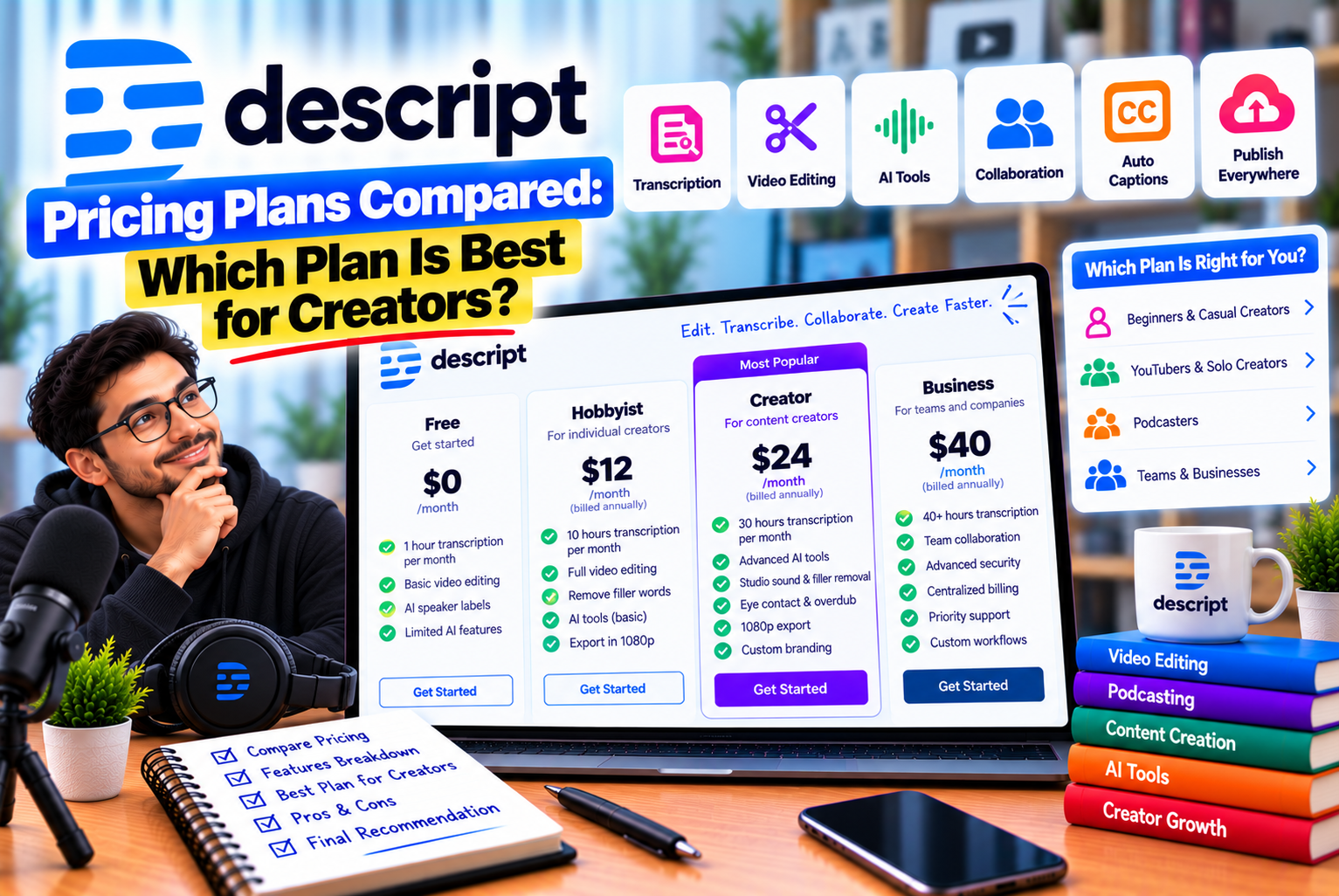
Descript Pricing Plans
Choosing the right video editing software involves more than comparing its features. You also need to understand how much it costs, what usage limits apply, which tools are included, and whether the subscription fits your content production workflow.
Descript is an AI-powered audio and video editing platform designed to simplify editing through transcription and text-based controls. It also offers AI-assisted editing, audio enhancement, filler-word removal, captions, screen recording, and tools for turning longer recordings into shorter videos.
These features make Descript appealing to YouTubers, podcasters, educators, marketers, and businesses. However, the best subscription depends on how frequently you edit, how much media you process, whether you need 4K exports, and how often you use AI-powered features.
Descript offers a Free plan for testing its workflow, Hobbyist for individual creators, Creator for more demanding production needs, Business for teams, and Enterprise for organizations requiring customized arrangements.
In this guide, we compare the Descript pricing plans, explain their usage allowances, examine the differences between monthly and annual billing, and help you decide which subscription offers the best value for your needs.
Descript Pricing Plans at a Glance
Descript’s current pricing structure uses two important usage allowances: media hours and AI credits. The available allocation depends on your subscription and the number of eligible editor seats.
The following table summarizes the published US-dollar pricing.
| Plan | Monthly Billing | Annual Billing Equivalent | Media Hours per Month | AI Credits |
| Free | $0 | $0 | 1 hour | 100 one-time credits |
| Hobbyist | $24/month | $16/month | 10 hours | 400/month |
| Creator | $35/month | $24/month | 30 hours | 800/month |
| Business | $65/month | $50/month | 40 hours | 1,500/month |
| Enterprise | Custom | Custom | Customized | Customized |
Prices are per person, in USD, based on the published plan information. Annual billing reduces the monthly equivalent but generally requires paying for the subscription term upfront. Taxes, regional pricing, promotions, and plan changes may affect the final amount.
For the latest prices and feature restrictions, consult Descript’s official pricing page before subscribing.
Which Descript Plan Is Best?
The best plan depends on your production requirements.
- Free: Best for testing Descript and editing occasional short projects.
- Hobbyist: Best for individual creators who need regular editing and watermark-free 1080p exports.
- Creator: Best for frequent creators who need 4K exports, more processing capacity, and broader AI functionality.
- Business: Best for teams that need additional capacity, brand tools, and advanced collaboration features.
- Enterprise: Best for larger organizations requiring customized usage, administration, security, and support arrangements.
For most creators deciding between the paid plans, the main comparison is between Hobbyist and Creator.
Hobbyist costs less but has a smaller media allowance and lower export resolution. Creator costs more but provides substantially more processing capacity, additional AI credits, and 4K exports.
1. Descript Free Plan: What Do You Get?
The Free plan lets you try Descript without paying for a subscription.
It is particularly useful if you have never used transcript-based editing and want to determine whether it makes your workflow easier.
Free Plan Pricing
- Monthly cost: $0
- Annual cost: $0
- Media allowance: 1 hour per month
- AI credits: 100 one-time credits
- Maximum export resolution: 720p
- Export watermark: Yes
- AI functionality: Limited access
The Free plan includes access to core editing functionality, allowing users to explore Descript before deciding whether a paid subscription is necessary.
What Can You Do With the Free Plan?
You can use the available features to explore tasks such as:
- Importing supported audio and video files
- Generating transcripts
- Editing recordings through text
- Recording supported content
- Creating basic video projects
- Testing selected AI-assisted tools
- Understanding the Descript interface
The exact availability of advanced tools depends on the current free-plan restrictions.
Advantages of the Free Plan
No subscription cost: You can explore the platform without committing to a recurring payment.
Useful for learning: The plan lets you experience the basic text-based editing workflow.
Suitable for short projects: If your editing needs are limited, the included media allowance may be sufficient for initial testing.
Helps evaluate the interface: You can determine whether transcript-based editing suits your working style.
Limitations of the Free Plan
The one-hour monthly media allowance can become restrictive if you regularly import recordings or record directly in Descript.
The 720p export limit may also be unsuitable for creators who require higher-resolution output. Exports include a watermark, and the one-time AI-credit allowance limits how much you can experiment with credit-consuming features.
Who Should Choose the Free Plan?
Choose Free if you:
- Are learning how Descript works.
- Edit occasionally.
- Want to test text-based editing before subscribing.
- Have short recordings.
- Do not require watermark-free exports.
- Are unsure whether Descript will fit your workflow.
Verdict: Free is the best starting point for testing Descript. It is less suitable as a long-term solution for creators producing content regularly.
2. Descript Hobbyist Plan: Best for Individual Creators
The Hobbyist plan is designed for creators who need more capacity than the Free plan provides but do not require the full set of advanced Creator features.
It offers a larger media allowance, monthly AI credits, and watermark-free exports.
Hobbyist Plan Pricing
- Monthly cost: $24
- Annual billing equivalent: $16 per month
- Media allowance: 10 hours per month
- AI credits: 400 per month
- Maximum export resolution: 1080p
- Export watermark: No
- Underlord: Included
- AI editing tools: Included, subject to usage limits
The annual billing equivalent is lower than the monthly rate, although you should check the billing terms before choosing a subscription.
What Does Hobbyist Include?
The Hobbyist plan includes tools that support regular audio and video production.
Depending on the current feature availability and usage limits, these include:
- Text-based audio and video editing
- Automatic transcription
- Underlord AI editing assistance
- Studio Sound
- Filler-word removal
- AI-assisted clip creation
- AI speech and supported voice features
- Watermark-free 1080p exports
Its combination of editing tools and a larger media allowance can make it a practical choice for individual creators.
Is Hobbyist Enough for YouTubers?
For many YouTubers, the answer depends on how much footage they process each month.
Suppose you record several short tutorials, edit the recordings, add captions, and publish them in 1080p.
If your total imported or recorded media remains within the monthly allowance and you do not require advanced features exclusive to higher plans, Hobbyist may be sufficient.
However, remember that the media allowance applies to processing media, not just the length of your final exported videos.
A 20-minute finished video may originate from a much longer recording. If you import and process 90 minutes of footage to produce a 20-minute video, your media usage can be substantially higher than the final runtime suggests.
Advantages of Hobbyist
Affordable annual option: The published annual equivalent is lower than the monthly subscription price.
Watermark-free exports: Suitable for creators who want to publish polished videos.
Useful AI features: The plan provides access to Underlord and supported AI editing tools.
Suitable for solo production: One person can manage recording, editing, and publishing without requiring a team-oriented subscription.
More media capacity than Free: The ten-hour allowance supports more regular production.
Limitations of Hobbyist
1080p export limit: It may not suit creators who require 4K exports.
Limited monthly capacity: Ten hours can be restrictive for long interviews, webinars, or frequent recording sessions.
AI credit limits: Frequent use of AI-powered features can consume the monthly allowance.
Some advanced capabilities require Creator: Review the feature comparison if you need the full set of AI tools or access to the stock media library.
Who Should Choose Hobbyist?
Hobbyist is worth considering if you:
- Publish YouTube videos regularly.
- Produce short tutorials or talking-head content.
- Edit a modest number of podcast recordings.
- Need watermark-free exports.
- Prefer a lower-cost subscription.
- Do not need 4K exports.
Verdict: Hobbyist is a sensible starting point for individual creators who have outgrown the Free plan but do not need the greater capacity of Creator.
3. Descript Creator Plan: Best for Frequent Content Production
The Creator plan is designed for users who need more media capacity, higher-resolution exports, and broader access to AI-powered editing.
It is particularly relevant to creators who publish frequently or produce longer recordings.
Creator Plan Pricing
- Monthly cost: $35
- Annual billing equivalent: $24 per month
- Media allowance: 30 hours per month
- AI credits: 800 per month
- Maximum export resolution: 4K
- Export watermark: No
- Underlord: Full access to the available feature set
- Stock media: Unlimited access to the royalty-free library, subject to the applicable terms
- Additional capacity: Top-ups available for supported usage
What Does Creator Include?
Creator provides a larger set of resources for more demanding production workflows.
Its main benefits include:
- Thirty hours of monthly media processing
- Eight hundred AI credits per month
- Watermark-free 4K exports
- Full access to Underlord and supported advanced AI tools
- AI-assisted video generation using supported models
- Access to the royalty-free stock media library
- The ability to purchase additional media hours and AI credits where available
These features make Creator attractive to people who need more than basic transcription and editing.
Why Choose Creator Over Hobbyist?
The main reasons to upgrade are increased media capacity, higher export resolution, and broader AI functionality.
Consider a creator producing weekly tutorials and interviews.
They might record 60 to 90 minutes of material for each finished video, particularly when the recording includes retakes, additional demonstrations, or multiple takes.
Ten hours of monthly media processing could become restrictive. Thirty hours provides more room for a regular production schedule.
Creator also supports 4K exports, which may be important if you record in 4K and want to preserve that resolution in your final output.
Advantages of Creator
More media hours: The thirty-hour allowance provides three times the capacity of Hobbyist.
More AI credits: Eight hundred monthly credits support greater use of eligible AI features.
4K exports: Useful for creators who need higher-resolution output.
Broader AI access: Full access to supported Underlord and other AI-powered features.
Stock media library: Can help creators source visual resources for their projects.
Additional capacity options: Top-ups can help address temporary increases in usage, subject to current plan terms.
Limitations of Creator
Creator costs more than Hobbyist, particularly when billed monthly.
It may also be unnecessary if you rarely process long recordings or do not need the additional features.
AI credits remain a consideration for users who frequently rely on generative tools. A higher subscription tier does not necessarily mean that every AI action is unlimited.
Who Should Choose Creator?
Creator is a strong option if you:
- Publish videos every week.
- Produce long tutorials, interviews, or webinars.
- Need 4K exports.
- Frequently use AI-assisted editing.
- Repurpose recordings into multiple content formats.
- Need more processing capacity than Hobbyist provides.
Verdict: Creator is the best plan to consider for frequent creators who need higher-resolution output and a larger monthly allowance.
4. Descript Business Plan: Best for Marketing Teams and Agencies
The Business plan is designed for teams that produce content regularly and need additional capacity and brand-related features.
Its main advantage is not simply the increased usage allowance. It also includes tools that support more structured team workflows.
Business Plan Pricing
- Monthly cost: $65 per person
- Annual billing equivalent: $50 per person per month
- Media allowance: 40 hours per month per editor
- AI credits: 1,500 per month per editor
- Brand Studio: Included for the team
- Translation and dubbing: Supported in more than 30 languages, with plan-specific conditions
- Custom avatars: Supported features included
- Priority support: Available under the plan’s applicable terms
- Additional capacity: Top-ups available for supported usage
Business pricing is calculated per person, so the total cost depends on the number of paid seats.
What Does Business Include?
The Business plan is designed for more demanding production and collaboration needs.
Depending on the feature and current plan terms, it includes:
- Forty hours of monthly media processing per editor
- Fifteen hundred AI credits per editor per month
- Team-wide Brand Studio access
- Video translation and dubbing tools
- Custom avatar generation from supported inputs
- Priority support with a service-level agreement
- Additional media-hour and AI-credit purchases where supported
These features can be useful for organizations that produce content for multiple products, markets, or audiences.
Why Would a Team Need Business?
Imagine a marketing agency that produces videos for several clients.
The agency may need to maintain different visual identities, prepare localized content, and coordinate production across several editors.
Brand Studio and the plan’s team-oriented capabilities can help standardize parts of this process.
The additional usage allowance may also be useful if the team regularly processes interviews, webinars, demonstrations, and promotional videos.
Advantages of Business
Team-wide brand resources: Helps maintain visual consistency across supported workflows.
Higher AI allowance: Provides more monthly AI credits per editor than Creator.
More media capacity: Forty hours per month provides additional room for production.
Localization tools: Translation and dubbing can help businesses prepare content for different markets.
Custom avatar features: Can support certain presentation and video-generation workflows.
Priority support: May be important for businesses with recurring production deadlines.
Limitations of Business
Business is significantly more expensive than Hobbyist and Creator.
Its per-person pricing also means that costs increase as you add more paid seats.
For example, a three-person team paying the published annual-billing equivalent of $50 per person per month would have a subscription cost of $150 per month on an annual billing basis, before applicable taxes and other charges.
That calculation assumes all three users require paid seats and the same Business plan.
If your team only needs basic editing, you may not receive enough value from the additional features to justify the expense.
Who Should Choose Business?
Consider Business if you:
- Run a content production team.
- Manage multiple editors.
- Need shared brand resources.
- Produce content for different markets.
- Frequently use AI-generated media or translation tools.
- Need priority support for ongoing production.
Verdict: Business is best suited to teams that can use its collaboration, branding, and advanced production capabilities—not simply users who want a few additional editing features.
5. Descript Enterprise: Best for Large Organizations
Enterprise is intended for organizations whose requirements extend beyond standard individual and team subscriptions.
Instead of using a fixed public price, Descript provides customized arrangements based on the organization’s needs.
Enterprise Plan Pricing
- Monthly cost: Custom
- Annual cost: Custom
- Media allowance: Customized
- AI credits: Customized
- Security and administration: Enterprise-oriented capabilities
- Support: Dedicated customer success and support arrangements may be available
- Procurement: Customized terms and billing
What Does Enterprise Offer?
Enterprise capabilities may include:
- Media and AI allowances sized to the organization
- Shared templates and company-wide brand controls
- AI and data controls, including supported training opt-outs and retention options
- Single sign-on
- SCIM user provisioning
- Audit logs
- Customized procurement and legal terms
- Flexible billing arrangements
- Dedicated customer success support
- Onboarding and priority assistance
Exact capabilities and contractual terms should be confirmed directly with Descript.
Who Needs Enterprise?
Enterprise is most relevant to organizations that produce substantial amounts of video content and need centralized administration.
For example, a large company might have multiple marketing teams, regional content groups, and internal training departments.
Such an organization may need standardized templates, controlled access, customized data settings, and centralized billing.
An individual YouTuber or small podcast team is unlikely to need these capabilities.
Verdict: Consider Enterprise only if your organization needs customized usage, administration, security, procurement, or support arrangements.
Descript Free vs Paid: What Are the Main Differences?
The Free plan is useful for testing, but paid subscriptions provide higher allowances and additional production capabilities.
The following comparison highlights the most important differences.
| Feature | Free | Hobbyist | Creator | Business |
| Monthly media hours | 1 | 10 | 30 | 40 |
| AI credits | 100 one-time | 400/month | 800/month | 1,500/month |
| Maximum export resolution | 720p | 1080p | 4K | 4K |
| Watermark-free exports | No | Yes | Yes | Yes |
| Underlord | Limited access | Included | Full access to available tools | Full access to available tools |
| AI editing | Limited | Supported tools | Broader access | Broader access |
| Stock media library | Limited or unavailable by feature | Plan-dependent | Unlimited access to the royalty-free library | Plan-dependent; verify current terms |
| Brand Studio | No | No | No | Team-wide access |
| Translation and dubbing | Limited or unavailable by feature | Plan-dependent | Plan-dependent | Supported in 30+ languages |
| Priority support | Standard access | Standard access | Standard access | Priority support under plan terms |
| Custom organizational controls | No | No | No | Limited compared with Enterprise |
| Enterprise security and procurement | No | No | No | No; available through Enterprise |
Feature availability can change, and some AI tools may have separate restrictions. Check the official plan comparison before relying on a specific capability.
Is the Free Plan Enough?
Free can be enough for occasional editing and experimentation.
However, the one-hour monthly media allowance, watermark, and 720p export limit can become obstacles when producing content regularly.
If you intend to publish professional videos, a paid plan may provide a more practical workflow.
Is Hobbyist Enough for Most Individual Creators?
Hobbyist is worth considering if you produce a modest amount of content and 1080p exports meet your requirements.
Its ten-hour media allowance can be sufficient for shorter projects, but creators who record long interviews or publish frequently may need more capacity.
Is Creator Better Value Than Hobbyist?
Creator costs more but provides three times the media allowance, twice the AI credits, and 4K exports.
If you need those capabilities, the higher subscription price may be justified.
However, paying for features you rarely use does not automatically provide better value. Evaluate your actual production volume before upgrading.
Understanding Descript Media Hours
Media hours are one of the most important factors when comparing Descript plans.
They represent the amount of media you can import or record within the applicable allowance. Descript may refer to this usage as media minutes in its product interface.
The allowance is not simply the length of your final exported video.
What Counts Toward Media Usage?
According to Descript’s usage documentation, media minutes can be consumed when you:
- Upload audio files
- Upload video files
- Record directly in Descript
- Record remote sessions through supported workflows
- Record screen, webcam, or microphone content
- Add still images, which count toward usage according to the published rules
Remote recording usage is generally based on the session’s total duration rather than multiplying the duration by the number of participants.
For example, a one-hour remote session with five participants uses the equivalent of one hour of media time, not five hours, under the documented Rooms usage calculation.
Example: Calculating Monthly Media Needs
Suppose you publish four YouTube tutorials every month.
Each tutorial requires approximately 90 minutes of imported or recorded footage before editing.
Your estimated media requirement would be:
4 videos × 1.5 hours = 6 media hours per month
In this example, Hobbyist’s ten-hour allowance may be sufficient, assuming no other projects consume the remaining capacity.
Now suppose you publish eight tutorials monthly, each requiring two hours of source footage.
Your estimated requirement becomes:
8 videos × 2 hours = 16 media hours per month
That exceeds Hobbyist’s ten-hour allowance, so Creator’s thirty-hour allowance may be more suitable.
These calculations are illustrative. Your actual usage depends on the media you process, the workflow you follow, and the current usage rules.
Do Unused Media Hours Roll Over?
Descript’s documented usage rules state that unused media minutes do not roll over from one month to the next.
This means you should estimate your normal production requirements before choosing a plan.
If you regularly use only a small fraction of your allowance, you may be paying for capacity you do not need.
Understanding Descript AI Credits
Descript uses AI credits to measure usage of supported AI-powered features.
These credits can be used by features such as Underlord, Studio Sound, Green Screen, Eye Contact, AI speech, and supported AI-generated media.
The exact credit cost depends on the feature and action.
How Many AI Credits Does Each Plan Include?
| Plan | Monthly AI Credits |
| Free | 100 one-time credits |
| Hobbyist | 400 |
| Creator | 800 |
| Business | 1,500 |
| Enterprise | Customized |
The Free plan’s 100 credits are a one-time allowance rather than a recurring monthly allocation.
Paid plans provide monthly credits, subject to the current plan terms.
Why AI Credits Matter
Two creators with the same media requirements can have very different AI usage.
One creator may mainly edit transcripts and make manual adjustments. Another may frequently use audio enhancement, generative media, voice features, and AI-assisted editing.
The second creator may need a larger credit allowance.
Before choosing a plan, identify the AI features you intend to use regularly.
What Happens If You Run Out of AI Credits?
Descript’s current pricing information indicates that Creator and Business users can purchase additional AI credits through supported top-ups.
Hobbyist does not list the same top-up access on the published plan comparison.
If you frequently run out of credits, compare the cost of a higher plan with the cost of additional capacity where available.
Do not assume that every feature can be used without limits simply because your subscription includes access to it.
Descript Monthly vs Annual Pricing
Descript offers monthly and annual billing options for its standard paid plans.
Annual billing provides a lower monthly equivalent, while monthly billing offers greater flexibility.
Pricing Comparison
| Plan | Monthly Billing | Annual Billing Equivalent | Approximate Annual Cost With Annual Billing |
| Hobbyist | $24/month | $16/month | $192 |
| Creator | $35/month | $24/month | $288 |
| Business | $65/month | $50/month | $600 |
These calculations use the published monthly equivalents for annual subscriptions. They exclude taxes and other possible charges.
How Much Can You Save?
Using the published prices:
Hobbyist
Monthly billing for twelve months would cost:
$24 × 12 = $288
Annual billing at the published equivalent would cost approximately:
$16 × 12 = $192
Illustrative annual difference: $96.
Creator
Monthly billing for twelve months would cost:
$35 × 12 = $420
Annual billing at the published equivalent would cost approximately:
$24 × 12 = $288
Illustrative annual difference: $132.
Business
Monthly billing for twelve months would cost:
$65 × 12 = $780
Annual billing at the published equivalent would cost approximately:
$50 × 12 = $600
Illustrative annual difference: $180 per paid seat.
These figures assume the listed prices remain unchanged throughout the relevant period.
Should You Choose Monthly Billing?
Monthly billing may be preferable if you:
- Are testing Descript for the first time.
- Have an irregular publishing schedule.
- Need the software for a temporary project.
- Are unsure whether your media usage will justify a long-term subscription.
You pay a higher monthly equivalent, but you avoid committing to a full year before confirming that the platform suits your needs.
Should You Choose Annual Billing?
Annual billing may be more attractive if you:
- Use Descript throughout the year.
- Publish content consistently.
- Understand your monthly media requirements.
- Expect to continue using the platform.
- Want to reduce the average subscription cost.
Before choosing annual billing, review the cancellation and refund terms.
Recommendation: Test Descript on the Free plan first. If it fits your workflow, consider a monthly paid subscription before committing to annual billing.
Which Descript Plan Is Best for You?
The best plan depends on the kind of content you produce and how frequently you edit.
Best Plan for YouTubers
For YouTubers producing regular talking-head videos, tutorials, or commentary, Hobbyist can be a reasonable starting point.
It provides watermark-free 1080p exports and a ten-hour monthly media allowance.
However, Creator is worth considering if you need 4K exports, process more footage, or frequently use AI tools.
Best Plan for Podcasters
Podcasters should consider both recording length and editing volume.
If you publish a small number of short episodes, Hobbyist may be sufficient.
If you record long interviews, produce multiple episodes every week, or repurpose each episode into several clips, Creator may provide more practical capacity.
Business is worth considering when multiple editors need shared workflows and team-oriented features.
Best Plan for Digital Marketers
Digital marketers producing product tutorials, demonstrations, advertisements, and social media videos may find Hobbyist or Creator suitable.
Choose Hobbyist if your workload is modest and 1080p is sufficient.
Choose Creator if you need more media capacity, 4K exports, and broader access to AI tools.
Business may be preferable when multiple team members need shared brand resources, localization tools, and priority support.
Best Plan for Educators
Educators producing lessons and training videos can start with Hobbyist if they publish occasionally.
Creator may be more appropriate for regular production involving long recordings, multiple lessons, or higher-resolution exports.
Best Plan for Agencies
Agencies should consider the number of paid seats, monthly media requirements, brand consistency, and the features each team needs.
Creator may work for small production teams with demanding editing requirements.
Business is worth considering if the agency needs team-wide brand resources, localization capabilities, and additional support.
Best Plan for Large Businesses
Enterprise is the relevant option for organizations requiring customized administration, security, procurement, usage allowances, and support arrangements.
How to Calculate the Real Cost of Descript
The subscription price does not tell the whole story.
You should also consider the amount of content you process, the AI features you use, the number of paid seats, and any additional capacity you purchase.
Step 1: Estimate Your Monthly Production Volume
List the number of recordings you expect to process.
For example:
- Four tutorials per month
- Two interviews per month
- Eight short social videos per month
Estimate the length of the original recordings rather than relying only on the final exported duration.
Step 2: Estimate Your Media Requirements
Multiply the number of projects by the average media duration processed.
If you edit six recordings per month and each uses two hours of media, your estimated requirement is twelve hours.
That would exceed Hobbyist’s ten-hour allowance, so you should compare Creator’s cost with the cost of any available additional capacity.
Step 3: Estimate Your AI Usage
Identify which features you plan to use.
For example, your workflow may involve:
- Studio Sound
- Filler-word removal
- Underlord editing
- AI speech
- AI-generated media
- Video translation
Check the current credit costs of the features you use most frequently.
Step 4: Include the Cost of Additional Seats
For a team, calculate the cost per person multiplied by the number of paid seats.
A three-person Creator team using the published annual-billing equivalent would cost approximately:
$24 × 3 = $72 per month equivalent.
That represents approximately $864 over twelve months, assuming the listed price remains unchanged and all three users require paid Creator seats.
Step 5: Compare the Cost With the Time Saved
Suppose a creator spends ten hours per month editing recordings.
If Descript reduces the editing time by three hours, those saved hours may provide meaningful value.
However, the savings depend on the project and should be measured rather than assumed.
A practical approach is to edit one or two typical projects with Descript, compare the time required with your existing workflow, and then decide whether the subscription is justified.
Is Descript Worth Paying For?
Descript can be worth paying for if its features save enough time or improve your production workflow sufficiently to justify the cost.
Its value is particularly apparent when you regularly edit speech-heavy recordings.
When Descript Is Worth It
A paid plan may be worthwhile if you:
- Publish videos or podcasts regularly.
- Frequently remove mistakes from recordings.
- Need automatic transcription.
- Want to produce captions efficiently.
- Use AI-assisted audio cleanup.
- Repurpose long recordings into shorter videos.
- Need watermark-free exports.
- Benefit from 4K exports or additional media capacity.
When You May Not Need a Paid Plan
The Free plan may be enough if you:
- Edit only occasionally.
- Produce short recordings.
- Are still learning the platform.
- Do not need watermark-free exports.
- Can complete your current workflow with free tools.
You may also prefer a traditional video editor if most of your work involves complex visual effects rather than spoken content.
Common Mistakes When Choosing a Descript Plan
1. Choosing a Plan Based Only on Price
The cheapest plan is not always the best value.
If you regularly exceed the included media allowance, a lower subscription price may be offset by the need for additional capacity or a more expensive upgrade.
2. Ignoring Media Hours
A creator may assume that a ten-hour allowance is sufficient because the final videos total only a few hours.
However, the original footage may be much longer.
Estimate your processing requirements before subscribing.
3. Underestimating AI Credit Usage
If you frequently use AI-powered features, your credit consumption may be higher than expected.
Check the current credit requirements for the features you intend to use.
4. Paying for 4K Exports You Do Not Need
If your projects only require 1080p exports, paying for Creator solely to obtain 4K support may not be worthwhile.
Evaluate the complete feature set rather than one isolated benefit.
5. Choosing Annual Billing Too Early
Annual billing can reduce the monthly equivalent, but it is less flexible than monthly billing.
Test the software and confirm that it meets your requirements before committing to a longer subscription.
6. Ignoring Team Costs
Business pricing is per person. A plan that seems affordable for one user may become expensive when several editors require paid seats.
Calculate the total cost for the entire team.
Descript Pricing vs Other Video Editing Tools
Descript is not the only option for editing audio and video. Depending on your workflow, another platform may offer better value.
| Tool | Main Strength | Best For |
| Descript | Text-based editing and AI-assisted production | Podcasts, tutorials, interviews, and spoken content |
| Adobe Premiere Pro | Extensive timeline editing and professional creative controls | Advanced video production |
| CapCut | Accessible editing and social media-oriented features | Short-form videos and social content |
| DaVinci Resolve | Editing, color grading, visual effects, and audio post-production | Creators seeking extensive creative control |
| VEED | Browser-based editing and captioning | Straightforward online video production |
| Riverside | Remote recording and interview workflows | Podcasts and remote conversations |
Pricing and feature access vary across these tools, so compare current official plans before making a purchasing decision.
If your main goal is editing spoken content quickly, Descript’s transcript-based workflow may be especially useful.
If your projects depend on complex visual effects, advanced color grading, or detailed timeline control, a specialized editor may be a better fit.
Frequently Asked Questions
1. How much does Descript cost in 2026?
The published US pricing lists Hobbyist at $24 per month or $16 per month billed annually, Creator at $35 or $24, and Business at $65 or $50, respectively. Free is available at no cost, while Enterprise pricing is customized. Check the official pricing page for current rates.
2. Is Descript free to use?
Yes. Descript offers a Free plan with one hour of media processing per month, 100 one-time AI credits, and exports up to 720p with a watermark. It is useful for testing the platform before upgrading.
3. What is the cheapest paid Descript plan?
Hobbyist is the entry-level paid plan. Its published price is $24 per month with monthly billing or $16 per month as the annual-billing equivalent.
4. What is the difference between Descript Hobbyist and Creator?
Hobbyist includes ten media hours, 400 monthly AI credits, and watermark-free exports up to 1080p. Creator includes thirty media hours, 800 monthly AI credits, and watermark-free exports up to 4K, along with broader access to advanced AI features.
5. Which Descript plan is best for YouTubers?
Hobbyist may suit YouTubers who produce a modest amount of content and need 1080p exports. Creator is worth considering if you publish frequently, process more footage, need 4K exports, or use advanced AI tools regularly.
6. Which Descript plan is best for podcasters?
Hobbyist can work for podcasters with shorter recordings and modest production needs. Creator may be better for longer interviews, frequent episodes, and workflows involving extensive editing and clip creation.
7. Is Descript Creator worth the extra cost?
Creator may be worth the additional cost if you need three times the media allowance of Hobbyist, twice the AI credits, 4K exports, or broader access to AI tools. If you do not use these features, Hobbyist may offer better value.
8. Does Descript charge per user?
Descript’s standard paid plans use per-person pricing. The total subscription cost depends on the plan, billing cycle, and number of paid seats. Enterprise pricing is customized.
9. Does Descript offer annual billing?
Yes. Descript offers annual billing for its standard paid plans, with lower monthly equivalents than monthly billing. Review the billing terms before subscribing.
10. How much can I save with annual Descript billing?
Using the published prices, annual billing reduces the monthly equivalent for Hobbyist, Creator, and Business. The actual savings depend on the selected plan, applicable taxes, and whether pricing changes during the subscription period.
11. What are Descript media hours?
Media hours represent the amount of imported or recorded media processed within your allowance. They are not limited to the duration of your final exported video. Uploading source files and recording directly in Descript can consume media usage.
12. Do unused Descript media hours roll over?
Descript’s documented usage rules state that unused media minutes do not roll over from one month to the next. Check the current terms for your plan before relying on a particular allowance.
13. What are Descript AI credits?
AI credits measure usage of supported AI-powered features, including Underlord and selected audio, video, voice, and generative tools. The number of credits consumed depends on the feature and action.
14. Can I buy additional Descript AI credits?
Descript’s current pricing information lists AI-credit top-ups for Creator and Business users. Availability and terms can change, so check the current pricing and support documentation before planning your budget around additional credits.
15. Does Descript Hobbyist support 4K exports?
No. The published plan comparison lists Hobbyist exports up to 1080p. Creator and Business support watermark-free 4K exports under the current published plan structure.
16. Is Descript Business worth it for a small team?
Business may be worthwhile if your team needs Brand Studio, advanced localization, additional AI credits, priority support, and more media capacity. If you only need basic editing, Creator may be more economical.
17. What is included in Descript Enterprise?
Enterprise offers customized usage allowances, organization-oriented controls, security options, procurement arrangements, and support. Exact features and pricing depend on the agreement with Descript.
18. Can I cancel Descript monthly billing?
Descript provides subscription management and cancellation through account settings. Review the current cancellation and billing terms to understand when changes take effect and whether any refund conditions apply.
19. Is Descript cheaper than Adobe Premiere Pro?
The comparison depends on the selected subscription, billing cycle, and required features. Descript focuses on text-based editing and AI-assisted production, while Premiere Pro offers extensive timeline-based editing. Compare current official prices and the capabilities you actually need.
20. Which Descript plan offers the best value?
For occasional users, Free provides the lowest-cost starting point. Hobbyist suits many individual creators, Creator offers more capacity and 4K exports, and Business is aimed at teams. The best value is the lowest-cost plan that reliably supports your workflow.
Leave a Reply