


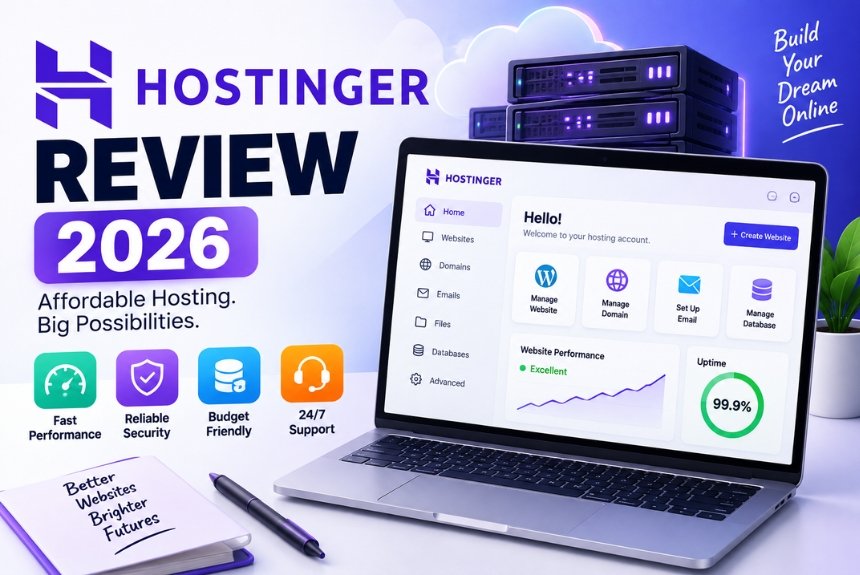
Hostinger Review 2026
Introduction
Choosing the right web hosting provider is one of the most important decisions you’ll make when launching a website. Whether you’re starting a personal blog, building a business website, creating an online portfolio, or launching an eCommerce store, your hosting provider directly affects your website’s speed, uptime, security, and overall user experience.
Among the many hosting companies available today, Hostinger has become a popular option for users looking for a combination of affordability, performance, and ease of use. The platform offers multiple hosting solutions, including shared hosting, managed WordPress hosting, cloud hosting, VPS hosting, email hosting, and domain registration.
Hostinger also focuses heavily on making hosting accessible to beginners. Its custom hPanel dashboard, one-click WordPress installation, website migration tools, AI-powered website builder, and integrated security features are designed to reduce the technical complexity of launching a website.
But is Hostinger actually worth buying in 2026?
Can it provide enough performance for growing websites while remaining affordable? Is it suitable for beginners, bloggers, small businesses, WordPress users, and online stores?
In this comprehensive Hostinger Review 2026, we’ll examine the platform’s:
- Hosting plans
- Features
- Website performance
- Uptime and reliability
- hPanel experience
- WordPress hosting
- Security
- Customer support
- Pricing and renewal costs
- Pros and cons
- Hosting alternatives
- Overall value
By the end of this guide, you’ll have a clearer understanding of whether Hostinger is the right hosting provider for your website.
Quick Verdict
If you’re looking for an affordable hosting provider that combines performance, ease of use, security features, and scalability, Hostinger is one of the strongest options for beginners and small-to-medium-sized websites.
Its biggest strengths are its beginner-friendly interface, competitive introductory pricing, modern hosting infrastructure, WordPress-focused tools, and wide selection of hosting plans.
However, you should pay close attention to renewal pricing, plan-specific features, resource limits, and backup availability before purchasing.
Overall Hostinger Rating
| Category | Rating |
|---|---|
| Ease of Use | ⭐⭐⭐⭐⭐ |
| Performance | ⭐⭐⭐⭐⭐ |
| Uptime | ⭐⭐⭐⭐⭐ |
| Security | ⭐⭐⭐⭐☆ |
| Customer Support | ⭐⭐⭐⭐☆ |
| Pricing | ⭐⭐⭐⭐⭐ |
| Beginner Friendly | ⭐⭐⭐⭐⭐ |
| Overall Score | 4.8/5 |
Best For
- Beginners
- Bloggers
- Small businesses
- Freelancers
- WordPress users
- Portfolio websites
- Small to medium-sized online stores
- Growing websites
What Is Hostinger?
Hostinger is a web hosting company that provides hosting services for individuals, businesses, developers, and website owners.
Instead of managing your own physical server infrastructure, Hostinger provides the server resources and management tools required to publish your website online.
Its services include:
- Shared hosting
- WordPress hosting
- Cloud hosting
- VPS hosting
- Email hosting
- Domain registration
- Website builder tools
- Business hosting solutions
One of Hostinger’s major differentiators is its focus on simplicity. Instead of relying exclusively on traditional hosting interfaces, the company provides its own custom-built hPanel control panel.
The dashboard is designed to make common hosting tasks easier for beginners, including installing WordPress, managing domains, configuring SSL, creating email accounts, managing databases, and accessing backups.
Company Overview
Hostinger was founded in 2004 and has grown into a major web hosting provider serving customers across numerous countries.
Over the years, the company has expanded its hosting infrastructure with multiple data center locations and a range of hosting products designed for different types of websites.
Its hosting portfolio is designed to support users at different stages of website growth.
You can start with an entry-level hosting plan for a small website and move to cloud or VPS infrastructure as your resource requirements increase.
Today, Hostinger serves a broad range of website owners, including:
- Personal website owners
- Bloggers
- Small businesses
- Freelancers
- Online stores
- Agencies
- Developers
- WordPress users
Why Is Hostinger So Popular?
Hostinger’s popularity is not based solely on low pricing. The platform combines relatively affordable hosting with features designed to make website creation and management easier.
Affordable Pricing
Hostinger is particularly attractive to beginners, freelancers, students, and small businesses that want to keep their initial website costs manageable.
Its introductory offers can make premium hosting features more accessible to first-time website owners.
However, introductory pricing is different from renewal pricing, so you should always review the regular cost before purchasing.
Modern Hosting Infrastructure
Hostinger uses modern hosting technologies across its platform, including:
- LiteSpeed Web Server
- NVMe SSD storage on eligible plans
- HTTP/3 support
- IPv6 compatibility
- Built-in caching on supported plans
These technologies can contribute to faster file delivery, improved server responsiveness, and better overall website performance.
Global Data Centers
Hostinger provides multiple data center locations, allowing users to choose infrastructure closer to their target audience.
For example, if most of your visitors are located in Asia, selecting an appropriate Asian server location can help reduce network latency.
Likewise, websites targeting visitors in North America or Europe can benefit from suitable regional infrastructure.
Beginner-Friendly Dashboard
Hostinger’s custom hPanel is designed to simplify website management.
From the dashboard, users can perform common tasks such as:
- Install WordPress
- Manage domains
- Create email accounts
- Configure SSL
- Manage databases
- Access files
- Manage backups
- Monitor hosting resources
- Configure DNS settings
This makes the platform particularly accessible to users who have little previous hosting experience.
WordPress Optimization
Hostinger provides several tools designed for WordPress websites.
Depending on the hosting plan, these can include:
- One-click WordPress installation
- WordPress optimization
- Caching
- Automatic updates
- Staging tools
- Performance optimization
These features can reduce the amount of manual configuration required to launch and maintain a WordPress website.
Key Features of Hostinger
Hostinger provides a broad collection of features across its hosting plans. However, the exact features available depend on the plan you select.
Free SSL Certificate
SSL certificates encrypt the connection between your website and its visitors.
With HTTPS enabled, information exchanged between the browser and website can be protected during transmission.
SSL provides several benefits:
- Encrypted connections
- Better visitor trust
- HTTPS support
- Improved data protection
- Secure login and checkout pages
For modern websites, SSL is an essential security feature rather than an optional extra.
Free Website Migration
Hostinger provides migration assistance for many website types and hosting scenarios.
This can be particularly useful if you already have a website hosted elsewhere and want to move it to Hostinger.
A guided migration process can reduce the technical complexity involved in transferring:
- Website files
- Databases
- WordPress installations
- Domain configurations
The exact migration service and eligibility can depend on the hosting plan and website setup.
Free Domain on Eligible Plans
Some Hostinger hosting plans include a domain registration benefit for eligible plans and billing terms.
This can help reduce the initial cost of launching a website.
However, domain eligibility, extensions, and renewal terms can vary, so check the specific plan before purchasing.
Managed WordPress Features
Hostinger provides WordPress-focused tools designed to simplify website management.
Depending on the plan, these can include:
- One-click installation
- Automatic updates
- WordPress acceleration
- Performance optimization
- Caching
- Staging functionality
These features are particularly useful for users who want WordPress without having to manually configure every aspect of their hosting environment.
LiteSpeed Web Server
LiteSpeed is one of the technologies associated with Hostinger’s performance-focused infrastructure.
It is designed to efficiently handle web requests and can work particularly well with caching technologies.
For WordPress websites, LiteSpeed Cache can further improve performance by reducing unnecessary server processing and serving cached content when appropriate.
Potential benefits include:
- Faster page delivery
- Better resource efficiency
- Improved concurrent request handling
- Reduced server load
- Better website responsiveness
Actual performance still depends on the website itself, including its theme, plugins, images, database, scripts, and configuration.
NVMe SSD Storage
Many modern hosting plans use NVMe SSD storage.
NVMe storage provides faster data access than traditional hard drives and can contribute to improved performance.
Potential benefits include:
- Faster file access
- Improved database operations
- Better website responsiveness
- Faster content delivery
This can be particularly useful for WordPress websites, online stores, and websites with database-heavy functionality.
Built-In Website Builder
Hostinger also offers an AI-powered website builder for users who prefer a visual website-building experience instead of manually installing and configuring a CMS.
The builder can assist with:
- Website layouts
- Page creation
- Design elements
- Content generation
- Basic website customization
This makes it particularly useful for small businesses, freelancers, and beginners who want to create a website without extensive coding knowledge.
Types of Hosting Offered by Hostinger
Hostinger offers multiple hosting solutions, allowing users to choose infrastructure based on their website requirements.
Shared Hosting
Shared hosting is generally the most affordable option.
Multiple websites use resources from the same physical server infrastructure, which allows providers to keep costs relatively low.
Shared hosting is suitable for:
- Personal blogs
- Portfolio websites
- Small business websites
- Startup websites
- Informational websites
- Small websites
Advantages of Shared Hosting
- Affordable
- Easy to manage
- Beginner-friendly
- Low maintenance
- Simple website setup
Limitations of Shared Hosting
- Resources are shared
- Less server control
- Resource limits
- Less suitable for demanding applications
For most new websites, shared hosting can provide a practical starting point.
WordPress Hosting
WordPress hosting is designed specifically for websites built using WordPress.
It can include WordPress-focused configuration and tools such as:
- Easy WordPress installation
- Caching
- Performance optimization
- Automatic updates
- Staging on selected plans
WordPress hosting is particularly suitable for:
- Bloggers
- Business websites
- Affiliate websites
- Content creators
- News websites
- Small WooCommerce stores
Cloud Hosting
Cloud hosting provides more resources and scalability than basic shared hosting.
It is suitable for websites that have grown beyond entry-level hosting requirements.
Cloud hosting can be useful for:
- Growing businesses
- High-traffic blogs
- Online stores
- Agencies
- Corporate websites
- Resource-intensive projects
Potential advantages include:
- More resources
- Better scalability
- Improved performance
- Better handling of traffic increases
- Greater flexibility
VPS Hosting
A Virtual Private Server provides dedicated virtual resources within a physical server environment.
VPS hosting provides more control than shared hosting and is designed for users who need greater flexibility.
It can be suitable for:
- Developers
- Agencies
- SaaS applications
- Custom applications
- Large databases
- Advanced websites
VPS hosting generally requires more technical knowledge because users may need to configure and manage their server environment.
Email Hosting
Hostinger also offers email hosting that allows businesses to create professional domain-based email addresses.
Examples include:
Using a professional domain email can strengthen brand credibility and make business communication appear more professional.
Domain Registration
Hostinger also provides domain registration services.
Managing your domain and hosting from the same account can make website administration easier, especially for beginners.
Who Should Consider Hostinger?
Hostinger is suitable for a broad range of website owners.
Beginners
Beginners can benefit from:
- Simple hPanel
- One-click installation
- AI website builder
- Website migration
- Integrated security tools
- Beginner-friendly documentation
These features reduce the technical learning curve involved in launching a website.
Bloggers
Bloggers can benefit from WordPress hosting, caching, modern server infrastructure, and scalable hosting options.
As traffic grows, bloggers can move to more powerful hosting without necessarily changing providers.
Small Businesses
Small businesses can use Hostinger for:
- Company websites
- Service websites
- Lead-generation websites
- Local business websites
- Small online stores
Features such as SSL, email hosting, backups, and website management tools can provide a strong foundation for business websites.
Freelancers
Freelancers can use Hostinger for:
- Portfolio websites
- Personal brands
- Service websites
- Client projects
Its affordable entry-level plans can be useful for freelancers who need to keep hosting costs under control.
Growing Websites
Websites experiencing increasing traffic can upgrade to cloud or VPS hosting when shared hosting is no longer sufficient.
Hostinger Hosting Plans Explained
Hostinger offers different hosting environments depending on the type and complexity of your website.
Shared Hosting
Shared hosting is generally the best starting point for beginners.
It can be suitable for:
- Personal blogs
- Portfolio websites
- Startup websites
- Company websites
- Landing pages
- Small WooCommerce stores
Key Features
Depending on the plan, features may include:
- NVMe SSD storage
- Free SSL
- Website migration
- WordPress installation
- LiteSpeed technology
- Email hosting
- Global data centers
Advantages
- Affordable
- Beginner-friendly
- Easy website management
- Good starting performance
- Low maintenance
Limitations
- Shared resources
- Resource limits
- Less flexibility than VPS
- Not ideal for very high-traffic applications
For most first-time website owners, shared hosting offers a strong balance between cost and functionality.
WordPress Hosting
WordPress hosting is designed for users who plan to build their website using WordPress.
It can provide:
- One-click installation
- Caching
- WordPress optimization
- Automatic updates where enabled
- Performance enhancements
- Staging on selected plans
Why Choose WordPress Hosting?
If WordPress is your chosen CMS, WordPress-focused hosting can simplify:
- Installation
- Performance optimization
- Maintenance
- Updates
- Website management
This makes it a practical choice for bloggers, business owners, affiliate marketers, and content creators.
Cloud Hosting
Cloud hosting provides greater resources and scalability than basic shared hosting.
It can be suitable for:
- Growing businesses
- High-traffic blogs
- Medium-sized online stores
- Agencies
- Corporate websites
- Business applications
Benefits of Cloud Hosting
Compared with shared hosting, cloud hosting can provide:
- More resources
- Better scalability
- Improved stability
- Better performance during traffic increases
- Greater flexibility
Cloud hosting becomes particularly useful when your website begins approaching the limitations of shared hosting.
VPS Hosting
VPS hosting is intended for users who require more control and customization.
It provides virtualized resources and greater control over the server environment.
Best For
- Developers
- Agencies
- SaaS applications
- Custom applications
- Large databases
- Advanced websites
VPS Features
Depending on the configuration, VPS hosting can provide:
- Dedicated virtual CPU resources
- Dedicated RAM
- Root access
- Custom software installation
- Operating system configuration
- Flexible server management
Why Developers Prefer VPS
VPS hosting allows experienced users to:
- Install custom software
- Configure web servers
- Manage firewall settings
- Build development environments
- Optimize server performance
This flexibility comes with greater responsibility and technical complexity.
Minecraft Hosting
Hostinger also offers Minecraft server hosting.
This is designed for users who want to create and manage multiplayer Minecraft servers.
Features can include:
- Easy server deployment
- DDoS protection
- Server management
- Flexible resources
- Gaming-focused infrastructure
Although this is separate from traditional website hosting, it demonstrates the range of hosting products available through the platform.
Which Hostinger Hosting Plan Should You Choose?
| Website Type | Recommended Hosting |
|---|---|
| Personal Blog | Shared Hosting |
| Portfolio | Shared Hosting |
| Small Business | Shared / WordPress Hosting |
| Affiliate Website | WordPress Hosting |
| WooCommerce Store | WordPress / Cloud Hosting |
| High-Traffic Website | Cloud Hosting |
| SaaS Application | VPS Hosting |
| Developer Project | VPS Hosting |
| Gaming Server | Minecraft Hosting |
Hostinger Performance and Speed
Website speed is one of the most important considerations when evaluating a hosting provider.
A slow website can negatively affect:
- User experience
- Engagement
- Conversions
- Search performance
- Customer satisfaction
Hostinger uses several technologies designed to support fast website performance.
LiteSpeed Web Server
LiteSpeed is one of Hostinger’s key performance technologies.
It is designed to handle web requests efficiently and can support advanced caching.
For WordPress websites, LiteSpeed Cache can further improve performance.
Potential benefits include:
- Faster page delivery
- Efficient resource usage
- Better concurrent request handling
- Reduced server workload
NVMe SSD Storage
NVMe SSD storage can improve the speed at which website files and database information are accessed.
This is particularly useful for:
- WordPress websites
- Online stores
- Database-heavy websites
- Content-rich websites
Built-In Caching
Caching stores frequently requested content so that the server does not need to generate everything from scratch for every visitor.
Caching can help:
- Reduce server load
- Improve page speed
- Handle repeated requests more efficiently
- Improve responsiveness
CDN Support
A Content Delivery Network can distribute static website assets across multiple geographic locations.
This allows visitors to retrieve certain resources from servers closer to their location.
Potential benefits include:
- Faster global loading
- Reduced latency
- Lower origin-server load
- Better international user experience
Server Locations
Hostinger provides multiple data center locations.
Choosing a location close to your primary audience can reduce network latency.
For example, a website targeting visitors in India may benefit from an appropriate Asian server location, while a website primarily serving North American visitors may benefit from infrastructure in that region.
What Affects Hostinger Website Speed?
Hosting is only one part of website performance.
Your website’s speed can also depend on:
- Image sizes
- WordPress theme
- Plugins
- JavaScript
- CSS
- Fonts
- Third-party scripts
- Database size
- Caching configuration
- Visitor location
Tips to Improve Website Speed
- Compress images before uploading
- Use modern image formats
- Limit unnecessary plugins
- Enable caching
- Use a lightweight theme
- Optimize CSS and JavaScript
- Keep WordPress updated
- Use a CDN when appropriate
- Monitor Core Web Vitals
Is Hostinger Fast Enough?
For personal websites, blogs, portfolios, small businesses, and many growing online stores, Hostinger provides a strong performance foundation.
Its use of modern server technology, caching, SSD/NVMe storage, and multiple data center locations can support fast-loading websites when the site itself is properly optimized.
Very large or highly customized applications may eventually require cloud or VPS hosting with additional resources.
Hostinger Uptime and Reliability
Uptime is another critical factor when evaluating hosting.
A website can have excellent speed but still perform poorly as a business asset if it is frequently unavailable.
Downtime can result in:
- Lost visitors
- Missed sales
- Lost leads
- Poor customer experience
- Reduced trust
What Is Uptime?
Uptime represents the percentage of time that your website remains accessible.
| Uptime | Approximate Annual Downtime |
|---|---|
| 99% | About 3.65 days |
| 99.9% | About 8.8 hours |
| 99.95% | About 4.4 hours |
| 99.99% | About 52 minutes |
Even small improvements in uptime can matter for websites that depend heavily on continuous availability.
Hostinger’s Infrastructure
Hostinger supports website availability through infrastructure that can include:
- Multiple data centers
- Modern server hardware
- SSD/NVMe storage
- Network monitoring
- Automated maintenance
- Cloud infrastructure on selected plans
The exact reliability characteristics can vary by hosting plan and website configuration.
Why Uptime Matters
Reliable hosting is especially important for:
- eCommerce stores
- Business websites
- Membership platforms
- Lead-generation websites
- News websites
- High-traffic blogs
If a potential customer cannot access your website, they may leave and choose another business.
Hostinger hPanel Review
One of Hostinger’s most noticeable differences is its custom hPanel hosting dashboard.
Rather than relying entirely on traditional control panels, Hostinger developed hPanel to provide a more modern and simplified management experience.
What Can You Do With hPanel?
Depending on your hosting plan, you can use hPanel to:
- Manage websites
- Install WordPress
- Manage domains
- Create email accounts
- Configure SSL
- Manage files
- Manage databases
- Configure DNS
- Access backups
- Monitor resources
- Manage security settings
Beginner-Friendly Navigation
hPanel organizes common hosting tasks into different sections, making it easier to locate the tools you need.
Websites
Manage your hosted websites and access website-specific tools.
Domains
Register, transfer, connect, and manage domain names.
Emails
Create and manage professional domain-based email accounts.
Files
Upload, edit, and manage website files.
Databases
Manage databases used by WordPress and other applications.
Security
Manage SSL certificates and other available security features.
Is hPanel Easy to Use?
Yes. Ease of use is one of Hostinger’s strongest advantages.
The dashboard is designed to reduce the complexity of common hosting tasks, making it particularly useful for beginners.
Experienced users can still access more advanced tools when needed.
One-Click WordPress Installation
Installing WordPress manually can involve multiple technical steps.
Hostinger simplifies this process through its WordPress installation tools.
A typical setup involves:
- Open hPanel.
- Select the WordPress installation option.
- Enter your website information.
- Configure the administrator account.
- Complete the installation.
- Access the WordPress dashboard.
This makes it possible to get a basic WordPress website running without manually uploading files or creating database configurations.
Hostinger AI Website Builder
Hostinger also provides an AI-powered website builder for users who do not want to build their website using WordPress.
The builder can assist with:
- Generating website layouts
- Creating pages
- Suggesting designs
- Generating content
- Structuring website sections
This can be useful for:
- Freelancers
- Local businesses
- Personal brands
- Small businesses
- Beginners
AI-generated content should still be reviewed and customized to ensure it accurately represents the business and provides useful information to visitors.
Hostinger Website Migration
Moving an existing website to a new hosting provider can be complicated, particularly for beginners.
Hostinger provides migration assistance for many eligible websites.
Migration can involve transferring:
- Website files
- Databases
- WordPress content
- Media
- Domain settings
The availability of free migration and the exact process depends on the website and hosting plan.
Why Website Migration Matters
A good migration process can:
- Reduce technical work
- Lower the risk of mistakes
- Save time
- Make switching providers easier
- Reduce potential downtime
Hostinger Security Features
Website security should be a priority regardless of website size.
Hostinger provides several security features designed to help protect websites and hosting accounts.
Free SSL
SSL provides encrypted HTTPS connections.
Benefits include:
- Data encryption
- Secure login pages
- Improved visitor trust
- Better protection for sensitive information
DDoS Protection
DDoS attacks attempt to overwhelm online services with large volumes of traffic.
Hostinger’s infrastructure includes protection mechanisms designed to help reduce the impact of such attacks.
Firewall Protection
Firewalls help filter potentially harmful traffic before it reaches your website or server resources.
They form one layer of a broader security strategy.
Malware Monitoring
Malware can compromise website files, redirect visitors, damage search visibility, or expose sensitive information.
Security monitoring can help identify potential threats.
Website owners should also:
- Update WordPress
- Update plugins
- Update themes
- Remove unused software
- Use strong passwords
- Limit administrator accounts
Automatic Backups
Backups provide a way to recover your website after accidental deletion, software problems, or other incidents.
Depending on the plan, Hostinger may provide different backup schedules.
Always check whether your specific plan includes:
- Daily backups
- Weekly backups
- Backup retention
- Manual restoration
- Automatic restoration options
Two-Factor Authentication
Two-factor authentication provides an additional security layer for your hosting account.
Instead of relying only on a password, users must provide an additional verification method.
This helps reduce the risk associated with compromised passwords.
Hostinger Security Best Practices
For stronger protection:
- Use a strong unique password
- Enable 2FA
- Keep WordPress updated
- Update themes and plugins
- Remove unused plugins
- Create regular backups
- Use SSL
- Monitor suspicious activity
Hostinger Customer Support
Customer support is particularly important for beginners.
Hosting problems can involve domains, DNS, SSL, WordPress, email, databases, or server configuration.
Hostinger provides 24/7 support through available support channels and maintains an extensive Help Center.
Live Chat Support
Live chat can help users with issues such as:
- WordPress installation
- Migration
- SSL configuration
- Domain connection
- DNS
- Billing
- Performance troubleshooting
Knowledge Base
Hostinger’s documentation provides guides covering areas such as:
- WordPress
- Domains
- Website Builder
- VPS
- Security
- DNS
- Website optimization
This allows users to troubleshoot many common problems without waiting for support.
Hostinger Support Rating
| Support Feature | Rating |
|---|---|
| Live Chat | ⭐⭐⭐⭐⭐ |
| Knowledge Base | ⭐⭐⭐⭐⭐ |
| Beginner Support | ⭐⭐⭐⭐⭐ |
| Technical Assistance | ⭐⭐⭐⭐☆ |
| Overall Support | 4.8/5 |
Hostinger Pricing and Renewal Costs
Pricing is one of Hostinger’s biggest advantages, particularly for beginners.
However, it is important to distinguish between introductory pricing and renewal pricing.
Promotional prices are generally available during the initial billing period, while subsequent renewals can cost more.
What Can Be Included?
Depending on the hosting plan, you may receive:
- Free SSL
- Free domain on eligible plans
- Professional email
- LiteSpeed infrastructure
- WordPress tools
- AI website builder
- Website migration
- Backups
- Customer support
The exact features depend on the plan.
Why Renewal Pricing Matters
A hosting plan may look extremely affordable when you first purchase it.
However, if you plan to keep your website for several years, the renewal price becomes more important than the introductory offer.
Before purchasing, compare:
- Initial price
- Renewal price
- Billing period
- Domain renewal
- Backup availability
- Resource limits
- Upgrade costs
This gives you a more realistic estimate of your long-term hosting expenses.
Hostinger Refund Policy
Hostinger offers a money-back guarantee on eligible hosting services.
The source material identifies a 30-day money-back guarantee for eligible hosting plans.
Before purchasing, review the current refund terms carefully because eligibility and exclusions can vary by service.
Hostinger Pros and Cons
Pros
Affordable Pricing
Hostinger provides competitive introductory pricing, making it accessible to beginners and small businesses.
Strong Performance
LiteSpeed, caching, SSD/NVMe storage, and modern infrastructure provide a strong foundation for website performance.
Beginner-Friendly hPanel
The custom control panel is clean, modern, and relatively easy to navigate.
WordPress Optimization
WordPress installation and performance-focused tools simplify website management.
Free SSL
Eligible hosting plans include SSL certificates for HTTPS security.
Global Data Centers
Multiple server locations allow users to choose infrastructure closer to their audience.
AI Website Builder
The AI-powered builder provides a convenient alternative to manually creating a website.
Website Migration
Migration assistance can make switching from another provider easier.
Cons
Higher Renewal Prices
Regular renewal prices are higher than promotional introductory rates.
Resource Limits
Entry-level plans may not be suitable for websites with very high traffic or resource requirements.
Backup Availability Varies
Backup frequency and features depend on the hosting plan.
VPS Requires Technical Knowledge
VPS hosting provides more control but requires greater technical expertise.
Who Should Buy Hostinger?
Hostinger is a strong choice for:
Beginners
The combination of hPanel, one-click installation, AI tools, and support makes it easy to get started.
Bloggers
WordPress optimization, caching, and scalable hosting can support both new and growing blogs.
Small Businesses
Businesses can use Hostinger for company websites, service pages, landing pages, and small online stores.
Freelancers
Freelancers can host portfolios and client websites without committing to expensive infrastructure.
Small Online Stores
Hostinger can support smaller WooCommerce and eCommerce websites, with the option to upgrade as traffic and resource requirements increase.
Growing Websites
Users can move to cloud or VPS hosting when their website outgrows entry-level resources.
Who May Want Another Hosting Provider?
Hostinger may not be the ideal choice for websites requiring:
- Enterprise-grade infrastructure
- Highly specialized hosting environments
- Extensive dedicated server resources
- Complex custom server configurations
- Specialized enterprise-level support
In these cases, a dedicated or enterprise-focused hosting provider may be more appropriate.
Best Hostinger Alternatives
Although Hostinger performs well for many users, comparing alternatives can help you choose the right provider.
Bluehost
Best For: WordPress beginners
Bluehost is particularly suitable for users who want a straightforward WordPress-focused setup.
Advantages
- Beginner-friendly
- Strong WordPress integration
- Easy setup
- Established hosting platform
SiteGround
Best For: Premium performance and managed hosting
SiteGround is suitable for users willing to pay more for performance-focused hosting and strong support.
Advantages
- Strong performance
- Advanced caching
- Excellent support
- Security features
ChemiCloud
Best For: Customer support
ChemiCloud focuses heavily on support, migration assistance, and beginner-friendly hosting.
Advantages
- Responsive support
- Website migration
- Daily backups on suitable plans
- Good performance
DreamHost
Best For: Bloggers and WordPress users
DreamHost provides straightforward hosting options for bloggers, WordPress websites, and small businesses.
Advantages
- Reliable hosting
- WordPress-friendly
- Straightforward management
- Transparent pricing
Hostinger vs Alternatives
| Provider | Best For | Ease of Use | Performance | Pricing |
|---|---|---|---|---|
| Hostinger | Beginners & Small Businesses | ⭐⭐⭐⭐⭐ | ⭐⭐⭐⭐⭐ | ⭐⭐⭐⭐⭐ |
| Bluehost | WordPress Beginners | ⭐⭐⭐⭐⭐ | ⭐⭐⭐⭐☆ | ⭐⭐⭐⭐☆ |
| SiteGround | Premium Hosting | ⭐⭐⭐⭐☆ | ⭐⭐⭐⭐⭐ | ⭐⭐⭐☆☆ |
| ChemiCloud | Customer Support | ⭐⭐⭐⭐☆ | ⭐⭐⭐⭐☆ | ⭐⭐⭐⭐☆ |
| DreamHost | Bloggers | ⭐⭐⭐⭐☆ | ⭐⭐⭐⭐☆ | ⭐⭐⭐⭐☆ |
Is Hostinger Worth Buying?
For most beginners, bloggers, freelancers, small businesses, and WordPress users, Hostinger is worth considering.
Its combination of:
- Affordable introductory pricing
- Modern infrastructure
- Strong performance
- Beginner-friendly hPanel
- WordPress tools
- Security features
- AI website builder
- Migration support
- Scalable hosting
makes it a well-rounded hosting solution.
However, the right choice depends on your specific website requirements.
If your website is small and you’re starting out, shared hosting may be sufficient.
If your website is growing quickly, cloud hosting may provide the additional scalability you need.
If you require advanced control and server customization, VPS hosting may be more appropriate.
Frequently Asked Questions
Is Hostinger good for beginners?
Yes. Hostinger is particularly beginner-friendly because of its simple hPanel dashboard, one-click WordPress installation, AI website builder, migration assistance, and extensive documentation.
Is Hostinger better than Bluehost?
Both providers are suitable for beginners. Hostinger generally stands out for its affordable pricing and custom hPanel, while Bluehost is particularly well known for its WordPress-focused setup.
The better option depends on your budget and website requirements.
Does Hostinger offer free SSL?
Yes. Eligible Hostinger hosting plans include free SSL certificates, allowing websites to use HTTPS.
Can I host WordPress on Hostinger?
Yes. Hostinger offers WordPress-focused hosting with features such as one-click installation, caching, and performance optimization.
Does Hostinger provide free website migration?
Hostinger provides migration assistance for many eligible websites and hosting plans. The exact migration process depends on your website and hosting environment.
Is Hostinger fast?
Hostinger uses technologies such as LiteSpeed, caching, and NVMe SSD storage on eligible plans to support website performance.
However, actual website speed also depends on your website’s theme, images, plugins, code, database, and configuration.
How reliable is Hostinger?
Hostinger provides infrastructure designed for high availability, including multiple data center locations and modern server infrastructure.
Actual uptime can vary depending on the hosting plan and website configuration.
Does Hostinger include email hosting?
Many Hostinger plans include professional email hosting, although availability depends on the selected plan.
What happens after the promotional price ends?
After the initial promotional term, the hosting plan renews at its standard price.
Always check the current renewal price before purchasing.
Does Hostinger offer a money-back guarantee?
The source material identifies a 30-day money-back guarantee for eligible hosting plans. Review the current terms before purchasing to confirm eligibility.
Is Hostinger suitable for eCommerce?
Yes. Hostinger can support small and medium-sized eCommerce websites and WooCommerce stores.
As traffic and resource requirements increase, upgrading to cloud or VPS hosting may become necessary.
Can I upgrade my Hostinger plan later?
Yes. Hostinger offers different hosting environments, allowing users to move to more powerful solutions as their website grows.
Does Hostinger provide automatic backups?
Backup availability depends on the hosting plan. Some plans provide weekly backups, while higher-tier plans may offer daily backups.
Check the exact backup policy before purchasing.
Is Hostinger secure?
Hostinger provides security features such as SSL, DDoS protection, firewall protection, malware monitoring, and two-factor authentication.
Website owners should also keep their CMS, themes, plugins, and passwords secure.
Is Hostinger worth it in 2026?
For beginners, bloggers, freelancers, small businesses, and many WordPress users, Hostinger offers a strong combination of affordability, performance, security, and ease of use.
Final Verdict
After reviewing Hostinger’s hosting plans, performance, features, security, customer support, pricing, and ease of use, the platform remains a strong option for many website owners in 2026.
Its biggest strengths are its:
- Affordable introductory pricing
- Modern hosting infrastructure
- Fast performance
- Beginner-friendly hPanel
- WordPress optimization
- AI website builder
- Security features
- Migration tools
- Scalable hosting options
The main drawbacks are the higher renewal prices, plan-specific resource limitations, and the fact that advanced VPS hosting requires more technical knowledge.
Overall Hostinger Rating
| Category | Rating |
|---|---|
| Performance | ⭐⭐⭐⭐⭐ |
| Ease of Use | ⭐⭐⭐⭐⭐ |
| Security | ⭐⭐⭐⭐☆ |
| Customer Support | ⭐⭐⭐⭐☆ |
| Pricing | ⭐⭐⭐⭐⭐ |
| WordPress Hosting | ⭐⭐⭐⭐⭐ |
| Overall Score | 4.8/5 |
Recommended For
- ✅ Beginners
- ✅ Bloggers
- ✅ Freelancers
- ✅ Small Businesses
- ✅ Portfolio Websites
- ✅ WordPress Websites
- ✅ Small to Medium eCommerce Stores
Not Ideal For
- ❌ Large enterprise applications
- ❌ Highly specialized infrastructure
- ❌ Users requiring extensive dedicated server customization
- ❌ Very resource-intensive applications without an appropriate upgrade
Start Your Website With Hostinger
If you’re looking for hosting that combines affordable pricing, modern performance, simple management, security features, and room to grow, Hostinger is a strong option to consider.
Before purchasing, compare the available plans carefully and look beyond the introductory price.
Check:
- Current plan features
- Renewal pricing
- Storage and resource limits
- Backup frequency
- Free domain eligibility
- Migration options
- Server locations
- Upgrade options
For most beginners, starting with an appropriate shared or WordPress hosting plan is enough.
As your website grows, you can move to cloud or VPS hosting when additional resources and control become necessary.
The best hosting is not necessarily the cheapest plan. It is the plan that provides the right balance of performance, security, usability, support, and scalability for your website.
Leave a Reply