


Best Website Monitoring Tools Compared in 2026
In today’s digital environment, your website is more than an online presence. It can be your primary sales channel, customer service platform, lead-generation system, publishing platform, or SaaS product. When your website becomes unavailable, loads slowly, or develops a technical problem, the impact can extend far beyond a temporary inconvenience.
Website downtime can result in lost sales, frustrated visitors, damaged customer trust, and missed business opportunities. Technical problems can also go unnoticed when website owners rely entirely on manually checking their websites.
This is where Website Monitoring Tools become valuable.
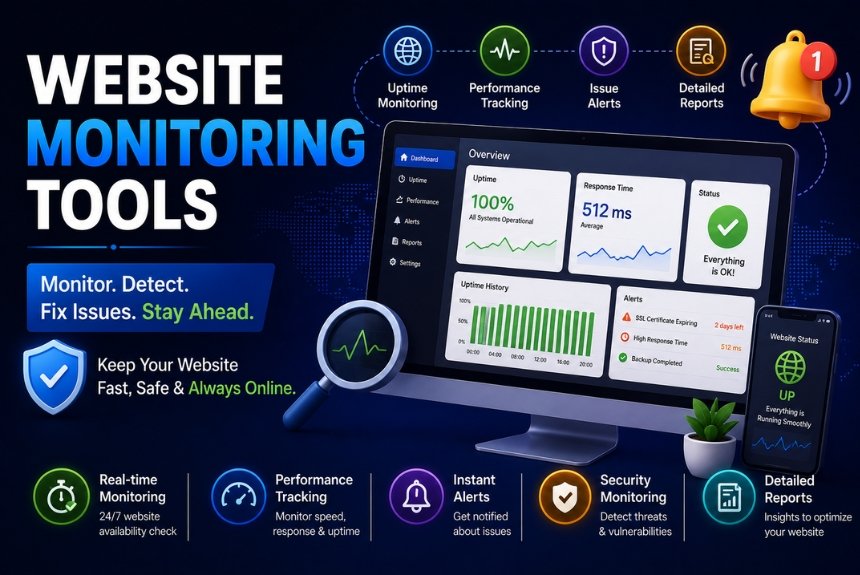
Website monitoring tools automatically check important aspects of a website and notify you when something goes wrong. Depending on the platform, they can monitor uptime, loading speed, SSL certificates, server performance, applications, APIs, databases, security issues, and real-user experience.
Instead of waiting for customers to report that your website is unavailable, monitoring software can identify an issue and alert your team almost immediately.
This guide compares some of the best website monitoring tools available for different types of users, including beginners, small businesses, developers, growing companies, and large enterprises.
What Are Website Monitoring Tools?
Website monitoring tools are software platforms that automatically check your website at predefined intervals to determine whether it is available and functioning properly.
Basic monitoring may simply check whether a website responds successfully. More advanced platforms can evaluate page performance, server resources, applications, APIs, databases, security signals, and actual visitor behavior.
Depending on the monitoring solution you choose, you may be able to monitor:
- Website uptime
- Server health
- Page loading speed
- Response time
- SSL certificate validity
- Domain expiration
- DNS performance
- Application performance
- APIs
- Databases
- Security issues
- Real-user experience
When a problem is detected, the monitoring platform can send an alert through different communication channels.
Common alert options include:
- SMS
- Slack
- Microsoft Teams
- Telegram
- Discord
- Mobile app notifications
- Webhooks
This allows website owners, developers, and technical teams to investigate problems quickly instead of discovering them through customer complaints.
Why Website Monitoring Is Important
Website monitoring is important because websites can experience technical problems at any time. A server can become unavailable, an SSL certificate can expire, a page can become significantly slower, or an application can stop responding correctly.
Without automated monitoring, these problems may remain unnoticed for an extended period.
Prevent Website Downtime
Website downtime can directly affect revenue and customer trust.
For example, if an eCommerce business generates significant sales throughout the day, even a relatively short outage can prevent customers from completing purchases.
A monitoring tool can continuously check whether the website is available. When it detects an outage, it can immediately send an alert so the responsible team can investigate.
This gives businesses an opportunity to reduce the duration and impact of an outage.
Support Better SEO Performance
Website availability and performance are important parts of maintaining a healthy website.
Frequent technical problems can create a poor experience for visitors and can interfere with search engine crawling and website usability.
Monitoring tools can help identify problems such as:
- Extended downtime
- Slow response times
- Performance problems
- SSL issues
- Server errors
By identifying these issues early, website owners can address technical problems before they become larger website performance concerns.
Improve User Experience
Visitors expect websites to respond quickly and work correctly.
A slow-loading website can create frustration and may contribute to higher bounce rates, lower engagement, and fewer conversions.
Website monitoring tools can help identify:
- Slow pages
- High response times
- Server latency
- Resource-loading problems
- Device-specific performance issues
- Geographic performance differences
This information can help website owners determine where performance improvements may be needed.
Monitor Security-Related Issues
Some monitoring platforms provide security-related monitoring in addition to standard uptime checks.
Depending on the tool, this may include monitoring for:
- SSL certificate expiration
- HTTPS problems
- Suspicious downtime
- DNS changes
- Security vulnerabilities
Monitoring SSL certificates is particularly useful because an expired certificate can create security warnings and interrupt the normal experience for website visitors.
Resolve Problems Faster
One of the biggest advantages of automated monitoring is speed.
Without monitoring, a business might discover an outage after receiving messages from customers.
With monitoring in place, the business can receive an alert as soon as a problem is detected.
Faster detection can help reduce:
- Revenue loss
- Customer frustration
- Website downtime
- Brand damage
- Recovery time
Types of Website Monitoring
Not every website needs the same type of monitoring. A personal blog may only require uptime and SSL monitoring, while a SaaS application may need full-stack application, server, API, and database monitoring.
Uptime Monitoring
Uptime monitoring checks whether your website is available and responding correctly.
A monitoring service can send requests to your website at regular intervals. If the website fails to respond as expected, the service can record the incident and notify you.
A typical uptime monitoring process looks like this:
- The monitoring service sends a request.
- The website responds or fails to respond.
- The monitoring service evaluates the response.
- An alert is triggered if a problem is detected.
- The incident is recorded for future analysis.
Uptime monitoring is one of the simplest and most important forms of website monitoring.
Performance Monitoring
Performance monitoring focuses on how quickly and reliably your website responds.
It can measure factors such as:
- Page speed
- Response time
- Server latency
- Resource loading
- Performance trends
Performance monitoring is useful for businesses that depend on website speed for customer engagement and conversions.
SSL Monitoring
SSL monitoring tracks the health and validity of your website’s SSL certificate.
It can help identify:
- Upcoming certificate expiration
- HTTPS errors
- Certificate problems
- Configuration issues
SSL monitoring can prevent avoidable interruptions caused by expired or improperly configured certificates.
Server Monitoring
Server monitoring provides visibility into the infrastructure supporting your website.
Depending on the platform, it can monitor:
- CPU usage
- RAM usage
- Disk usage
- Network traffic
- Server health
This type of monitoring is especially useful for businesses operating their own servers or complex infrastructure.
Application Monitoring
Application monitoring goes beyond checking whether a website is online.
It evaluates the performance and availability of applications, APIs, backend services, and other components.
It can be particularly useful for:
- SaaS products
- Web applications
- APIs
- Backend services
Real User Monitoring
Real User Monitoring, commonly called RUM, collects performance information from actual website visitors.
Instead of relying only on automated tests, RUM provides information about how real users experience the website.
It can provide insights into:
- Actual loading speed
- Browser performance
- Device-specific issues
- Geographic performance
This makes RUM useful when a website performs differently for different groups of visitors.
Synthetic Monitoring
Synthetic monitoring uses automated tests to simulate user activity.
Instead of waiting for a real visitor to encounter a problem, the monitoring system can perform predefined actions automatically.
Common examples include testing:
- Login processes
- Checkout workflows
- Form submissions
- APIs
- Important user journeys
Synthetic monitoring is particularly valuable for websites where a simple uptime check does not confirm that important functionality is working correctly.
Best Website Monitoring Tools Compared
There are many website monitoring platforms available, but the right option depends on your website size, technical requirements, budget, and monitoring needs.
UptimeRobot
Best for: Small businesses and beginners
UptimeRobot is a straightforward monitoring option for users who primarily need reliable uptime monitoring without a complicated setup.
Its features include:
- Free plan availability
- 1-minute monitoring
- SSL monitoring
- Domain monitoring
- Status pages
- API support
- Email alerts
- SMS alerts on paid plans
Pros
- Affordable
- Easy to set up
- Beginner-friendly
- Reliable uptime monitoring
Cons
- Limited advanced analytics
- Fewer enterprise-level capabilities
Who Should Use UptimeRobot?
UptimeRobot is particularly suitable for:
- Blogs
- Small business websites
- Freelancers
- Website owners who primarily need uptime monitoring
It can be a practical starting point for users who do not require a full IT infrastructure monitoring platform.
Pingdom
Best for: Website performance monitoring
Pingdom focuses strongly on website performance and user experience monitoring.
Its features include:
- Website speed monitoring
- Visitor insights
- Real User Monitoring
- Uptime monitoring
- Transaction monitoring
- Mobile app support
Pros
- Easy-to-use interface
- Detailed speed reports
- Useful reporting capabilities
Cons
- Higher pricing
- Limited free options
Who Should Use Pingdom?
Pingdom can be a good choice for marketing teams and growing businesses that need more than basic uptime monitoring and want deeper insights into website speed and performance.
Site24x7
Best for: Complete IT infrastructure monitoring
Site24x7 provides broader monitoring capabilities that extend beyond an individual website.
Its features include:
- Website monitoring
- Server monitoring
- Cloud monitoring
- Network monitoring
- Application monitoring
- Database monitoring
- Log management
Pros
- All-in-one monitoring solution
- Strong enterprise capabilities
- Comprehensive dashboards
Cons
- Learning curve
- Can be complex for beginners
Who Should Use Site24x7?
Site24x7 is better suited to businesses and technical teams that need visibility across websites, servers, applications, databases, and other infrastructure components.
Better Stack
Best for: Modern DevOps teams
Better Stack combines monitoring with incident management and team collaboration features.
Its capabilities include:
- Incident management
- Uptime monitoring
- Log management
- On-call scheduling
- Status pages
- API monitoring
Pros
- Fast alerts
- Modern interface
- Strong collaboration capabilities
Cons
- More suitable for technical users
Better Stack can be especially useful for development and DevOps teams that need monitoring combined with incident response workflows.
Datadog
Best for: Large enterprises
Datadog is designed for organizations that require broad observability across infrastructure, applications, cloud environments, logs, and security.
Its capabilities include:
- Infrastructure monitoring
- Application monitoring
- Cloud monitoring
- AI-powered analytics
- Security monitoring
- Log management
- Dashboards
Pros
- Extremely powerful
- Highly scalable
- Deep analytics
Cons
- Expensive
- Complex setup
Datadog is generally more appropriate for larger organizations with complex infrastructure and dedicated technical teams.
New Relic
Best for: Application monitoring
New Relic focuses heavily on application performance and developer-oriented diagnostics.
Its features include:
- Full-stack monitoring
- Code-level analysis
- Database monitoring
- Browser monitoring
- Mobile monitoring
- AI insights
Pros
- Detailed diagnostics
- Strong developer tools
Cons
- Can be overwhelming for beginners
New Relic can be useful for development teams that need detailed visibility into application performance and underlying technical issues.
StatusCake
Best for: Affordable website monitoring
StatusCake provides accessible monitoring capabilities for website owners who want to monitor uptime, SSL certificates, domains, and website speed.
Its features include:
- Uptime monitoring
- SSL monitoring
- Domain monitoring
- Speed testing
- Global testing locations
Pros
- Affordable
- Easy to use
- Multiple monitoring locations
Cons
- Fewer advanced enterprise features
StatusCake is suitable for users who want straightforward monitoring without the complexity of a large enterprise observability platform.
ManageEngine Applications Manager
Best for: Enterprise businesses
ManageEngine Applications Manager provides extensive application and infrastructure monitoring.
Its capabilities include:
- Application monitoring
- Server monitoring
- Cloud monitoring
- Database monitoring
- Virtual machine monitoring
Pros
- Extensive monitoring capabilities
- Good reporting
- Enterprise-grade features
Cons
- Higher cost
- Steeper learning curve
It is better suited to organizations that require broader infrastructure and application monitoring rather than basic website uptime checks.
How to Choose the Right Website Monitoring Tool
Choosing a monitoring platform becomes easier when you first identify what your website actually needs.
Define Your Website Type
Start by identifying the type and complexity of your website.
You may operate:
- A personal blog
- A business website
- An eCommerce store
- A SaaS platform
- An enterprise application
A simple blog may need only uptime, SSL, and basic performance monitoring. A SaaS platform may require application, API, database, and server monitoring.
Decide What You Need to Monitor
Make a list of the components that matter most to your business.
These may include:
- Uptime
- Website speed
- SSL certificates
- APIs
- Servers
- Applications
- User experience
- Databases
- Security-related issues
The more complex your website infrastructure is, the more comprehensive your monitoring solution may need to be.
Set Your Monitoring Budget
Budget is another important consideration.
Generally, you can consider:
- Free tools for personal websites and beginners
- Mid-range solutions for growing businesses
- Enterprise platforms for large organizations
Avoid paying for advanced infrastructure monitoring if your website only requires basic uptime and SSL checks.
Check Alert Options
Alerts are only useful if they reach the right person quickly.
Look for monitoring tools that support the communication channels your team already uses.
Common options include:
- SMS
- Slack
- Microsoft Teams
- Webhooks
- Mobile notifications
For larger technical teams, integrations can make incident response much more efficient.
Review Reporting Features
Monitoring is not only about receiving alerts. Historical information can help you identify recurring problems and performance trends.
Look for features such as:
- Performance reports
- Historical uptime
- Incident timelines
- Exportable reports
- Performance trends
Good reporting can help you understand whether your website is becoming more reliable or experiencing recurring technical problems.
Best Practices for Website Monitoring
Installing a monitoring tool is only the first step. To get the most value from monitoring, configure it according to your website’s actual requirements.
Monitor From Multiple Locations
Monitor your website from multiple geographic locations whenever possible.
A website may be accessible from one location while experiencing connectivity or performance issues in another region.
Enable Multiple Alert Channels
Do not rely on a single notification method for critical websites.
Using multiple alert channels can help ensure that important incidents are noticed quickly.
Test Critical User Journeys
Uptime monitoring alone does not confirm that every important function works correctly.
Regularly test critical workflows such as:
- Login
- Checkout
- Form submission
- Account registration
- API requests
This is particularly important for eCommerce stores and SaaS applications.
Monitor SSL Certificates
Keep track of SSL certificate expiration dates and configure alerts before certificates expire.
This provides time to renew or replace certificates before they cause website access or security problems.
Monitor APIs and Databases
Modern websites often depend on services beyond the visible website.
APIs, databases, third-party services, and backend applications can all affect the user experience.
Monitoring these components provides a more complete view of website reliability.
Review Monitoring Reports Regularly
Do not wait until an outage occurs to review monitoring data.
Weekly reviews can help identify:
- Repeated downtime
- Slow performance
- Recurring incidents
- Geographic problems
- Increasing response times
Configure Realistic Alert Thresholds
Too many alerts can become as problematic as too few alerts.
Configure thresholds carefully so your team receives meaningful notifications without being overwhelmed by false alarms.
Combine Different Monitoring Methods
A comprehensive monitoring strategy can combine:
- Uptime monitoring
- Performance monitoring
- SSL monitoring
- Server monitoring
- Application monitoring
- Security monitoring
- Real User Monitoring
- Synthetic monitoring
This provides greater visibility than relying on a single monitoring method.
Connect Monitoring With Incident Response
Monitoring becomes more effective when alerts are connected to your incident response process.
Teams should know:
- Who receives the alert
- Who investigates the problem
- How incidents are escalated
- How the issue is resolved
- How the incident is documented
Update Monitoring as Your Website Grows
Your monitoring requirements may change as your website becomes more complex.
A small website may initially need only uptime monitoring. As it grows, you may need performance, application, server, database, API, and user-experience monitoring.
Review your configuration periodically and expand monitoring as your infrastructure evolves.
Pros and Cons of Website Monitoring Tools
Pros
- Detect downtime quickly
- Improve website reliability
- Support a better user experience
- Help maintain website performance
- Support technical SEO maintenance
- Monitor website speed and server health
- Identify certain security-related problems
- Reduce the potential impact of outages
- Provide historical monitoring reports
- Automate alerts and incident management
- Improve visibility into website health
- Help teams respond to technical problems faster
Cons
- Advanced monitoring platforms can be expensive
- Some platforms have a steep learning curve
- Poorly configured thresholds can create false alerts
- Enterprise platforms may provide unnecessary features for small websites
- Comprehensive monitoring may require multiple integrations
- Technical monitoring can require dedicated expertise
Website Monitoring Tools Comparison
The best tool depends heavily on the type of website and the level of monitoring required.
| Tool | Best For | Main Strength |
|---|---|---|
| UptimeRobot | Beginners & small businesses | Simple uptime monitoring |
| Pingdom | Growing businesses | Website performance |
| Site24x7 | IT infrastructure | All-in-one monitoring |
| Better Stack | DevOps teams | Monitoring and incident management |
| Datadog | Large enterprises | Full-stack observability |
| New Relic | Developers | Application monitoring |
| StatusCake | Budget-conscious users | Affordable monitoring |
| ManageEngine Applications Manager | Enterprise businesses | Application and infrastructure monitoring |
Rather than choosing a tool based only on popularity, consider the specific problems you need to detect.
Frequently Asked Questions
1. What is a website monitoring tool?
A website monitoring tool continuously checks your website or related infrastructure for availability, performance, and other technical conditions. When it detects an issue, it can send an alert so the problem can be investigated.
2. Why is website monitoring important?
Website monitoring helps businesses detect downtime and technical problems quickly. It can support website reliability, user experience, performance management, and faster problem resolution.
3. Are free website monitoring tools good enough?
Free monitoring tools can be suitable for personal websites, blogs, freelancers, and small businesses with basic monitoring requirements.
Larger or mission-critical websites may require paid plans with more advanced monitoring, reporting, alerting, and infrastructure capabilities.
4. How often should a website be monitored?
Many businesses use monitoring intervals of around one to five minutes for important websites. The appropriate frequency depends on the website’s importance, traffic, infrastructure, and acceptable downtime.
Mission-critical websites may benefit from more frequent monitoring.
5. Can website monitoring improve SEO?
Website monitoring can support SEO by helping website owners identify downtime, slow performance, SSL problems, and other technical issues.
It does not directly guarantee higher rankings, but maintaining website availability and a good user experience can support overall website health.
6. Can website monitoring detect SSL problems?
Yes. Many website monitoring platforms provide SSL monitoring and can alert website owners about certificate expiration and HTTPS-related issues.
7. Which website monitoring tool is best for beginners?
UptimeRobot and StatusCake are suitable starting points for beginners because they focus on accessible website monitoring and are comparatively easy to configure.
8. Is uptime monitoring enough for an eCommerce website?
Not always.
An eCommerce website can be technically online while an important function such as login, checkout, payment processing, or form submission is not working correctly.
For this reason, eCommerce businesses may benefit from combining uptime monitoring with performance and synthetic monitoring.
9. What is the difference between uptime and performance monitoring?
Uptime monitoring primarily checks whether your website is available.
Performance monitoring goes further by measuring factors such as response time, page speed, server latency, and resource loading.
A website can therefore be online but still perform poorly.
10. What is Real User Monitoring?
Real User Monitoring collects performance information from actual website visitors.
It can provide insight into real-world loading speeds, browser performance, device-specific problems, and geographic differences in user experience.
11. What is synthetic monitoring?
Synthetic monitoring uses automated tests to simulate visitors and test important website functions.
For example, it can automatically test a login process, checkout workflow, form submission, or API request.
Final Recommendation
The best Website Monitoring Tool depends on your website’s size, technical complexity, monitoring requirements, and budget.
For personal websites, blogs, freelancers, and small businesses, UptimeRobot and StatusCake can be practical choices when the primary requirement is affordable and straightforward monitoring.
For growing businesses that need deeper performance information, Pingdom can be worth considering.
For organizations that need broader infrastructure monitoring, Site24x7 and ManageEngine Applications Manager provide more extensive capabilities.
For development and DevOps teams, Better Stack and New Relic can provide stronger technical monitoring and diagnostic capabilities.
For large enterprises with complex infrastructure, Datadog offers a much broader observability approach.
The most important thing is not simply choosing the tool with the longest feature list. Instead, identify the components that are critical to your website and choose a monitoring platform that can reliably track them.
At a minimum, consider monitoring uptime, website performance, SSL certificates, and critical user journeys. As your website becomes more complex, consider expanding monitoring to servers, APIs, databases, applications, and real-user experience.
Keep Your Website Monitored 24/7
Don’t wait for customers to tell you that your website is unavailable.
A reliable Website Monitoring Tool can help you identify uptime problems, performance issues, SSL problems, and other technical concerns before they become larger business problems.
Compare the monitoring platforms based on your website type, required features, budget, alerting options, and reporting needs. Then choose a solution that provides the right level of visibility without unnecessary complexity.
A well-planned monitoring strategy can help your website remain reliable, responsive, and available while giving your team the information needed to respond quickly when something goes wrong.
Leave a Reply