


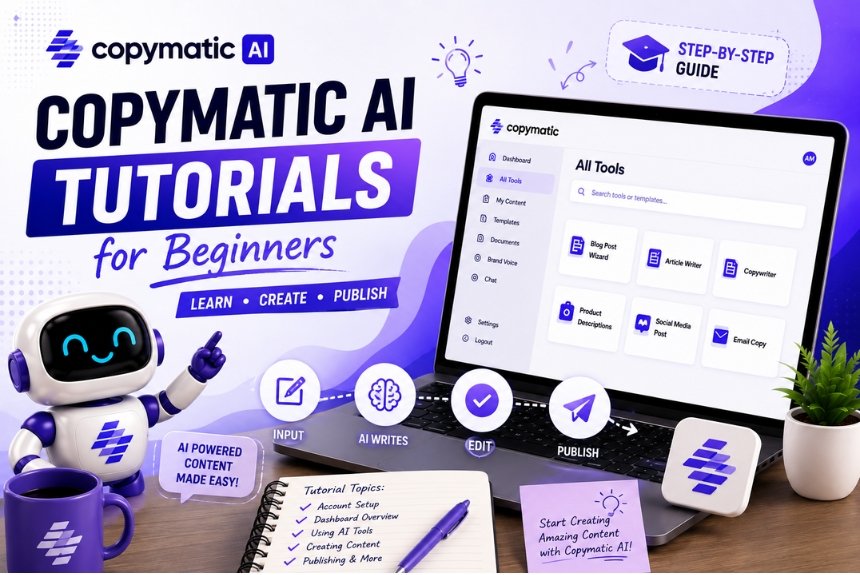
Copymatic AI Tutorial for Beginners: A Complete Step-by-Step Guide to Creating High-Quality AI Content in 2026
Artificial Intelligence has rapidly transformed the way businesses, marketers, bloggers, freelancers, and digital agencies create content. Tasks that once required hours of brainstorming, writing, editing, and optimization can now be completed in a fraction of the time with AI-powered writing assistants.
Among the growing number of AI copywriting platforms available today, Copymatic AI has become a popular choice for beginners and professionals alike. Whether you’re writing blog posts, creating marketing copy, generating product descriptions, crafting social media captions, or building email campaigns, Copymatic offers an intuitive platform designed to simplify the entire content creation process.
However, simply signing up for an AI writing tool doesn’t guarantee great results. Beginners often struggle with choosing the right templates, writing effective prompts, editing AI-generated content, and optimizing articles for search engines. Without a clear workflow, it’s easy to produce generic content that fails to engage readers or perform well in search results.
That’s why this comprehensive Copymatic AI Tutorial has been created.
In this guide, we’ll walk you through every stage of using Copymatic—from creating your account and exploring the dashboard to generating your first article, optimizing it for SEO, and publishing high-quality content with confidence.
Whether you’re a blogger, digital marketer, freelancer, student, entrepreneur, or small business owner, this step-by-step tutorial will help you unlock the full potential of Copymatic AI while following best practices for quality, originality, and search engine optimization.
Table of Contents
- What is Copymatic AI?
- Why Beginners Should Learn Copymatic AI
- Creating Your Account
- Dashboard Overview
- Choosing the Right AI Template
- Writing Your First Article
- Editing AI Content
- Exporting Content
- SEO Optimization
- Publishing Workflow
- Common Beginner Mistakes
- Frequently Asked Questions
- Final Checklist
- Conclusion
Why Learn Copymatic AI in 2026?
Artificial intelligence is no longer just a trend—it’s becoming an essential part of modern content marketing. Businesses of all sizes are using AI tools to streamline workflows, increase productivity, and create content more efficiently.
For beginners, Copymatic offers a user-friendly interface that reduces the learning curve while providing powerful AI writing capabilities.
Benefits of Learning Copymatic AI
- Create blog posts faster.
- Generate marketing copy in minutes.
- Improve writing productivity.
- Overcome writer’s block.
- Produce content ideas quickly.
- Build SEO-friendly first drafts.
- Save time on repetitive writing tasks.
- Support multiple content formats.
- Learn AI-assisted content creation without technical expertise.
Instead of replacing human creativity, Copymatic acts as a writing assistant that helps users move from idea to first draft much faster.
What Is Copymatic AI?
Copymatic AI is an artificial intelligence writing platform that helps users generate different types of written content using advanced natural language processing technology.
By entering a topic, keywords, or prompt, users can generate content such as:
- Blog Articles
- Website Copy
- Product Descriptions
- Landing Pages
- Social Media Captions
- Google Ads Copy
- Facebook Ads
- Email Campaigns
- Press Releases
- Video Scripts
- Marketing Headlines
- Business Copy
Rather than writing every sentence manually, Copymatic provides a structured draft that users can refine and personalize.
Who Should Use Copymatic AI?
One of Copymatic’s biggest strengths is its versatility. It can be used by a wide range of professionals and businesses.
Bloggers
Generate article outlines, introductions, FAQs, and first drafts more efficiently.
Freelance Writers
Increase productivity by reducing the time spent on repetitive writing tasks.
Digital Marketing Agencies
Create content for multiple clients across blogs, websites, social media, and email campaigns.
Small Business Owners
Develop website copy, promotional materials, and newsletters without hiring a full-time copywriter.
Ecommerce Businesses
Generate product descriptions, category pages, promotional emails, and advertising copy.
Students
Use AI as a brainstorming and drafting assistant while ensuring all work is reviewed and follows academic integrity requirements.
Creating Your Copymatic Account
Getting started with Copymatic is straightforward. Before you can begin generating content, you’ll need to create an account and familiarize yourself with the platform.
Step 1: Visit the Official Website
Navigate to the Copymatic website and select the option to create a new account.
Step 2: Sign Up
You can typically register using:
- Email Address
- Google Account
- Other supported sign-in methods (if available)
Choose a secure password and complete the registration process.
Step 3: Verify Your Account
If email verification is required, check your inbox and confirm your account before logging in.
Step 4: Choose a Plan
Depending on your needs, you may have access to a free trial or choose a paid subscription that offers higher usage limits and additional features.
Step 5: Log In
After registration, log in to access your Copymatic dashboard.
Beginner Tip
Before generating content, take a few minutes to explore the interface. Understanding where templates, settings, and project options are located will make your workflow much smoother.
Dashboard Overview
After logging in, you’ll arrive at the Copymatic dashboard—the central workspace where you’ll manage projects and generate AI content.
Although the interface may evolve over time, most dashboards include sections similar to the following:
AI Writing Templates
Access templates for blogs, ads, emails, product descriptions, and more.
Long-Form Editor
Create detailed blog posts and articles with AI assistance.
Project Management
Organize your content by project or client for easier management.
Usage Dashboard
Monitor AI word usage, credits, or subscription limits.
Account Settings
Manage profile information, subscription details, and preferences.
Understanding the Dashboard Layout
Becoming familiar with the dashboard early will save time later.
A typical workflow looks like this:
- Select a content template.
- Enter your topic or prompt.
- Add relevant keywords.
- Generate AI content.
- Review the output.
- Edit and improve readability.
- Optimize for SEO.
- Export or publish the final version.
Following this process helps beginners build confidence while maintaining content quality.
Choosing the Right AI Template
Copymatic offers different templates for different writing needs. Selecting the right one is important because each template is designed for a specific purpose.
Common templates include:
- Blog Article Generator
- Landing Page Copy
- Product Description
- Email Writer
- Social Media Caption
- Google Ads
- Facebook Ads
- Website Copy
- Headline Generator
- FAQ Generator
Which Template Should Beginners Start With?
If your goal is content marketing or blogging, the Blog Article Generator is the best place to start. It provides a structured foundation that can be expanded and refined into a complete article.
Expert Insight
Many beginners make the mistake of expecting AI to produce a perfect, publication-ready article in one click. In reality, the best results come from using AI to generate a strong first draft and then improving it with human editing, fact-checking, examples, and SEO optimization.
Writing Your First Article with Copymatic AI
Creating your first AI-generated article is one of the most exciting parts of using Copymatic. While the platform makes content generation incredibly fast, the quality of your final article depends on how effectively you use prompts, structure your ideas, and refine the AI output.
Think of Copymatic as your writing assistant rather than an automatic content publisher. It provides the foundation, but your expertise, editing, and SEO optimization transform that draft into valuable content.
In this section, you’ll learn exactly how beginners can create professional-quality articles using Copymatic AI.
Step 1: Select the Blog Article Generator
After logging into your dashboard, choose the Blog Article Generator or Long-form Article Writer.
This template is specifically designed for creating comprehensive articles and usually allows you to provide:
- Primary topic
- Target keyword
- Short description
- Writing tone
- Language
- Creativity level
- Desired article length
Choosing the correct template ensures the AI generates content aligned with your objectives.
Step 2: Choose a Strong Topic
Many beginners fail before they even start because they choose topics that are too broad.
Instead of writing:
❌ Digital Marketing
Choose something more specific:
✅ Digital Marketing Tips for Small Businesses
❌ AI Tools
Better:
✅ Best AI Writing Tools for Bloggers
The more specific your topic is, the more focused and valuable the generated content becomes.
Step 3: Add Your Primary Keyword
Your keyword tells Copymatic what the article should focus on.
Examples:
- Copymatic AI Tutorial
- AI Copywriting Tools
- Email Marketing Software
- SEO Content Writing
- AI for Blogging
Avoid stuffing multiple unrelated keywords into one article.
Instead, focus on:
- One Primary Keyword
- 5–10 Supporting Keywords
- Semantic variations
Example Prompt
Topic:
Beginner Guide to Copymatic AI
Primary Keyword:
Copymatic AI Tutorial
Audience:
Bloggers and Digital Marketers
Tone:
Professional, Educational, Beginner Friendly
Length:
Long Form
This gives the AI much more context and typically produces stronger drafts.
Step 4: Generate the Draft
After entering your details, let Copymatic generate the article.
Instead of publishing immediately, carefully review:
- Heading structure
- Flow
- Grammar
- Readability
- Accuracy
- Missing information
Remember:
AI creates a draft, not the finished product.
Understanding AI Output
Many beginners expect perfect content on the first attempt.
Professional marketers know that’s not how AI works.
A better workflow looks like this:
Prompt
↓
AI Draft
↓
Human Editing
↓
SEO Optimization
↓
Fact Checking
↓
Publishing
This process consistently produces higher-quality articles than relying solely on AI.
Crafting Better AI Prompts
Prompt engineering is one of the biggest skills beginners should learn.
The better your prompt, the better your output.
Instead of writing:
Write an article about AI.
Try:
Write a detailed beginner-friendly article explaining how bloggers can use Copymatic AI to create SEO-friendly blog posts. Include step-by-step instructions, benefits, best practices, and common mistakes.
Notice the difference?
Specific prompts produce better results.
Characteristics of a Good Prompt
A quality prompt should include:
- Topic
- Audience
- Goal
- Tone
- Target keyword
- Desired length
- Writing style
- Important sections
The AI has more context, resulting in better quality content.
Editing AI Content
Editing is where average content becomes exceptional.
Professional writers rarely publish AI output without improvements.
Instead, they refine every section.
Improve the Introduction
Ask yourself:
Does it:
- Capture attention?
- Explain the problem?
- Introduce the solution?
- Encourage readers to continue?
A compelling introduction improves engagement and reduces bounce rates.
Expand Thin Sections
Sometimes AI produces short explanations.
Instead of leaving them unchanged:
Expand them with:
- Examples
- Statistics
- Case studies
- Expert opinions
- Personal experience
- Practical tips
This increases both quality and topical authority.
Remove Repetition
AI occasionally repeats:
- Ideas
- Keywords
- Phrases
- Sentences
During editing:
- Remove duplicate information.
- Merge similar paragraphs.
- Improve transitions.
Readers appreciate concise, well-structured content.
Improve Readability
Professional blogs use:
- Short paragraphs
- Bullet points
- Tables
- Numbered steps
- Subheadings
- Callout boxes
These formatting elements make content easier to scan and understand.
Exporting Content
Once your article has been reviewed and edited, it’s time to export it.
Most users choose formats such as:
- Copy to Clipboard
- HTML
- Plain Text
- Rich Text
The best choice depends on where you’ll publish your content.
Publishing to WordPress
A common workflow is:
Copymatic
↓
Copy Content
↓
WordPress Editor
↓
Add Images
↓
Internal Links
↓
SEO Optimization
↓
Publish
This keeps the publishing process efficient while allowing for final refinements inside your CMS.
SEO Optimization
Generating content is only one part of the process. To improve visibility in search engines, every article should be optimized before publication.
Keyword Placement
Include your primary keyword naturally in:
- SEO Title
- URL Slug
- Meta Description
- H1 Heading
- First 100 Words
- H2 Headings (where appropriate)
- Image ALT Text
- Conclusion
Avoid excessive repetition. Search engines reward natural, helpful writing over keyword stuffing.
Add Semantic Keywords
Supporting keywords help search engines understand the topic more comprehensively.
Examples for this tutorial include:
- AI writing assistant
- AI content generator
- AI copywriting software
- Blog writing AI
- SEO content creation
- AI blogging tools
- Content marketing
- Beginner AI tutorial
Use them naturally throughout the article.
Optimize Images
Every image should include:
- Descriptive filename
- ALT text
- Appropriate compression
- Relevant placement
Example:
Filename:
copymatic-seo-tutorial.webp
ALT Text:
Copymatic AI tutorial for beginners creating SEO content
Internal Linking
Internal links help readers discover related content and strengthen topical authority.
For example, you can link to articles about:
- SEO basics
- AI content writing
- Keyword research
- Blogging tips
- Content marketing
- Email marketing
Publishing Workflow
Professional agencies follow a structured publishing process to maintain quality.
A recommended workflow is:
- Choose the topic.
- Research keywords.
- Create a detailed prompt.
- Generate the AI draft.
- Edit for clarity and accuracy.
- Optimize for SEO.
- Add images and internal links.
- Proofread the final article.
- Publish.
- Monitor performance using analytics tools.
Following this workflow helps ensure consistency and supports long-term content success.
Common Beginner Mistakes
Even with AI assistance, beginners often make avoidable errors.
Publishing Without Editing
AI-generated drafts should always be reviewed before publishing.
Weak Prompts
Vague prompts lead to generic content.
Provide specific instructions for better results.
Ignoring SEO
Great writing alone doesn’t guarantee search visibility.
Optimize titles, headings, metadata, and keyword placement.
Overusing Keywords
Keyword stuffing makes content difficult to read and can negatively affect search performance.
Aim for natural usage.
Forgetting Human Expertise
Add personal insights, original examples, and practical recommendations to make your content more valuable and trustworthy.
Frequently Asked Questions (FAQs)
As more creators, bloggers, marketers, and businesses adopt AI-powered writing tools, many beginners have similar questions about getting started with Copymatic AI. Below are detailed answers to the most common questions.
1. What is Copymatic AI?
Copymatic AI is an artificial intelligence writing platform that helps users generate blogs, website copy, social media captions, product descriptions, email campaigns, advertisements, and other marketing content using AI-powered language models.
It is designed to reduce writing time while helping users create structured, high-quality first drafts.
2. Is Copymatic AI suitable for beginners?
Yes. Copymatic offers an intuitive interface that makes it accessible for beginners. Users can choose from pre-built templates, provide simple prompts, and generate content without advanced technical knowledge.
However, learning prompt writing and content editing will significantly improve results.
3. Can Copymatic write complete blog posts?
Yes. Copymatic can generate long-form blog drafts, outlines, introductions, conclusions, and supporting sections. While the AI can produce a substantial first draft, human editing is recommended to improve originality, accuracy, readability, and SEO.
4. Is Copymatic good for SEO?
Copymatic can assist with SEO content creation by generating keyword-focused drafts, headings, meta descriptions, and structured articles. However, strong SEO performance also depends on keyword research, search intent alignment, technical optimization, and human review.
5. Can Copymatic replace human writers?
No. AI should be viewed as a productivity tool rather than a replacement for skilled writers. Human expertise is still essential for strategic thinking, storytelling, fact-checking, editing, and maintaining a consistent brand voice.
6. What types of content can I create?
With Copymatic, users can generate:
- Blog Articles
- Website Content
- Landing Pages
- Product Descriptions
- Email Campaigns
- Google Ads
- Facebook Ads
- Instagram Captions
- LinkedIn Posts
- Video Scripts
- Press Releases
- Marketing Headlines
- Business Copy
This versatility makes it useful for individuals, agencies, and businesses alike.
7. How do I improve AI-generated content?
For the best results:
- Write detailed prompts.
- Add your own research and insights.
- Verify facts and statistics.
- Optimize for SEO.
- Adjust the tone to match your audience.
- Improve readability with headings, bullet points, and examples.
- Proofread before publishing.
8. Should I publish AI content without editing?
No. Publishing AI-generated content without review can lead to factual inaccuracies, repetitive phrasing, and missed opportunities for adding original value. Always edit and refine AI output before making it public.
9. Can Copymatic help with social media content?
Yes. Copymatic supports a wide range of social media content, including captions, promotional posts, campaign announcements, product launches, and engagement-focused content ideas for various platforms.
10. Does Copymatic support email marketing?
Yes. Users can generate welcome emails, promotional newsletters, lead nurturing sequences, product announcements, abandoned cart reminders, and other marketing emails.
11. How can beginners write better prompts?
A good prompt should clearly describe:
- The topic
- The target audience
- The desired tone
- The primary keyword
- The content goal
- The preferred article length
- Key points to include
Providing detailed instructions helps the AI produce more relevant and useful output.
12. Is Copymatic worth learning in 2026?
For bloggers, marketers, freelancers, agencies, and business owners who regularly create digital content, learning Copymatic can save significant time and improve productivity. When combined with human editing and SEO best practices, it can become a valuable part of a modern content creation workflow.
Ready to Start Creating Content With Copymatic AI?
Ready to start creating content with Copymatic?
Begin with a simple project, such as a blog post or social media campaign, and focus on learning the platform’s templates and prompt-writing techniques. As your confidence grows, explore advanced features and integrate Copymatic into your regular content workflow. Remember, AI is most effective when paired with thoughtful editing, strategic SEO, and your own expertise.
Leave a Reply