


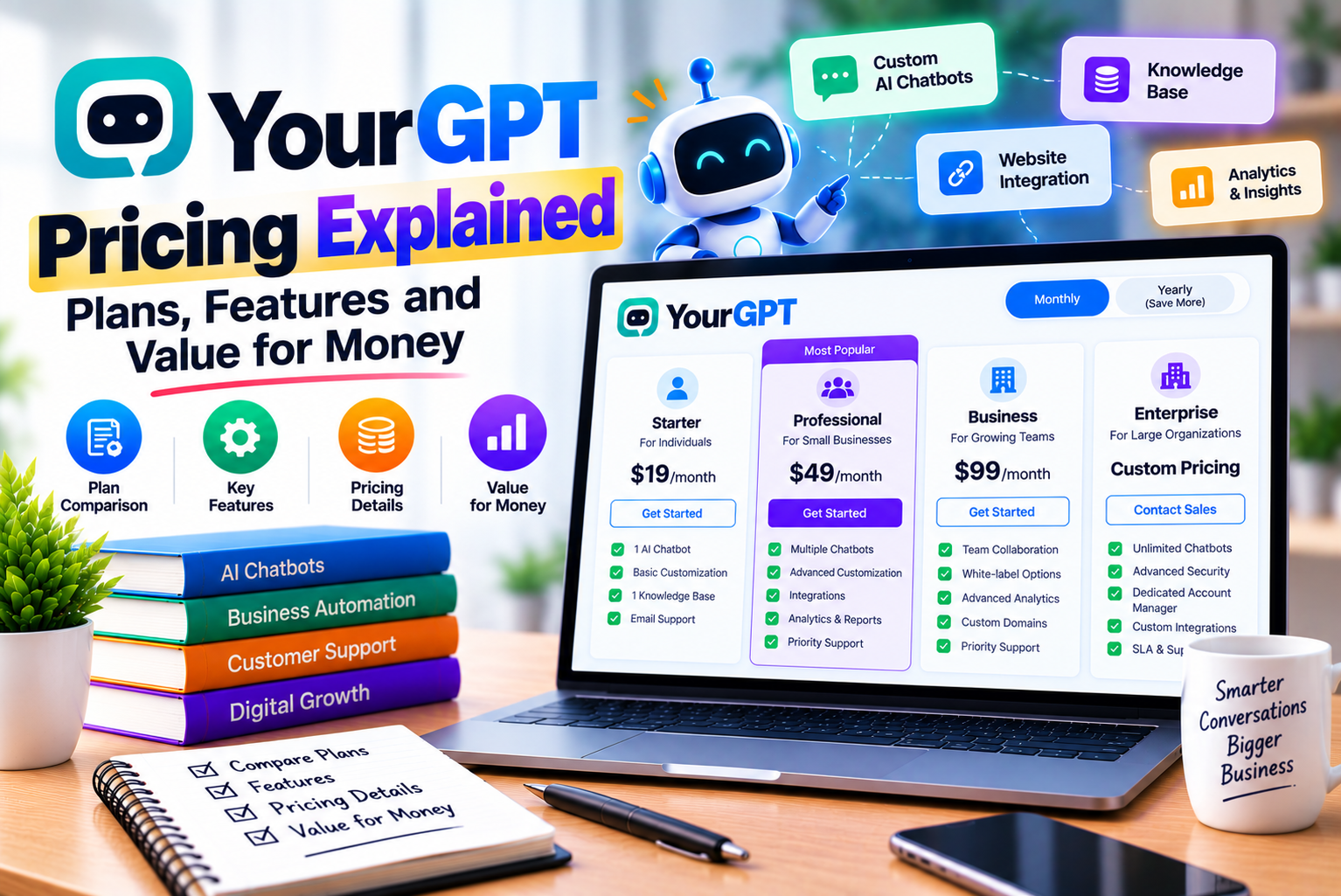
YourGPT Pricing Explained
Choosing an AI chatbot or agent platform involves more than comparing the monthly subscription price. Businesses also need to understand usage limits, available features, integration requirements, team access, and the potential cost of running AI-powered workflows at scale.
A platform that appears affordable at first may become less economical if it lacks an essential integration or requires a higher subscription to support your workflow. Conversely, a more expensive plan may offer better value if it reduces repetitive work, improves customer service, and helps your team manage a larger volume of enquiries.
YourGPT offers several subscription options for businesses that want to build and deploy AI agents. Its plans differ in chatbot capacity, knowledge-source limits, AI credits, team members, and access to advanced capabilities.
YourGPT’s published pricing starts at $39 per month when billed annually for the Essential plan, compared with $59 per month when billed monthly. The Professional plan is listed at $79 per month with annual billing or $129 monthly, while the Advanced plan costs $349 per month with annual billing or $499 monthly. Enterprise pricing is customized. These figures should be checked against the live pricing page before purchasing.
Understanding these differences can help you avoid paying for features you do not need or selecting a plan that cannot support your expected usage.
In this guide, we examine YourGPT pricing in detail, compare its subscription plans, explain how AI credits work, and explore the factors that influence the actual cost of using the platform.
We also discuss which plan may suit different business sizes, how to estimate usage, when upgrading makes financial sense, and what to evaluate before committing to a subscription.
By the end, you should have a practical framework for deciding whether YourGPT offers good value for your business.
What Is YourGPT?
YourGPT is an AI agent platform designed to help businesses automate customer support, sales activities, and selected operational workflows.
The platform allows users to connect business information to AI agents and configure how those agents respond to customers or interact with connected tools.
Depending on the product, subscription, and implementation, its capabilities can include:
- AI chatbot creation.
- Knowledge-base connections.
- AI-assisted customer support.
- Custom agent instructions.
- Workflow configuration.
- API and webhook connections.
- Lead generation.
- Multilingual conversations.
- Human handoff.
- AI-powered helpdesk functionality.
- Advanced branding and customization.
The official platform describes its products and capabilities through its YourGPT website.
However, not every feature is available on every plan. Businesses should compare the current plan details with their intended workflow before subscribing.
Why Does YourGPT Offer Multiple Pricing Plans?
Different organizations have different requirements.
A small service business might need one website chatbot to answer frequently asked questions. A SaaS company may need several agents connected to internal systems. A larger organization might require advanced analytics, custom branding, additional team access, and dedicated support.
A multi-tier pricing structure allows businesses to select a subscription that more closely matches their requirements.
The challenge is identifying which features justify paying more.
A higher-priced plan is not automatically better value. The right subscription is the one that provides sufficient capacity and the capabilities your business actually uses.
YourGPT Pricing Plans in 2026
YourGPT publishes three standard paid plans—Essential, Professional, and Advanced—alongside a customized Enterprise offering.
The official pricing page lists annual-billing rates and higher regular monthly prices for the standard plans.
YourGPT Pricing Comparison Table
| Feature | Essential | Professional | Advanced | Enterprise |
| Monthly price with annual billing | $39 | $79 | $349 | Custom |
| Month-to-month price | $59 | $129 | $499 | Custom |
| Chatbots | 2 | 5 | 10 | Custom arrangement |
| Website pages | 200 | 500 | 2,000 | Custom |
| Documents | 20 | 100 | 500 | Custom |
| AI credits | 10 million | 30 million | 100 million | Custom arrangement |
| Team members | 3 | 5 | 20 | Custom |
| Monthly content updates | Yes | Yes | Not listed as monthly; weekly updates listed | Custom |
| AI Studio | Not listed in the standard plan comparison | Yes | Yes | Custom |
| API and webhook support | Not listed in the standard plan comparison | Yes | Yes | Enterprise API access |
| AI Helpdesk | Not listed in the standard plan comparison | Yes | Yes | Custom |
| Lead generation | Not listed in the standard plan comparison | Yes | Plan-specific details should be confirmed | Custom |
| Advanced analytics | Not listed in the standard plan comparison | Not listed as a standard feature | Yes | Custom reporting |
| Custom branding | Not listed | Not listed | Yes | Custom |
| Custom domain | Not listed | Not listed | Yes | Custom |
| Custom roles | Not listed | Not listed | Yes | Custom |
| Dedicated support | Standard support options | Chat support listed | Account manager listed | Dedicated support options |
Prices are in US dollars. Feature availability is based on the published pricing information and may change. “Not listed” means the feature is not explicitly included in the cited standard-plan comparison; it does not necessarily establish that the feature is technically unavailable through every configuration. Confirm the current plan matrix before purchasing.
What Should You Notice in This Comparison?
Three differences deserve particular attention.
First, the annual-billing price is substantially lower than the month-to-month price. However, the annual rate involves a longer billing commitment, so it should not be treated as a month-to-month payment option.
Second, AI credits increase with each subscription tier. This matters because the number of conversations your agent can handle depends partly on how much AI processing each conversation requires.
Third, higher plans provide more capacity and advanced capabilities. Whether these justify the additional cost depends on your business model and expected usage.
For a business that only needs a basic chatbot, the Essential plan may be sufficient. A company that requires advanced workflows, API connections, or more agents may need Professional or Advanced.
1. YourGPT Essential Plan: Pricing and Features
The Essential plan is YourGPT’s entry-level paid subscription.
It is positioned for businesses that need core chatbot capabilities without the higher limits and advanced configuration options of the more expensive plans.
Essential Plan Pricing
| Pricing Detail | Amount |
| Annual-billing rate | $39 per month |
| Month-to-month rate | $59 per month |
| Chatbots | 2 |
| Website pages | 200 |
| Documents | 20 |
| AI credits | 10 million |
| Team members | 3 |
These are the limits displayed on YourGPT’s official pricing page.
What Does the Essential Plan Include?
The published Essential plan includes:
- Two chatbots.
- A limit of 200 webpages.
- Support for up to 20 documents.
- Ten million AI credits.
- Three team members.
- Monthly content updates.
- Integration options listed by YourGPT.
The exact availability of advanced workflow capabilities should be verified in the current plan comparison.
Who Should Choose Essential?
Essential may be a good starting point for businesses that want to introduce AI-powered customer support without immediately committing to a more expensive subscription.
Potential users include:
- Small service businesses.
- Independent consultants.
- Local businesses.
- Small online stores.
- Early-stage startups.
- Websites receiving a manageable volume of repetitive questions.
For example, a consultancy might use a chatbot to explain its services, answer common questions, and collect enquiries from prospective customers.
A small online store might use an agent to explain shipping policies, product specifications, and return procedures.
These use cases may not require multiple specialized agents or advanced enterprise customization.
Advantages of the Essential Plan
Lower entry price: It has the lowest advertised paid subscription price among the standard plans.
Basic chatbot capacity: Two chatbots may be sufficient for a small organization with a limited number of support workflows.
Knowledge-source support: The webpage and document limits provide room for a small knowledge base.
Small-team access: Three team members may be enough for a business owner and a couple of colleagues.
Opportunity to test automation: A smaller implementation allows a business to learn how customers interact with an AI agent before expanding.
Limitations of the Essential Plan
The entry-level plan may be less suitable if you need:
- More than two chatbots.
- A substantially larger knowledge base.
- More than three team members.
- Advanced workflow configuration.
- Extensive API-based automation.
- Advanced analytics.
- Custom branding or domain options.
Some requirements may be available through other products or configurations, so verify the current feature matrix rather than relying solely on a plan summary.
Is Essential Worth the Price?
Essential is worth considering if your main objective is to automate straightforward conversations and provide access to business information.
However, its value depends on whether the included credit allowance and knowledge-source limits are sufficient.
Before purchasing, estimate your expected usage and test the types of conversations your customers are likely to have.
Our verdict: Essential is the most logical plan to evaluate first when you need a small-scale AI chatbot deployment and do not yet require advanced workflows.
2. YourGPT Professional Plan: Pricing and Features
The Professional plan is designed for businesses that need additional capacity and more advanced agent-building capabilities.
It costs more than Essential, but the increased limits and additional features may be valuable when AI automation becomes a more important part of daily operations.
Professional Plan Pricing
| Pricing Detail | Amount |
| Annual-billing rate | $79 per month |
| Month-to-month rate | $129 per month |
| Chatbots | 5 |
| Website pages | 500 |
| Documents | 100 |
| AI credits | 30 million |
| Team members | 5 |
These figures reflect the published YourGPT pricing page.
What Does the Professional Plan Include?
The published plan includes several capabilities beyond the Essential subscription, such as:
- Five chatbots.
- A limit of 500 webpages.
- Support for up to 100 documents.
- Thirty million AI credits.
- Five team members.
- Chatbot Studio.
- API and webhook support.
- Access to GPT-4 as listed on the pricing page.
- Functions.
- AI Helpdesk.
- Lead generation.
- Email notifications.
- Multilingual support.
- Self-learning capabilities.
- Human escalation.
- Chat support.
Because model availability and product packaging can change, verify the current details before subscribing.
Who Should Choose Professional?
Professional may suit businesses that have moved beyond basic question answering.
Potential users include:
- Growing SaaS companies.
- E-commerce businesses.
- Marketing agencies.
- Customer support teams.
- Companies connecting agents to internal systems.
- Businesses managing multiple support or sales workflows.
For example, a SaaS company could use one agent to answer product questions and another to help with onboarding.
A third workflow might collect qualified leads and send their details to an authorized CRM.
The API and webhook capabilities listed on Professional may be particularly useful for businesses that want their agents to interact with other systems.
However, the integration must still be configured correctly. A subscription does not automatically connect an agent to every application a business uses.
Advantages of Professional
More chatbot capacity: Five chatbots allow greater separation between products, services, departments, or workflows.
Higher knowledge limits: The increased webpage and document allowances can support a broader knowledge base.
Larger AI credit allowance: Thirty million credits provide a larger usage budget than Essential.
Advanced workflow capabilities: AI Studio, functions, and API or webhook support can help businesses build more sophisticated automations.
Lead generation: The listed lead-generation features may support prospect qualification and enquiry capture.
Human escalation: Businesses can define situations in which a conversation should be transferred to a human representative.
Limitations of Professional
Professional costs more than Essential, especially when billed month to month.
It may not be the best choice if your requirements are limited to a single chatbot answering straightforward questions.
Additionally, API integration can require development work, testing, permissions, and maintenance.
The availability of advanced features does not eliminate the need to plan and validate your workflow.
Is Professional Worth the Price?
Professional may offer better value when your business genuinely needs its additional features.
For example, if an agent can reliably resolve repetitive enquiries or collect information that would otherwise require manual work, the subscription may justify its cost.
However, the financial benefit should be measured rather than assumed.
Estimate the time saved, the number of cases handled, the cost of human review, and the ongoing effort required to maintain the agent.
Our verdict: Professional is worth evaluating for growing businesses that need multiple agents, larger knowledge sources, and more advanced integrations than the Essential plan provides.
3. YourGPT Advanced Plan: Pricing and Features
The Advanced plan targets organizations that need greater usage capacity, more team members, and additional customization.
It is significantly more expensive than the other standard plans, so the decision to upgrade should be based on actual operational requirements.
Advanced Plan Pricing
| Pricing Detail | Amount |
| Annual-billing rate | $349 per month |
| Month-to-month rate | $499 per month |
| Chatbots | 10 |
| Website pages | 2,000 |
| Documents | 500 |
| AI credits | 100 million |
| Team members | 20 |
These amounts and limits are listed on YourGPT’s official pricing page.
What Does the Advanced Plan Include?
The published plan lists:
- Ten chatbots.
- A limit of 2,000 webpages.
- Support for up to 500 documents.
- One hundred million AI credits.
- Twenty team members.
- Chatbot Studio.
- Weekly content updates.
- API and webhook support.
- Advanced analytics.
- Access to the o1 model as listed on the pricing page.
- Removal of the “Powered by YourGPT” branding.
- AI Helpdesk.
- Self-learning capabilities.
- Custom branding.
- Custom domain.
- Custom roles.
- Account manager access.
Confirm current model availability and plan-specific conditions before purchasing.
Who Should Choose Advanced?
Advanced may be relevant to businesses managing multiple agents and larger knowledge bases.
Potential users include:
- Established e-commerce businesses.
- Larger customer support operations.
- Agencies managing several client implementations.
- Multi-brand organizations.
- Businesses requiring custom branding.
- Companies needing more extensive reporting.
- Organizations with a larger number of internal users.
For example, an organization might deploy separate agents for product support, billing enquiries, sales qualification, and internal employee assistance.
It may also require customized branding and access roles to align the platform with internal processes.
Advantages of Advanced
Higher capacity: The larger limits support more agents and a broader knowledge base.
More team members: Twenty team members provide more access than the lower-tier subscriptions.
Advanced analytics: Reporting can help teams examine usage and operational performance.
Customization: Custom branding, domain, and role features may be valuable for organizations with more demanding requirements.
Larger AI credit allowance: One hundred million credits provide a greater usage budget than the lower tiers.
Account management: The listed account manager feature may be helpful for businesses that require additional assistance.
Limitations of Advanced
The biggest consideration is cost.
At $349 per month with annual billing, the plan represents a substantially larger financial commitment than Essential or Professional.
Businesses should also consider whether the extra features are necessary.
If your organization only uses two chatbots and rarely approaches its credit allowance, paying for ten chatbots and a larger set of advanced capabilities may not be economical.
Is Advanced Worth the Price?
Advanced may be worthwhile when your organization needs its additional capacity and customization features.
However, the decision should be based on measurable requirements.
Before upgrading, establish:
- How many agents you need.
- How much AI credit you consume.
- How many people need access.
- Whether custom branding is essential.
- Whether advanced analytics will be used.
- Whether the additional features reduce operational costs.
Our verdict: Advanced is best evaluated by established teams with substantial usage or specific customization requirements. Smaller organizations should confirm that Professional is genuinely insufficient before committing to the higher price.
4. YourGPT Enterprise Pricing
YourGPT’s Enterprise offering is intended for larger organizations that require customized arrangements.
Unlike the standard plans, Enterprise pricing is not presented as a single fixed monthly subscription.
The official pricing page lists enterprise options including custom AI agent deployment, conversation retention, service-level agreements, dedicated support, custom reporting, workspace setup, storage, enterprise API access, and custom integration development.
What Is Included in Enterprise?
The final scope depends on the arrangement, but the published offering includes options such as:
- Custom AI agent deployment.
- Custom conversation retention.
- Custom service-level agreements.
- White-glove support.
- Custom reporting.
- Custom workspace configuration.
- Unlimited storage.
- Enterprise API access.
- Custom integration development.
- A dedicated success team.
These are enterprise capabilities to discuss with the provider. They should not be interpreted as a guarantee that every item is included in every contract.
Who Should Consider Enterprise?
Enterprise may be relevant when standard plans cannot satisfy your organization’s requirements.
Examples include:
- Large businesses with complex workflows.
- Organizations requiring custom integration development.
- Companies with specific contractual support requirements.
- Businesses with extensive data or retention requirements.
- Teams deploying AI agents across several departments.
- Organizations that need customized workspaces and reporting.
Questions to Ask Before Purchasing Enterprise
Because enterprise agreements are customized, request clarity on:
- The total annual subscription cost.
- Included AI usage and any overage charges.
- Implementation and integration fees.
- Service-level commitments.
- Support response times.
- Data retention and deletion.
- Security documentation.
- Available access controls.
- Custom development responsibilities.
- Renewal and cancellation conditions.
A detailed quotation helps you compare Enterprise with the Advanced plan and alternative providers.
Our verdict: Enterprise is worth exploring when you have requirements that cannot be satisfied by a standard subscription. Obtain a written proposal and assess the full contract rather than comparing only the headline price.
Understanding YourGPT AI Credits
AI credits are one of the most important parts of YourGPT pricing.
A subscription’s credit allowance influences how much AI-powered processing your business can use within the plan.
YourGPT explains that credit consumption depends on the tokens processed and the model’s consumption rate. Its help documentation also identifies AI-powered features such as generated answers, learning from conversations, sentiment analysis, intent analysis, summaries, and AI Helpdesk functions.
What Are AI Credits?
AI credits are a usage measure for AI-powered tasks.
When a user sends a question to an AI agent, the system may process the request, retrieve relevant information, generate an answer, and perform additional operations depending on the workflow.
The amount of processing required can vary.
A short question with a straightforward answer may require less processing than a long conversation involving extensive context or several model calls.
The selected AI model also affects credit consumption.
Therefore, the number of AI credits included in a subscription should not be interpreted as a fixed number of conversations.
How AI Credit Consumption Works
A simplified way to understand the process is:
Credit consumption = AI processing used × the applicable model consumption rate.
The platform’s actual calculation depends on its usage rules and the model selected.
YourGPT’s published pricing FAQ provides examples of different consumption multipliers for models, while its help documentation explains that credits are based on token usage and the model’s consumption rate. Check the current model-specific rules because available models and rates may change.
Why Different AI Models Consume Different Amounts
AI models differ in their capabilities, processing costs, and usage rates.
A business may use one model for straightforward questions and another for more demanding tasks.
However, model selection should consider more than credit consumption.
Evaluate:
- Answer quality.
- Accuracy on your business questions.
- Response speed.
- Reasoning requirements.
- Language performance.
- Tool-use reliability.
- Credit consumption.
A cheaper model is not necessarily more economical if it produces poor answers that require repeated attempts or human correction.
How Many Conversations Can YourGPT Handle?
There is no single reliable conversation count that applies to every subscription.
The actual number depends on the model, the length of conversations, the amount of information retrieved, and the complexity of the workflow.
Consider three hypothetical scenarios.
| Scenario | Typical Workload | Expected Credit Pattern |
| Simple FAQ assistant | Short questions answered from a small knowledge base | May use relatively little processing per conversation |
| Product support assistant | Longer questions with detailed product information | May use more processing per conversation |
| Connected AI agent | Multiple steps, tool calls, and contextual processing | May require substantially more processing |
These are illustrative patterns, not estimates of exact YourGPT consumption.
The best way to estimate your usage is to test representative conversations in your own workflow.
How to Estimate AI Credit Requirements
Use the following process.
Step 1: Estimate Monthly Conversation Volume
Determine how many conversations you expect to receive.
For example, your website might receive 1,000, 3,000, or 10,000 chatbot conversations per month.
Use actual analytics or a realistic forecast rather than an arbitrary number.
Step 2: Test Typical Conversations
Create a sample containing:
- Short questions.
- Longer questions.
- Follow-up conversations.
- Knowledge-base retrieval.
- Connected actions.
- Escalation scenarios.
This provides a more representative view than testing only simple prompts.
Step 3: Record Actual Credit Consumption
Use YourGPT’s available usage information or credit calculator to estimate the consumption of the test workload.
YourGPT’s help documentation describes an AI Credits Calculator for estimating usage.
Step 4: Estimate Monthly Usage
A simplified projection is:
Estimated monthly credits = average credits per conversation × expected monthly conversations.
This is a planning formula, not a replacement for the platform’s actual credit calculation.
For workflows involving multiple tasks, measure the full interaction rather than assuming that every conversation has the same cost.
Step 5: Add a Safety Margin
Usage can change when traffic increases or users begin asking more complex questions.
A reasonable budget should allow for variation rather than assuming that monthly consumption will remain constant.
Step 6: Compare Your Estimate With Each Plan
Compare projected consumption with the published credit allowance.
Choose a plan that accommodates your expected workload without paying unnecessarily for capacity you are unlikely to use.
Does YourGPT Charge Per Message?
YourGPT’s published pricing FAQ states that it does not charge an additional fee for the number of messages as a separate message-count charge. Instead, the plans have AI credit limits, and consumption depends on the AI usage involved.
This distinction is important.
A subscription may not impose a simple fee for every message, but AI processing is still constrained by the plan’s credit allowance.
A business with a large number of short, straightforward conversations may have a different usage pattern from one that processes long conversations through more complex workflows.
What Happens When You Reach the Credit Limit?
YourGPT’s pricing FAQ describes notifications when usage reaches 50%, 70%, and 100% of the credit allowance. It also describes the option to purchase additional credits through add-on plans.
Before deploying the platform at scale, verify the current behavior when credits are exhausted.
Specifically, determine:
- Whether AI responses stop or become restricted.
- Whether static or predefined responses continue.
- Whether additional credits can be purchased immediately.
- How top-ups are priced.
- Whether usage notifications can be sent to multiple administrators.
- Whether spending limits can be configured.
These details matter because a credit limit reached during a busy period could affect customer support.
YourGPT Monthly Billing vs. Annual Billing
YourGPT’s published prices distinguish annual-billing rates from month-to-month prices.
The annual rates are lower, but they involve a longer commitment.
Monthly and Annual-Billing Price Comparison
| Plan | Monthly Billing | Annual-Billing Rate | Monthly Difference | Difference Over 12 Months at Published Rates |
| Essential | $59 | $39 | $20 | $240 |
| Professional | $129 | $79 | $50 | $600 |
| Advanced | $499 | $349 | $150 | $1,800 |
The annual-billing column shows the advertised monthly equivalent when billed annually. The final column multiplies the difference between the displayed monthly rates by 12; it is a comparison of advertised rates, not a guarantee of the final amount charged. Taxes, promotional terms, and changes to pricing may affect the final cost.
Is Annual Billing Worth It?
Annual billing may be attractive if you have already tested the platform and expect to use it consistently.
The lower monthly equivalent can reduce the subscription cost over a year.
However, annual billing also involves a longer commitment.
If you are unsure whether the platform suits your business, month-to-month billing may be more practical during the evaluation period.
When Monthly Billing Makes Sense
Consider monthly billing if:
- You are testing your first AI agent.
- Your conversation volume is uncertain.
- You need to validate an integration.
- Your workflow is still changing.
- You want to measure performance before committing.
- Your business has seasonal demand.
When Annual Billing Makes Sense
Annual billing may be more appropriate if:
- You have completed a successful trial.
- Your workflow is stable.
- The plan supports your expected usage.
- The subscription has demonstrated measurable value.
- You can accommodate the upfront commitment.
The most economical billing method depends on both the price difference and the risk of committing before you understand your actual requirements.
Which YourGPT Plan Offers the Best Value for Money?
The best-value plan is not necessarily the cheapest or the one with the largest credit allowance.
Value depends on how much useful work you can complete with the features and capacity provided.
Essential vs. Professional vs. Advanced
| Evaluation Factor | Essential | Professional | Advanced |
| Entry cost | Lowest | Moderate | Highest standard-plan cost |
| Number of chatbots | 2 | 5 | 10 |
| Website knowledge capacity | 200 pages | 500 pages | 2,000 pages |
| Document capacity | 20 | 100 | 500 |
| AI credit allowance | 10 million | 30 million | 100 million |
| Team members | 3 | 5 | 20 |
| Advanced workflow needs | Confirm plan availability | More suitable where listed features are needed | More suitable for higher-capacity implementations |
| Custom branding | Not listed in the standard comparison | Not listed in the standard comparison | Listed |
| Best potential fit | Small deployment | Growing operations | Higher-capacity or customization-heavy deployment |
This comparison reflects the published standard-plan limits. Confirm current plan details before purchasing.
Best Value for Small Businesses
Essential may offer the best value when a business needs only one or two straightforward agents and has moderate usage.
There is little financial benefit in purchasing advanced capabilities that will not be used.
Best Value for Growing Businesses
Professional may provide better value when the business needs additional agents, a larger knowledge base, and advanced workflow features.
The higher subscription price can be justified if the extra capacity is used productively.
Best Value for Larger Teams
Advanced may be more appropriate when the organization needs a larger number of agents, more team members, extensive knowledge sources, or advanced branding and analytics.
However, the additional capacity must correspond to actual demand.
Best Value for Enterprise Organizations
Enterprise should be evaluated through a customized proposal.
The organization should compare the full cost of the agreement with the value of the additional services, integration work, support commitments, and customization.
YourGPT Pricing for Different Business Types
Different businesses use AI agents in different ways. Their ideal subscriptions may therefore differ.
1. Freelancers and Independent Consultants
A freelancer may want an assistant that answers questions about services, collects leads, and explains the engagement process.
A small knowledge base and one or two workflows may be sufficient.
Essential is worth evaluating if its current feature limits support the intended use case.
Before subscribing, compare the platform’s cost with the number of enquiries you receive and the time you expect to save.
2. Small Service Businesses
A local service business might use an agent to answer questions about services, working hours, locations, and appointment procedures.
Essential may be a practical starting point if the business does not need advanced API workflows.
If the agent needs to check live availability or create appointments, verify that the required integration is supported and can be configured on the selected plan.
3. E-Commerce Businesses
An online store may use AI to explain product specifications, answer policy questions, and guide customers through common support tasks.
The required plan depends on traffic, knowledge-base size, the number of workflows, and whether the agent needs access to live order data.
Professional may be worth considering when advanced integration features are required.
However, live order access requires appropriate authorization and secure integration.
4. SaaS Companies
A SaaS company might use several agents for onboarding, troubleshooting, feature discovery, and lead qualification.
Professional may be a suitable starting point when API access and more advanced workflows are required.
Advanced may be relevant for larger implementations with more users, more agents, or additional customization requirements.
5. Marketing Agencies
Agencies may need separate agents for multiple clients or business functions.
When evaluating a subscription, consider:
- The number of agents required.
- Client-specific knowledge sources.
- Team access.
- Branding requirements.
- Integration needs.
- Support and maintenance costs.
An agency should also confirm that its intended client-management and access-control workflow is supported.
6. Enterprise Support Teams
Large support teams may require more extensive integrations, governance, analytics, and contractual support arrangements.
Advanced or Enterprise may be worth evaluating.
However, the choice should follow a detailed assessment of data access, security, implementation requirements, support commitments, and total cost.
How to Calculate YourGPT’s Return on Investment
An AI agent subscription should be evaluated as a business investment rather than a software expense in isolation.
Its value depends on the work it completes, the time it saves, and the costs associated with maintaining it.
A Simple ROI Framework
A useful starting point is:
Net monthly benefit = estimated monthly savings + other measurable benefits − total monthly costs.
The total cost should include more than the subscription.
Consider:
- Subscription charges.
- Additional AI credits.
- Implementation costs.
- Integration work.
- Maintenance.
- Human review.
- Training and testing.
- Any additional software required.
Example: A Support Team
Imagine a business handles 1,500 support conversations each month.
Suppose an AI agent successfully resolves 450 of those conversations without requiring a human representative to intervene.
That would represent 30% of the total conversation volume.
The business should then estimate the actual time saved per resolved conversation and multiply it by the relevant labor cost.
For illustration, assume each successfully automated conversation saves four minutes of staff time.
The estimated time saved would be:
450 × 4 minutes = 1,800 minutes.
That is 30 hours of staff time per month.
This is a hypothetical example, not a claim about YourGPT’s performance.
The actual value depends on whether those minutes translate into reduced costs, increased capacity, faster service, or more time for higher-value work.
Include the Cost of Exceptions
An AI agent may still require human attention when:
- It cannot answer a question.
- A customer has a complicated complaint.
- An integration fails.
- A request requires approval.
- The knowledge base lacks the relevant information.
These cases should be included in your cost analysis.
An agent that handles many simple questions but creates substantial rework may provide less value than expected.
Track More Than Cost Savings
Some benefits are difficult to express as direct labor savings.
For example:
- Faster initial responses.
- Better availability outside business hours.
- More consistent answers.
- Improved lead capture.
- Reduced time spent searching documentation.
- Better access to product information.
Track these outcomes separately and avoid assigning financial values without a reasonable basis.
Hidden Costs to Consider Before Purchasing YourGPT
A subscription’s headline price is only one part of the total cost of ownership.
Businesses should evaluate the following factors before making a commitment.
1. AI Credit Consumption
The model and workflow determine how much processing is used.
A high-volume or complex implementation may consume credits faster than expected.
Test representative interactions and monitor actual usage.
2. Additional Credit Purchases
YourGPT’s pricing FAQ describes add-on credits as an option when the plan allowance is exhausted. The current top-up price and available packages should be confirmed on the live pricing page or in your account.
If your workload is likely to exceed the included allowance, incorporate potential top-up costs into your budget.
3. Integration Development
Some integrations may be straightforward to configure, while others require technical development.
For example, connecting an agent to an internal inventory database may involve authentication, API design, permissions, error handling, and testing.
Estimate these costs before selecting a subscription.
4. Knowledge-Base Maintenance
Business information changes over time.
Product specifications, policies, prices, and service details must remain accurate.
A team member may need to review and update the source material regularly.
5. Testing and Quality Assurance
AI agents require ongoing evaluation.
Testing may involve reviewing conversations, checking answer accuracy, identifying unsupported claims, and improving the instructions or knowledge sources.
This effort should be included in the total cost of ownership.
6. Human Escalation
An agent may reduce repetitive work without eliminating human support.
Staff must still handle exceptions, sensitive requests, and tasks that require judgment.
Estimate how much human involvement will remain after deployment.
7. Annual Billing Commitment
Annual billing can reduce the advertised monthly equivalent, but it also commits the business for a longer period.
Do not select annual billing solely because the monthly equivalent is lower.
First establish that the product works for your use case.
8. Taxes and Currency Conversion
YourGPT lists its subscription prices in US dollars.
If your business pays in another currency, the final cost may be affected by exchange rates, payment-provider fees, and applicable taxes.
Review the final checkout amount and your organization’s tax requirements before subscribing.
How to Choose the Right YourGPT Plan: Step-by-Step
Use this process to select a subscription based on actual needs rather than the largest available feature set.
Step 1: Define the Use Case
Identify the task you want to automate.
Examples include answering product questions, capturing leads, providing onboarding assistance, or retrieving information from connected systems.
A clear use case helps you identify the necessary features.
Step 2: Estimate the Number of Agents
Determine whether you need one general-purpose assistant or several specialized agents.
A business with separate sales and support workflows may require more than one chatbot.
Do not purchase capacity that you have no practical plan to use.
Step 3: Review Your Knowledge Sources
Estimate the number of webpages and documents the agent needs to access.
Include the sources that must remain current.
Check the plan limits against your existing knowledge base and expected growth.
Step 4: Estimate AI Credit Usage
Test representative conversations and measure consumption.
Include short questions, long conversations, tool calls, and escalation scenarios.
Use the results to estimate monthly usage.
Step 5: Identify Essential Integrations
List the applications your agent must connect to.
Examples might include a CRM, scheduling service, e-commerce platform, or internal database.
Confirm the integration is supported and determine whether additional development is required.
Step 6: Determine Team Access Requirements
Estimate how many people need to configure, monitor, or manage the agent.
Compare that number with the team-member limit of the intended plan.
Step 7: Compare Monthly and Annual Billing
If you are still testing the platform, month-to-month billing may provide more flexibility.
If the workflow is stable and the subscription has demonstrated value, annual billing may be more economical.
Step 8: Calculate the Total Cost
Include subscription charges, additional credits, implementation, maintenance, and human review.
Compare the total cost with the expected operational benefits.
Step 9: Test Before Scaling
Begin with one workflow and a limited deployment.
Monitor performance, credit usage, and customer feedback.
Expand only after the results justify doing so.
Is YourGPT Better Value Than Other AI Chatbot Platforms?
The answer depends on what you need and how competing platforms structure their pricing.
Some platforms charge per agent or seat. Others use message allowances, usage-based billing, or custom enterprise contracts.
A direct comparison must account for these differences.
Factors to Compare
| Pricing Factor | Why It Matters |
| Base subscription | Determines the initial cost |
| Billing commitment | Affects flexibility and annual spending |
| Usage allowance | Determines how much activity is included |
| Credit or message limits | Can affect the effective cost of conversations |
| Number of agents | Determines whether separate workflows are affordable |
| Team members | Affects collaboration and administration |
| Integrations | May reduce the need for separate software |
| Customization | Can matter for client-facing or enterprise deployments |
| Implementation | Affects the cost of connecting business systems |
| Support | Can influence setup time and ongoing reliability |
Compare Total Cost, Not Just Monthly Price
Suppose Platform A has a lower subscription fee but requires separate software for integrations and reporting.
Platform B might cost more initially but include capabilities that reduce the need for additional subscriptions.
Platform B may offer better overall value, but only if your business actually uses those capabilities.
The correct comparison is the full cost of completing your intended workflow.
When YourGPT May Be a Good Value
YourGPT may be worth considering when you need:
- Multiple AI agents.
- Business-specific knowledge.
- Workflow automation.
- API or webhook connections.
- Multilingual support.
- Human escalation.
- Custom branding or advanced configuration.
However, feature availability should be checked against the subscription you intend to purchase.
When Another Platform May Be Better
A simpler product may be more economical if you only need a basic website chatbot.
Another platform may also be preferable if it offers a specific integration, workflow, reporting feature, or compliance arrangement that YourGPT cannot meet on acceptable terms.
Before choosing, compare the products using the same realistic test cases.
Common Mistakes to Avoid When Selecting a YourGPT Plan
1. Choosing the Cheapest Plan Without Checking Limits
A low subscription price does not help if the plan cannot support the required workflow.
Review chatbot capacity, knowledge-source limits, credits, and integrations before purchasing.
2. Choosing the Most Expensive Plan Too Early
Advanced features may look attractive, but unused capacity does not automatically create value.
Start with the lowest plan that meets your actual requirements.
3. Treating AI Credits as a Fixed Number of Conversations
Credit consumption varies by model and workload.
Measure actual usage instead of assuming that a given credit allowance always supports a particular number of conversations.
4. Ignoring Annual Billing Conditions
Annual-billing rates are not equivalent to month-to-month pricing.
Check the payment commitment and renewal terms before subscribing.
5. Overlooking Integration Costs
A feature may require configuration or technical development before it works with your business systems.
Include these costs in your budget.
6. Assuming Automation Eliminates Human Support
AI agents can handle suitable tasks, but some conversations still require human judgment.
Include the cost of reviewing and escalating difficult cases.
7. Failing to Monitor Usage
Without usage monitoring, you may not notice when consumption is approaching the plan’s limit.
Use the available usage dashboard and notifications to plan ahead.
8. Upgrading Without Measuring Results
An upgrade should solve a real capacity or functionality problem.
Review actual usage and operational performance before moving to a higher tier.
Frequently Asked Questions About YourGPT Pricing
1. How Much Does YourGPT Cost in 2026?
YourGPT’s official pricing page lists Essential at $39 per month with annual billing or $59 month to month, Professional at $79 per month with annual billing or $129 month to month, and Advanced at $349 per month with annual billing or $499 month to month. Enterprise pricing is customized.
2. What Is the Cheapest YourGPT Plan?
Essential is the lowest-priced standard paid plan, with a published rate of $39 per month when billed annually. The month-to-month price is listed at $59. Verify the current checkout terms before purchasing.
3. Does YourGPT Have a Free Plan?
YourGPT advertises a free option for getting started with its platform. The exact available features and usage limits should be confirmed on the official website before relying on the free offering for a business deployment.
4. What Is the Difference Between YourGPT Essential and Professional?
Essential includes two chatbots, 200 webpages, 20 documents, ten million AI credits, and three team members. Professional includes five chatbots, 500 webpages, 100 documents, thirty million credits, and five team members, along with additional features such as API and webhook support and AI Studio.
5. What Is the Difference Between Professional and Advanced?
Advanced offers higher limits for chatbots, webpages, documents, AI credits, and team members. It also lists additional capabilities such as advanced analytics, custom branding, a custom domain, custom roles, and an account manager. Confirm the current feature matrix before upgrading.
6. How Do YourGPT AI Credits Work?
AI credits measure usage of AI-powered features. Consumption depends on the model and the processing required by the task. Different models can have different consumption rates, so businesses should test their actual workflows before estimating monthly usage.
7. Does YourGPT Charge Per Message?
YourGPT’s published pricing FAQ states that there is no separate message-count charge and that usage is based on AI credits. Each plan has its own credit allowance. Confirm the current billing terms before purchasing.
8. What Happens When I Run Out of AI Credits?
YourGPT’s pricing FAQ describes usage notifications at 50%, 70%, and 100% of the credit allowance and provides for purchasing additional credits. Check your account and current plan terms to understand what happens when the allowance is exhausted.
9. Can I Purchase Additional YourGPT Credits?
YourGPT describes add-on credit purchases in its pricing FAQ. The current available packages and prices should be verified through the official pricing page or your account.
10. Is Annual Billing Cheaper Than Monthly Billing?
Yes, the published annual-billing rates are lower than the regular month-to-month prices. However, annual billing involves a longer commitment. Compare the total payment obligation and cancellation terms before selecting it.
11. Which YourGPT Plan Is Best for Small Businesses?
Essential may be sufficient for a small business that needs a limited number of agents and has moderate usage. Professional may be more appropriate if the business requires API access, more agents, and advanced workflow features.
12. Which YourGPT Plan Is Best for SaaS Companies?
Professional may be worth evaluating for SaaS companies that need integrations, product support, and multiple workflows. Advanced may suit larger implementations requiring more agents, more team members, or additional customization.
13. Is YourGPT Advanced Worth $349 per Month?
Advanced may be worthwhile if your business needs its larger credit allowance, higher limits, advanced analytics, custom branding, and additional team capacity. Smaller businesses should confirm that the lower tiers cannot meet their requirements before upgrading.
14. Does YourGPT Offer Enterprise Pricing?
Yes. YourGPT offers a customized Enterprise arrangement for organizations with requirements such as custom integrations, support, reporting, and workspace configuration. The final price depends on the agreed scope.
15. Are YourGPT Prices in US Dollars?
The published pricing page displays its standard subscription prices in US dollars. Businesses paying in another currency should check the final payment amount, exchange rate, payment-provider charges, and applicable taxes.
16. Does YourGPT Charge Extra for API Integrations?
The Professional and Advanced plans list API and webhook support. However, the total cost of a particular integration may depend on configuration and development requirements. Confirm any additional charges with the provider.
17. How Can I Estimate My Monthly YourGPT Cost?
Estimate conversation volume, test representative workflows, measure actual credit consumption, and compare the resulting usage with your plan’s allowance. Include potential top-ups, integration work, maintenance, and taxes in your budget.
18. Can I Change My YourGPT Plan Later?
Before subscribing, review the provider’s current upgrade, downgrade, renewal, and cancellation policies. Do not assume that changes will be applied immediately or that unused annual fees will be refunded.
19. Is YourGPT Worth Paying For?
YourGPT may be worth paying for when its agent-building, knowledge, integration, and automation capabilities provide measurable value. Test a real workflow and compare the total cost with the time and effort saved.
20. How Do I Choose the Right YourGPT Plan?
Identify your use case, estimate the number of agents and knowledge sources required, measure expected AI credit consumption, and compare the features of each plan. Start with the least expensive option that meets your requirements and upgrade only when actual usage justifies it.
Conclusion: Which YourGPT Pricing Plan Should You Choose?
YourGPT’s pricing structure provides several options for businesses that want to build and deploy AI agents.
The Essential plan is the lowest-priced standard subscription and may suit smaller deployments. Professional offers higher limits and additional workflow capabilities, while Advanced provides greater capacity and more extensive customization. Enterprise is intended for organizations requiring a customized arrangement.
However, the right subscription is not necessarily the one with the lowest monthly price or the largest AI credit allowance.
It is the plan that supports your actual workload at an acceptable total cost.
Before subscribing, estimate your usage, identify the integrations you need, and test the platform with realistic conversations. Pay particular attention to credit consumption because the number of conversations supported by a plan depends on the model and workload.
Also consider implementation, maintenance, human escalation, and billing commitments when evaluating value for money.
Our recommendation: Start by evaluating Essential if your requirements are simple. Consider Professional when you need its additional workflow and integration features. Evaluate Advanced only when your usage, team size, or customization requirements justify the higher cost.
If your organization has extensive requirements, request a detailed Enterprise proposal and compare the complete agreement with other options.
Ultimately, YourGPT offers the strongest value when its capabilities solve a clear business problem and the resulting benefits justify the subscription and operating costs.
Ready to Compare YourGPT Plans?
Visit the official YourGPT pricing page to review the latest rates, plan limits, and feature availability. Test your intended workflow, measure AI credit consumption, and calculate the total cost before committing to a subscription.
Leave a Reply