


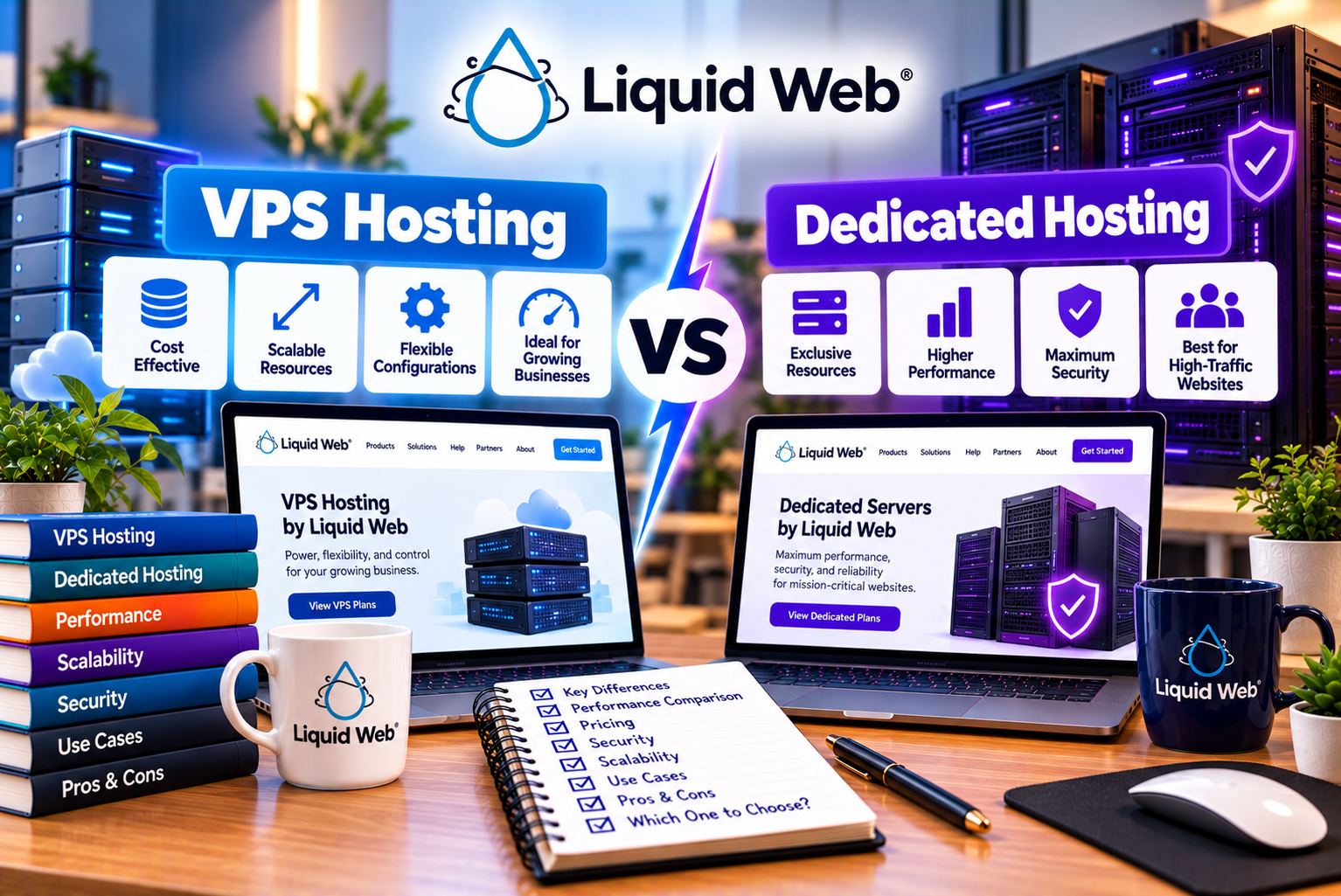
Liquid Web VPS Hosting vs Dedicated Hosting
Choosing the right hosting infrastructure becomes increasingly important as a website grows, attracts more visitors, or begins supporting essential business operations. While shared hosting can be sufficient for smaller websites, growing businesses may eventually need more processing power, memory, storage, control, and flexibility.
Two options worth considering are virtual private server (VPS) hosting and dedicated server hosting.
Both provide alternatives to conventional shared hosting, but they differ in how computing resources are allocated, how much control customers receive, and how much infrastructure they need to manage.
Liquid Web offers both VPS and dedicated hosting solutions, with different levels of server management. This allows businesses to evaluate whether they need a virtualized environment with allocated resources or an entire physical server dedicated to their workloads.
However, choosing between these options is not simply a matter of deciding which one is more powerful.
A VPS may offer sufficient performance for a growing WordPress website, a business application, or a moderately sized online store. A dedicated server may be more appropriate for resource-intensive applications, demanding databases, or workloads that benefit from having an entire physical machine available.
The best option depends on your website’s traffic, resource consumption, technical requirements, budget, and future growth plans.
In this guide, we compare Liquid Web VPS vs dedicated hosting across infrastructure, performance, pricing, security, management, scalability, and practical business applications. We also explain when upgrading to a dedicated server makes sense and when a VPS may provide better value.
Liquid Web VPS vs Dedicated Hosting: Quick Comparison
Before exploring each hosting option in detail, consider the main differences.
| Feature | Liquid Web VPS Hosting | Liquid Web Dedicated Hosting |
| Infrastructure | Virtual server running on physical infrastructure | Entire physical server allocated to the customer |
| Resource allocation | Virtualized resources allocated to the VPS | Physical server resources dedicated to the workload |
| Initial cost | Generally lower for comparable entry-level configurations | Generally higher because of dedicated hardware |
| CPU and memory | Depends on the selected VPS configuration | Depends on the physical server configuration |
| Storage | Depends on the selected plan | Depends on the selected server |
| Root or administrator access | Available on applicable configurations | Available on applicable configurations |
| Server management | Self-managed, core-managed, and managed options vary by product | Management options depend on the selected service |
| Performance | Suitable for many business workloads | Can offer greater sustained physical capacity for demanding workloads |
| Resource isolation | Virtualized environment with allocated resources | Physical server dedicated to the customer |
| Scalability | Resources can be upgraded, subject to the product’s capabilities | Hardware can be upgraded or the workload can be migrated to another configuration |
| Maintenance responsibility | Depends on the management tier | Depends on the management tier |
| Ideal use cases | Growing websites, applications, and moderate workloads | Resource-intensive applications and demanding business workloads |
| Best decision factor | Balance of cost, resources, and management | Need for dedicated physical capacity and infrastructure control |
Important: These are general differences between VPS and dedicated hosting. The actual performance, price, security, and management arrangements depend on the specific Liquid Web product you choose.
A high-specification VPS can outperform an inadequately configured dedicated server for certain workloads. Likewise, a dedicated server may provide more useful capacity when an application consistently needs substantial CPU, memory, or storage resources.
Compare the actual configurations rather than assuming that the hosting category alone determines performance.
What Is Liquid Web VPS Hosting?
A virtual private server is a virtualized server environment that operates on a physical host machine.
Virtualization software divides the host’s computing resources into separate environments. Each VPS receives an allocated amount of resources and can run its own supported operating system and applications.
Liquid Web offers VPS hosting for businesses, developers, and website owners who need more control than conventional entry-level hosting provides.
Its product portfolio includes managed and self-managed VPS options, with available configurations and operating systems depending on the product.
You can review current configurations on the official Liquid Web VPS hosting page.
How VPS Hosting Works
Imagine a physical server equipped with multiple CPU cores, substantial memory, and storage capacity.
A virtualization layer allows that server to run several separate virtual machines. Each virtual machine operates as an independent server environment within the limits of its configuration.
A business using one VPS can install compatible software, deploy a website, configure databases, and run applications without purchasing an entire physical server.
This arrangement can provide a practical balance between resource allocation, control, and cost.
Key Features of Liquid Web VPS Hosting
Liquid Web’s VPS offerings can include features such as:
- Allocated virtual CPU and memory resources
- SSD storage on applicable configurations
- Root access on supported plans
- Linux and Windows options where available
- Managed and self-managed service levels
- Monitoring and technical support according to the selected service
- Available control-panel options
- Backup services, depending on the configuration
- Security-related services and add-ons
- Options to upgrade server resources
The availability of individual features depends on the selected VPS product and configuration.
Managed VPS vs Self-Managed VPS
One of the most important decisions is determining how much server administration you want the provider to handle.
Self-managed VPS hosting
With self-managed hosting, you are responsible for most server administration tasks. These may include operating-system maintenance, security configuration, software updates, monitoring, and troubleshooting.
This option can suit developers and system administrators who want direct control and have the expertise to maintain the server.
Core-managed VPS hosting
Core-managed services provide additional assistance with selected infrastructure and core software responsibilities. The exact scope depends on the provider’s current service terms.
This option can be useful for businesses that want some assistance while retaining substantial control over their environment.
Fully managed VPS hosting
Fully managed hosting provides broader assistance with server administration. Depending on the selected service, this may include operating-system updates, security patches, monitoring, control-panel assistance, and support for specified software.
Managed hosting can reduce the amount of server administration your team needs to perform, but it does not necessarily include custom application development or troubleshooting every third-party plugin.
Liquid Web explains its service levels on its official hosting support page.
Who Should Consider Liquid Web VPS Hosting?
VPS hosting may be suitable for:
- Growing WordPress websites
- Business websites with increasing traffic
- Small and medium-sized eCommerce stores
- Developers building custom applications
- Agencies hosting client projects
- Database-driven applications
- Development and testing environments
- Businesses moving beyond shared hosting
A VPS is particularly useful when your website needs additional resources or greater configuration control but does not yet justify an entire physical server.
What Is Liquid Web Dedicated Hosting?
Dedicated hosting provides a physical server for one customer rather than placing the customer’s workload inside a virtual server environment shared with other virtual machines.
The server’s CPU, memory, storage, and other physical resources are allocated to the customer’s workloads, subject to the hardware configuration and any applicable service limitations.
Liquid Web offers dedicated or bare-metal servers for businesses that need greater infrastructure control, physical resource capacity, and configurations suited to demanding applications.
Its dedicated hosting products are designed for workloads such as high-traffic websites, eCommerce platforms, databases, and other business applications.
Explore available configurations on the official Liquid Web dedicated server hosting page.
How Dedicated Hosting Works
With dedicated hosting, the customer receives a physical server configured according to the selected product.
For example, a server may include:
- A particular processor and core count
- A specified amount of RAM
- One or more storage devices
- Network connectivity
- A supported operating system
- Optional control-panel software
- Selected management and security services
The entire physical server is allocated to the customer’s workload, rather than dividing its resources among multiple customer-owned virtual machines.
This can be useful for applications that need substantial and predictable computing capacity.
However, dedicated hosting does not automatically guarantee faster performance. The processor, memory, storage, software configuration, application architecture, and workload all influence the outcome.
Key Features of Liquid Web Dedicated Hosting
Depending on the selected server and service, features can include:
- Dedicated physical hardware
- Configurable server resources
- Root or administrator access
- Operating-system choices
- Control-panel options
- Managed and self-managed service levels
- Hardware and network support
- Monitoring and technical assistance
- Available security services
- Server upgrade and migration options
Not every dedicated server includes every feature. Check the current product configuration and support terms before purchasing.
Who Should Consider Liquid Web Dedicated Hosting?
Dedicated hosting may be worth evaluating for:
- High-traffic business websites
- Resource-intensive WooCommerce stores
- Large databases
- Custom business applications
- High-demand publishing platforms
- Applications with sustained CPU or memory requirements
- Businesses requiring control over a physical server
- Organizations with specific infrastructure requirements
A dedicated server is not necessary for every large website. The decision should be based on actual resource consumption, performance requirements, and the cost of operating the infrastructure.
How VPS and Dedicated Hosting Differ at the Infrastructure Level
Understanding the underlying infrastructure helps explain why these hosting options have different cost and performance characteristics.
VPS Hosting: Virtualized Resources
A VPS operates within a virtualized environment on physical infrastructure.
The hosting platform allocates resources to the virtual machine, allowing it to operate independently within its assigned configuration.
The main advantages are:
- Lower entry cost than many dedicated configurations
- Flexible resource allocations
- Separation between virtual environments
- Convenient upgrade paths on supported products
- Less physical infrastructure to procure or maintain directly
However, VPS performance depends on the host infrastructure, the virtualization platform, the resources allocated to the virtual machine, and the behavior of the workload.
Virtualization is not inherently slow. Modern VPS infrastructure can support demanding applications when configured appropriately.
Dedicated Hosting: Physical Resources
Dedicated hosting provides an entire physical server for the customer’s workloads.
This gives the customer control over the server configuration within the provider’s supported options.
Potential advantages include:
- Physical CPU and memory dedicated to the customer’s workloads
- Greater control over hardware selection
- More room for resource-intensive applications
- Fewer virtualization-layer considerations
- Greater flexibility for some specialized configurations
Dedicated hosting also has trade-offs. It generally costs more than a modest VPS, and hardware changes can require a server upgrade, migration, or planned maintenance.
Infrastructure Comparison
| Consideration | VPS Hosting | Dedicated Hosting |
| Resource model | Virtualized resources | Physical server resources |
| Hardware access | Indirect, through the virtualized environment | Greater control over the allocated physical server |
| Typical starting cost | Lower | Higher |
| Hardware configuration | Selected virtualized configuration | Selected physical server configuration |
| Workload isolation | Virtual-machine isolation | Physical server dedicated to the customer |
| Hardware maintenance | Provider manages underlying infrastructure | Provider manages physical hardware; customer duties depend on the service |
| Scaling | Upgrade virtual resources where supported | Upgrade hardware or migrate to another server |
| Technical complexity | Depends on management level | Depends on management level and server configuration |
The key distinction is not simply that a dedicated server is more powerful. It is that dedicated hosting gives you an entire physical server, while VPS hosting gives you an allocated virtual server environment.
Liquid Web VPS vs Dedicated Hosting: Pricing Comparison
Pricing is an important factor when deciding between VPS and dedicated hosting.
A VPS generally offers a lower entry cost because you purchase a virtualized allocation rather than an entire physical server. Dedicated hosting costs more in many configurations because the customer receives the physical server’s capacity.
However, advertised prices are only the starting point. The total cost depends on resources, management, software licensing, backups, security services, and the billing term.
Liquid Web VPS Pricing
Liquid Web has advertised several VPS configurations with different amounts of CPU, memory, storage, and bandwidth.
Examples published for VPS configurations have included:
| Example Configuration | vCPU | RAM | Example Storage | Example Bandwidth |
| Entry-level VPS | 1 | 1 GB | 30 GB SSD | 1 TB |
| Mid-range VPS | 2 | 4 GB | 80 GB SSD | 3 TB |
| Higher-resource VPS | 4 | 8 GB | 240 GB SSD | 5 TB |
These are examples of published configurations rather than a guarantee of current availability. Product specifications, storage types, prices, and promotions can change.
Liquid Web has also advertised entry-level VPS promotions starting at approximately $5 per month on selected offers. That figure should not be interpreted as the regular price for every configuration or as the price of a fully managed VPS.
Managed VPS pricing can be substantially higher because it includes a broader level of service.
For example, a managed VPS configuration with 4 GB of RAM has been advertised at a promotional rate of $36 per month for an introductory period, compared with a displayed regular price of $72 per month. Other configurations have different promotional and regular rates.
Always check the current plan page to confirm the applicable price, contract length, and renewal rate.
Liquid Web Dedicated Hosting Pricing
Dedicated server pricing depends on the physical hardware configuration and service level.
Factors affecting cost include:
- Processor model and core count
- Memory capacity
- Storage type and capacity
- Number of storage devices
- Bandwidth and network requirements
- Operating system
- Control-panel licensing
- Management level
- Security services
- Backup configuration
- Hardware upgrade requirements
Liquid Web has advertised promotional dedicated server configurations starting at approximately $77 per month for selected offers. Higher-resource configurations can cost considerably more.
Promotional pricing may apply only to particular configurations, billing periods, or new customers. Regular prices can be substantially different.
Review the official Liquid Web pricing page and dedicated server product information before comparing costs.
VPS vs Dedicated Hosting: Cost Comparison
| Cost Factor | VPS Hosting | Dedicated Hosting |
| Entry-level cost | Generally lower | Generally higher |
| CPU and memory | Depends on the virtual configuration | Depends on the physical server |
| Management services | May increase the monthly cost | May increase the monthly cost |
| Control-panel licensing | May be additional | May be additional |
| Backup services | Included or charged separately, depending on configuration | Included or charged separately, depending on configuration |
| Security add-ons | Varies by product | Varies by product |
| Resource upgrades | May be possible through a configuration change | May require hardware changes or migration |
| Administration costs | Depends on the management tier | Depends on the management tier |
| Migration costs | Depends on the move and service terms | Depends on the move and service terms |
Which Option Offers Better Value?
VPS hosting often provides better value when your workload fits comfortably within the available virtual resources.
For example, a business website that needs a few virtual CPU cores and several gigabytes of RAM may not benefit enough from a dedicated server to justify the additional expense.
Dedicated hosting may offer better value when a workload consistently uses substantial resources or when physical-server allocation addresses an important operational requirement.
Consider total cost of ownership rather than monthly hosting price alone.
Include administration, software licenses, backups, security, monitoring, migration, and the cost of downtime.
Performance: Is Liquid Web VPS or Dedicated Hosting Faster?
Performance is one of the most common reasons businesses consider upgrading their hosting infrastructure.
A website may become slow when traffic increases, database queries become more expensive, or the application begins using more CPU and memory.
However, it is important to understand that server type alone does not determine website speed.
Performance depends on the interaction between hardware, software, configuration, caching, network conditions, and workload.
VPS Hosting Performance
A VPS can provide strong performance when its allocated resources match the website’s requirements.
For example, a WordPress website with optimized images, appropriate caching, and moderate traffic may perform well on a VPS with sufficient CPU and memory.
VPS hosting can be especially useful when a website has outgrown shared hosting but does not need the capacity of a dedicated server.
Potential performance limitations include:
- Insufficient CPU allocation
- Memory pressure
- Storage bottlenecks
- Database inefficiencies
- Poor caching configuration
- Too many concurrent dynamic requests
- Application code that performs unnecessary work
A larger VPS may solve some resource constraints, but it will not automatically fix an inefficient application.
Dedicated Hosting Performance
A dedicated server can provide greater physical resource capacity for workloads that need it.
This may be valuable for applications with sustained CPU usage, large databases, extensive background processing, or significant concurrent traffic.
Dedicated hosting can also provide more control over the physical server configuration.
However, performance still depends on the chosen processor, memory, storage, operating system, application software, and configuration.
A poorly optimized application can remain slow even when running on a powerful dedicated server.
Performance Comparison
| Performance Factor | VPS Hosting | Dedicated Hosting |
| CPU capacity | Depends on allocated virtual CPU resources | Depends on physical processor and core configuration |
| Memory | Allocated according to the VPS plan | Based on physical server memory |
| Storage performance | Depends on the storage and virtualization configuration | Depends on physical storage configuration |
| High concurrency | Suitable when resources are sufficient | Can support demanding workloads with suitable hardware |
| Database workloads | Can perform well when appropriately configured | May be preferable for consistently resource-intensive databases |
| Resource control | Virtualized configuration | Greater control over physical server resources |
| Performance tuning | Depends on available access and management | Can offer broader hardware-level configuration options |
| Best-fit workload | Small to medium workloads and appropriately sized applications | Workloads needing substantial, sustained physical capacity |
Neither option should be declared universally faster without testing comparable configurations under controlled conditions.
How to Measure Hosting Performance
If you are deciding between Liquid Web VPS and dedicated hosting, use a structured testing process.
Step 1: Establish a baseline.
Measure your current website’s response times, loading behavior, resource consumption, and error rates.
Step 2: Use consistent software.
Where possible, compare the same application, database, theme, plugins, and caching configuration.
Step 3: Measure server response time.
Slow server response may indicate issues with CPU, memory, database queries, application processing, or caching.
Step 4: Test realistic traffic.
A website that performs well for one visitor may behave differently when many users access it simultaneously.
Step 5: Monitor resource usage.
Review CPU utilization, memory pressure, storage performance, database activity, and network usage.
Step 6: Compare the results.
Use repeated measurements instead of relying on one speed test.
The objective is to identify whether the VPS is genuinely reaching its limits and whether dedicated hosting would solve the specific bottleneck.
Which Hosting Option Is Better for High-Traffic Websites?
High traffic is often associated with dedicated hosting, but the number of monthly visitors alone does not determine which server type is necessary.
Two websites receiving the same number of visitors may have very different resource requirements.
A text-heavy publication with effective caching may need fewer resources than an interactive website that performs complex database queries for every request.
When VPS Hosting Can Handle High Traffic
A suitably configured VPS may support substantial traffic when:
- Pages are efficiently cached.
- Images and other assets are optimized.
- Database queries are efficient.
- Dynamic requests are relatively lightweight.
- The server has sufficient CPU and memory.
- The application is designed to handle concurrency.
For example, a content website with many static or cacheable pages may operate effectively on a well-configured VPS.
The key is to evaluate actual workload characteristics rather than using traffic volume as the only decision factor.
When Dedicated Hosting May Be Better
A dedicated server may be worth evaluating when:
- CPU utilization remains high during normal operations.
- Memory usage frequently approaches the available limit.
- Database workloads require substantial resources.
- Traffic spikes cause persistent performance degradation.
- The application runs resource-intensive background tasks.
- The business needs greater control over hardware configuration.
- A VPS upgrade no longer provides a suitable balance of capacity and cost.
Dedicated hosting can provide a larger resource envelope, but the application must be configured to use those resources effectively.
What About Traffic Spikes?
Traffic spikes can expose problems that do not appear during normal website operation.
Before upgrading, determine whether the bottleneck is related to the server, database, application code, or network.
For some businesses, caching and a CDN may reduce the load on the origin server more economically than moving to a dedicated server.
For others, especially those with dynamic applications, additional processing capacity may be necessary.
The right choice depends on how your application handles traffic and what the hosting platform can scale.
Scalability: VPS vs Dedicated Hosting
Scalability is the ability to accommodate increasing workloads as your business grows.
The most suitable scaling approach depends on whether your application benefits from adding resources to one server, distributing workloads across multiple systems, or moving to more powerful hardware.
Scaling Liquid Web VPS Hosting
VPS hosting can often be scaled by upgrading the virtual server’s allocated resources.
Depending on the product, this may involve increasing CPU, memory, or storage.
Advantages include:
- A lower initial infrastructure commitment
- The ability to start with a smaller configuration
- Resource upgrades on supported products
- A practical path for growing websites
- Less need to purchase a full physical server at the beginning
However, the available upgrade options and process depend on the specific product.
Some changes may require a restart, maintenance window, or migration.
Scaling Liquid Web Dedicated Hosting
Dedicated hosting can be scaled by upgrading physical hardware or migrating to a different server configuration.
Depending on the available product, this may involve more memory, a different processor, additional storage, or a replacement server.
Advantages include:
- Access to more substantial physical configurations
- Greater hardware-level control
- A suitable environment for sustained high-resource workloads
The trade-off is that hardware changes may be more involved than changing a VPS configuration.
A server migration can require application testing, data synchronization, DNS changes, and a planned maintenance window.
Which Is Easier to Scale?
A VPS is often the simpler option when the workload can be accommodated by upgrading virtual resources.
Dedicated hosting may be preferable when the business needs a larger physical resource allocation or a specific hardware configuration.
However, vertical scaling has limits. Applications that need to handle large, unpredictable traffic spikes may benefit from a distributed or cloud architecture rather than relying exclusively on one increasingly powerful server.
Do not assume that moving from VPS to dedicated hosting is the only path for future growth.
Security: Liquid Web VPS vs Dedicated Hosting
Security depends on the hosting configuration, management level, operating system, application software, and maintenance practices.
Both VPS and dedicated hosting can support secure environments when configured and maintained correctly.
VPS Hosting Security
A VPS provides an isolated virtual environment, but the underlying physical infrastructure remains part of the provider’s platform.
Customers must understand their responsibilities for application security and, depending on the management level, server maintenance.
Important considerations include:
- Operating-system updates
- Firewall configuration
- Secure remote access
- Strong authentication
- Software patching
- Malware protection
- Backup arrangements
- User permissions
- Monitoring and incident response
The exact responsibilities depend on whether the VPS is self-managed, core-managed, or fully managed.
Dedicated Hosting Security
A dedicated server gives the customer an entire physical server, which can offer additional control over hardware configuration and the software environment.
However, physical dedication does not automatically make the server more secure.
An unpatched dedicated server with weak passwords may be more vulnerable than a properly maintained VPS.
Businesses should still implement appropriate firewall rules, updates, access controls, monitoring, and backup procedures.
Security Comparison
| Security Consideration | VPS Hosting | Dedicated Hosting |
| Resource isolation | Virtual-machine isolation | Physical server allocated to one customer |
| Operating-system security | Depends on management level and configuration | Depends on management level and configuration |
| Firewall | Depends on the service and configuration | Depends on the service and configuration |
| Malware protection | Depends on included tools and configuration | Depends on included tools and configuration |
| DDoS protection | Verify the selected plan’s coverage | Verify the selected plan’s coverage |
| Backups | Included or optional, depending on configuration | Included or optional, depending on configuration |
| Root access | Available on supported configurations | Available on supported configurations |
| Security responsibilities | Shared between provider and customer according to the service | Shared between provider and customer according to the service |
Is Dedicated Hosting More Secure Than VPS Hosting?
Not automatically.
Dedicated hosting can provide physical resource separation and greater hardware-level control. These characteristics may matter for particular applications or infrastructure requirements.
VPS hosting can also provide strong isolation and security when configured properly.
The correct decision depends on the security model, threat exposure, software configuration, access controls, and any compliance requirements applicable to your business.
If you process payments or store sensitive information, assess the complete application and infrastructure environment rather than choosing a server type based on a general assumption about security.
Server Management: How Much Technical Work Is Required?
Server management is an important consideration because it affects the time, expertise, and staffing required to operate the infrastructure.
Liquid Web offers different management levels for supported hosting products.
The level of assistance you choose can be as important as whether you select a VPS or dedicated server.
Self-Managed Hosting
With self-managed hosting, you take responsibility for most server administration.
Typical tasks can include:
- Configuring the operating system
- Installing and maintaining software
- Applying security updates
- Managing users and permissions
- Configuring services
- Monitoring resource consumption
- Troubleshooting application issues
- Maintaining backups
- Responding to server-level incidents
This approach can suit experienced developers and system administrators.
However, it can create substantial operational responsibilities for businesses without technical staff.
Core-Managed Hosting
Core-managed services provide additional assistance with selected infrastructure and core software tasks.
This may help businesses that want to retain substantial control but need help with certain maintenance and troubleshooting responsibilities.
Confirm the exact service scope before assuming that a specific task is included.
Fully Managed Hosting
Fully managed hosting provides broader server-management assistance.
Depending on the selected product, this can include operating-system updates, security patches, monitoring, control-panel support, and assistance with specified software.
For a business without an internal server administrator, fully managed hosting can reduce operational workload.
However, it does not necessarily include custom application development, advanced database optimization, or support for every third-party application.
Management Comparison
| Responsibility | Self-Managed | Core-Managed | Fully Managed |
| Hardware and network support | Provider support according to terms | Provider support according to terms | Provider support according to terms |
| Core operating-system updates | Customer responsibility | Additional assistance, as specified | Included within the defined service scope |
| Server monitoring | Primarily customer-managed beyond included hardware monitoring | Additional monitoring and support | Broader monitoring and remediation services |
| Control-panel assistance | Limited by service terms | Limited by service terms | Included for supported control panels |
| Security patching | Primarily customer responsibility | Depends on the service | Included for supported components within scope |
| Custom application development | Customer or developer | Customer or developer | Usually requires separate application-level work |
| Best fit | Experienced administrators | Teams wanting partial assistance | Businesses seeking broader operational support |
The exact responsibilities must be confirmed against the current service description and contract.
Liquid Web VPS vs Dedicated Hosting for WordPress Websites
WordPress can run on both VPS and dedicated hosting environments.
The appropriate choice depends on website complexity, traffic, plugin usage, database activity, caching, and the amount of control you need.
When VPS Hosting Is Suitable for WordPress
A VPS may be appropriate for:
- Small and medium-sized business websites
- WordPress blogs
- Marketing websites
- Agency projects
- Moderate-traffic content websites
- Websites requiring more control than shared hosting provides
A VPS can offer sufficient resources for these websites when the server is appropriately configured.
It may also provide flexibility for adjusting PHP settings, managing databases, and installing compatible software.
When Dedicated Hosting May Be Suitable for WordPress
A dedicated server may be worth evaluating for:
- Large content websites with substantial dynamic workloads
- Resource-intensive WordPress installations
- Large WooCommerce stores
- Complex membership websites
- Websites with demanding database requirements
- Applications that require extensive server customization
However, a high-traffic WordPress website does not automatically need a dedicated server.
Caching, a CDN, database optimization, and efficient application code can significantly affect how much server capacity is required.
WordPress Hosting Decision Table
| WordPress Requirement | Option to Consider |
| Basic business website | VPS may be sufficient |
| Growing blog | VPS may be sufficient |
| Moderate-traffic WordPress website | VPS with appropriate resources |
| Elementor website with complex layouts | VPS or dedicated hosting, depending on workload |
| Large WooCommerce store | Evaluate both based on performance testing |
| High database activity | Dedicated hosting may be worth evaluating |
| Custom WordPress application | Either, depending on technical requirements |
| Workload consistently exhausting VPS resources | Evaluate a larger VPS, dedicated hosting, or a distributed architecture |
Choose the smallest suitable configuration that meets your performance, security, and availability requirements without introducing unnecessary operational risk.
Liquid Web VPS vs Dedicated Hosting for WooCommerce
WooCommerce websites often have more demanding infrastructure requirements than simple WordPress websites.
They may process product searches, customer logins, cart updates, checkout requests, inventory changes, and payment notifications.
These operations can create significant database and application activity.
Why WooCommerce Needs Appropriate Resources
A store’s performance can depend on:
- Product catalog size
- Database efficiency
- PHP worker capacity
- Object caching
- Checkout functionality
- Payment integrations
- Inventory synchronization
- Third-party extensions
- Concurrent customer activity
- Traffic peaks
A suitably configured VPS can be sufficient for many small and medium-sized stores.
A dedicated server may be useful when the store has sustained high resource consumption or requires greater control over the physical infrastructure.
When to Consider VPS Hosting for WooCommerce
VPS hosting may be a practical choice if:
- Your store is growing but has manageable resource requirements.
- You need more control than shared hosting provides.
- Your database and application workload fits the selected configuration.
- You want to avoid the additional cost of dedicated hardware.
When to Consider Dedicated Hosting for WooCommerce
Dedicated hosting may be worth evaluating if:
- Your store consistently approaches the limits of available VPS resources.
- High traffic creates persistent performance problems.
- The database requires substantial memory or CPU capacity.
- You need specific hardware or server configurations.
- Downtime during peak trading periods creates significant business risk.
Before upgrading, investigate whether the problem comes from the hosting environment, application code, caching, or database design.
A dedicated server may provide additional capacity, but it cannot automatically fix inefficient checkout code or poorly configured plugins.
Liquid Web VPS vs Dedicated Hosting for Agencies and Developers
Agencies and developers may need server configurations that support multiple websites, custom applications, staging environments, and specialized software.
The best option depends on the number of workloads, their resource requirements, and the team’s technical expertise.
VPS Hosting for Agencies
A VPS may be appropriate for agencies that host several small or medium-sized websites and want more control over the hosting environment.
Advantages can include:
- Lower infrastructure cost than many dedicated configurations
- Separate virtual environments for different workloads
- Flexible resource allocation
- Root access on supported configurations
- A manageable starting point for new projects
However, hosting multiple client websites on one VPS can create resource contention if the sites have demanding workloads.
Agencies should also consider client isolation, access controls, backups, and recovery procedures.
Dedicated Hosting for Agencies
A dedicated server may be useful when an agency operates resource-intensive websites or needs greater control over the server environment.
It can also provide a substantial physical resource allocation for workloads that are difficult to accommodate on a smaller VPS.
However, agencies should assess whether one large server is the best architecture for all their clients.
Separating workloads across multiple servers or virtual environments may make management and troubleshooting easier.
Developer Considerations
Developers should evaluate:
- Root or administrator access
- Supported operating systems
- Programming language requirements
- Database configuration
- Containerization or virtualization needs
- Control-panel compatibility
- API and automation support
- Monitoring
- Backups
- Security patching
- Migration options
- Management responsibilities
The right server type is the one that supports the application architecture without creating unnecessary infrastructure complexity.
Pros and Cons of Liquid Web VPS Hosting
Advantages of Liquid Web VPS Hosting
- Lower Entry Cost
VPS hosting generally costs less than dedicated hosting because you purchase an allocated virtual environment rather than an entire physical server.
- Flexible Resource Allocation
Supported configurations can provide different amounts of CPU, memory, storage, and bandwidth.
- Managed Hosting Options
Liquid Web offers different management levels, allowing businesses to choose how much server administration they want to handle.
- Suitable for Growing Websites
A VPS can provide a practical upgrade path for websites that have outgrown basic hosting.
- Technical Control
Supported configurations provide root access, giving developers greater control over the server environment.
- Multiple Workload Possibilities
VPS hosting can support WordPress websites, databases, custom applications, development environments, and other compatible workloads.
Disadvantages of Liquid Web VPS Hosting
- Limited by the Selected Configuration
A VPS has defined resource allocations. Workloads that consistently exceed those resources may require an upgrade or a different architecture.
- Management Requires Careful Selection
A self-managed VPS can require substantial technical expertise. Businesses must select an appropriate management level.
- Not Every Workload Fits a Small VPS
Resource-intensive databases and applications may need more capacity than a modest VPS provides.
- Virtualization Still Matters
The performance characteristics depend on the virtualization platform and the underlying infrastructure.
- Additional Services Can Increase Costs
Control panels, backups, security services, and other features may affect the final price, depending on the plan.
Pros and Cons of Liquid Web Dedicated Hosting
Advantages of Liquid Web Dedicated Hosting
- Entire Physical Server
The physical server is allocated to the customer’s workloads rather than divided among multiple customer-owned virtual machines.
- Greater Hardware-Level Control
Dedicated hosting may offer more flexibility for selecting or configuring physical resources.
- Suitable for Demanding Applications
Applications that require substantial CPU, memory, or storage resources may benefit from a suitable dedicated configuration.
- Resource Isolation
The customer does not share the physical server with other customer workloads through the same VPS-hosting arrangement.
- Business-Oriented Infrastructure
Dedicated hosting can be useful for businesses that depend on demanding applications and need control over their server environment.
- Management Options
Liquid Web offers management services for supported server products, allowing customers to evaluate how much operational assistance they need.
Disadvantages of Liquid Web Dedicated Hosting
- Higher Cost
Dedicated servers generally cost more than smaller VPS configurations.
- Hardware Upgrades Can Be More Involved
Increasing physical resources may require a hardware change or migration to another server.
- Can Be Excessive for Smaller Websites
A modest website may not use enough resources to justify a dedicated server.
- Management Responsibilities Still Matter
A dedicated server does not eliminate operating-system maintenance, security responsibilities, or application troubleshooting.
- Performance Still Depends on Configuration
A powerful server cannot compensate for every database, application, or caching problem.
When Should You Upgrade from VPS to Dedicated Hosting?
Upgrading from VPS to dedicated hosting can be beneficial, but it should be based on evidence rather than assumptions.
A website receiving more visitors does not automatically need a dedicated server.
Instead, examine the current server’s performance and identify which resources are limiting the application.
Signs That Your VPS May Be Reaching Its Limits
- Persistent High CPU Usage
If CPU utilization remains high during normal operations, the application may need more processing capacity.
Before upgrading, investigate inefficient code, database queries, and background tasks.
- Memory Pressure
Frequent memory exhaustion or swapping can slow down the server and cause application failures.
A larger VPS may be sufficient, but dedicated hosting can be worth evaluating if the workload requires substantial memory capacity.
- Database Bottlenecks
Large databases and complex queries can create performance problems.
Review database activity and query efficiency before deciding whether additional physical resources are necessary.
- Performance Problems During Traffic Peaks
If the website becomes slow when many users arrive simultaneously, investigate concurrency, caching, PHP workers, and server resource utilization.
- Resource-Intensive Background Jobs
Data processing, report generation, image processing, and scheduled tasks can consume substantial CPU and memory.
A dedicated server may provide useful capacity for workloads that run continuously or in large batches.
- Specific Hardware Requirements
Some applications require particular physical resources, configuration options, or software environments.
In these cases, dedicated hosting may provide more suitable control.
Upgrade Decision Checklist
Before moving to a dedicated server, ask:
- Is CPU capacity consistently insufficient?
- Is memory the main bottleneck?
- Is the database consuming excessive resources?
- Have caching and application optimizations been reviewed?
- Would a larger VPS solve the problem?
- Does the workload need a specific physical configuration?
- Can the business justify the higher monthly cost?
- Is a single dedicated server the best architecture?
- How will the migration affect website availability?
- Does the selected dedicated plan include the required management and support?
If a larger VPS can solve the problem economically, there may be little reason to move immediately to dedicated hosting.
If your workload needs substantial sustained physical capacity, dedicated hosting deserves closer consideration.
VPS vs Dedicated Hosting: Common Mistakes to Avoid
1. Assuming Dedicated Hosting Is Always Faster
Dedicated hosting provides a physical server for your workloads, but performance still depends on the hardware and application configuration.
A well-optimized VPS may perform better than an inadequately configured dedicated server for certain workloads.
2. Choosing Only by Monthly Price
The cheapest VPS may not include the resources or management services your business requires.
Likewise, the most expensive dedicated server may provide more capacity than your application can use.
Compare the total cost of operating the service.
3. Ignoring Management Responsibilities
A self-managed server requires technical knowledge and ongoing maintenance.
Make sure your team can handle the responsibilities or select a suitable managed service.
4. Upgrading Without Measuring Performance
A slow website may be caused by inefficient code, poor caching, oversized images, or database problems.
Measure the bottleneck before purchasing additional server capacity.
5. Overlooking Backups
Backups should be part of your hosting decision regardless of the server type.
Check backup frequency, retention, storage location, and restoration procedures.
6. Treating High Traffic as the Only Decision Factor
Traffic volume matters, but the type of requests and the work performed by each request are equally important.
A heavily cached website may need fewer resources than an application that performs complex processing for every visitor.
7. Forgetting About Scaling and Migration
A dedicated server may provide more capacity, but changing servers can require a migration.
Plan for data synchronization, testing, DNS changes, and potential maintenance windows.
How to Choose Between Liquid Web VPS and Dedicated Hosting
Use the following framework to make a decision based on your business requirements.
Step 1: Identify the Application
Determine whether you are hosting a WordPress website, WooCommerce store, database, custom application, or several different workloads.
Each application may have different resource requirements.
Step 2: Measure Resource Consumption
Review CPU usage, memory consumption, storage performance, network traffic, database activity, and application response times.
Use actual measurements wherever possible.
Step 3: Define Your Performance Requirements
Determine how quickly the application needs to respond and how it should behave during traffic peaks.
Consider the financial impact of slow performance or downtime.
Step 4: Choose Your Management Level
Decide whether your team can administer the server independently or needs assistance with maintenance and troubleshooting.
Compare the management services offered with the actual responsibilities your business wants to delegate.
Step 5: Compare VPS and Dedicated Configurations
Look at CPU, memory, storage, bandwidth, operating systems, control panels, and supported applications.
Avoid comparing a low-resource VPS with a high-end dedicated server and treating the result as a general rule.
Step 6: Calculate Total Cost of Ownership
Include:
- Hosting subscription
- Renewal prices
- Control-panel licenses
- Backup services
- Security tools
- Management services
- Monitoring
- Migration
- Administration time
- Potential downtime costs
This produces a more realistic comparison than the advertised monthly price alone.
Step 7: Evaluate Security and Recovery
Confirm the available security tools, backup schedule, restoration process, and responsibilities under the management agreement.
If the application is business-critical, document how the business will recover from a serious outage.
Step 8: Test Before Committing
Where possible, test the application on the proposed configuration.
Compare response times, resource utilization, error rates, and behavior under realistic workloads.
Step 9: Plan for Growth
Choose a hosting option that can accommodate realistic future requirements without creating unnecessary expense today.
If your application needs rapid scaling across multiple servers, evaluate whether a distributed or cloud architecture is more appropriate than a single larger server.
Final Verdict: Liquid Web VPS vs Dedicated Hosting
Liquid Web VPS hosting and dedicated hosting serve different infrastructure requirements.
VPS hosting provides a virtualized server environment with allocated resources. It is often a practical choice for growing websites, business applications, developers, and organizations that need more control without paying for an entire physical server.
Dedicated hosting provides an entire physical server for the customer’s workloads. It may be more appropriate for resource-intensive applications, demanding databases, high-traffic eCommerce stores, and businesses that need greater control over physical infrastructure.
Neither option is automatically better for every business.
Choose Liquid Web VPS Hosting If:
- You want a balance between cost and server control.
- Your application fits within a virtualized resource allocation.
- You are moving beyond shared hosting.
- You need root access on a supported configuration.
- You want the option to select an appropriate management level.
- Your current workload does not justify an entire physical server.
Choose Liquid Web Dedicated Hosting If:
- Your workload needs substantial physical server capacity.
- CPU or memory demand is consistently high.
- You operate a resource-intensive application or database.
- You require greater control over hardware configuration.
- The benefits of dedicated physical resources justify the additional cost.
- You have evaluated the management and migration requirements.
Final Recommendation
Start with VPS hosting when it meets your performance and resource requirements. Consider dedicated hosting when measured workloads, specific infrastructure needs, or business requirements justify the additional investment.
Before making the final decision, compare the current Liquid Web configurations, regular prices, management levels, backup arrangements, security services, and support terms.
The best server is not necessarily the largest one. It is the configuration that reliably supports your workload while keeping operational complexity and costs under control.
Frequently Asked Questions
1. What is the difference between Liquid Web VPS and dedicated hosting?
VPS hosting provides a virtualized server environment with allocated resources, while dedicated hosting provides an entire physical server for the customer’s workloads. VPS hosting generally has a lower entry cost, whereas dedicated hosting can provide greater physical resource capacity and hardware-level control.
2. Is Liquid Web VPS hosting good for business websites?
Liquid Web VPS hosting may be suitable for business websites that need more control and resources than basic shared hosting provides. Its suitability depends on the website’s workload, configuration, budget, and management requirements.
3. Is Liquid Web dedicated hosting worth it?
Dedicated hosting may be worth the cost if your business needs substantial physical resources, greater hardware control, or a configuration suited to demanding workloads. For smaller websites, a VPS may offer better value.
4. Which is cheaper: VPS or dedicated hosting?
VPS hosting generally has a lower entry price because customers purchase an allocated virtual server rather than an entire physical server. The final cost depends on resources, management, licenses, backups, and optional services.
5. Is dedicated hosting faster than VPS hosting?
Not in every situation. Dedicated hosting can provide greater physical resource capacity, but performance depends on hardware, software, workload, and configuration. A well-optimized VPS may outperform an inadequately configured dedicated server for certain tasks.
6. Does Liquid Web offer managed VPS hosting?
Yes. Liquid Web offers managed VPS hosting alongside other VPS configurations. Management services vary by product, so confirm the current service scope and included features before purchasing.
7. Does Liquid Web offer self-managed VPS hosting?
Yes. Liquid Web offers self-managed hosting for customers who want to handle server administration themselves. This option generally requires greater technical expertise than fully managed hosting.
8. Does Liquid Web offer dedicated server management?
Liquid Web offers different server-management levels for supported products. Review the current service terms to determine which maintenance, monitoring, security, and support tasks are included.
9. Can I host WordPress on a Liquid Web VPS?
Yes, WordPress can run on a compatible VPS configuration. Performance depends on the available resources, PHP configuration, database performance, caching, theme, plugins, and traffic.
10. Is a VPS enough for WooCommerce?
A VPS can be sufficient for many small and medium-sized WooCommerce stores if it provides the required resources. Larger stores with demanding database activity or high concurrent traffic may need a larger VPS, dedicated hosting, or another suitable architecture.
11. When should I upgrade from VPS to dedicated hosting?
Consider an upgrade when measurements show that your workload consistently needs more CPU, memory, or physical resource capacity than a suitable VPS configuration can provide economically. Optimize the application and investigate bottlenecks before upgrading.
12. Can a VPS handle high traffic?
Yes. A properly configured VPS can handle substantial traffic, particularly when the application uses effective caching and efficient code. The actual capacity depends on the workload and available resources.
13. Is dedicated hosting more secure than VPS hosting?
Not automatically. Dedicated hosting provides physical resource separation, while VPS hosting provides virtual-machine isolation. Both can be secure when configured and maintained correctly. Security depends on software updates, access controls, monitoring, and other safeguards.
14. Does Liquid Web VPS hosting include root access?
Root access is available on supported VPS configurations. Confirm the exact plan specifications and management arrangements before purchasing.
15. Can I upgrade my Liquid Web VPS resources?
Liquid Web offers resource upgrades on supported VPS products. The available options and process depend on the specific configuration, so check the current product documentation.
16. Can I upgrade a dedicated server?
Dedicated hosting may support hardware upgrades or migration to another server configuration. The available options depend on the server product, and some changes may require planned maintenance or migration.
17. Does Liquid Web include backups with VPS hosting?
Backup availability depends on the VPS configuration and selected services. Review the plan details to confirm whether backups are included, how long they are retained, and whether restoration carries additional costs.
18. Which is better for databases: VPS or dedicated hosting?
A VPS may be sufficient for smaller databases and moderate workloads. A dedicated server may be worth evaluating for databases that require substantial memory, CPU capacity, or sustained processing. Database optimization remains important with either option.
19. Is dedicated hosting suitable for agencies?
It can be suitable for agencies managing resource-intensive client websites or applications. However, agencies should also evaluate client isolation, backup arrangements, access controls, and whether several smaller virtual environments would be easier to manage.
20. What affects the cost of Liquid Web hosting?
Cost depends on resources, hosting type, management level, operating system, control-panel licensing, backup services, security tools, billing term, and promotional pricing. Compare the total cost rather than the advertised starting price alone.
21. Does Liquid Web offer Windows VPS hosting?
Liquid Web provides Windows options for supported VPS configurations. Confirm the availability, licensing, management options, and price for the specific configuration you need.
22. Does Liquid Web dedicated hosting provide physical resource isolation?
Dedicated hosting allocates the physical server to the customer’s workloads. This differs from VPS hosting, where resources are allocated through a virtualized environment on underlying physical infrastructure.
23. Can I migrate from a VPS to dedicated hosting?
Yes. A compatible website or application can generally be migrated from a VPS to a dedicated server. The process requires planning for files, databases, software configuration, testing, DNS changes, and potential downtime.
24. Should I choose managed or self-managed hosting?
Choose managed hosting if you want the provider to handle specified server-management responsibilities. Self-managed hosting may suit experienced administrators who want direct control and can maintain the environment themselves.
25. How do I choose between Liquid Web VPS and dedicated hosting?
Identify your application’s resource requirements, technical needs, budget, security responsibilities, and expected growth. Compare suitable configurations and their full costs. If possible, test the workload before deciding whether VPS or dedicated hosting provides better value.
Official References
Consult these resources to verify current features, management options, and pricing before publication.
- Liquid Web VPS hosting: https://www.liquidweb.com/vps-hosting/
- Liquid Web dedicated server hosting: https://www.liquidweb.com/dedicated-server/server-hosting/
- Liquid Web pricing: https://www.liquidweb.com/pricing/
- Liquid Web hosting support: https://www.liquidweb.com/support/
- Liquid Web support FAQ: https://www.liquidweb.com/support/faq/
- Liquid Web VPS deployment documentation: https://www.liquidweb.com/help-docs/hosting-services/cloud-vps/creating-a-cloud-vps/
Leave a Reply