


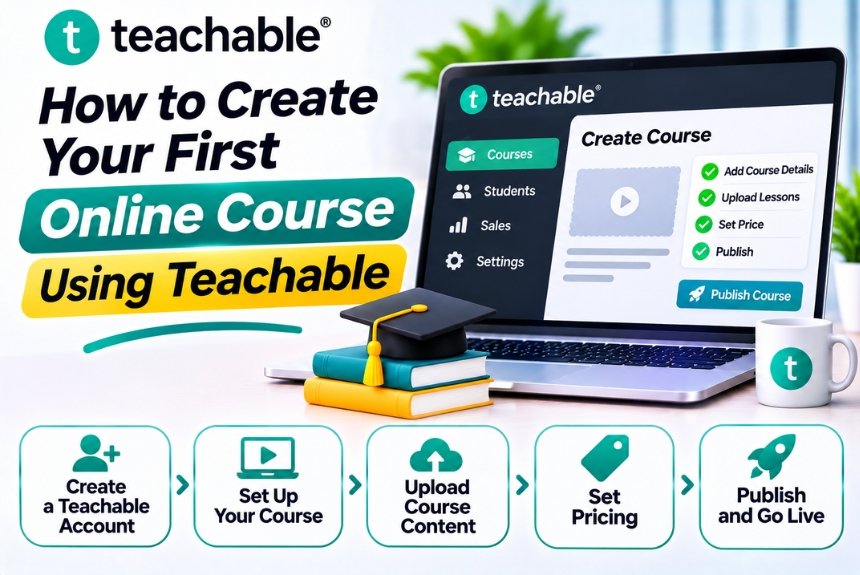
How to Create Your First Online Course Using Teachable
Creating an online course is an excellent way to turn your knowledge, skills, and experience into a digital product. Whether you’re a teacher, consultant, entrepreneur, freelancer, or industry professional, you can share your expertise with learners worldwide while building an additional revenue stream.
However, creating a successful online course involves more than recording videos and uploading them to a platform. You need to identify your target audience, organize your curriculum, develop engaging lessons, choose an appropriate pricing strategy, and create a learning experience that delivers real value.
Teachable makes this process easier by providing tools to create, manage, and sell online courses without building a website or learning complicated programming languages.
In this guide, we’ll explain how to create your first online course using Teachable, from choosing your course topic to publishing it and attracting your first students.
What Is Teachable?
Teachable is an online course creation and selling platform that allows creators to develop educational products and monetize their knowledge.
It provides a centralized environment for managing course content, student enrollment, payments, and sales pages.
With Teachable, you can create:
- Video-based online courses
- Self-paced learning programs
- Professional training courses
- Educational workshops
- Coaching programs
- Digital downloads
- Learning resources and educational materials
For example, a digital marketing professional can create courses on SEO, Google Ads, content marketing, social media marketing, and marketing automation.
Instead of developing a custom learning management system, creators can use Teachable’s existing infrastructure to focus on educational content and student experience.
Step 1: Choose a Profitable Course Topic
Before creating your course, identify a subject that you understand well and that people are interested in learning.
Your expertise is important, but a successful course should also solve a specific problem or help learners achieve a meaningful outcome.
Identify Your Skills and Expertise
Start by listing the subjects you know well.
Consider:
- Professional skills
- Academic knowledge
- Personal experiences
- Technical expertise
- Creative abilities
- Business knowledge
- Practical problem-solving skills
For example, if you work in digital marketing, potential course topics might include:
| Course Topic | Target Audience |
| SEO for Beginners | New marketers and website owners |
| Google Ads Masterclass | Business owners and marketers |
| Content Marketing Strategy | Freelancers and marketing professionals |
| WordPress Website Development | Beginners and entrepreneurs |
| Email Marketing Automation | Marketing teams and business owners |
| Social Media Marketing | Creators and small businesses |
Research Market Demand
Before investing time in creating a course, determine whether people are interested in your topic.
You can research demand using:
- Google Trends
- Google Search
- YouTube search suggestions
- Online communities
- Social media discussions
- Competitor course platforms
- Keyword research tools
Look for recurring questions, common challenges, and topics that people actively want to learn.
Narrow Your Course Topic
Avoid creating a course that covers an excessively broad subject.
Instead of creating a course titled Complete Digital Marketing Course, consider a more focused topic such as:
SEO for Small Business Websites: A Practical Beginner’s Guide
A specific topic makes it easier to define your audience, structure your curriculum, and communicate the value of your course.
Step 2: Define Your Target Audience
Once you’ve selected a topic, identify the people who are most likely to enroll.
Understanding your audience helps you create relevant content and choose the appropriate teaching style.
Questions to Consider
- Who is the ideal student?
- What knowledge do they already have?
- What problem are they trying to solve?
- What skills do they want to develop?
- What prevents them from achieving their goals?
- How much time can they dedicate to learning?
- What would make them pay for a course?
Example: SEO Course Audience
| Audience Attribute | Description |
| Target Audience | Beginners, freelancers, business owners |
| Existing Knowledge | Basic understanding of websites |
| Main Challenge | Low organic traffic |
| Learning Goal | Improve search visibility |
| Course Format | Video lessons and practical exercises |
| Expected Outcome | Ability to implement basic SEO strategies |
The more clearly you understand your students, the easier it becomes to develop a useful and engaging course.
Step 3: Define Your Course Learning Outcomes
Learning outcomes describe what students should be able to do after completing your course.
Instead of focusing only on the information you plan to teach, focus on the practical skills students will gain.
Example Learning Outcomes
After completing an SEO course, students should be able to:
- Understand how search engines discover and rank webpages.
- Conduct keyword research using SEO tools.
- Identify search intent and target relevant keywords.
- Optimize website titles, descriptions, and content.
- Perform basic technical SEO checks.
- Develop a content optimization strategy.
- Understand backlink building fundamentals.
- Measure SEO performance using analytics tools.
These outcomes provide a clear direction for your curriculum and help potential students understand the value of enrolling.
Step 4: Plan Your Course Curriculum
A structured curriculum helps students progress from basic concepts to practical applications.
Before recording lessons, create an outline of your course sections and topics.
Example Course Curriculum: SEO for Beginners
| Section | Lesson | Learning Objective |
| Module 1: Introduction | Welcome to the Course | Understand the course structure |
| Module 1: Introduction | What Is SEO? | Learn SEO fundamentals |
| Module 2: Keyword Research | Understanding Search Intent | Identify user search needs |
| Module 2: Keyword Research | Finding Keywords | Discover relevant search terms |
| Module 3: On-Page SEO | Optimizing Titles and Meta Descriptions | Improve page-level optimization |
| Module 3: On-Page SEO | Content Optimization | Create useful SEO-friendly content |
| Module 4: Technical SEO | Website Crawling and Indexing | Understand search engine accessibility |
| Module 4: Technical SEO | Website Speed and Mobile Optimization | Improve technical performance |
| Module 5: Off-Page SEO | Link Building Fundamentals | Understand backlink acquisition |
| Module 6: Analytics | Measuring SEO Performance | Track SEO progress |
| Module 7: Practical Project | Website SEO Audit | Apply the concepts learned |
Keep Lessons Manageable
Avoid overwhelming students with excessively long lessons.
A practical approach is to divide complex subjects into smaller lessons, each focusing on a single concept or task.
For example, instead of creating one 90-minute lesson on keyword research, divide it into:
- Introduction to Keyword Research
- Understanding Search Intent
- Keyword Research Tools
- Keyword Difficulty
- Keyword Mapping
- Practical Keyword Research
This makes the learning experience more organized and easier to follow.
Step 5: Create Your Course Content
Once your curriculum is ready, start developing the actual learning materials.
Your content should be clear, engaging, and aligned with your learning outcomes.
Choose Your Course Format
Teachable supports different educational content formats.
| Format | Best For |
| Video Lessons | Demonstrations and explanations |
| Text Lessons | Written explanations and reference materials |
| PDF Guides | Downloadable learning resources |
| Presentations | Visual explanations |
| Worksheets | Practical exercises |
| Quizzes | Testing student understanding |
| Screen Recordings | Software tutorials |
| Coaching Sessions | Personalized guidance |
You don’t need to use every format. Choose the ones that make your subject easier to understand.
Record Video Lessons
Video is particularly useful when explaining complex concepts or demonstrating practical tasks.
For better video quality:
- Use a clear microphone.
- Record in a quiet environment.
- Ensure proper lighting.
- Use a simple background.
- Prepare a lesson outline.
- Avoid unnecessary repetition.
- Keep your explanations focused.
You don’t necessarily need expensive equipment. A good microphone, clear presentation, and well-organized content can make a significant difference.
Create Supporting Resources
Supporting materials can improve the value of your course.
Consider including:
- Checklists
- Templates
- Worksheets
- Ebooks
- Practical assignments
- Reference documents
- Step-by-step guides
For example, an SEO course could include a keyword research template, SEO audit checklist, and content optimization worksheet.
Step 6: Create Your Teachable Account
Now that your content is prepared, it’s time to set up your course on Teachable.
1. Visit the Official Website
Go to:
Create an account or sign in to your existing account.
2. Set Up Your School
Complete the initial onboarding process.
You may need to provide:
- School name
- Business information
- Educational category
- Account details
- Business goals
Choose a school name that reflects your educational brand.
3. Access Your Dashboard
After completing the setup, you’ll access your Teachable dashboard.
The dashboard provides access to the main tools used to manage your educational business, including products, courses, students, payments, and website settings.
Step 7: Create Your Course in Teachable
Once your school is ready, begin creating your course.
1. Navigate to the Course Creation Section
From your Teachable dashboard:
- Open the products or courses section.
- Select the option to create a new course.
- Enter your course name.
- Add the relevant information.
- Continue to the course editor.
2. Add Your Course Title
Your course title should communicate what students will learn.
Examples:
- SEO Masterclass for Beginners
- Complete WordPress Website Development Course
- Google Ads Training for Business Owners
- Email Marketing Automation Masterclass
- Shopify Store Setup: Beginner to Advanced
Avoid vague titles that don’t communicate the course’s purpose.
3. Write a Course Description
Your description should explain:
- What the course covers
- Who should enroll
- What students will learn
- What problems it solves
- How the course is structured
- What makes it valuable
Keep the description informative and persuasive without making unrealistic promises.
4. Upload Your Course Thumbnail
Use a professional thumbnail that represents your subject.
Include your course title or a short headline, relevant imagery, and consistent branding.
A clear thumbnail helps your course look professional when displayed on your school website or promotional pages.
Step 8: Add Sections and Lessons
After creating your course, organize your content into sections and lessons.
Create Course Sections
Sections represent major modules or stages of your course.
For example:
- Introduction
- Fundamentals
- Core Concepts
- Practical Implementation
- Advanced Strategies
- Final Project
Add Individual Lessons
Within each section, create individual lessons.
For every lesson:
- Add a descriptive title.
- Upload the video or educational content.
- Include supporting text.
- Attach relevant resources.
- Configure available lesson settings.
- Save your changes.
Example Course Structure
| Section | Lessons |
| Introduction | Welcome, Course Overview, Learning Objectives |
| Fundamentals | Basic Concepts, Important Terminology |
| Practical Training | Step-by-Step Tutorials, Demonstrations |
| Advanced Concepts | Strategies, Tools, Best Practices |
| Final Project | Practical Assignment, Course Summary |
A logical structure helps students navigate your course and understand how each lesson contributes to their learning goals.
Step 9: Add Quizzes and Practical Assignments
Quizzes and assignments help students evaluate their understanding and apply what they’ve learned.
Create Quizzes
Depending on your plan and available features, Teachable allows you to add quizzes to your course.
Use quizzes to evaluate:
- Conceptual understanding
- Technical knowledge
- Practical applications
- Lesson comprehension
For example, after a lesson about keyword research, ask students to identify the search intent behind different keywords.
Add Practical Assignments
Practical exercises are particularly valuable for professional courses.
Examples include:
| Course | Practical Assignment |
| SEO | Perform a website SEO audit |
| Digital Marketing | Create a marketing campaign |
| WordPress | Build a functional website |
| Google Ads | Develop a sample advertising campaign |
| Graphic Design | Create a brand identity |
| Email Marketing | Build an automated email workflow |
Practical assignments help students develop skills rather than simply consume information.
Step 10: Set Your Course Pricing
After creating your course, determine how students will purchase it.
Teachable supports different pricing models depending on your product and subscription plan.
Common Pricing Options
| Pricing Model | Description | Best For |
| Free | No payment required | Introductory courses |
| One-Time Payment | Pay once for course access | Self-paced courses |
| Payment Plan | Pay in installments | Higher-priced programs |
| Subscription | Recurring payments | Continuous educational content |
| Bundle | Purchase multiple products together | Comprehensive programs |
How to Choose Your Price
Consider the following factors:
- Course length
- Educational depth
- Instructor expertise
- Target audience
- Practical resources
- Competitor pricing
- Expected learning outcomes
- Support or coaching included
For example, a short introductory course may be priced lower than a comprehensive professional training program.
Avoid setting prices solely based on the number of video lessons. Focus on the value your course delivers.
Step 11: Build Your Course Sales Page
Your sales page is one of the most important parts of your course business.
It should communicate why your course is valuable and encourage the right students to enroll.
Essential Sales Page Elements
- Headline
Clearly communicate the primary benefit of the course.
- Introduction
Explain what the course offers and who should take it.
- Learning Outcomes
Show the skills students will develop.
- Curriculum
Provide an overview of the modules and lessons.
- Instructor Information
Explain your background, expertise, and relevant experience.
- Testimonials
Include genuine feedback from students when available.
- Pricing
Display the available pricing options clearly.
- Frequently Asked Questions
Address common questions about course access, payment, content, and support.
- Call to Action
Use clear buttons such as “Enroll Now” or “Start Learning.”
A well-structured sales page helps potential students understand the course before making a purchase.
Step 12: Preview and Publish Your Course
Before publishing, review the entire learning experience.
Course Preview Checklist
- Course title is clear.
- Description is accurate.
- Thumbnail looks professional.
- Curriculum is organized.
- Videos play correctly.
- Supporting resources are accessible.
- Quizzes function properly.
- Pricing is configured.
- Sales page is complete.
- Enrollment process works.
- Payment settings are configured.
- Course access settings are correct.
Publish Your Course
Once everything is ready:
- Review the course publishing settings.
- Confirm the product is ready for students.
- Publish the course.
- Visit the public sales page.
- Test the enrollment experience.
Your course is now ready for promotion.
Step 13: Promote Your First Online Course
Publishing your course does not automatically guarantee enrollment.
You need to reach people who are interested in your topic and communicate the value of your educational product.
1. Create Educational Blog Content
Publish useful articles related to your course subject.
For example, if you’re selling an SEO course, write articles about:
- Keyword research
- On-page SEO
- Technical SEO
- Link building
- SEO tools
- Content optimization
Educational content helps attract relevant visitors and establishes your expertise.
2. Use Social Media Marketing
Promote your course through platforms where your target audience spends time.
Potential channels include:
- YouTube
- X
- Relevant online communities
Share practical tips, short tutorials, examples, and educational insights rather than relying exclusively on promotional posts.
3. Build an Email List
An email list allows you to communicate directly with people interested in your educational content.
You can attract subscribers through:
- Free guides
- Downloadable templates
- Webinars
- Free mini-courses
- Educational newsletters
Once subscribers join your list, provide useful content and introduce your course when it is relevant.
4. Offer a Free Introductory Course
A free course can help potential students experience your teaching style.
For example, you could offer a free introductory SEO course and promote a more comprehensive SEO training program to interested learners.
5. Use Webinars
Webinars allow you to demonstrate your expertise and answer questions from potential students.
You can use them to teach a specific topic, explain common problems, and introduce your paid course.
Common Mistakes to Avoid When Creating Your First Course
| Mistake | Why It Matters | Solution |
| Choosing a Broad Topic | Makes the course difficult to position | Focus on a specific problem |
| Ignoring Audience Research | Creates content people may not need | Research learner challenges |
| Overloading Lessons | Makes learning difficult | Break content into smaller lessons |
| Recording Without Planning | Leads to inconsistent content | Prepare a curriculum first |
| Focusing Only on Videos | Limits learning formats | Include practical resources |
| Ignoring Learning Outcomes | Makes course value unclear | Define measurable outcomes |
| Setting Unclear Pricing | Confuses potential students | Explain value and pricing clearly |
| Skipping Course Testing | Can create technical problems | Preview and test before publishing |
| Neglecting Marketing | Limits student enrollment | Develop a promotion strategy |
| Never Updating Content | Makes lessons outdated | Review and refresh periodically |
Frequently Asked Questions (FAQs)
1. Can beginners create an online course using Teachable?
Yes. Teachable is designed to help creators build and sell courses without coding. Beginners can use its course builder, website tools, and payment functionality to launch an educational product.
2. How long does it take to create an online course?
The timeline depends on the course topic, length, complexity, and preparation. A short introductory course may take days or weeks, while a comprehensive professional program may require several months.
3. Do I need to record videos to create a Teachable course?
No. Although video lessons are popular, you can use text lessons, downloadable resources, worksheets, and other supported formats. Choose the format that best suits your subject.
4. Can I sell my Teachable course internationally?
Yes. Teachable supports online course sales to international audiences, subject to payment availability, account eligibility, applicable taxes, and other regional requirements.
5. How much should I charge for my first online course?
Your price should depend on the course’s value, audience, depth, practical resources, and market demand. Research competing courses and consider starting with an introductory offer if you’re building your audience.
6. Can I offer my course for free?
Yes. Teachable supports free products and enrollment options in eligible configurations. Free courses can be useful for building an audience and introducing potential students to your teaching.
7. Can I update my course after publishing it?
Yes. You can generally edit your course content, update lessons, and add resources after publication. Review how changes affect existing students and course access.
8. Does Teachable provide certificates of completion?
Certificate functionality is available in supported plans and configurations. Review the current features available in your account before designing your course completion process.
9. Can I create multiple courses on Teachable?
Yes. Teachable supports multiple educational products, but the number of published products and available features may depend on your subscription plan.
10. Is Teachable suitable for selling professional training courses?
Yes. Teachable can be used to deliver professional development, technical training, business education, and other learning programs. Organizations with advanced enterprise LMS requirements should evaluate its capabilities against their specific needs.
Conclusion
Creating your first online course using Teachable becomes much easier when you approach the process systematically.
Start by identifying a valuable topic, researching your audience, and defining clear learning outcomes. Develop a structured curriculum, create engaging lessons, and include practical resources that help students apply their knowledge.
Once your content is ready, use Teachable to organize your course, configure pricing, create a sales page, and publish your educational product.
Remember that creating a course is only the beginning. Successful online educators continuously improve their content, collect student feedback, and develop marketing strategies to reach new learners.
Ready to explore more? Read our Teachable Complete Tutorial to learn more about building, managing, and selling online courses using Teachable.
Leave a Reply