


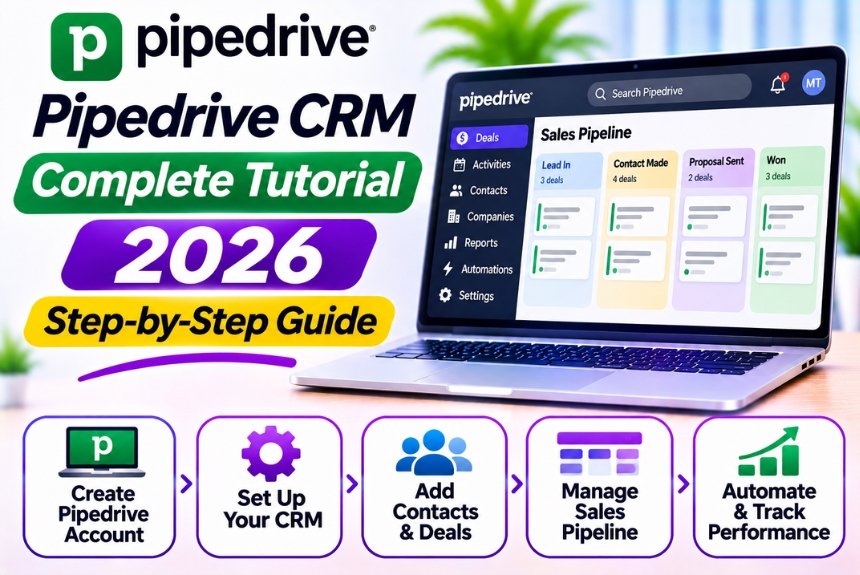
How to Create and Manage Sales Pipelines Using Pipedrive
Managing sales opportunities becomes challenging when businesses have multiple leads, ongoing negotiations, and different follow-up requirements. Without a structured process, sales representatives may forget important activities, lose track of deals, or struggle to identify which opportunities are most likely to convert.
A sales pipeline provides a visual representation of your sales process, helping you understand where every opportunity stands and what needs to happen next.
Pipedrive CRM makes sales pipeline management easier by allowing businesses to organize deals, customize sales stages, schedule activities, automate repetitive tasks, and monitor performance from a centralized dashboard.
In this guide, we will explain how to create and manage sales pipelines using Pipedrive, customize pipeline stages, track deals, automate sales activities, and improve your overall sales performance.
What Is a Sales Pipeline?
A sales pipeline is a visual representation of the different stages a potential customer passes through before making a purchase.
It helps sales teams understand how opportunities progress from initial contact to successful conversion.
For example, a typical B2B sales pipeline might include the following stages:
| Sales Stage | Description |
| Lead Qualification | Determine whether the prospect is a potential customer |
| Initial Contact | Establish communication with the prospect |
| Discovery Call | Understand the prospect’s needs and challenges |
| Product Demonstration | Present your product or service |
| Proposal Sent | Share pricing and commercial details |
| Negotiation | Discuss terms and resolve objections |
| Closed Won | Successfully convert the opportunity |
| Closed Lost | Record an opportunity that did not convert |
Not every business requires the same stages. Your sales pipeline should reflect your actual sales process rather than follow a generic template.
Why Use Pipedrive for Sales Pipeline Management?
Pipedrive is a sales-focused CRM platform that helps businesses manage leads, contacts, deals, and customer interactions.
Its visual pipeline interface allows sales representatives to move deals between stages and monitor their progress without navigating complicated spreadsheets.
Key Benefits of Pipedrive Sales Pipelines
- Visual deal tracking: View opportunities according to their current sales stage.
- Customizable stages: Adapt the pipeline to your business requirements.
- Activity management: Schedule calls, meetings, emails, and follow-ups.
- Deal ownership: Assign opportunities to specific sales representatives.
- Workflow automation: Automate repetitive sales activities.
- Sales forecasting: Estimate potential revenue using deal information.
- Performance reporting: Analyze conversion rates and pipeline effectiveness.
These features make Pipedrive useful for businesses that want to improve sales visibility and establish a more consistent sales process.
How to Create a Sales Pipeline in Pipedrive
Let’s walk through the process of creating a sales pipeline from scratch.
Step 1: Log In to Your Pipedrive Account
Start by visiting the official Pipedrive website:
Log in to your account using your registered business email address.
Once you access your workspace, navigate to the Deals section. This is where you can view existing pipelines, create deals, and manage sales opportunities.
If you are using Pipedrive for the first time, your account may already contain a default sales pipeline.
You can customize this pipeline or create a new one according to your business requirements.
Step 2: Create a New Sales Pipeline
Pipedrive allows users to create and manage multiple pipelines, depending on their subscription and configuration.
To create a new pipeline:
- Navigate to the Deals section.
- Open the pipeline selection menu.
- Access the pipeline management or settings option.
- Select the option to create a new pipeline.
- Enter a descriptive pipeline name.
- Save your changes.
Examples of Sales Pipeline Names
| Pipeline Name | Suitable For |
| New Business Sales | Acquiring new customers |
| Enterprise Sales | Managing large business accounts |
| SaaS Sales | Selling software subscriptions |
| Agency Sales | Managing digital marketing prospects |
| Partnership Pipeline | Tracking strategic partnerships |
| Renewal Pipeline | Managing existing customer renewals |
Creating separate pipelines can be helpful when different sales processes require distinct stages.
However, avoid creating multiple pipelines unnecessarily. A single well-organized pipeline may be sufficient for smaller teams.
Step 3: Customize Your Sales Pipeline Stages
After creating your pipeline, define the stages through which your deals will progress.
To customize pipeline stages:
- Open the relevant pipeline.
- Access its stage management settings.
- Add a new stage.
- Enter the stage name.
- Arrange the stages in the correct order.
- Configure stage probabilities if available.
- Save the changes.
Example: Digital Marketing Agency Sales Pipeline
| Stage | Description | Probability |
| New Lead | A potential customer enters the pipeline | 10% |
| Contacted | Initial communication has taken place | 20% |
| Discovery Meeting | Business requirements are discussed | 35% |
| Proposal Sent | Marketing proposal has been shared | 60% |
| Negotiation | Pricing and deliverables are being discussed | 80% |
| Closed Won | Client has accepted the proposal | 100% |
Probabilities are illustrative. You should adjust them according to your historical conversion data.
Tips for Creating Effective Sales Stages
Keep stages clear: Every stage should represent a meaningful step in your sales process.
Avoid unnecessary stages: Too many stages make the pipeline difficult to maintain.
Define entry criteria: Establish what must happen before a deal moves into the next stage.
Use consistent terminology: Ensure all sales representatives understand what each stage means.
Review regularly: Update your pipeline as your sales process evolves.
Step 4: Add Deals to Your Sales Pipeline
Once your pipeline is ready, start adding sales opportunities.
A deal represents a potential revenue opportunity associated with a customer or organization.
How to Create a Deal
- Navigate to the Deals section.
- Select the option to add a new deal.
- Enter a descriptive deal title.
- Associate the relevant contact person.
- Select the organization if applicable.
- Choose the appropriate pipeline.
- Select the current sales stage.
- Enter the expected deal value.
- Add an expected closing date.
- Assign the deal to a sales representative.
- Save the deal.
Example Deal Information
| Field | Example |
| Deal Title | ABC Technologies – SEO Services |
| Contact Person | Rahul Sharma |
| Organization | ABC Technologies |
| Deal Value | ₹1,50,000 |
| Pipeline | Agency Sales |
| Stage | Discovery Meeting |
| Expected Closing Date | 20 December 2026 |
| Deal Owner | Sales Executive |
Once created, the deal appears in your sales pipeline.
You can update its stage as the opportunity progresses.
Step 5: Move Deals Between Pipeline Stages
Pipedrive provides a visual interface for tracking deals.
Sales representatives can move deals from one stage to another as they complete the required activities.
For example:
New Lead → Contacted → Discovery Meeting → Proposal Sent → Negotiation → Closed Won
How to Update a Deal Stage
- Open the Deals section.
- Locate the relevant deal.
- Select the deal card.
- Review its current information.
- Move it to the appropriate stage using the pipeline interface or deal editing options.
- Save the changes if required.
Why Accurate Stage Updates Matter
Regularly updating deal stages helps businesses:
- Maintain an accurate sales pipeline.
- Identify stalled opportunities.
- Monitor deal progression.
- Improve sales forecasting.
- Understand conversion rates.
- Prioritize opportunities that need attention.
Important: A deal should move to the next stage only when it meets the relevant criteria. Moving deals forward prematurely can make sales reports and forecasts unreliable.
How to Manage Sales Pipelines Effectively
Creating a sales pipeline is only the first step. Consistent management is essential to maintaining accurate information and improving sales performance.
1. Track Deal Progress Regularly
Every active deal should have an updated stage, expected closing date, and deal value.
Sales representatives should review their pipelines regularly to identify opportunities that need attention.
Recommended Deal Review Checklist
| Field | What to Check |
| Deal Stage | Is the opportunity in the correct stage? |
| Deal Value | Is the estimated revenue accurate? |
| Closing Date | Is the expected closing date realistic? |
| Deal Owner | Is the correct representative assigned? |
| Last Activity | When was the prospect contacted? |
| Next Activity | What is the next planned action? |
| Deal Status | Is the opportunity still active? |
This simple process helps prevent outdated information from accumulating in your CRM.
2. Schedule Activities for Every Active Deal
Sales activities help representatives maintain consistent communication with prospects.
Pipedrive allows users to schedule calls, meetings, emails, and follow-up tasks associated with deals and contacts.
How to Schedule a Sales Activity
- Open the relevant deal.
- Select the option to add an activity.
- Choose the activity type.
- Enter the date and time.
- Add a description or agenda.
- Assign the activity to the appropriate representative.
- Save the activity.
Example Follow-Up Schedule
| Sales Stage | Recommended Activity |
| New Lead | Initial outreach |
| Contacted | Follow-up email |
| Discovery Meeting | Schedule requirements discussion |
| Proposal Sent | Follow-up call |
| Negotiation | Discuss outstanding concerns |
| Closed Won | Schedule onboarding or handover |
The actual schedule should depend on your business, customer expectations, and sales cycle.
3. Identify and Manage Stalled Deals
A stalled deal is an opportunity that remains in the same sales stage for longer than expected without meaningful progress.
These deals can reduce sales efficiency and make forecasting less reliable.
How to Identify Stalled Deals
Look for opportunities that have:
- No recent activities.
- Overdue follow-up tasks.
- Missed expected closing dates.
- No response from prospects.
- Remained in the same stage for an unusually long period.
Depending on your subscription and reporting capabilities, you can use filters, reports, and activity information to identify these opportunities.
How to Handle Stalled Deals
- Review the deal’s communication history.
- Identify the reason for the delay.
- Contact the prospect if appropriate.
- Schedule the next activity.
- Update the expected closing date.
- Reassess whether the opportunity is still viable.
- Mark the deal as lost if it is no longer active.
Not every stalled deal needs to be closed immediately. Some opportunities may require longer decision-making cycles.
4. Use Deal Labels and Filters
Deal labels and filters help sales teams organize opportunities according to specific requirements.
For example, businesses may categorize deals based on:
- Industry
- Deal size
- Lead source
- Customer priority
- Product or service
- Sales territory
- Business segment
Example Deal Categorization
| Category | Example |
| Deal Size | Small, Medium, Enterprise |
| Lead Source | Website, Referral, LinkedIn |
| Priority | High, Medium, Low |
| Industry | Healthcare, Technology, Retail |
| Service | SEO, PPC, Web Development |
Using labels and filters helps sales representatives identify relevant opportunities more quickly.
5. Assign Deal Owners and Responsibilities
Every deal should have a clearly defined owner.
Pipedrive allows businesses to assign deals to individual sales representatives, depending on account permissions and configuration.
Benefits of Deal Ownership
- Establishes accountability.
- Prevents confusion between team members.
- Improves communication.
- Helps managers monitor individual performance.
- Makes it easier to identify responsibility for follow-ups.
For larger teams, businesses can also establish territory-based or industry-based ownership rules.
6. Maintain Accurate Deal Values
Deal values play an important role in sales reporting and forecasting.
When entering deal values, use realistic estimates based on the customer’s requirements and your pricing structure.
Avoid assigning inflated values to opportunities that have not been properly qualified.
Accurate deal values help businesses estimate potential revenue and prioritize opportunities more effectively.
How to Automate Sales Pipeline Management in Pipedrive
Pipedrive automation helps businesses reduce repetitive manual tasks and maintain consistent sales processes.
Instead of relying entirely on sales representatives to remember every action, businesses can configure workflows that trigger specific activities when certain conditions are met.
Common Sales Pipeline Automation Examples
| Trigger | Automated Action |
| Deal created | Assign a follow-up activity |
| Deal moves to a new stage | Notify the deal owner |
| Proposal sent | Create a reminder for follow-up |
| Deal becomes inactive | Notify the sales representative |
| Deal reaches negotiation | Assign an additional review task |
| Deal marked as won | Trigger customer onboarding activities |
Example: Automating Proposal Follow-Ups
Imagine your sales team regularly forgets to follow up after sending proposals.
You can create a workflow that automatically schedules a follow-up activity.
Workflow Structure
Trigger: Deal moves to the Proposal Sent stage.
Condition: Deal remains open.
Action: Create a follow-up activity for the assigned deal owner.
Result: Sales representatives receive a reminder to contact the prospect.
How to Set Up Automation
- Open the Automations section.
- Create a new workflow automation.
- Select the trigger related to deal updates.
- Choose the appropriate pipeline or stage condition.
- Configure the action to create an activity.
- Assign the activity to the relevant deal owner.
- Review the workflow.
- Save and activate it if supported by your subscription.
Automation availability and limits depend on your Pipedrive plan.
How to Monitor Sales Pipeline Performance
Pipedrive’s Insights functionality helps businesses analyze their sales pipeline and evaluate performance.
Sales managers can use reporting tools to monitor the number of opportunities, deal values, conversion rates, and other important sales metrics.
Important Sales Pipeline Metrics
| Metric | Meaning | Why It Matters |
| Pipeline Value | Total estimated value of active deals | Measures potential revenue |
| Deal Conversion Rate | Percentage of opportunities that convert | Evaluates sales effectiveness |
| Win Rate | Percentage of deals successfully closed | Measures closing performance |
| Average Deal Size | Average value of closed deals | Helps understand revenue per customer |
| Sales Cycle Length | Average time required to close deals | Identifies delays |
| Stage Conversion Rate | Percentage of deals moving between stages | Identifies pipeline bottlenecks |
| Activity Completion | Number of sales activities completed | Measures team productivity |
| Forecasted Revenue | Estimated future sales revenue | Supports business planning |
How to Create a Sales Pipeline Report
- Navigate to Insights.
- Select the appropriate report.
- Choose the sales metric you want to analyze.
- Apply filters based on date, pipeline, or deal owner.
- Review the report.
- Save it to your dashboard if available.
How to Use Reports to Improve Sales
Reports can help you identify patterns in your sales process.
For example:
- If many deals fail after proposals are sent, review your pricing or proposal strategy.
- If deals remain in discovery for too long, improve lead qualification.
- If one lead source consistently produces better opportunities, prioritize that channel.
- If sales cycles are increasing, investigate delays in communication or decision-making.
Use these insights to make practical improvements rather than relying on assumptions.
Common Sales Pipeline Mistakes to Avoid
Even with CRM software, businesses can struggle when their sales processes are poorly structured.
Here are some common mistakes to avoid.
1. Creating Too Many Pipeline Stages
Excessive stages make the pipeline difficult to understand and maintain.
Solution: Create only the stages necessary to represent meaningful sales progress.
2. Failing to Update Deal Information
Outdated deal stages and closing dates reduce reporting accuracy.
Solution: Establish a routine for reviewing and updating active opportunities.
3. Not Scheduling Follow-Ups
Without a clear next activity, deals can become inactive.
Solution: Ensure every active deal has a defined next step.
4. Keeping Unqualified Leads in the Pipeline
Unqualified opportunities can make pipeline reports misleading.
Solution: Use a lead qualification process before converting prospects into active deals.
5. Ignoring Lost Deals
Businesses often focus only on successful conversions.
Solution: Record lost deals and, where appropriate, the reasons behind them to identify opportunities for improvement.
6. Overusing Automation
Too many automated workflows can create unnecessary notifications and tasks.
Solution: Start with a few essential automations and expand gradually.
7. Ignoring Sales Reporting
Without reviewing performance data, businesses may repeat ineffective strategies.
Solution: Conduct regular pipeline reviews and use historical data to guide decisions.
Sales Pipeline Management Best Practices
To make your Pipedrive sales pipeline more effective, follow these practical recommendations.
| Best Practice | How It Helps |
| Define clear sales stages | Creates a consistent sales process |
| Qualify leads properly | Improves pipeline quality |
| Assign deal ownership | Establishes accountability |
| Schedule regular follow-ups | Prevents missed opportunities |
| Maintain accurate deal values | Improves forecasting |
| Automate repetitive activities | Reduces manual work |
| Review stalled deals | Helps identify inactive opportunities |
| Analyze conversion rates | Reveals sales bottlenecks |
| Train sales representatives | Improves CRM adoption |
| Review pipeline performance regularly | Supports continuous improvement |
The key is consistency. A sales pipeline becomes valuable when every team member follows the same process and maintains accurate records.
Frequently Asked Questions
1. Can I create multiple sales pipelines in Pipedrive?
Pipedrive supports multiple sales pipelines, subject to plan-specific availability and limits. Businesses can use separate pipelines for different sales processes, such as new customer acquisition, enterprise sales, and renewals.
2. How many stages should a sales pipeline have?
There is no universal number. A pipeline should contain enough stages to represent meaningful sales progress without becoming unnecessarily complicated. Many businesses can begin with five to seven stages and adjust according to their requirements.
3. Can I customize sales pipeline stages in Pipedrive?
Yes. Pipedrive allows users to customize pipeline stages according to their sales processes. You can create stage names, arrange their order, and configure additional stage settings where supported.
4. Can I automate deal follow-ups in Pipedrive?
Yes. Pipedrive supports workflow automation that can help schedule follow-up activities, send notifications, and automate other sales tasks. The available triggers and actions depend on your subscription.
5. How can I identify stalled deals in Pipedrive?
You can review deal stages, last activity dates, overdue activities, and expected closing dates. Depending on your plan, filters and reporting features can help identify deals that have not progressed as expected.
6. Does Pipedrive provide sales forecasting?
Yes. Pipedrive offers reporting and forecasting capabilities that help businesses estimate potential revenue based on deal values, stages, and expected closing dates.
7. Can I import existing sales data into Pipedrive?
Yes. Pipedrive supports importing contacts, organizations, and deals through supported import methods. Prepare your spreadsheet carefully and map the fields correctly before importing.
8. Is Pipedrive suitable for small businesses?
Yes. Pipedrive can be suitable for small businesses that want a simple and structured way to manage leads, deals, customer relationships, and follow-ups.
Conclusion
Creating and managing sales pipelines using Pipedrive can help businesses establish a structured sales process, improve deal visibility, and maintain consistent customer follow-ups.
With customizable stages, visual deal tracking, activity management, workflow automation, and reporting capabilities, Pipedrive provides practical tools for organizing sales operations.
However, the effectiveness of a sales pipeline depends on how well it reflects your actual business process. Keep your stages simple, qualify leads carefully, maintain accurate information, and ensure every active deal has a clear next step.
Our recommendation: Start with a simple Pipedrive sales pipeline, define clear stage criteria, and gradually introduce automation and reporting as your sales team becomes more comfortable with the CRM.
A well-managed sales pipeline does more than track deals. It helps your business identify opportunities, improve decision-making, and build a more predictable sales process.
Leave a Reply