


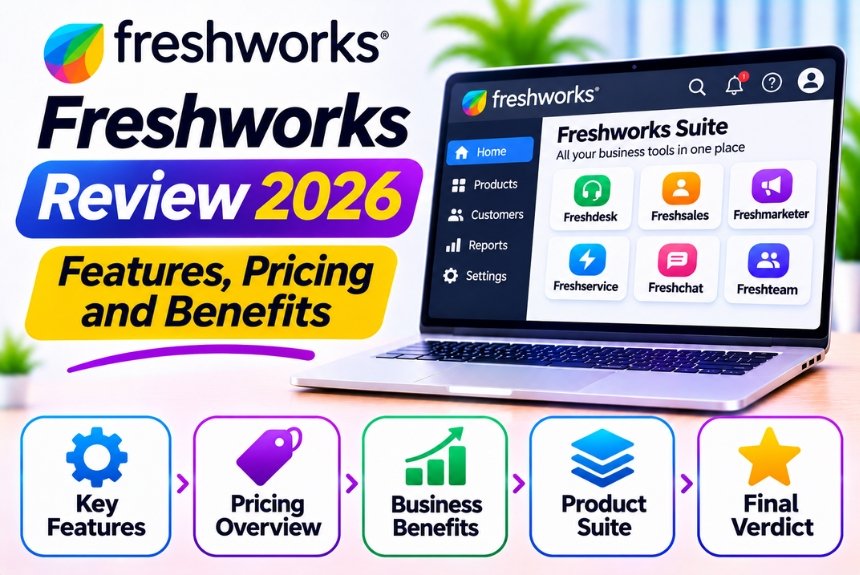
Freshworks Review 2026: Features, Pricing, Benefits, and Alternatives
Managing customer relationships, sales activities, and support requests becomes increasingly complex as a business grows. Customers expect quick responses, personalized interactions, and consistent service across multiple communication channels. At the same time, businesses need efficient workflows, organized customer data, and tools that help their teams work productively.
This is where Freshworks comes into the picture.
Freshworks is a business software platform that provides customer service, sales CRM, IT service management, and customer engagement solutions. Its product ecosystem is designed to help businesses simplify operations, automate repetitive tasks, and deliver better customer experiences without relying on unnecessarily complicated enterprise software.
But is Freshworks the right solution for your business in 2026?
In this comprehensive Freshworks review, we will explore its major products, features, pricing considerations, benefits, limitations, and alternatives to help you make an informed decision.
What Is Freshworks?
Freshworks is a cloud-based business software company that develops solutions for customer support, sales management, IT service management, and customer engagement.
Its products are designed for businesses that want to centralize customer information, streamline communication, automate workflows, and improve employee productivity.
Rather than offering a single application for every business requirement, Freshworks provides several specialized products that organizations can adopt according to their needs.
Freshworks Product Ecosystem
| Product | Primary Purpose | Best For |
| Freshdesk | Customer support and ticket management | Support teams |
| Freshdesk Omni | Omnichannel customer service | Businesses managing multiple support channels |
| Freshsales | Sales CRM and pipeline management | Sales teams |
| Freshsales Suite | Sales and marketing engagement | Growing businesses |
| Freshservice | IT service management | IT departments |
| Freshchat | Customer messaging and conversational support | Businesses using chat-based communication |
| Freshcaller | Cloud-based contact center and telephony | Phone support teams |
| Freshmarketer | Marketing engagement and automation | Marketing teams |
The availability, packaging, and integration of individual products may change over time. Businesses should check Freshworks’ current product catalog before selecting a particular solution.
Freshworks Review: Key Features
Freshworks offers several capabilities that make it useful for businesses looking to improve customer service, sales operations, and internal workflows.
Let’s explore its most important features.
1. Customer Relationship Management (CRM)
Freshworks provides CRM capabilities through Freshsales and Freshsales Suite.
These tools help businesses manage customer information, track interactions, organize sales opportunities, and monitor their pipelines from a centralized dashboard.
Key CRM capabilities include:
- Contact and account management
- Lead tracking and qualification
- Sales pipeline visualization
- Deal management
- Customer interaction history
- Task and activity tracking
- Sales reporting and forecasting
The CRM functionality is particularly useful for sales teams that need better visibility into their prospects and opportunities.
Instead of managing customer information through spreadsheets, teams can maintain structured records and track every stage of the sales process.
2. Customer Support and Ticket Management
Freshdesk is one of the most recognized products in the Freshworks ecosystem.
It helps businesses organize customer queries into tickets, assign them to appropriate agents, track progress, and maintain communication throughout the resolution process.
Important Support Features
| Feature | Description |
| Ticket Management | Organizes customer queries and support requests |
| Ticket Assignment | Routes requests to appropriate agents or teams |
| Shared Inbox | Helps teams collaborate on customer conversations |
| Knowledge Base | Provides self-service articles and FAQs |
| SLA Management | Helps monitor response and resolution commitments |
| Ticket Prioritization | Organizes requests according to urgency |
| Reporting | Tracks support performance and productivity |
These features help businesses reduce scattered conversations and create a more structured customer support process.
3. Omnichannel Customer Communication
Modern customers communicate through several channels, including email, live chat, messaging platforms, and phone calls.
Freshworks offers solutions that help businesses manage customer interactions across supported channels.
With Freshdesk Omni and related customer engagement products, businesses can bring conversations into a more centralized environment.
This helps support agents:
- Access customer conversation history.
- Respond through supported communication channels.
- Maintain consistent customer interactions.
- Reduce the need to switch between multiple applications.
- Track customer requests more efficiently.
The exact channels and integrations available depend on the selected product and subscription plan.
4. Freddy AI Capabilities
Freshworks offers AI capabilities under its Freddy AI ecosystem.
These capabilities are designed to support customer service, sales, and business operations by reducing repetitive work and helping employees access relevant information more efficiently.
Depending on the product and subscription, AI-related features may include:
- AI-assisted responses for support agents
- Automated customer conversation handling
- Suggested responses and content generation
- Customer intent identification
- Ticket summarization
- AI-powered insights
- Sales assistance and productivity support
Freddy AI can be particularly useful for businesses that handle a large volume of customer conversations.
However, AI functionality, usage limits, and availability vary by product and plan. Businesses should evaluate the current AI offering before purchasing a subscription.
5. Workflow Automation
Freshworks includes automation capabilities that help businesses reduce manual administrative work.
For example, a customer support team can configure rules to assign tickets based on specific conditions, update ticket properties, trigger notifications, and escalate unresolved issues.
Sales teams can also automate repetitive activities associated with lead management and follow-ups.
Examples of Freshworks Automation
| Business Requirement | Possible Automation |
| Assign incoming support tickets | Automatically route tickets based on category or conditions |
| Escalate urgent issues | Notify the appropriate team when priority requirements are met |
| Manage customer follow-ups | Create reminders and tasks |
| Organize incoming leads | Assign leads according to predefined rules |
| Monitor response deadlines | Trigger alerts for approaching SLA deadlines |
| Reduce repetitive communication | Use supported automated responses |
Automation rules and advanced capabilities may vary depending on the Freshworks product and subscription.
6. Reporting and Analytics
Freshworks provides reporting and analytics capabilities to help businesses understand performance and identify operational improvements.
Depending on the product, teams can monitor:
- Customer support ticket volume
- Average response time
- Resolution time
- Agent productivity
- Customer satisfaction
- Sales pipeline performance
- Conversion rates
- Revenue-related sales metrics
These reports help managers identify bottlenecks, monitor team performance, and make more informed decisions.
For businesses that depend on customer service and sales operations, performance visibility is an important advantage.
7. Knowledge Base and Self-Service
Freshdesk supports knowledge management and self-service capabilities that allow customers to find answers without contacting a support representative.
Businesses can create articles covering common questions, troubleshooting instructions, product documentation, and frequently requested information.
A well-organized knowledge base can help:
- Reduce repetitive support tickets.
- Improve customer experience.
- Provide assistance outside regular business hours.
- Enable customers to resolve simple issues independently.
- Reduce pressure on support teams.
This feature is particularly valuable for SaaS businesses, e-commerce stores, and organizations with large customer bases.
8. Integrations and Customization
Freshworks supports integrations with various business applications and services.
Depending on the product, businesses may connect Freshworks with applications related to:
- E-commerce
- Marketing automation
- Accounting and billing
- Collaboration and communication
- Productivity
- Customer data management
- Analytics and reporting
Freshworks also provides APIs and developer resources for organizations that require custom integrations.
However, integration availability, API access, and customization options may vary by product and subscription.
Freshworks Pricing in 2026
Freshworks uses product-specific pricing rather than one universal subscription for its entire ecosystem.
The total cost depends on which product you choose, the number of users, the subscription tier, billing frequency, and any additional capabilities your business requires.
Freshworks Pricing Structure
| Product | Pricing Considerations |
| Freshdesk | Customer support plans based on features and agent requirements |
| Freshdesk Omni | Omnichannel support capabilities and subscription level |
| Freshsales | CRM plans based on sales features and user requirements |
| Freshsales Suite | Combined sales and marketing functionality |
| Freshservice | IT service management plans based on organizational requirements |
| Freshchat | Messaging and customer engagement requirements |
| Freshcaller | Contact center capabilities and telephony requirements |
What Affects Freshworks Pricing?
Before choosing a plan, consider the following factors:
- Number of users: Some subscriptions are priced according to the number of agents or users accessing the platform.
- Feature requirements: Advanced automation, reporting, customization, and AI features may require higher-tier subscriptions.
- AI usage: AI functionality may have separate usage limits, entitlements, or additional charges.
- Communication channels: Omnichannel support and telephony may involve additional requirements or costs.
- Billing frequency: Monthly and annual billing options may have different effective costs.
- Product selection: Using multiple Freshworks products can increase your overall subscription expense.
Where to Check Current Freshworks Pricing
For the latest plans, regional pricing, and subscription details, visit the official website:
Freshworks Pricing: https://www.freshworks.com/pricing/
Pricing and promotional offers can change. Confirm the applicable subscription terms before making a purchasing decision.
Benefits of Using Freshworks
Freshworks offers several advantages for businesses looking to improve their customer-facing and internal operations.
1. Easy-to-Use Interface
Freshworks is generally designed with accessibility and ease of use in mind.
Its interface helps employees navigate customer records, support tickets, and sales activities without requiring extensive technical knowledge.
This can reduce the learning curve for teams adopting new business software.
2. Multiple Business Solutions
Freshworks provides solutions for customer service, sales, marketing, and IT service management.
Businesses can select the product that meets their immediate requirements instead of purchasing a large enterprise platform with unnecessary features.
3. Improved Customer Experience
Centralized customer information and organized communication help teams provide more consistent support.
Employees can access relevant customer details and previous interactions, making it easier to understand customer concerns and provide appropriate assistance.
4. Automation and Productivity
Automation reduces repetitive administrative tasks such as ticket assignment, notifications, follow-ups, and workflow management.
This allows employees to focus more on resolving customer issues and completing valuable business activities.
5. AI-Assisted Operations
Freshworks’ AI capabilities can help businesses improve productivity and manage repetitive customer interactions.
AI-assisted workflows may help support teams respond faster and provide agents with relevant information, depending on the implementation.
6. Scalability
Businesses can adopt Freshworks according to their requirements and expand their usage as their operations grow.
Its specialized products allow organizations to address different operational needs without necessarily changing their entire software ecosystem.
7. Better Performance Visibility
Reporting and analytics help managers monitor customer service quality, sales performance, and operational efficiency.
These insights can support better decision-making and continuous improvement.
Freshworks Pros and Cons
Before investing in Freshworks, it is important to evaluate both its strengths and limitations.
| Pros | Cons |
| User-friendly interface | Advanced capabilities may require higher-tier plans |
| Specialized products for different business needs | Multiple products can increase total subscription costs |
| Customer support and CRM capabilities | Product ecosystem may take time to understand |
| Workflow automation | Advanced automation may have plan-specific limitations |
| AI-assisted productivity features | AI availability and usage limits vary |
| Reporting and analytics | Complex reporting may require configuration |
| Cloud-based accessibility | Internet connectivity is required |
| Integration capabilities | Some integrations may require additional setup |
Freshworks is a strong option for many growing businesses, but organizations should carefully evaluate their requirements before adopting multiple products.
Freshworks vs Competitors
Freshworks competes with several established business software providers.
The best alternative depends on whether your primary requirement is customer support, CRM, IT service management, or a combination of these functions.
Freshworks vs Zendesk
| Feature | Freshworks | Zendesk |
| Primary Focus | Customer service, CRM, ITSM, and engagement | Customer service and support |
| Customer Support | Freshdesk and Freshdesk Omni | Zendesk Support |
| CRM | Freshsales and Freshsales Suite | CRM-related capabilities and integrations |
| Automation | Available across supported products | Available through support workflows and automation |
| AI Capabilities | Freddy AI ecosystem | Zendesk AI ecosystem |
| Best For | Businesses seeking multiple specialized solutions | Businesses prioritizing customer service operations |
Verdict: Freshworks is worth considering if you want a broader selection of sales, service, and IT products. Zendesk is a strong alternative for organizations primarily focused on building sophisticated customer support operations.
Freshworks vs HubSpot
| Feature | Freshworks | HubSpot |
| Primary Focus | Customer service, sales, and IT solutions | CRM, marketing, sales, and customer service |
| CRM | Freshsales | HubSpot CRM |
| Marketing | Freshmarketer and related solutions | Marketing Hub |
| Customer Support | Freshdesk and Freshdesk Omni | Service Hub |
| Sales Management | Freshsales | Sales Hub |
| Best For | Businesses seeking specialized operational tools | Businesses seeking a connected CRM and marketing ecosystem |
Verdict: Freshworks can be suitable for businesses prioritizing dedicated customer service or IT solutions. HubSpot is attractive to businesses that want customer data, marketing, sales, and service activities closely connected within a CRM-centered ecosystem.
Freshworks vs Salesforce
| Feature | Freshworks | Salesforce |
| Ease of Adoption | Generally approachable for growing teams | Can require more configuration and training |
| CRM | Freshsales | Salesforce Sales Cloud |
| Customer Support | Freshdesk ecosystem | Salesforce Service Cloud |
| Customization | Product-dependent customization | Extensive customization capabilities |
| Ecosystem | Multiple specialized business products | Broad enterprise CRM ecosystem |
| Best For | SMBs and growing businesses | Mid-sized and large organizations with complex requirements |
Verdict: Freshworks may be easier to adopt for businesses looking for practical customer service and CRM capabilities. Salesforce is worth considering when complex customization, enterprise-scale operations, and advanced CRM requirements are priorities.
Who Should Use Freshworks?
Freshworks is suitable for businesses that want to organize customer interactions, automate workflows, and improve team productivity.
Small and Medium-Sized Businesses
Growing businesses can use Freshworks to move away from spreadsheets, scattered emails, and manual customer management.
Its specialized solutions can help organizations implement structured processes without immediately investing in complex enterprise software.
Customer Support Teams
Freshdesk and Freshdesk Omni are useful for businesses managing a growing volume of customer queries.
They help support teams organize tickets, track response times, collaborate, and improve service delivery.
Sales Teams
Freshsales can help sales representatives manage leads, track deals, monitor sales activities, and maintain customer records.
It is especially relevant for businesses that want a structured sales pipeline.
E-commerce Businesses
Online stores can benefit from centralized customer support, order-related communication, and automation.
These capabilities can help manage customer inquiries about orders, returns, products, and delivery.
IT Departments
Freshservice is designed for organizations that need to manage internal IT requests, service incidents, assets, and operational workflows.
It can help IT teams provide more organized employee support.
Who Should Avoid Freshworks?
Freshworks may not be the ideal choice for every organization.
Businesses With Extremely Complex Enterprise Requirements
Organizations with highly specialized processes, extensive customization requirements, and complex enterprise architectures should evaluate whether Freshworks meets their operational needs.
They may also consider enterprise-focused platforms such as Salesforce.
Businesses Looking for an All-in-One Marketing Platform
Freshworks provides marketing-related capabilities, but businesses seeking an extensive marketing ecosystem with advanced campaign management, content management, and enterprise-wide marketing operations should compare it with platforms such as HubSpot.
Businesses With Very Limited Budgets
Although some Freshworks products may offer entry-level options, advanced capabilities and multiple subscriptions can increase costs.
Businesses should calculate the total cost of ownership before adopting several products.
How to Get Started With Freshworks
Getting started with Freshworks is relatively straightforward when you select the product according to your primary business requirement.
Step 1: Identify Your Business Requirement
Determine what your organization needs most.
For example:
- Customer support and ticket management → Freshdesk
- Omnichannel customer service → Freshdesk Omni
- Sales CRM and lead management → Freshsales
- Sales and marketing engagement → Freshsales Suite
- IT service management → Freshservice
- Customer messaging → Freshchat
Step 2: Explore the Product
Visit the official Freshworks website and review the product features, available plans, and supported integrations.
Official website: https://www.freshworks.com/
Step 3: Sign Up or Request a Demo
Depending on the product, you may be able to start a trial or request a demonstration.
Use this opportunity to evaluate the platform with your actual business workflows.
Step 4: Configure Your Workspace
Set up the relevant customer records, teams, ticket categories, pipelines, or workflows.
Start with essential configurations instead of implementing every feature immediately.
Step 5: Automate Repetitive Tasks
Identify tasks that consume unnecessary time.
Configure appropriate automation rules, notifications, assignments, and follow-up workflows.
Step 6: Monitor Performance
Use reporting and analytics to understand how your teams are performing.
Review the results regularly and adjust your workflows as your business requirements evolve.
Tips for Getting the Most Out of Freshworks
Simply purchasing business software does not automatically improve productivity. The value comes from how effectively your organization implements and uses it.
Here are some practical recommendations.
- Start With One Product: Implement the solution that addresses your biggest operational challenge before expanding into additional products.
- Organize Your Data: Maintain consistent customer records, ticket categories, contact information, and sales stages.
- Use Automation Carefully: Automate repetitive activities while keeping important customer interactions appropriately supervised.
- Train Your Team: Ensure employees understand the workflows, responsibilities, and features relevant to their roles.
- Monitor Important Metrics: Track performance indicators that directly relate to your business objectives.
- Review Your Subscription Regularly: Evaluate usage and feature requirements to avoid paying for capabilities your team does not need.
- Evaluate AI Before Deployment: Test AI features with real workflows and assess their accuracy, usefulness, and operational impact.
Frequently Asked Questions About Freshworks
1. What is Freshworks used for?
Freshworks is used for customer support, sales CRM, IT service management, customer engagement, and business workflow automation. Businesses can select specialized products according to their operational requirements.
2. Is Freshworks a CRM platform?
Freshworks offers CRM capabilities through Freshsales and Freshsales Suite. These products help businesses manage contacts, leads, sales opportunities, customer interactions, and sales pipelines.
3. Is Freshworks suitable for small businesses?
Yes. Freshworks can be suitable for small businesses that want to organize customer support, sales activities, and communication. However, businesses should compare subscription costs and feature requirements before selecting a plan.
4. Does Freshworks offer AI features?
Yes. Freshworks offers AI capabilities through its Freddy AI ecosystem. Features may include AI-assisted support, automated interactions, suggested responses, and productivity tools. Availability depends on the selected product and subscription.
5. Is Freshworks free?
Freshworks’ free offerings, trials, and subscription options vary by product and may change. Visit the official pricing page to check current availability and eligibility.
6. What is the difference between Freshdesk and Freshsales?
Freshdesk focuses primarily on customer support and ticket management. Freshsales focuses on sales CRM, lead management, and pipeline tracking. Both serve different business requirements within the Freshworks ecosystem.
7. Is Freshworks better than Zendesk?
Neither platform is universally better. Freshworks is worth considering for businesses seeking customer support alongside sales CRM and IT solutions. Zendesk may be preferable for organizations prioritizing advanced customer service operations.
8. Can Freshworks integrate with other applications?
Yes. Freshworks supports various integrations and developer capabilities. However, the availability of specific integrations and API features depends on the product and subscription.
9. Does Freshworks support workflow automation?
Yes. Freshworks provides automation capabilities across supported products. Businesses can automate activities such as ticket assignment, notifications, escalations, and sales-related workflows.
10. Is Freshworks worth it in 2026?
Freshworks can be worth considering for businesses that need practical customer service, CRM, or IT management solutions with automation and AI-assisted capabilities. The final decision should depend on your requirements, budget, and expected return on investment.
Final Verdict: Is Freshworks Worth Using in 2026?
Freshworks is a compelling business software ecosystem for organizations that want to improve customer service, manage sales activities, and streamline internal operations.
Its biggest strengths are its specialized products, accessible interface, automation capabilities, customer engagement features, and growing AI ecosystem.
However, Freshworks is not a one-size-fits-all solution. Subscription costs, product selection, advanced feature availability, and integration requirements should be carefully evaluated before implementation.
Our recommendation: If your business is looking for customer support software, sales CRM, or IT service management tools that can grow alongside your operations, Freshworks deserves a place on your shortlist.
Start by identifying your primary business requirement, explore the relevant product, and test its capabilities before committing to a subscription.
Explore More Freshworks Guides
If you want to learn more about Freshworks and its products, explore these related guides on NextBloggers:
Leave a Reply