


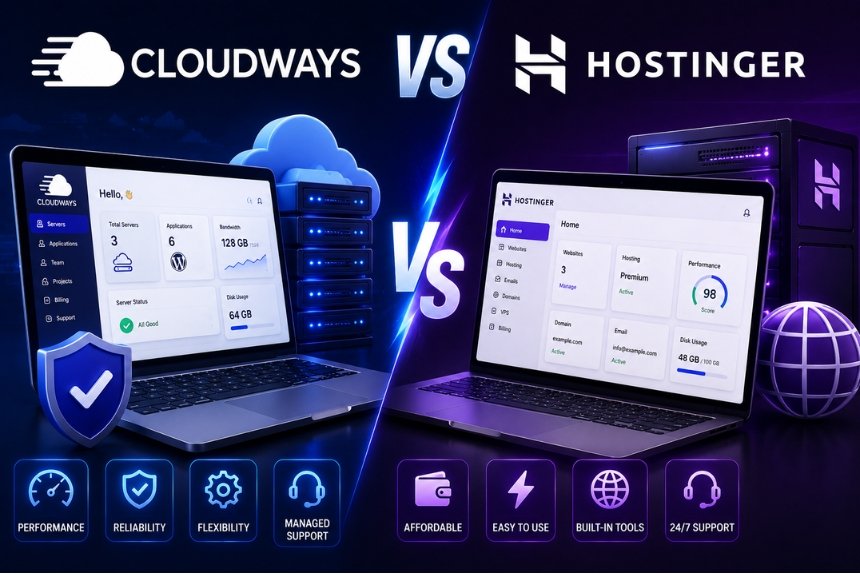
Cloudways vs Hostinger 2026: Which Hosting Is Better?
Introduction
Choosing the right web hosting provider is one of the most important decisions for any website owner. Whether you’re launching a personal blog, an eCommerce store, a business website, or a high-traffic application, your hosting provider directly affects your site’s speed, security, uptime, and overall user experience.
Among the many hosting companies available today, Cloudways and Hostinger stand out as two of the most popular options. However, they serve different types of users and have completely different approaches to hosting.
Cloudways is a managed cloud hosting platform designed for users who want powerful cloud infrastructure without dealing with server management. It lets you deploy websites on top cloud providers like DigitalOcean, Vultr, Linode, AWS, and Google Cloud while handling updates, backups, caching, security, and optimization for you.
Hostinger, on the other hand, is known for affordable shared hosting, beginner-friendly tools, and excellent value for money. It also offers VPS hosting, cloud hosting, WordPress hosting, and business hosting, making it a popular choice for beginners and small businesses.
At first glance, Cloudways appears more expensive than Hostinger. But does the higher price translate into better performance? Or is Hostinger’s low-cost hosting sufficient for most users?
In this detailed comparison, we’ll compare Cloudways and Hostinger across every important factor including:
- Company background
- Hosting types
- Performance
- Speed
- Ease of use
- Control panel
- Security
- Customer support
- Pricing
- Pros & Cons
- Best use cases
- Final recommendation
By the end of this guide, you’ll know exactly which hosting provider is the better fit for your website in 2026.
Company Overview
Before comparing features, it’s important to understand the philosophy behind each hosting provider. Although both companies offer web hosting, they target different audiences and use different technologies.
Cloudways Overview
Cloudways is a managed cloud hosting platform launched in 2011. Instead of owning its own servers, Cloudways partners with major cloud infrastructure providers and adds a user-friendly management layer on top.
Supported cloud providers include:
- DigitalOcean
- Vultr
- Linode
- Amazon Web Services (AWS)
- Google Cloud Platform (GCP)
Cloudways handles:
- Server management
- Automatic backups
- Security patches
- Performance optimization
- Server monitoring
- Free SSL installation
- Application deployment
This means users get enterprise-grade cloud hosting without needing advanced server administration skills.
Cloudways is particularly popular among:
- Developers
- Agencies
- WooCommerce stores
- High-traffic blogs
- SaaS applications
- Growing businesses
Its focus is on performance, flexibility, and scalability rather than being the cheapest option.
Key Highlights
- Managed cloud hosting
- Choice of five cloud providers
- Pay-as-you-go pricing
- High scalability
- Advanced performance optimization
- Excellent uptime
- Ideal for professional websites
Hostinger Overview
Hostinger was founded in 2004 and has become one of the world’s largest budget hosting companies, serving millions of users across more than 150 countries.
Unlike Cloudways, Hostinger owns and manages its own hosting infrastructure and offers multiple hosting services, including:
- Shared Hosting
- WordPress Hosting
- VPS Hosting
- Cloud Hosting
- Business Hosting
- Email Hosting
Hostinger is widely recognized for making website creation easy and affordable. It includes beginner-friendly tools such as:
- One-click WordPress installation
- AI website builder
- Custom hPanel
- Free domain (with eligible plans)
- Free SSL certificate
- Managed WordPress features
Its competitive pricing makes it especially attractive for:
- Beginners
- Students
- Bloggers
- Freelancers
- Small businesses
- Portfolio websites
- Startups
Key Highlights
- Extremely affordable plans
- Beginner-friendly interface
- Fast LiteSpeed servers
- Free SSL
- Free domain on many plans
- AI tools
- Excellent value for money
Hosting Types Comparison
One of the biggest differences between Cloudways and Hostinger is the type of hosting they provide. While both can host websites of all sizes, their hosting models are built for different audiences and workloads.
Cloudways Hosting Types
Cloudways focuses exclusively on managed cloud hosting. Instead of maintaining its own data centers, it allows you to launch servers on leading cloud infrastructure providers while managing the technical aspects for you.
Supported cloud providers include:
- DigitalOcean
- Vultr
- Linode
- Amazon Web Services (AWS)
- Google Cloud Platform (GCP)
Cloudways offers:
- Managed WordPress Hosting
- Managed WooCommerce Hosting
- PHP Application Hosting
- Laravel Hosting
- Magento Hosting
- Joomla Hosting
- Drupal Hosting
- Custom PHP Hosting
Every server is dedicated to your applications, meaning resources like CPU, RAM, and storage are not shared with unrelated users. This results in better performance, especially during traffic spikes.
Advantages of Cloudways Hosting
- Dedicated cloud resources
- Easy vertical scaling
- Choice of five cloud providers
- Pay-as-you-go billing
- Optimized software stack
- Suitable for high-traffic websites
- Developer-friendly environment
Hostinger Hosting Types
Hostinger offers a broader range of hosting services, making it suitable for users with different budgets and technical needs.
Its hosting options include:
- Shared Hosting
- Managed WordPress Hosting
- Business Hosting
- Cloud Hosting
- VPS Hosting
- Email Hosting
- Website Builder Hosting
The entry-level shared hosting plans are ideal for beginners and small websites. As your website grows, you can upgrade to cloud or VPS hosting without switching providers.
Advantages of Hostinger Hosting
- Affordable entry-level plans
- Easy upgrades
- Beginner-friendly setup
- AI-powered website builder
- One-click WordPress installation
- Managed WordPress features
Performance Comparison
Performance affects page speed, user experience, SEO rankings, and conversion rates. Let’s compare how Cloudways and Hostinger perform under real-world conditions.
Cloudways Performance
Cloudways is built on premium cloud infrastructure, allowing users to choose providers such as DigitalOcean, AWS, or Google Cloud. This flexibility helps optimize performance based on your specific needs.
Performance Features
- NVMe SSD storage (on supported providers)
- Built-in server-level caching
- Redis support
- Memcached
- Varnish Cache
- PHP-FPM
- HTTP/2 and HTTP/3 support
- Latest PHP versions
- Dedicated resources
- Global CDN integration
- Auto-healing servers
Because each server has dedicated CPU and RAM, performance remains stable even during high traffic.
Best For
- WooCommerce stores
- Membership websites
- SaaS applications
- Large blogs
- Agency websites
- High-traffic business sites
Hostinger Performance
Hostinger has significantly improved its infrastructure over the past few years, making it one of the fastest budget hosting providers.
Performance Features
- LiteSpeed Web Server
- LiteSpeed Cache
- NVMe SSD storage (on many plans)
- HTTP/3 support
- Built-in caching
- Global CDN (on eligible plans)
- Optimized WordPress hosting
- AI performance tools
For small to medium websites, Hostinger delivers excellent loading speeds at a much lower cost than many competitors.
Best For
- Blogs
- Small businesses
- Portfolio websites
- Local business sites
- Personal websites
- Startup projects
Resource Allocation
Cloudways
Every cloud server includes dedicated resources such as CPU cores, RAM, storage, and bandwidth. Your website isn’t affected by other users on the same infrastructure.
Hostinger
Shared hosting plans divide server resources among multiple users. While optimized to reduce performance issues, heavy traffic on neighboring accounts can occasionally affect performance. Upgrading to Cloud or VPS plans provides dedicated resources.
Scalability
Cloudways
Cloudways makes scaling simple. You can increase RAM, CPU, or storage with minimal downtime, making it ideal for growing websites and seasonal traffic spikes.
Hostinger
Hostinger also supports upgrades, but moving from Shared Hosting to Cloud or VPS Hosting may involve additional migration steps compared to Cloudways’ seamless vertical scaling.
Performance Winner
Cloudways takes the lead for websites that require maximum speed, consistent performance under heavy traffic, and flexible scaling.
Hostinger offers excellent performance for its price and is more than capable of handling blogs, portfolios, and small to medium business websites.
Ease of Use
A hosting provider can have excellent performance, but if it’s difficult to manage, it may not be the right choice—especially for beginners.
Cloudways Ease of Use
Cloudways is designed to simplify cloud hosting, but it still assumes users have a basic understanding of websites and hosting.
Unlike traditional hosting providers, Cloudways doesn’t include a one-click website builder or standard shared hosting interface. Instead, you manage cloud servers, applications, backups, scaling, and performance settings from its custom dashboard.
What Makes Cloudways Easy?
- Clean and modern dashboard
- One-click WordPress installation
- Automatic backups
- Built-in staging environment
- Server monitoring
- Easy vertical scaling
- Git deployment support
- SSH and SFTP access
Although these tools are powerful, beginners may find terms like server, SSH, Redis, or PHP version management unfamiliar.
Best for
- Developers
- Agencies
- Experienced WordPress users
- Growing businesses
Hostinger Ease of Use
Hostinger is built with beginners in mind. From account creation to website launch, the entire process is simple and intuitive.
Its custom hPanel replaces the traditional cPanel with a cleaner interface that’s easy to navigate.
Beginner-Friendly Features
- One-click WordPress installation
- AI Website Builder
- Guided setup wizard
- Drag-and-drop tools
- Automatic updates
- Built-in file manager
- Simple email management
- Easy domain management
Even if you’ve never created a website before, Hostinger’s interface makes the process straightforward.
Best for
- Beginners
- Bloggers
- Students
- Freelancers
- Small business owners
Control Panel Comparison
The control panel is where you’ll manage your website, domains, databases, backups, emails, and server settings.
Cloudways Control Panel
Cloudways uses a proprietary control panel specifically designed for managed cloud hosting.
Features
- Server management
- Application management
- Monitoring dashboards
- Backup scheduling
- SSL management
- Domain mapping
- Team collaboration
- Git deployment
- Cron job management
- PHP version selection
- Redis and Memcached controls
- Cloudflare integration
Because Cloudways focuses on server optimization, its panel includes many advanced options not found in shared hosting dashboards.
Pros
- Powerful server controls
- Performance optimization tools
- Easy scaling
- Built-in monitoring
Cons
- No email hosting by default
- More advanced interface
- Slight learning curve
Hostinger hPanel
Hostinger developed hPanel as an alternative to cPanel, focusing on simplicity and speed.
Features
- Website management
- Domain management
- Email accounts
- File manager
- Database management
- SSL installation
- DNS management
- WordPress tools
- Backups
- Performance settings
- Security tools
Everything is organized clearly, making it easy to find and use.
Pros
- Beginner-friendly
- Clean layout
- Fast navigation
- Integrated email management
Cons
- Fewer advanced server customization options
- Limited developer-focused tools compared to Cloudways
Security Features
Security is essential for protecting your website, customer data, and search engine rankings.
Cloudways Security
Cloudways includes a comprehensive set of security tools aimed at business and enterprise websites.
Security Features
- Free SSL certificates
- Dedicated firewalls
- Automatic security patches
- Two-factor authentication (2FA)
- IP whitelisting
- Malware protection
- Bot protection
- Automatic backups
- Server isolation
- DDoS protection (via infrastructure providers)
- Cloudflare integration
These features provide strong protection for high-value websites.
Hostinger Security
Hostinger also includes robust security features, especially considering its affordable pricing.
Security Features
- Free SSL certificates
- DDoS protection
- Web Application Firewall (on eligible plans)
- Automatic updates
- Two-factor authentication
- Malware scanner
- Weekly or daily backups (depending on plan)
- Account isolation
While it may not offer the same level of server customization as Cloudways, it provides excellent protection for most websites.
Customer Support
Reliable customer support can save hours of downtime when issues arise.
Cloudways Support
Cloudways offers:
- 24/7 live chat
- Ticket support
- Extensive knowledge base
- Community forum
- Premium support add-ons for businesses
Support agents are knowledgeable about cloud infrastructure and technical issues, making them especially helpful for advanced users.
Hostinger Support
Hostinger provides:
- 24/7 live chat
- Comprehensive knowledge base
- Tutorials and guides
- AI-powered help tools
- Multilingual support
Pricing Comparison
Pricing is often the deciding factor when choosing a hosting provider. While Hostinger is known for its affordable plans, Cloudways charges more because it provides managed cloud hosting with dedicated resources.
Cloudways Pricing
Cloudways follows a pay-as-you-go pricing model. You only pay for the cloud server resources you use, making it a flexible option for businesses that need scalability.
What You Get
- Managed cloud hosting
- Dedicated CPU and RAM
- Free SSL certificate
- Automated backups
- Built-in caching (Varnish, Redis, Memcached)
- Staging environment
- 24/7 support
- Performance monitoring
- Choice of multiple cloud providers
Although the monthly cost is higher than shared hosting, you’re paying for premium infrastructure, management, and performance.
Best for
- Growing businesses
- WooCommerce stores
- Agencies
- Developers
- High-traffic websites
Hostinger Pricing
Hostinger is one of the most affordable hosting providers, making it an excellent option for beginners and small businesses.
What You Get
- Shared hosting
- Managed WordPress hosting
- Free SSL certificate
- Free domain (on eligible plans)
- AI Website Builder
- Email hosting
- LiteSpeed Cache
- Weekly or daily backups (depending on plan)
- User-friendly hPanel
Its low introductory pricing makes it especially attractive for new website owners.
Best for
- Bloggers
- Students
- Freelancers
- Small businesses
- Personal websites
Which One Should You Choose?
The right choice depends on your website’s size, technical requirements, and budget.
Choose Cloudways If You
- Run a WooCommerce store
- Expect high traffic
- Need dedicated resources
- Want managed cloud hosting
- Manage client websites
- Are a developer or agency
- Need advanced scalability and performance
Choose Hostinger If You
- Are building your first website
- Have a limited budget
- Run a blog or portfolio
- Own a small business website
- Want an easy-to-use control panel
- Need email hosting and a free domain
- Prefer a simple setup with minimal technical work
Frequently Asked Questions (FAQs)
1. Is Cloudways Better Than Hostinger?
Cloudways is better for businesses, developers, and websites that need high performance, dedicated resources, and scalability. Hostinger is a better option for beginners and users looking for affordable hosting.
2. Which Hosting Provider Is Faster?
Cloudways generally delivers faster and more consistent performance because it uses premium cloud infrastructure with dedicated resources. Hostinger is still very fast for blogs and small business websites thanks to LiteSpeed servers.
3. Is Hostinger Good for WordPress?
Yes. Hostinger offers managed WordPress hosting, one-click installation, LiteSpeed Cache, automatic updates, and beginner-friendly tools, making it an excellent choice for WordPress users.
4. Is Cloudways Suitable for Beginners?
Cloudways is easier to use than managing a cloud server directly, but it has a steeper learning curve than Hostinger. Beginners may find Hostinger more intuitive.
5. Which Hosting Is Better for WooCommerce?
Cloudways is generally the better choice for WooCommerce stores due to its dedicated resources, advanced caching, and ability to handle high traffic efficiently.
6. Does Hostinger Provide a Free Domain?
Yes. Many Hostinger plans include a free domain for the first year, depending on the plan you choose.
7. Can I Upgrade My Hosting Later?
Yes. Both Cloudways and Hostinger allow you to upgrade your hosting as your website grows. Cloudways offers seamless vertical scaling, while Hostinger lets you move from shared hosting to cloud or VPS plans.
Final Recommendation
Both Cloudways and Hostinger are excellent hosting providers, but they cater to different users.
If you’re a beginner, blogger, freelancer, or small business owner looking for an affordable and easy-to-use hosting solution, Hostinger is the better choice. It combines low pricing with reliable performance, a user-friendly interface, and useful features like a free domain and AI Website Builder.
If you manage high-traffic websites, online stores, or client projects—or you need the flexibility and power of managed cloud hosting—Cloudways is the stronger option. Its premium infrastructure, advanced optimization tools, and seamless scalability make it ideal for demanding workloads.
Overall Verdict
- Choose Hostinger if your priorities are affordability, simplicity, and quick website setup.
- Choose Cloudways if your priorities are performance, scalability, and managed cloud hosting.
Both providers are reliable, but selecting the one that aligns with your goals will deliver the best long-term value.
Ready to Choose the Right Hosting Provider?
Choosing between Cloudways and Hostinger ultimately comes down to your website’s requirements, budget, and growth plans.
If you need affordable, beginner-friendly hosting, Hostinger offers excellent value. If you need dedicated resources, advanced performance, scalability, and managed cloud hosting, Cloudways is the stronger option.
Choose the provider that best matches your current needs while keeping your future website growth in mind.
Leave a Reply