


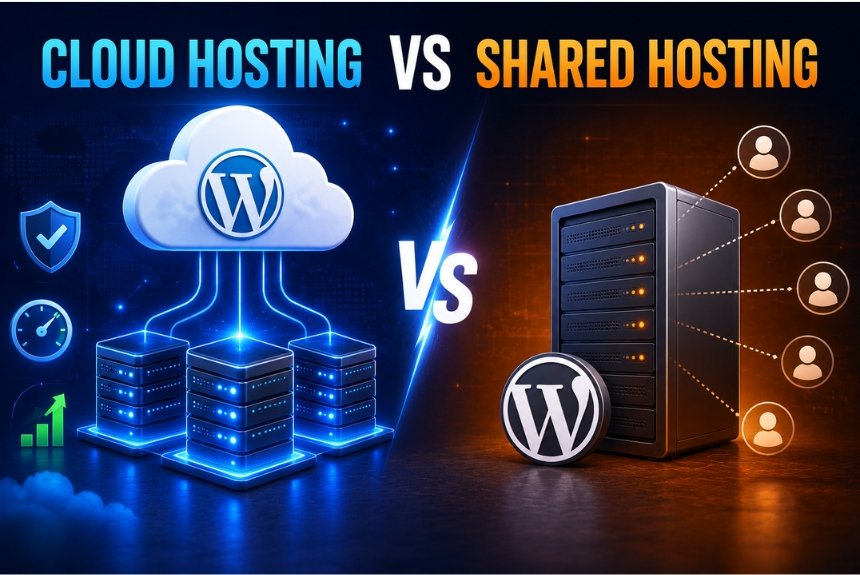
Cloud Hosting vs Shared Hosting: Which Is Better in 2026?
Introduction
Choosing the right web hosting is one of the most important decisions when launching a website. Your hosting directly affects your site’s speed, uptime, security, user experience, search engine rankings. Many beginners and small business owners often compare Cloud Hosting vs Shared Hosting because both are popular and affordable options.
While shared hosting is usually the cheapest way to start a website, cloud hosting offers better performance, flexibility, and reliability for growing websites. However, the right choice depends on your website’s size, traffic, budget, and future plans.
In this detailed comparison, you’ll learn how both hosting types work, their advantages and disadvantages, pricing differences, security features, scalability, and which option is best for different users. By the end of this guide, you’ll have a clear understanding of which hosting solution fits your needs.
What is Shared Hosting?
Shared hosting is a web hosting service where multiple websites share the same physical server and its resources, such as CPU, RAM, storage, and bandwidth. Since the server costs are divided among many users, shared hosting is the most affordable hosting option available.
Think of it like living in an apartment building. Every resident has their own apartment, but everyone shares the same building infrastructure, water supply, electricity, and other common resources. Similarly, every website has its own files, but they all use the same server resources.
How Shared Hosting Works
A hosting company places hundreds (sometimes thousands) of websites on one server. Each website receives a portion of the server’s resources. If one website suddenly experiences heavy traffic or consumes excessive resources, it can affect the performance of other websites on the same server.
Most shared hosting providers handle:
- Server maintenance
- Software updates
- Security patches
- Basic backups
- Technical support
This makes shared hosting beginner-friendly because users don’t need advanced technical knowledge.
Advantages of Shared Hosting:
1. Affordable Pricing
Shared hosting plans are among the cheapest available, making them perfect for beginners, students, bloggers, and small businesses.
2. Beginner-Friendly
Most providers offer one-click WordPress installation, simple dashboards like cPanel, email hosting, and easy website management.
3. Easy Maintenance
The hosting provider manages server updates, security patches, and maintenance, allowing users to focus on building their websites.
4. Quick Website Setup
A website can often be launched within minutes using automated installation tools.
5. Suitable for Low-Traffic Websites
Personal blogs, portfolio websites, small business sites, and informational websites typically perform well on shared hosting.
Disadvantages of Shared Hosting:
1. Limited Performance
Since multiple websites share resources, performance can decrease during traffic spikes.
2. Lower Scalability
Growing websites may eventually outgrow shared hosting and require VPS or cloud hosting.
3. Shared Resources
A high-resource website on the same server can impact your website’s loading speed.
4. Basic Security
Although providers implement security measures, sharing a server increases the potential impact if another website on the server is compromised.
5. Resource Limits
Many hosting companies limit CPU usage, RAM, and simultaneous connections to ensure fair resource distribution.
Who Should Choose Shared Hosting?
Shared hosting is ideal for:
- Beginners starting their first website
- Personal blogs
- Portfolio websites
- Small business websites
- Local business websites
- Students learning WordPress
- Websites with fewer than 20,000–30,000 monthly visitors
If your website is new and has limited traffic, shared hosting provides excellent value without requiring technical expertise.
What is Cloud Hosting?
Cloud hosting is a modern web hosting solution where your website is hosted on a network of interconnected virtual servers instead of relying on a single physical server. These servers work together to distribute resources, ensuring better performance, higher uptime, and improved reliability.
Unlike shared hosting, where multiple websites compete for the same server resources, cloud hosting allocates dedicated resources to your website. If one server experiences an issue, another server in the cloud network automatically takes over, minimizing downtime.
Think of cloud hosting like a power grid. If one power station fails, electricity is supplied from another station without interruption. Similarly, cloud hosting keeps your website running even if one server goes offline.
How Cloud Hosting Works
Cloud hosting uses virtualization technology to create multiple virtual servers from a network of physical servers. Your website’s files, databases, and applications are stored across these servers rather than on a single machine.
When a visitor accesses your website:
- The request is sent to the nearest available cloud server.
- Resources such as CPU, RAM, and storage are allocated dynamically.
- If traffic suddenly increases, additional resources are automatically assigned.
- If one server fails, another server immediately handles the traffic.
This setup improves speed, reliability, and scalability compared to traditional hosting.
Advantages of Cloud Hosting
1. Excellent Performance
Cloud hosting delivers faster loading speeds because resources are not shared with hundreds of unrelated websites. Dedicated resources and optimized infrastructure result in consistent performance, even during high traffic periods.
2. High Uptime
Most cloud hosting providers guarantee 99.9% or higher uptime. Since multiple servers work together, hardware failures rarely cause website downtime.
3. Easy Scalability
One of the biggest advantages of cloud hosting is its ability to scale resources instantly.
As your website grows, you can increase:
- CPU
- RAM
- Storage
- Bandwidth
without migrating to a different server.
4. Better Security
Cloud hosting typically includes advanced security features such as:
- Firewalls
- DDoS protection
- Malware scanning
- Automatic backups
- SSL certificates
- Server monitoring
- Data encryption
These features help protect websites from cyber threats.
5. Reliable During Traffic Spikes
If your website suddenly receives a large number of visitors due to a marketing campaign, viral content, or seasonal sales, cloud hosting automatically allocates more resources to handle the increased traffic.
This prevents slow loading times and website crashes.
6. Flexible Resource Allocation
Unlike shared hosting, where resources are fixed, cloud hosting allows businesses to use only the resources they need. Many providers also offer pay-as-you-go pricing, making it cost-effective for growing websites.
Disadvantages of Cloud Hosting
Higher Cost
Cloud hosting is generally more expensive than shared hosting because it provides better performance, dedicated resources, and advanced infrastructure.
Learning Curve
Some cloud hosting platforms require users to understand server management, caching, backups, or DNS settings. However, managed cloud hosting providers simplify these tasks for beginners.
Variable Pricing
Some cloud hosting services charge based on actual resource usage. While this provides flexibility, monthly costs can increase if your website experiences significant traffic growth.
More Configuration Options
Compared to shared hosting, cloud hosting often includes additional settings for server optimization, scaling, and performance tuning. Beginners may need some time to become familiar with these features.
Who Should Choose Cloud Hosting?
Cloud hosting is an excellent choice for:
- Growing businesses
- eCommerce websites
- High-traffic blogs
- News portals
- SaaS applications
- Corporate websites
- Agencies managing multiple client websites
- Developers requiring scalable infrastructure
- Websites expecting rapid traffic growth
If your website generates revenue or requires maximum uptime and fast loading speeds, cloud hosting is usually the better long-term investment.
Key Differences Between Cloud Hosting and Shared Hosting
The following table highlights the major differences between the two hosting types.
| Feature | Shared Hosting | Cloud Hosting |
| Server Type | Single physical server shared by many websites | Network of multiple interconnected servers |
| Performance | Moderate; depends on other websites on the server | High and consistent with dedicated resources |
| Speed | Good for low-traffic websites | Excellent, even during heavy traffic |
| Scalability | Limited | Easily scalable with a few clicks |
| Reliability | Lower, as one server failure affects all hosted sites | High, because another server takes over if one fails |
| Security | Basic security features | Advanced security with firewalls, DDoS protection, backups, and monitoring |
| Resource Allocation | Shared among all users | Dedicated or dynamically allocated resources |
| Traffic Handling | Suitable for low traffic | Handles traffic spikes efficiently |
| Cost | Lower | Higher but offers better value for growing websites |
| Best For | Beginners, blogs, portfolios, small business websites | Businesses, eCommerce, agencies, and high-traffic websites |
Performance Comparison
Performance is one of the biggest differences in the Cloud Hosting vs Shared Hosting comparison.
Shared Hosting Performance
Because many websites share the same CPU, RAM, and storage, your website’s speed depends on how efficiently the server resources are distributed. If another website on the server consumes excessive resources, your site’s loading time may increase.
Shared hosting is suitable for websites with low to moderate traffic, but it may struggle during sudden traffic spikes.
Cloud Hosting Performance
Cloud hosting delivers significantly better performance by distributing workloads across multiple servers. Resources can be increased automatically whenever traffic grows, ensuring smooth website performance.
Benefits include:
- Faster page loading times
- Stable performance under heavy traffic
- Better user experience
- Reduced downtime
- Improved SEO potential due to faster website speed
Security Comparison
Website security is essential for protecting user data, preventing cyberattacks, and maintaining trust.
Shared Hosting Security
Most shared hosting providers include standard security features such as:
- Free SSL certificates
- Basic firewall protection
- Malware scanning
- Automatic software updates
However, because multiple websites share the same server, vulnerabilities in one website can sometimes affect others if not properly isolated.
Cloud Hosting Security
Cloud hosting generally offers stronger security through:
- Advanced firewalls
- DDoS attack protection
- Regular automated backups
- Real-time server monitoring
- Data encryption
- Isolated server environments
- Multi-layer security architecture
These features make cloud hosting a preferred choice for businesses handling sensitive customer data or online transactions.
Scalability Comparison
Scalability refers to how easily your hosting can grow as your website attracts more visitors.
Shared Hosting Scalability
Shared hosting has limited resources. As your website grows, you may encounter restrictions on CPU usage, memory, storage, or bandwidth. Upgrading often requires migrating to a VPS or cloud hosting plan.
Cloud Hosting Scalability
Cloud hosting is designed for growth. You can increase or decrease resources such as CPU, RAM, storage, and bandwidth with minimal downtime. Many providers even support automatic scaling based on traffic.
This flexibility makes cloud hosting ideal for websites with unpredictable or rapidly increasing traffic.
Pricing Comparison
Price is often the deciding factor when choosing between Cloud Hosting vs Shared Hosting. While shared hosting is the most budget-friendly option, cloud hosting offers better performance and scalability at a higher cost.
| Feature | Shared Hosting | Cloud Hosting |
| Starting Price | $2–$10/month | $10–$50+/month |
| Resource Allocation | Shared | Dedicated or scalable |
| Performance | Basic to Moderate | High |
| Scalability | Limited | Excellent |
| Maintenance | Managed by hosting provider | Managed or self-managed (depending on plan) |
| Best For | Beginners and small websites | Growing businesses and high-traffic websites |
Is Cloud Hosting Worth the Extra Cost?
If your website earns revenue, receives regular traffic, or needs high performance and uptime, cloud hosting is often worth the investment. The additional cost provides faster loading speeds, better reliability, stronger security, and easier scalability.
However, if you’re just starting a personal blog or portfolio website, shared hosting is a more cost-effective choice.
Which Hosting is Best for You?
The right hosting depends on your website’s size, traffic, and future goals.
Choose Shared Hosting if:
- You’re launching your first website.
- You have a limited budget.
- Your website receives low to moderate traffic.
- You want an easy-to-use hosting solution.
- You’re creating a personal blog, portfolio, or small business website.
Choose Cloud Hosting if:
- Your website is growing rapidly.
- You run an online store or business website.
- You expect traffic spikes.
- You need maximum uptime and fast performance.
- You want the flexibility to scale resources as your website grows.
Frequently Asked Questions (FAQs)
1. Is Cloud Hosting Better Than Shared Hosting?
Yes, cloud hosting generally offers better speed, uptime, security, and scalability. However, shared hosting is more affordable and suitable for beginners or small websites.
2. Which Hosting Is Cheaper?
Shared hosting is significantly cheaper, with plans often starting at just a few dollars per month. Cloud hosting costs more because it provides better infrastructure and dedicated resources.
3. Can I Upgrade From Shared Hosting to Cloud Hosting Later?
Yes. Most hosting providers allow you to upgrade your hosting plan as your website grows, making it easy to move from shared hosting to cloud hosting.
4. Which Hosting Is Better for WordPress?
For new WordPress websites, shared hosting is sufficient. For high-traffic or business-critical WordPress sites, cloud hosting delivers better performance and reliability.
5. Does Cloud Hosting Improve SEO?
Indirectly, yes. Faster loading speeds, better uptime, and improved user experience can contribute to better search engine rankings.
Final Verdict
When comparing Cloud Hosting vs Shared Hosting, there is no one-size-fits-all answer.
Shared Hosting is the ideal choice for beginners, bloggers, students, and small businesses looking for an affordable and easy-to-manage hosting solution. It provides everything needed to launch a website without requiring technical expertise.
Cloud Hosting, on the other hand, is built for performance, reliability, and growth. It offers superior speed, stronger security, excellent uptime, and seamless scalability, making it the preferred option for businesses, eCommerce stores, agencies, and websites with growing traffic.
If your goal is to build a website that can scale with your business, investing in cloud hosting is a smart long-term decision. If you’re just getting started and have a limited budget, shared hosting is an excellent place to begin, with the flexibility to upgrade as your needs evolve.
Ready to Choose the Right Hosting for Your Website?
Choosing between cloud hosting and shared hosting ultimately depends on your website’s current requirements, budget, traffic, and future growth plans.
If you’re starting small and want affordable, easy-to-manage hosting, shared hosting can be an excellent choice. If performance, reliability, scalability, and long-term growth are your priorities, cloud hosting is the stronger option.
Leave a Reply