


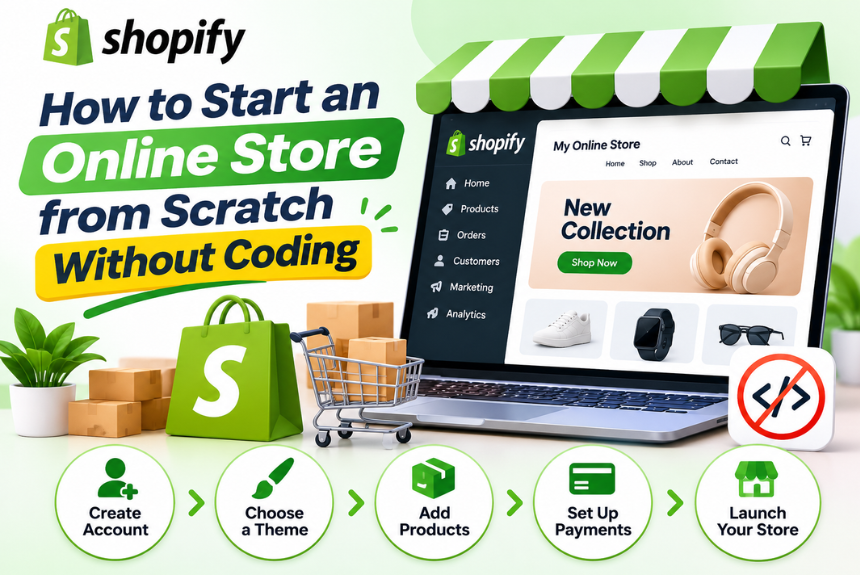
How to Start an Online Store from Scratch Without Coding
Starting an online business has become more accessible than ever. You no longer need programming skills, advanced technical knowledge, or a team of developers to build a professional ecommerce website. With modern no-code ecommerce platforms, anyone can create an online store, add products, accept payments, manage orders, and sell to customers across the world.
If you have been wondering how to start an online store without coding, this guide will walk you through the entire process, from choosing a business idea and selecting an ecommerce platform to launching your store and attracting your first customers.
Whether you want to sell clothing, handmade products, digital downloads, beauty products, electronics, or other merchandise, the right tools and strategy can help you turn your idea into a functioning online business.
Let’s explore how to get started.
What Is a No-Code Online Store?
A no-code online store is an ecommerce website built using visual tools, templates, and drag-and-drop editors instead of traditional programming languages such as HTML, CSS, JavaScript, or PHP.
These platforms provide prebuilt features that allow users to create and manage online stores without writing code.
Typical no-code ecommerce features include:
- Ready-made website templates
- Drag-and-drop page builders
- Product management dashboards
- Shopping carts and checkout systems
- Payment gateway integrations
- Inventory management
- Shipping and delivery settings
- Marketing and SEO tools
- Analytics and reporting dashboards
Instead of developing these features manually, you can configure them through a user-friendly interface.
For example, platforms such as Shopify, Wix, WooCommerce, and BigCommerce allow beginners to build ecommerce websites with little or no coding experience.
Why Start an Online Store Without Coding?
Building an online store without coding offers several advantages, especially for beginners, small businesses, entrepreneurs, and creators.
1. No Technical Skills Required
You do not need to learn programming languages or understand website development to create your store.
Most platforms provide visual editors that allow you to customize layouts, colors, fonts, images, and product pages.
2. Faster Website Development
Traditional ecommerce development can take weeks or months, depending on the complexity of the project.
No-code platforms allow you to launch a basic online store much faster because many essential features are already available.
3. Lower Initial Investment
Hiring developers to build a custom ecommerce website can be expensive.
No-code platforms provide ready-made functionality, helping entrepreneurs reduce their initial development expenses.
4. Easy Website Management
You can manage products, update descriptions, change images, track orders, and modify website content directly through the dashboard.
This makes ongoing website management easier for business owners.
5. Built-In Ecommerce Features
Many platforms offer essential ecommerce features such as inventory management, payment processing, customer accounts, discount codes, and shipping integrations.
You can activate these features without developing them from scratch.
6. Scalable Business Opportunities
As your business grows, you can expand your product catalog, introduce new marketing channels, connect third-party tools, and upgrade your platform capabilities.
A no-code foundation can support a business from its early stages through substantial growth.
Step 1: Choose Your Online Business Idea
Before creating a website, decide what you want to sell.
Your business idea will influence your target audience, ecommerce platform, product strategy, marketing approach, and overall store design.
If you are unsure what to sell, consider the following product categories.
| Product Category | Examples | Business Considerations |
| Fashion and Apparel | Clothing, footwear, accessories | Trends, sizing, inventory |
| Beauty and Personal Care | Skincare, cosmetics, grooming products | Product differentiation, compliance |
| Home and Lifestyle | Decor, furniture, kitchen accessories | Shipping and product dimensions |
| Electronics | Gadgets, accessories, devices | Competition, warranties |
| Handmade Products | Crafts, artwork, personalized gifts | Production time, customization |
| Digital Products | Templates, ebooks, courses | Delivery automation |
| Print-on-Demand | T-shirts, mugs, posters | Supplier quality, fulfillment |
| Pet Products | Toys, accessories, grooming items | Audience targeting |
| Fitness Products | Workout accessories, equipment | Product demand, positioning |
| Specialty Products | Hobby supplies, niche merchandise | Smaller but targeted audiences |
How to Choose the Right Product
Consider these factors before selecting a product.
Market Demand
Research whether people are actively searching for or purchasing your product.
You can use tools such as Google Trends, keyword research platforms, marketplaces, and social media to understand customer interest.
Competition
Competition is not necessarily a bad sign. It can indicate an established market.
However, identify how your store can differentiate itself through pricing, quality, branding, customer service, product selection, or convenience.
Profit Potential
Estimate your costs, including product sourcing, packaging, shipping, platform expenses, payment processing, and marketing.
Your selling price should leave enough room for operating expenses and profit.
Personal Interest and Knowledge
Choose a category you understand or are willing to learn about.
Knowledge of your products can help you create better descriptions, answer customer questions, and build credibility.
Product Availability
Ensure that you can source or produce products consistently.
Unreliable suppliers can lead to delays, cancellations, and negative customer experiences.
Pro Tip: Start with a focused product category instead of launching a store with hundreds of unrelated products. A clearly defined niche makes branding and marketing easier.
Step 2: Research Your Target Market
Once you have selected a business idea, identify the people who are most likely to purchase your products.
Your target audience influences almost every decision you make, including website design, product descriptions, pricing, advertising, and communication.
Define Your Ideal Customer
Ask yourself:
- Who is most likely to buy my products?
- What age group am I targeting?
- Where do these customers live?
- What problems are they trying to solve?
- What motivates their purchasing decisions?
- What price range are they comfortable with?
- Where do they discover new products?
- What concerns might prevent them from purchasing?
Research Customer Demand
You can conduct market research without investing in expensive tools.
Google Trends
Use Google Trends to identify interest in specific products, compare search trends, and explore geographic demand.
Search Engines
Search your product category on Google and examine the websites appearing in search results.
Pay attention to product positioning, content, pricing information, and customer questions.
Online Marketplaces
Explore marketplaces such as Amazon, Etsy, and other relevant platforms to understand popular product categories, customer feedback, and competitive positioning.
Social Media
Check Instagram, Pinterest, YouTube, and other platforms to identify product trends, customer discussions, and content opportunities.
Create a Simple Customer Profile
For example, if you are selling sustainable fashion products:
| Customer Attribute | Example |
| Age | 20–35 years |
| Location | Urban and semi-urban areas |
| Interests | Fashion, sustainability, lifestyle |
| Main Concern | Product quality and affordability |
| Buying Motivation | Style, comfort, environmental awareness |
| Preferred Channels | Instagram, Google Search |
| Purchase Considerations | Reviews, sizing, shipping, returns |
This profile will help you build a store that speaks directly to your potential customers.
Step 3: Select the Right Ecommerce Business Model
You do not necessarily need to manufacture or store products yourself to start an online business.
Different ecommerce business models offer different levels of investment, responsibility, and operational complexity.
1. Inventory-Based Ecommerce
You purchase products from manufacturers or wholesalers and store them until customers place orders.
Advantages:
- Greater control over inventory
- Ability to inspect product quality
- Potentially faster order fulfillment
Challenges:
- Requires upfront inventory investment
- Storage and inventory management
- Risk of unsold products
2. Dropshipping
In dropshipping, you sell products through your online store, but a supplier stores and ships the products directly to your customers.
Advantages:
- Lower upfront inventory requirements
- No need to manage your own warehouse
- Easier to test different products
Challenges:
- Dependence on supplier reliability
- Less control over shipping and packaging
- Potentially lower profit margins
- Product quality management
3. Print-on-Demand
Print-on-demand allows you to sell customized products such as T-shirts, mugs, phone cases, and posters.
Products are manufactured after a customer places an order.
Advantages:
- No need to purchase bulk inventory
- Custom product opportunities
- Reduced inventory risk
Challenges:
- Production and shipping times
- Supplier-dependent product quality
- Limited control over fulfillment
4. Digital Products
Digital products include ebooks, online courses, templates, stock graphics, software, and downloadable resources.
Advantages:
- No physical shipping
- Automated delivery
- Low cost of reproducing products
- Potential for scalable sales
Challenges:
- Copyright and intellectual property protection
- Marketing and customer acquisition
- Product development requirements
5. Handmade or Customized Products
You can create products yourself or offer personalized items based on customer requirements.
Advantages:
- Unique product positioning
- Greater creative control
- Opportunities to build a recognizable brand
Challenges:
- Production time
- Limited capacity
- Managing customization requests
Which Business Model Is Best for Beginners?
There is no single best model for everyone.
If you have limited capital, dropshipping, digital products, and print-on-demand may be worth exploring. If you want more control over product quality and fulfillment, inventory-based ecommerce may be a better option.
Choose a business model based on your resources, skills, product category, and long-term objectives.
Step 4: Choose a No-Code Ecommerce Platform
Choosing the right platform is one of the most important decisions when learning how to start an online store without coding.
Your ecommerce platform determines how you design your website, manage products, accept payments, handle orders, and expand your business.
Here are some popular options.
Shopify
Shopify is a hosted ecommerce platform designed specifically for creating and managing online stores.
It offers website templates, product management, checkout functionality, payment integrations, inventory management, marketing tools, and app integrations.
Best for: Entrepreneurs who want an ecommerce-focused platform with managed hosting and integrated store management.
Wix
Wix is a website builder that includes ecommerce functionality.
Its visual editor allows users to customize website layouts, create product pages, and manage online sales.
Best for: Small businesses, creators, and beginners who want visual design flexibility.
WooCommerce
WooCommerce is an ecommerce plugin for WordPress that transforms a WordPress website into an online store.
It provides product management, shopping cart functionality, checkout, and extensive customization options through themes and plugins.
Best for: Users who want greater control over their website, content, and ecommerce functionality.
BigCommerce
BigCommerce is a hosted ecommerce platform offering product management, store design, integrations, and business-oriented ecommerce features.
Best for: Businesses looking for an ecommerce-focused platform that can accommodate more complex operations as they grow.
Squarespace
Squarespace provides website templates, visual editing, and ecommerce functionality.
It is particularly useful for businesses that prioritize website presentation and branding.
Best for: Creative businesses, boutiques, and brands that emphasize visual storytelling.
Ecommerce Platform Comparison
| Platform | Coding Required | Ease of Use | Best For |
| Shopify | Not required for basic setup | Beginner-friendly | Dedicated online stores |
| Wix | Not required | Beginner-friendly | Small businesses and visual design |
| WooCommerce | Not required for basic setup | Moderate learning curve | WordPress users and flexibility |
| BigCommerce | Not required for basic setup | Beginner to intermediate | Growing ecommerce businesses |
| Squarespace | Not required for basic setup | Beginner-friendly | Design-focused brands |
How to Select Your Platform
Before choosing, consider:
- How easy is the dashboard to use?
- Does it support your product type?
- Are your preferred payment gateways available?
- Can you customize your store design?
- Does it provide SEO functionality?
- Can you connect marketing and analytics tools?
- Does it support your shipping requirements?
- Can you expand functionality as your business grows?
Important: A no-code platform may still allow advanced customization through code. You do not need to use these advanced features to launch a basic store.
Step 5: Register Your Domain Name
Your domain name is the web address customers use to visit your store.
For example:
www.yourbrand.com
A professional domain name helps establish brand identity and makes your website easier to remember.
Tips for Choosing a Domain Name
Keep It Short
Short domain names are generally easier to remember and type.
Make It Easy to Spell
Avoid confusing spellings, unnecessary hyphens, and complicated combinations of words.
Choose a Brandable Name
A unique brand name can help your business stand out from competitors.
Check Availability
Before finalizing a name, check whether the domain is available.
You should also investigate potential trademark conflicts and social media username availability.
Select an Appropriate Extension
The .com extension is widely recognized, but other extensions may work depending on your business and audience.
For an India-focused business, .in may also be relevant.
Where Can You Register a Domain?
You can purchase domains through providers such as:
- Namecheap
- GoDaddy
- Cloudflare
Some ecommerce platforms also allow you to purchase and connect a domain directly through their dashboard.
Step 6: Design Your Online Store
Once your platform and domain are ready, you can begin designing your website.
Most no-code ecommerce platforms provide templates or themes that can be customized without programming.
Choose a Suitable Theme
Select a theme that matches your product category and brand identity.
For example:
- Fashion stores benefit from visually appealing product grids.
- Electronics stores may prioritize specifications and comparison features.
- Beauty stores often emphasize product imagery and brand storytelling.
- Digital product stores may focus on product benefits and instant access.
Customize Your Store Branding
Your store should have a consistent visual identity.
Focus on the following elements:
| Element | Recommendation |
| Logo | Simple, recognizable, and scalable |
| Colors | Consistent brand color palette |
| Typography | Readable fonts with clear hierarchy |
| Images | High-quality and consistent product visuals |
| Buttons | Clear labels and visible calls to action |
| Layout | Clean navigation and organized sections |
| Spacing | Adequate spacing for readability |
Essential Homepage Sections
A well-structured ecommerce homepage should include the following sections.
1. Hero Section
Introduce your brand and its main offering.
Include:
- A clear headline
- Supporting text
- A relevant image or banner
- A CTA such as “Shop Now” or “Explore Products”
2. Featured Products
Highlight your best-selling, popular, or newly launched products.
3. Product Categories
Help customers quickly navigate different product collections.
4. Why Choose Your Brand?
Communicate your unique selling proposition.
Examples include product quality, thoughtful design, convenience, customization, or customer support.
5. Customer Reviews
Display genuine customer feedback when available.
6. Promotional Offers
Show relevant discounts, seasonal campaigns, or special offers without overwhelming the page.
7. Newsletter Signup
Allow visitors to subscribe for product updates, useful content, and promotional announcements.
8. Footer
Include important navigation links, contact information, policies, and social media profiles.
Design for Mobile Devices
Many customers browse and shop through smartphones.
Make sure your website:
- Adapts to different screen sizes
- Uses readable text
- Displays clear navigation
- Has properly sized buttons
- Loads images efficiently
- Offers a smooth mobile checkout experience
Pro Tip: Start with a clean, simple theme. A visually attractive website is useful, but clear navigation and a frictionless purchasing experience are more important than unnecessary design effects.
Step 7: Add Products to Your Store
After designing your website, add the products you want to sell.
Your product pages are among the most important parts of your online store because they help customers evaluate products and make purchasing decisions.
How to Add a Product
Most ecommerce platforms follow a similar process:
- Open your ecommerce dashboard.
- Navigate to the Products section.
- Select “Add Product” or a similar option.
- Enter the product name.
- Write a product description.
- Upload product images.
- Add the selling price.
- Configure inventory information.
- Add product variations.
- Assign the product to a category.
- Save and preview the product page.
Write Effective Product Titles
Your product title should clearly explain what the customer is purchasing.
For example:
Weak Product Title: Blue Shirt
Better Product Title: Men’s Slim-Fit Cotton Casual Shirt – Blue
A descriptive title helps customers understand the product and can also support SEO.
Create Helpful Product Descriptions
A product description should explain the product’s features, benefits, and relevant specifications.
Include:
- What the product is
- Who it is designed for
- Key features
- Main benefits
- Materials or ingredients, where applicable
- Size or dimensions
- Available variations
- Care instructions
- Warranty information, where relevant
Avoid simply copying supplier descriptions. Original, informative content can improve the shopping experience and help differentiate your store.
Use High-Quality Product Images
Customers rely heavily on visuals when purchasing online.
Consider including:
- Main product image
- Multiple product angles
- Close-up details
- Lifestyle images
- Size or dimensions graphics
- Product demonstration videos, where useful
Make sure images accurately represent the products you sell.
Organize Products Into Categories
Categories help customers navigate your store.
For example, a clothing store might use:
- Men’s Clothing
- Women’s Clothing
- Accessories
- Footwear
- New Arrivals
- Best Sellers
Avoid creating too many unnecessary categories. Keep your navigation simple and logical.
Configure Product Variations
If a product comes in different sizes, colors, materials, or styles, configure those variations.
For example:
| Product | Variation | Options |
| T-Shirt | Size | S, M, L, XL |
| T-Shirt | Color | Black, White, Blue |
| Shoes | Size | 6, 7, 8, 9, 10 |
| Phone Case | Model | Multiple compatible models |
Ensure that pricing and inventory are correctly associated with each variation.
Step 8: Set Up Payment Methods
Your online store needs a reliable way to collect payments from customers.
Most ecommerce platforms support payment gateway integrations that allow you to accept payments without developing payment processing functionality yourself.
Common Online Payment Methods
Depending on your location and platform, you may be able to offer:
- Credit cards
- Debit cards
- UPI payments
- Digital wallets
- Net banking
- PayPal
- Cash on delivery
- Buy now, pay later options
Payment Gateway Options
Some commonly used payment service providers include:
- Razorpay
- PayU
- Stripe
- PayPal
Availability depends on your country, business type, platform, and eligibility requirements.
How to Integrate a Payment Gateway
A typical setup process looks like this:
- Create an account with your chosen payment provider.
- Complete the required business verification.
- Open your ecommerce platform’s payment settings.
- Select the payment gateway.
- Connect your account or enter the required credentials.
- Configure supported payment methods.
- Review transaction and payment settings.
- Perform a test transaction if available.
- Confirm that successful payments are recorded correctly.
Important Payment Considerations
Before launching, verify:
- Payment gateway eligibility
- Transaction fees
- Settlement timelines
- Refund procedures
- Payment security
- Supported currencies
- Customer payment experience
For an India-focused ecommerce business, consider offering UPI, cards, and cash on delivery if they are appropriate for your products and customers.
Step 9: Configure Shipping and Delivery
If you sell physical products, you need a clear shipping and fulfillment strategy.
Shipping settings determine how much customers pay for delivery and how orders are processed after purchase.
Choose Your Shipping Strategy
Flat-Rate Shipping
Charge a fixed shipping fee regardless of the order value or destination within a defined shipping zone.
This approach is simple to configure and easy for customers to understand.
Free Shipping
Offer free shipping on selected products or orders above a certain amount.
You should account for shipping costs when determining product pricing and profit margins.
Location-Based Shipping
Charge different shipping rates depending on the customer’s delivery location.
This may be useful if delivery costs vary significantly between regions.
Real-Time Shipping Rates
Some platforms and shipping integrations can calculate shipping charges based on destination, package weight, dimensions, and available services.
Shipping and Fulfillment Tools
Depending on your business and location, you may explore services such as:
- Shiprocket
- Delhivery
- Shippo
Create a Shipping Policy
Your shipping policy should explain:
- Order processing time
- Estimated delivery time
- Shipping locations
- Shipping charges
- Tracking availability
- Delays and exceptions
- International shipping, if applicable
- Lost or damaged shipment procedures
Clear shipping information helps customers understand what to expect after placing an order.
Step 10: Create Essential Website Pages
A professional ecommerce website needs more than a homepage and product listings.
Essential pages provide information about your business, help customers make purchasing decisions, and establish trust.
1. About Us
Explain who you are, what your business offers, and why you created your brand.
Share your mission, values, and relevant background.
2. Contact Us
Provide clear ways for customers to contact your business.
Include relevant details such as:
- Customer support email
- Phone number, if available
- Contact form
- Business address, where appropriate
- Support hours
3. Privacy Policy
Explain how your website collects, uses, stores, and protects customer information.
Your privacy policy should reflect your actual business practices and applicable legal requirements.
4. Terms and Conditions
Outline the terms governing website use, purchases, payments, customer responsibilities, and other relevant conditions.
5. Refund and Return Policy
Clearly explain:
- Return eligibility
- Return period
- Refund conditions
- Exchange procedures
- Non-returnable products
- Refund processing timelines
- Return shipping responsibilities
6. Shipping Policy
Explain delivery timelines, shipping costs, order processing, tracking, and shipping-related limitations.
7. FAQ Page
Answer common customer questions about products, payments, shipping, returns, orders, and support.
Important: Legal policies should be reviewed for your business location, product category, and applicable regulations. Do not rely on generic templates without adapting them to your actual operations.
Step 11: Optimize Your Store for SEO
Search engine optimization helps your ecommerce website appear in relevant search results.
SEO can attract visitors who are actively looking for your products, making it an important long-term marketing strategy.
1. Conduct Keyword Research
Identify keywords customers use when searching for products in your category.
For example, a store selling handmade candles might target keywords such as:
- Handmade scented candles
- Soy wax candles
- Aromatherapy candles
- Decorative candles for home
- Natural fragrance candles
Use relevant keywords naturally in your product pages, categories, and website content.
2. Optimize Product Titles
Create descriptive product titles that communicate product type, key features, and relevant attributes.
Avoid repetitive keyword stuffing.
3. Write Unique Product Descriptions
Provide useful product information in original language.
Explain the features and benefits instead of relying entirely on manufacturer descriptions.
4. Optimize Meta Titles and Descriptions
Every important page should have a relevant meta title and meta description.
Example:
Meta Title: Handmade Scented Candles | Your Brand
Meta Description: Discover handmade scented candles crafted for relaxing evenings, thoughtful gifting, and beautiful home spaces.
Keep meta titles concise and meta descriptions informative.
5. Optimize Product Images
Use descriptive image filenames and meaningful alternative text.
For example:
handmade-lavender-scented-candle.jpg
Alternative text should describe the image accurately rather than contain unnecessary keywords.
6. Create SEO-Friendly URLs
Use short, descriptive URLs.
Example:
yourstore.com/handmade-scented-candles/
Avoid unnecessarily long URLs containing random characters or irrelevant parameters.
7. Improve Website Speed
A slow website can frustrate visitors and affect the shopping experience.
Improve performance by:
- Compressing images
- Using optimized themes
- Removing unnecessary apps and plugins
- Enabling caching where supported
- Using reliable hosting
- Reducing unnecessary scripts
- Monitoring mobile performance
8. Build Useful Category Pages
Category pages can target broader product-related searches.
For example, a skincare store might have separate pages for moisturizers, cleansers, sunscreens, and serums.
Write useful introductory content for important categories rather than relying solely on product grids.
9. Publish Helpful Blog Content
A blog can attract visitors who are researching products or looking for advice.
Examples include:
- How to Choose the Right Product for Your Needs
- Product Comparison Guides
- Beginner’s Buying Guides
- Product Care and Maintenance
- Frequently Asked Questions About Your Product Category
10. Set Up Google Search Console
Use Google Search Console to monitor your website’s search visibility.
It can help you understand:
- Which search queries bring visitors
- Which pages appear in search results
- Clicks and impressions
- Indexing issues
- Website search performance
SEO is a long-term process. Consistent optimization, useful content, and a positive user experience can help your store improve its organic visibility over time.
Step 12: Test Your Store Before Launch
Before making your online store public, test its essential functionality.
A website may look attractive but still contain problems that prevent customers from completing purchases.
Online Store Launch Checklist
| Area | What to Check |
| Homepage | Layout, content, banners, and navigation |
| Product Pages | Images, descriptions, prices, and variations |
| Shopping Cart | Products, quantities, and calculations |
| Checkout | Customer details and checkout flow |
| Payments | Successful and failed payment handling |
| Shipping | Rates, zones, and delivery settings |
| Mobile Experience | Responsive design and usability |
| Website Speed | Loading time and performance |
| Forms | Contact forms and newsletter signup |
| Email Notifications | Order confirmations and customer emails |
| Policies | Privacy, returns, shipping, and terms |
| Security | SSL certificate and platform security |
| SEO | Titles, descriptions, URLs, and indexing settings |
| Analytics | Tracking setup and conversion events |
Test the Entire Customer Journey
Try to complete a purchase as if you were a customer.
- Visit the homepage.
- Browse a product category.
- Open a product page.
- Select a product variation.
- Add the product to your cart.
- Proceed to checkout.
- Enter customer information.
- Select a shipping method.
- Complete a test payment, where supported.
- Verify the order confirmation.
- Check whether the order appears in your dashboard.
- Confirm that customer notifications work correctly.
Test the store on different devices and browsers.
Fix any issues before promoting your website.
Step 13: Launch and Promote Your Online Store
Once your website is ready, it is time to introduce it to potential customers.
Launching a store does not automatically generate sales. You need a strategy to attract visitors, build awareness, and encourage purchases.
1. Social Media Marketing
Create business profiles on relevant social media platforms.
Depending on your product category, consider:
- YouTube
- TikTok, where available and appropriate
Share product photos, demonstrations, behind-the-scenes content, customer stories, and useful information.
2. Content Marketing
Publish helpful content related to your products.
For example, a store selling home decor products could create articles about interior design, room styling, and choosing decorative accessories.
Content marketing can help attract visitors through search engines and establish your brand’s credibility.
3. Email Marketing
Build an email list by offering visitors relevant updates, useful resources, or incentives.
You can use email marketing tools such as Mailchimp to create campaigns and manage subscribers.
Consider sending:
- Welcome emails
- Product announcements
- Educational newsletters
- Abandoned cart reminders
- Promotional campaigns
- Post-purchase follow-ups
4. Paid Advertising
Paid advertising can help you reach potential customers more quickly.
Common advertising platforms include:
- Google Ads
- Meta advertising platforms
Start with a clear objective, a defined audience, and a controlled budget.
Monitor campaign performance before increasing spending.
5. Influencer Marketing
Collaborating with relevant creators can introduce your products to their audiences.
Focus on creators whose content, audience, and engagement align with your brand.
6. Offer Launch Promotions
You can introduce your store with a limited-time offer, bundle, or introductory discount.
Make sure promotional terms are transparent and the offer supports your business objectives.
7. Encourage Customer Reviews
After customers receive their orders, encourage them to share honest feedback.
Reviews can help future customers evaluate products and provide useful insights for improving your business.
8. Track Your Marketing Performance
Monitor key metrics such as:
| Metric | What It Measures |
| Website Traffic | Number of visitors |
| Conversion Rate | Percentage of visitors who purchase |
| Average Order Value | Average amount spent per order |
| Customer Acquisition Cost | Cost of acquiring a customer |
| Cart Abandonment Rate | Percentage of carts not completed |
| Revenue | Total sales generated |
| Returning Customer Rate | Customers who purchase again |
| Email Engagement | Email opens, clicks, and conversions |
Use these metrics to identify what is working and where improvements are needed.
Common Mistakes to Avoid When Starting an Online Store
Building an online store without coding is easier than traditional development, but beginners can still make costly mistakes.
1. Choosing Products Without Research
Do not assume that a product will sell simply because you like it.
Research demand, competition, pricing, and customer expectations before investing heavily.
2. Using Poor-Quality Product Images
Low-quality images can make products appear less trustworthy.
Use clear, accurate, and professional product visuals.
3. Ignoring Mobile Users
A store that works well on desktop but poorly on mobile can lose potential customers.
Always test navigation, product pages, and checkout on mobile devices.
4. Making Navigation Complicated
Customers should be able to find products without unnecessary clicks.
Use clear categories, intuitive menus, and a logical page structure.
5. Neglecting SEO
Launching without basic SEO can make it difficult for search engines to understand your website.
Optimize product pages, category pages, titles, descriptions, and URLs from the beginning.
6. Ignoring Shipping Costs
Shipping expenses can significantly affect profit margins.
Calculate shipping costs carefully and communicate them clearly before checkout.
7. Offering Too Many Products Initially
A large catalog can make store management difficult, especially when you are just starting.
Focus on a manageable product range and expand after understanding customer demand.
8. Forgetting Essential Policies
Customers need to understand how your business handles shipping, returns, refunds, privacy, and support.
Create clear policies before accepting orders.
9. Spending Too Much on Advertising Too Early
Paid advertising without proper tracking can waste money.
Make sure your website is functional, your product pages are optimized, and conversion tracking is working before investing heavily.
10. Expecting Immediate Sales
Building a successful ecommerce business takes time.
Focus on improving your products, customer experience, marketing, and operations consistently.
Essential Tools for Running an Online Store
You can manage many aspects of your ecommerce business using no-code and low-code tools.
| Business Function | Tool Examples | Purpose |
| Ecommerce Website | Shopify, WooCommerce, Wix | Build and manage your store |
| Domain Registration | Namecheap, GoDaddy | Register your website address |
| Design | Canva | Create banners and marketing visuals |
| Product Research | Google Trends | Understand search interest |
| SEO | Semrush, Ahrefs | Research keywords and competitors |
| Analytics | Google Analytics | Measure website traffic and behavior |
| Search Performance | Google Search Console | Monitor organic search visibility |
| Email Marketing | Mailchimp | Manage email campaigns |
| Payments | Razorpay, Stripe, PayPal | Accept online payments |
| Shipping | Shiprocket, Delhivery | Manage logistics and fulfillment |
| Customer Support | Helpdesk and live chat tools | Respond to customer inquiries |
| Automation | Zapier | Connect supported apps and automate workflows |
You do not need every tool when starting.
Begin with the essentials and add new tools when they solve a specific business problem.
How Much Does It Cost to Start an Online Store?
The cost of starting an online store depends on your business model, platform, product sourcing, and marketing strategy.
There is no universal startup cost.
Common Expenses
| Expense | What It Covers |
| Domain Name | Your store’s web address |
| Ecommerce Platform | Website and store management |
| Hosting | Required separately for some platforms |
| Theme or Design | Store appearance and customization |
| Product Inventory | Purchasing or manufacturing products |
| Packaging | Materials used to prepare orders |
| Payment Processing | Fees for transactions |
| Shipping | Delivery and fulfillment |
| Marketing | Advertising and customer acquisition |
| Business Registration | Applicable registration and compliance costs |
| Apps and Integrations | Additional ecommerce functionality |
How to Reduce Initial Costs
If you want to launch with a limited budget:
- Start with a small and focused product range.
- Use a free or included website theme.
- Avoid purchasing unnecessary apps.
- Choose an appropriate business model.
- Create your own basic marketing content.
- Focus on organic traffic and social media.
- Test products before investing in large inventory.
- Expand your spending as your business grows.
The goal is not to build the most expensive store. It is to build a functional store that serves customers effectively and can grow over time.
Frequently Asked Questions
1. Can I start an online store without coding?
Yes. Modern ecommerce platforms such as Shopify, Wix, WooCommerce, and BigCommerce provide visual tools and ready-made features that allow you to create an online store without writing code.
2. What is the easiest platform to create an online store?
The easiest platform depends on your requirements and experience. Shopify, Wix, and Squarespace are popular beginner-friendly options because they offer visual editing and integrated website functionality.
3. Can I start an online store with no experience?
Yes. You can learn the process step by step by choosing a product category, researching your audience, selecting an ecommerce platform, and building your store using available templates and tools.
4. Do I need a domain name to start an online store?
A custom domain is recommended because it gives your store a professional web address and supports brand identity. Some platforms provide temporary subdomains during the initial setup.
5. Can I create an online store for free?
Some website builders and ecommerce tools offer free plans or trial periods. However, running a professional store may involve expenses such as a custom domain, platform subscription, payment processing, and product sourcing.
6. Is Shopify suitable for beginners?
Yes. Shopify is designed to simplify ecommerce management and provides tools for creating product pages, managing inventory, processing orders, and integrating payment methods without requiring coding for basic setup.
7. Can I use WordPress to create an online store?
Yes. You can use WordPress with WooCommerce to create an ecommerce website. WooCommerce provides product management, shopping cart, checkout, and other essential ecommerce functionality.
8. How many products should I add when starting?
There is no fixed number. Start with a manageable selection of products that you can source, describe, photograph, and manage effectively. You can expand your catalog after understanding customer demand.
9. How can I accept payments on my online store?
You can integrate a payment gateway supported by your ecommerce platform and business location. Depending on availability, customers may be able to pay using cards, UPI, digital wallets, net banking, or other payment methods.
10. Do I need inventory to start an online store?
No. Depending on your business model, you can sell products through dropshipping, print-on-demand, or digital product delivery without maintaining traditional physical inventory.
11. How do I attract customers to my new online store?
You can attract customers through SEO, content marketing, social media, email marketing, influencer collaborations, and paid advertising. A combination of strategies is generally more effective than relying on a single channel.
12. Is SEO important for an ecommerce website?
Yes. Ecommerce SEO can help your product and category pages appear in relevant search results. It can attract potential customers who are actively researching or looking for products you sell.
13. Can I manage an online store from my phone?
Many ecommerce platforms offer mobile applications or mobile-friendly dashboards that allow you to manage orders, track sales, update products, and monitor your business while away from your computer.
14. How long does it take to create an online store?
A simple store can be created relatively quickly using a ready-made theme and a limited product catalog. However, product research, content creation, payment setup, shipping configuration, testing, and business preparation may take considerably longer.
15. Can I expand my online store as my business grows?
Yes. Most established ecommerce platforms support additional products, integrations, marketing tools, and advanced features. You can expand your store as your business requirements evolve.
Conclusion
Starting an online store from scratch without coding is now a realistic opportunity for beginners, entrepreneurs, creators, and small businesses.
With no-code ecommerce platforms, you can build a professional website, add products, configure payments, manage shipping, and promote your business without developing everything manually.
The key is to approach the process strategically.
Start by selecting a product idea and understanding your target audience. Choose an ecommerce platform that matches your needs, create a user-friendly website, optimize your product pages, configure payments and shipping, and test the entire customer journey before launching.
After launch, focus on SEO, content marketing, customer service, and performance analysis to improve your store continuously.
Your first online store does not need to be perfect. It needs to be functional, customer-focused, and ready to improve.
Ready to Build Your Online Business?
Explore the tools, platforms, and resources available on NextBloggers to learn more about ecommerce, website development, digital marketing, and online business growth.
Start with the right foundation, build consistently, and turn your ecommerce idea into a business.
Leave a Reply