


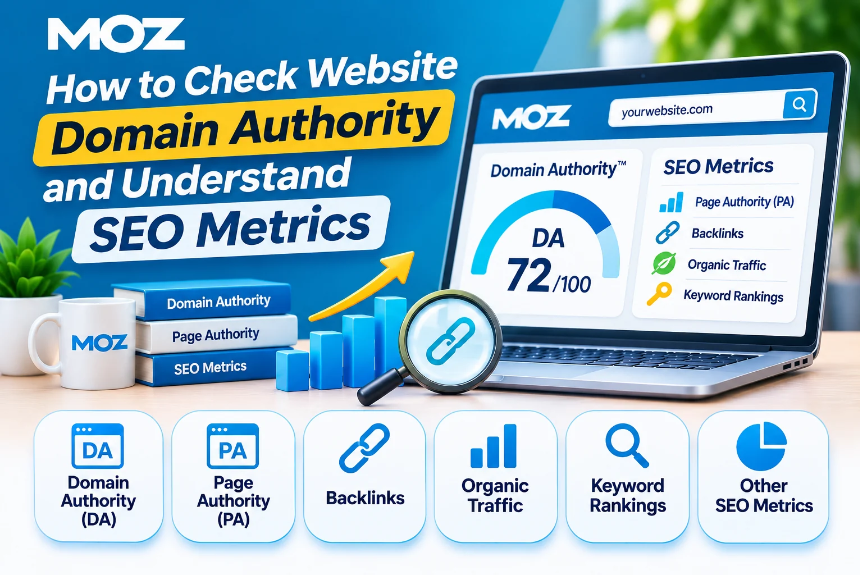
How to Check Website Domain Authority and Understand SEO Metrics
Understanding how a website performs in search engines is essential for developing an effective SEO strategy. Whether you manage a personal blog, business website, e-commerce store, or digital marketing agency, tracking the right SEO metrics helps you evaluate your website’s strengths, identify weaknesses, and discover opportunities for improvement.
One of the most commonly discussed SEO metrics is Domain Authority (DA). Website owners and SEO professionals use domain authority scores to evaluate the relative strength of a website and compare it with competitors.
However, domain authority is often misunderstood. It is not a Google ranking factor, and a higher score does not automatically guarantee better search engine rankings.
To evaluate your website properly, you need to understand domain authority alongside other SEO metrics such as Domain Rating, backlinks, organic traffic, keyword rankings, referring domains, and page authority.
In this comprehensive guide, we will explain how to check website domain authority, which tools you can use, how to interpret different SEO metrics, and what strategies can help improve your website’s overall SEO performance.
What Is Domain Authority?
Domain Authority (DA) is a search engine optimization metric developed by Moz that predicts how likely a website is to rank in search engine results compared with other websites.
Domain Authority scores range from 1 to 100, with higher scores generally indicating stronger ranking potential relative to other websites in the metric’s model.
The score is calculated using multiple signals, including backlink-related data and other factors in Moz’s proprietary algorithm.
Important Things to Know About Domain Authority
- Domain Authority is a third-party SEO metric, not a Google ranking factor.
- It is designed to compare websites rather than measure absolute SEO performance.
- A higher DA score does not guarantee higher rankings.
- DA scores can change as Moz updates its models and data.
- New websites typically begin with relatively low scores.
- Domain Authority is most useful when analyzed alongside other SEO metrics.
Domain Authority vs. Google Ranking
Google uses its own complex ranking systems to evaluate webpages and determine their positions in search results.
Domain Authority is created by Moz to estimate relative ranking strength. Google does not use Moz’s DA score directly when ranking websites.
For example, a website with a DA of 25 can outrank a website with a DA of 70 if it provides more relevant content, better satisfies search intent, and offers a stronger page-level experience for a particular query.
Therefore, domain authority should be treated as a comparative SEO indicator rather than a definitive measure of website quality.
What Is a Good Domain Authority Score?
There is no universal DA score that every website should aim to achieve.
A good domain authority score depends on your website’s age, niche, competition, backlink profile, and the authority of competing websites.
General Domain Authority Score Interpretation
| DA Score | General Interpretation |
| 1–10 | New or relatively weak backlink profile |
| 11–20 | Developing website authority |
| 21–30 | Growing authority and backlink strength |
| 31–40 | Moderate authority |
| 41–50 | Established authority |
| 51–60 | Strong authority |
| 61–70 | Very strong authority |
| 71–80 | Highly authoritative website |
| 81–90 | Exceptional authority |
| 91–100 | Extremely high authority, typically major global websites |
Note: These ranges are general interpretations, not official Moz classifications. The meaning of a score varies by industry and competitive landscape.
Example: Comparing Domain Authority Within a Niche
Suppose you operate a website that publishes SEO tutorials and digital marketing guides.
| Website Type | Example DA Range |
| New niche blog | 1–15 |
| Growing SEO blog | 15–30 |
| Established industry blog | 30–50 |
| Major marketing publication | 50–70 |
| Global technology publication | 70+ |
Rather than focusing on reaching an arbitrary score, compare your website with competitors targeting similar keywords and audiences.
How to Check Website Domain Authority
There are several SEO tools that allow you to check domain authority and analyze related website metrics.
1. Check Domain Authority Using Moz
Moz is the original provider of Domain Authority and offers tools for analyzing website authority and backlink profiles.
Steps to Check Domain Authority
- Visit the official Moz Website.
- Navigate to Moz’s Domain Authority checker or Link Explorer.
- Enter your website domain.
- Complete the required verification or sign-in process, if prompted.
- Review the domain authority score and available backlink metrics.
- Compare the score with competing websites.
Metrics You Can Explore
- Domain Authority
- Page Authority
- Linking domains
- Inbound links
- Spam Score
- Link-related insights
When to Use Moz
Moz is particularly useful when you want to evaluate the DA metric directly, compare competitors, or analyze backlink strength using Moz’s own data.
2. Check Domain Rating Using Ahrefs
Ahrefs offers a proprietary metric called Domain Rating (DR), which measures the relative strength of a website’s backlink profile.
DR is similar in purpose to DA but uses a different calculation methodology.
Steps to Check Domain Rating
- Visit the official Ahrefs Website.
- Open the Ahrefs Website Authority Checker.
- Enter your domain name.
- Review the Domain Rating score.
- Examine the referring domains and backlink information available.
- Compare your website with relevant competitors.
Metrics Available Through Ahrefs
- Domain Rating
- Referring domains
- Backlinks
- Organic keywords
- Organic traffic estimates
- Competitor backlink profiles
When to Use Ahrefs
Ahrefs is useful for backlink analysis, competitor research, link-building opportunities, and understanding how your website’s backlink profile compares with competing domains.
3. Check Website Authority Using Semrush
Semrush offers several SEO metrics that help evaluate website performance, backlink strength, and competitive visibility.
Its Authority Score is a proprietary metric designed to estimate the overall authority and quality of a domain based on multiple signals.
Steps to Check Authority Score
- Visit the official Semrush Website.
- Navigate to the domain overview or backlink analytics section.
- Enter the website domain.
- Review the Authority Score.
- Explore referring domains and backlink information.
- Check estimated organic traffic and keyword visibility.
- Compare your results with competitors.
Metrics Available Through Semrush
- Authority Score
- Referring domains
- Backlink profile
- Organic search traffic estimates
- Organic keyword rankings
- Traffic distribution
- Competitor analysis
When to Use Semrush
Semrush is particularly helpful when you want to combine domain authority analysis with keyword research, organic traffic analysis, competitor benchmarking, and broader SEO planning.
4. Check Website SEO Metrics Using Google Search Console
Google Search Console does not provide a Domain Authority score because DA is not a Google metric.
However, it provides valuable first-party information about your website’s actual performance in Google Search.
Steps to Check SEO Performance
- Visit Google Search Console.
- Select your verified website property.
- Open the Performance report.
- Choose the date range you want to analyze.
- Review total clicks and impressions.
- Examine average CTR and average position.
- Analyze queries and pages generating organic visibility.
- Identify opportunities to improve content and rankings.
Metrics Available Through Google Search Console
- Total clicks
- Total impressions
- Average click-through rate
- Average position
- Search queries
- Indexed pages
- Page indexing issues
- Core Web Vitals reports
- Search appearance information
When to Use Google Search Console
Google Search Console is essential for understanding how your website performs in Google Search because it provides actual search performance data rather than third-party traffic estimates.
5. Check Website Traffic Using Google Analytics
Google Analytics helps you understand how visitors interact with your website after arriving.
Although it does not measure domain authority, it provides important behavioral and engagement insights.
Steps to Check Website Traffic
- Visit Google Analytics.
- Select your website’s GA4 property.
- Open the Reports section.
- Navigate to acquisition reports.
- Review organic search traffic.
- Analyze engagement and conversions.
- Identify the pages generating the most valuable traffic.
Important Metrics in Google Analytics
- Total users
- Sessions
- Organic search sessions
- Engagement rate
- Average engagement time
- Landing page performance
- Conversions
- Key events
- Traffic sources
When to Use Google Analytics
Google Analytics helps determine whether your SEO activities are attracting relevant visitors and generating meaningful business outcomes.
Best Domain Authority Checker Tools
Different SEO tools use different algorithms to measure website authority.
The following table summarizes some popular domain authority and SEO analysis tools.
| Tool | Authority Metric | Best For |
| Moz | Domain Authority (DA) | Checking DA and backlink strength |
| Ahrefs | Domain Rating (DR) | Backlink analysis and competitor research |
| Semrush | Authority Score | Domain evaluation and SEO analysis |
| Majestic | Trust Flow and Citation Flow | Link quality and backlink analysis |
| SE Ranking | Domain Trust | Website authority and SEO monitoring |
| Ubersuggest | Domain Authority | Basic SEO analysis and competitor research |
Which Domain Authority Checker Should You Use?
- Moz: Best for checking the original Domain Authority metric.
- Ahrefs: Best for analyzing backlink strength and referring domains.
- Semrush: Best for combining authority analysis with keyword and traffic research.
- Majestic: Best for examining link quality and trust-related metrics.
- Google Search Console: Best for evaluating actual Google Search performance.
For a comprehensive SEO analysis, use a combination of third-party tools and Google’s own reporting platforms rather than relying on a single authority score.
Domain Authority vs. Domain Rating vs. Authority Score
Domain Authority, Domain Rating, and Authority Score are often used interchangeably, but they are different metrics developed by different SEO platforms.
| Metric | Tool | What It Measures |
| Domain Authority (DA) | Moz | Predicts relative ranking strength using Moz’s methodology. |
| Domain Rating (DR) | Ahrefs | Measures relative backlink profile strength. |
| Authority Score | Semrush | Estimates domain authority using multiple quality and backlink-related signals. |
| Trust Flow | Majestic | Evaluates the quality of links based on its trust-related methodology. |
| Citation Flow | Majestic | Estimates link influence based on the quantity of links. |
Why These Scores Are Different
Each SEO platform maintains its own database, crawling process, and scoring algorithm.
As a result, the same domain may receive different scores across platforms.
For example:
| SEO Tool | Example Score |
| Moz Domain Authority | 32 |
| Ahrefs Domain Rating | 41 |
| Semrush Authority Score | 28 |
| Majestic Trust Flow | 19 |
These are illustrative values, not actual measurements of a particular website.
Important: Never compare DA, DR, and Authority Score as though they were identical measurements. Use each metric to compare websites within the same tool.
Important SEO Metrics You Should Understand
Domain authority is only one part of website SEO performance.
To understand whether your website is improving, you should also monitor backlinks, referring domains, organic traffic, keyword rankings, technical SEO, and engagement.
1. Domain Authority (DA)
Domain Authority predicts the relative ranking strength of a domain based on Moz’s proprietary methodology.
Why it matters: It helps compare your website with competitors and evaluate changes in backlink-related strength.
What to monitor: DA trends over time and differences between your domain and relevant competitors.
2. Domain Rating (DR)
Domain Rating measures the relative strength of a website’s backlink profile using Ahrefs’ methodology.
Why it matters: It provides insights into the strength and development of your website’s link profile.
What to monitor: DR, referring domains, and the quality of linking websites.
3. Page Authority (PA)
Page Authority is a Moz metric that predicts the ranking strength of an individual webpage.
Unlike Domain Authority, PA focuses on a specific URL rather than an entire domain.
Why it matters: A website may have moderate DA but contain individual pages with strong backlink profiles and ranking potential.
What to monitor: Page Authority of important landing pages and competing URLs.
4. Referring Domains
Referring domains represent unique websites that link to your website.
For example, if five different websites link to your content, you have five referring domains.
However, if one website links to you 100 times, it generally counts as one referring domain.
Why it matters: Referring domains help you understand the breadth of your backlink profile.
What to monitor: Growth in relevant, trustworthy referring domains over time.
5. Backlinks
Backlinks are links from external websites that point to your website.
Search engines may use links as signals when discovering pages and evaluating relationships between content.
Why it matters: Relevant, editorially earned backlinks can contribute to SEO performance.
What to monitor: New backlinks, lost backlinks, link relevance, and potentially harmful patterns.
6. Organic Traffic
Organic traffic refers to visitors who arrive through unpaid search engine results.
Why it matters: It indicates whether your website is attracting visitors through search visibility.
What to monitor: Organic sessions, users, landing pages, traffic trends, and conversions.
Use Google Analytics for your own website’s traffic data and treat third-party traffic estimates as directional.
7. Keyword Rankings
Keyword rankings indicate where a webpage appears in search results for a particular search query.
Why it matters: Rankings help evaluate your website’s visibility for relevant search terms.
What to monitor: Target keywords, ranking changes, search intent, and competing pages.
Remember that rankings can vary by location, device, and personalization.
8. Click-Through Rate (CTR)
CTR represents the percentage of impressions that result in clicks.
Formula:
CTR = (Total Clicks ÷ Total Impressions) × 100
Why it matters: CTR helps evaluate how effectively your search result attracts clicks.
What to monitor: CTR by query and page, especially for pages with substantial impressions but relatively few clicks.
9. Average Search Position
Average position is a Google Search Console metric that summarizes the position of your website’s highest-ranking result across recorded impressions.
Why it matters: It helps you understand general search visibility trends.
What to monitor: Average position for important queries and pages over consistent date ranges.
This metric is an aggregate and does not represent a fixed ranking for every user.
10. Page Experience and Core Web Vitals
Core Web Vitals measure important aspects of the user experience, including loading performance, responsiveness, and visual stability.
The primary Core Web Vitals metrics are:
| Metric | What It Measures | Good Threshold |
| Largest Contentful Paint (LCP) | Loading performance | 2.5 seconds or less |
| Interaction to Next Paint (INP) | Responsiveness | 200 milliseconds or less |
| Cumulative Layout Shift (CLS) | Visual stability | 0.1 or less |
These thresholds are evaluated at the 75th percentile of page visits.
Why they matter: A good user experience supports usability and can contribute to better overall website performance.
What to monitor: Mobile and desktop performance, page templates, and URLs showing poor Core Web Vitals.
You can review these metrics using Google Search Console and tools such as PageSpeed Insights.
11. Indexed Pages
Indexed pages are webpages that search engines have added to their searchable index.
Why it matters: Search engines generally need to index a page before it can appear in organic search results.
What to monitor: Important pages that are not indexed, indexing errors, duplicate URLs, and unintended noindex directives.
Use Google Search Console’s Page Indexing report to investigate indexing issues.
12. Spam Score
Moz Spam Score estimates the likelihood that a website shares characteristics associated with websites that have been penalized or banned.
Why it matters: It can provide an additional signal when reviewing backlink profiles.
What to monitor: Unusual backlink patterns, low-quality linking domains, and other potentially concerning signals.
A high Spam Score does not automatically mean a website is penalized by Google. Investigate the actual backlink profile before taking action.
How to Analyze Domain Authority and SEO Metrics Together
Looking at individual metrics in isolation can lead to incorrect conclusions.
A website’s DA may increase while organic traffic remains unchanged. Similarly, a website may gain organic traffic even if its DA remains stable.
The best approach is to analyze multiple SEO metrics together.
Example SEO Performance Analysis
| Metric | Previous Month | Current Month | Interpretation |
| Domain Authority | 22 | 25 | Relative authority increased |
| Referring Domains | 120 | 145 | More unique websites are linking |
| Organic Traffic | 5,000 | 6,200 | Organic visits increased |
| Organic Keywords | 450 | 560 | Search visibility expanded |
| Average CTR | 2.8% | 3.4% | Search results attract more clicks |
| Conversion Rate | 1.5% | 2.1% | Organic visitors convert more effectively |
Note: This is a hypothetical example for illustration.
How to Interpret the Results
If DA, referring domains, and organic traffic increase together, the website may be experiencing positive SEO growth.
If DA increases but organic traffic declines, investigate keyword rankings, search intent, technical issues, and changes in search demand.
If referring domains increase but DA remains stable, the new links may not significantly affect Moz’s model, or changes in the underlying dataset may offset gains.
If organic traffic increases but DA remains low, the website may be ranking successfully for relevant keywords despite having a relatively modest backlink profile.
The goal is to understand what is happening rather than assuming that every metric must increase simultaneously.
How to Improve Domain Authority and Overall SEO Performance
Domain Authority cannot be directly manipulated through a specific setting or optimization technique.
Instead, focus on building a website that earns relevant links, provides valuable content, and performs well in search engines.
1. Build High-Quality Backlinks
Backlinks from relevant and reputable websites can contribute to your website’s authority and SEO performance.
Effective Link-Building Strategies
- Publish original research and industry insights.
- Create useful guides, tutorials, and reference resources.
- Develop statistics pages that others may cite.
- Contribute expert commentary to relevant publications.
- Build relationships with industry websites.
- Participate in legitimate guest contributions.
- Promote content that offers unique value.
- Identify unlinked brand mentions and request appropriate attribution.
Avoid purchasing large quantities of manipulative links or participating in link schemes.
2. Publish High-Quality, Helpful Content
Content quality is essential for attracting relevant visitors and earning natural backlinks.
Content Optimization Best Practices
- Understand the search intent behind target keywords.
- Create comprehensive and useful content.
- Provide original insights and examples.
- Use clear headings and logical organization.
- Include relevant images, tables, and explanations.
- Update outdated information.
- Avoid keyword stuffing and unnecessary repetition.
- Demonstrate expertise and credibility where appropriate.
A useful content strategy focuses on solving audience problems rather than simply publishing articles to increase website volume.
3. Strengthen Internal Linking
Internal links connect pages within your own website.
They help users discover relevant information and assist search engines in understanding the relationship between different pages.
Internal Linking Best Practices
- Link from relevant articles to important pillar pages.
- Use descriptive and natural anchor text.
- Connect related topics within content clusters.
- Avoid excessive or irrelevant links.
- Ensure important pages are accessible through internal links.
- Review orphan pages that receive no internal links.
For example, an article about domain authority can link to related content about backlink analysis, SEO tools, keyword research, and technical SEO.
4. Improve Technical SEO
Technical SEO helps search engines discover, crawl, and understand your website.
Important Technical SEO Activities
- Maintain a clean and logical URL structure.
- Ensure important pages are crawlable and indexable.
- Use appropriate XML sitemaps.
- Implement canonical tags correctly.
- Fix broken internal links.
- Avoid unnecessary redirect chains.
- Improve mobile usability.
- Implement HTTPS.
- Resolve duplicate content issues.
- Monitor Core Web Vitals and page performance.
Technical SEO improvements can help search engines access and interpret your content more effectively.
5. Optimize Existing Content
Updating existing content can improve its relevance, accuracy, and usefulness.
Content Refresh Checklist
- Update outdated statistics and information.
- Improve content that no longer matches search intent.
- Add missing explanations and examples.
- Improve titles and meta descriptions.
- Add relevant internal links.
- Consolidate overlapping articles when appropriate.
- Remove unnecessary repetition.
- Review keyword cannibalization.
- Improve content readability and navigation.
Regular content maintenance helps keep your website useful and competitive.
6. Improve Website User Experience
A positive user experience makes it easier for visitors to navigate your website and engage with your content.
UX Optimization Strategies
- Improve loading speed.
- Make navigation simple and intuitive.
- Use readable typography.
- Ensure responsive mobile design.
- Avoid intrusive pop-ups.
- Maintain clear content hierarchy.
- Provide useful calls to action.
- Improve accessibility.
- Reduce unnecessary distractions.
User experience improvements should focus on helping visitors achieve their goals efficiently.
7. Earn Links Through Digital PR
Digital PR involves creating newsworthy content and building relationships with journalists, publishers, and relevant industry websites.
Digital PR Opportunities
- Share original research.
- Publish industry surveys.
- Provide expert insights.
- Create relevant data visualizations.
- Comment on emerging industry trends.
- Develop resources that journalists can reference.
The objective is to earn genuine editorial attention and relevant backlinks rather than artificially increasing link counts.
8. Monitor and Improve Your Backlink Profile
Backlink analysis helps you understand which websites link to your content and identify potential issues.
Backlink Monitoring Checklist
- Review newly acquired backlinks.
- Monitor lost backlinks.
- Identify important links that have disappeared.
- Evaluate the relevance of referring websites.
- Check for unusual patterns of link acquisition.
- Investigate suspicious links when necessary.
- Compare backlink profiles with relevant competitors.
Important: Do not disavow backlinks solely because they appear unfamiliar, have low authority scores, or use a particular domain extension. Google generally handles many irrelevant or low-quality links automatically. Disavowal is a specialized process intended for situations involving substantial problematic link patterns and a manual action or credible risk of one.
Common Mistakes to Avoid When Checking Domain Authority
1. Treating DA as a Google Ranking Factor
Domain Authority is not a Google ranking factor.
Solution: Use DA as a comparative third-party metric and prioritize actual search performance.
2. Comparing Different Authority Metrics Directly
DA, DR, and Authority Score are calculated using different methodologies.
Solution: Compare scores within the same platform rather than treating them as equivalent.
3. Focusing Only on Backlink Quantity
A large number of backlinks does not automatically mean a strong backlink profile.
Solution: Evaluate relevance, quality, natural acquisition patterns, and referring domains.
4. Ignoring Organic Traffic and Conversions
A website may have a high authority score without attracting relevant traffic or generating business results.
Solution: Monitor organic traffic, rankings, engagement, and conversions.
5. Expecting Immediate DA Improvements
Domain authority changes may take time because tools need to discover and process backlink information.
Solution: Focus on sustainable SEO activities and evaluate progress over longer periods.
6. Using Manipulative Link-Building Techniques
Unnatural link acquisition can create SEO risks and may violate search engine spam policies.
Solution: Focus on earning relevant editorial links through valuable content and legitimate outreach.
7. Ignoring Competitor Context
A DA score has limited meaning without understanding your competitive landscape.
Solution: Compare your website with competitors targeting similar topics and search queries.
Domain Authority Checking Checklist
Use this checklist whenever you perform a domain authority or SEO performance audit.
| Task | Purpose |
| Check Domain Authority | Evaluate relative authority using Moz. |
| Check Domain Rating | Understand backlink strength using Ahrefs. |
| Review Authority Score | Analyze domain authority signals using Semrush. |
| Analyze Referring Domains | Evaluate the diversity of your backlink profile. |
| Review Backlinks | Identify new, lost, and relevant links. |
| Check Organic Traffic | Measure search-driven website visits. |
| Review Keyword Rankings | Understand search visibility and ranking trends. |
| Analyze Search CTR | Identify opportunities to improve search result performance. |
| Check Indexed Pages | Ensure important pages are accessible in search indexes. |
| Review Core Web Vitals | Evaluate loading, responsiveness, and visual stability. |
| Compare Competitors | Identify strengths, weaknesses, and opportunities. |
| Track SEO Progress | Monitor changes consistently over time. |
Frequently Asked Questions (FAQs)
1. How can I check my website’s Domain Authority for free?
You can use Moz’s free Domain Authority checker to evaluate your website’s DA score. Some other SEO platforms also provide free authority or backlink checking features with usage limitations.
2. What is the difference between Domain Authority and Domain Rating?
Domain Authority is developed by Moz, while Domain Rating is developed by Ahrefs. Both estimate relative website authority, but they use different algorithms and data. Their scores should not be compared directly.
3. Is Domain Authority a Google ranking factor?
No. Domain Authority is a third-party SEO metric developed by Moz. Google does not use Moz’s DA score directly as a ranking factor.
4. What is a good Domain Authority score for a new website?
A new website may begin with a low DA score. There is no universal minimum score required to rank in search engines. Focus on relevant content, technical SEO, and sustainable backlink growth.
5. How often should I check Domain Authority?
Checking DA once a month is generally sufficient for most websites. Frequent fluctuations may not indicate meaningful SEO improvements, so analyze trends over time.
6. Can Domain Authority decrease?
Yes. DA may decrease because of changes in Moz’s algorithm, backlink losses, changes in the broader link ecosystem, or updates to its data. A decrease does not necessarily mean your Google rankings have declined.
7. How long does it take to increase Domain Authority?
There is no fixed timeline. Improvements depend on your backlink profile, website development, competition, and the data updates performed by the SEO platform. Focus on long-term SEO growth rather than a specific deadline.
8. Which is more important: Domain Authority or organic traffic?
Organic traffic is generally more directly relevant when evaluating your website’s search performance. DA is useful for comparing relative authority, while organic traffic helps measure actual search-driven visits.
9. Can a low-DA website rank on the first page of Google?
Yes. A website with a low DA can rank well if its content is relevant, helpful, and aligned with search intent. DA does not determine whether a webpage can rank for a particular keyword.
10. What is the difference between Domain Authority and Page Authority?
Domain Authority evaluates the relative ranking strength of an entire domain, while Page Authority evaluates the relative ranking strength of an individual webpage. Both are Moz metrics.
11. How can I check my competitors’ Domain Authority?
You can enter competitor domains into Moz Link Explorer or other SEO authority checking tools. Compare their authority scores, referring domains, backlink profiles, and content strategies.
12. Does increasing backlinks always increase Domain Authority?
No. The impact of backlinks depends on several factors, including their quality, relevance, and how Moz evaluates them. Simply increasing backlink quantity does not guarantee an increase in DA.
13. What is the difference between referring domains and backlinks?
A backlink is an individual link from another website. A referring domain is a unique website that links to your domain. One referring domain can generate multiple backlinks.
14. Which tool is best for checking website authority?
Moz is best for checking Domain Authority, Ahrefs is useful for Domain Rating and backlink analysis, and Semrush offers Authority Score along with broader SEO analysis. The best tool depends on your requirements.
15. Should I disavow low-authority backlinks?
Not automatically. Low-authority backlinks are not necessarily harmful. Google generally handles many irrelevant or low-quality links without requiring manual intervention. Disavowal should be considered carefully and only in specific situations involving substantial problematic backlinks.
Conclusion
Checking website domain authority is a useful part of SEO analysis, but it should never be the only metric used to evaluate website performance.
Domain Authority, Domain Rating, and Authority Score help estimate relative website authority through different methodologies. Meanwhile, metrics such as organic traffic, keyword rankings, referring domains, backlinks, CTR, indexed pages, and Core Web Vitals provide additional insights into SEO performance.
The most effective approach is to combine multiple tools, compare your website with relevant competitors, and monitor performance consistently.
Instead of focusing exclusively on increasing domain authority, prioritize creating helpful content, earning relevant backlinks, strengthening internal linking, improving technical SEO, and delivering a better user experience.
Leave a Reply