


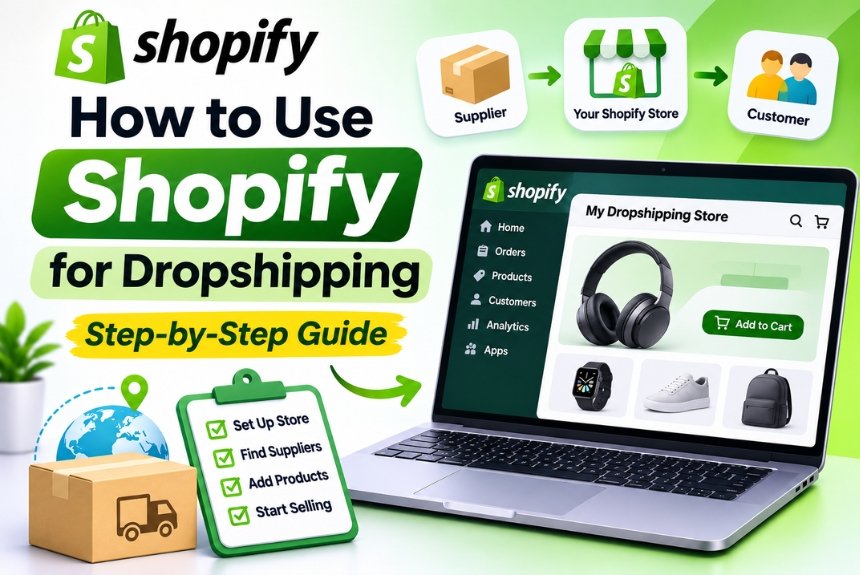
How to Use Shopify for Dropshipping: A Complete Step-by-Step Guide for 2026
Starting an online business no longer requires purchasing inventory, renting warehouse space, or managing complicated shipping operations. With the dropshipping business model, entrepreneurs can sell products online without physically stocking them.
Shopify has become one of the most popular platforms for building dropshipping businesses because it offers an easy-to-use storefront, product management tools, payment integrations, and access to third-party dropshipping applications.
However, starting a profitable dropshipping business involves more than creating a Shopify store and importing products. You need to identify profitable products, find reliable suppliers, understand your target audience, establish competitive pricing, and develop an effective marketing strategy.
In this Shopify dropshipping guide for 2026, we will explain everything you need to know, from understanding the dropshipping business model to setting up your Shopify store, connecting suppliers, processing orders, and growing your business.
Whether you are a beginner exploring eCommerce or an entrepreneur planning to launch a new online business, this step-by-step tutorial will help you understand how to use Shopify for dropshipping.
What Is Shopify Dropshipping?
Shopify dropshipping is an eCommerce business model in which you sell products through a Shopify online store without maintaining physical inventory.
Instead of purchasing products in bulk and storing them yourself, you partner with a supplier who handles inventory storage, packaging, and shipping.
When a customer purchases a product from your Shopify store, the order details are forwarded to your supplier. The supplier then ships the product directly to the customer.
You earn revenue from the difference between the price customers pay and your total business expenses.
How Does Shopify Dropshipping Work?
The Shopify dropshipping process generally follows these steps:
- You create an online store using Shopify.
- You identify products that customers are interested in purchasing.
- You connect your store with a dropshipping supplier.
- You list the supplier’s products in your Shopify store.
- A customer places an order through your website.
- You receive the customer’s payment.
- The supplier receives the order details and processes the shipment.
- The customer receives the product directly from the supplier.
- You retain the remaining revenue after deducting product costs and other expenses.
Example of a Shopify Dropshipping Transaction
Suppose you sell a product through your Shopify store.
| Expense or Revenue | Amount |
| Selling Price | ₹1,499 |
| Supplier Product Cost | ₹650 |
| Shipping Cost | ₹150 |
| Payment Processing Fees | ₹50 |
| Advertising Cost per Order | ₹300 |
| Other Expenses | ₹100 |
| Estimated Profit | ₹249 |
This example illustrates how dropshipping profitability depends on more than the difference between the selling price and supplier cost.
Actual profit margins vary depending on product demand, advertising expenses, shipping costs, payment fees, refunds, and other business expenses.
Why Use Shopify for Dropshipping?
Shopify provides several features that make it suitable for entrepreneurs who want to start a dropshipping business.
1. Easy Store Setup
You can create a professional online store without advanced programming skills. Shopify’s theme editor allows you to customize your storefront using visual controls.
2. Dropshipping App Integrations
Shopify supports third-party apps that connect your store with suppliers and help automate product imports, inventory synchronization, and order processing.
3. Inventory Management
Many dropshipping applications synchronize supplier inventory with your Shopify store, helping reduce the risk of selling unavailable products.
4. Order Management
Shopify provides a centralized dashboard where you can review customer orders, manage fulfillment, and monitor order statuses.
5. Flexible Store Customization
You can customize your website’s design, product pages, navigation, and branding to create a unique shopping experience.
6. Multiple Marketing Integrations
Shopify supports marketing tools and sales channel integrations that help you promote products and reach potential customers.
7. Business Scalability
As your business grows, you can expand your product catalog, connect additional suppliers, and explore new sales channels.
Step-by-Step Guide to Starting Shopify Dropshipping
Let’s explore how to establish your dropshipping business from scratch.
Step 1: Choose a Dropshipping Niche
The first step is selecting the niche in which you want to operate.
A niche refers to a specific category of products or a particular audience you want to serve.
Instead of selling random products across multiple categories, focusing on a niche can help you build a recognizable brand and attract a more targeted audience.
Popular Dropshipping Niches in 2026
| Niche | Product Examples |
| Home and Living | Storage organizers, decorative accessories, kitchen tools |
| Beauty and Personal Care | Beauty accessories, makeup organizers, skincare tools |
| Fashion Accessories | Bags, wallets, jewelry, fashion accessories |
| Pet Products | Pet toys, grooming accessories, feeding products |
| Fitness and Wellness | Fitness accessories, yoga equipment, workout essentials |
| Travel Accessories | Packing organizers, travel pillows, luggage accessories |
| Electronics Accessories | Phone stands, desk accessories, cable organizers |
| Outdoor and Lifestyle | Camping accessories, outdoor organizers, lifestyle products |
These categories are examples of potential niches, not guaranteed profitable opportunities. Demand, competition, supplier quality, and market conditions should be evaluated before choosing a niche.
How to Choose the Right Niche
Consider the following factors:
Customer Demand: Look for products that solve problems or satisfy specific customer needs.
Competition: Analyze competing stores and marketplaces to understand how established sellers position their products.
Profit Potential: Estimate product costs, shipping charges, advertising expenses, and potential margins.
Supplier Availability: Ensure that dependable suppliers can fulfill orders consistently.
Target Audience: Understand customer preferences, purchasing behavior, and expectations.
Branding Opportunities: Choose a niche that allows you to build a recognizable identity rather than compete solely on price.
Step 2: Conduct Product Research
Product research is one of the most important steps in building a dropshipping business.
A product that attracts attention but has poor quality, expensive shipping, or low profit potential may not be suitable for your store.
Your goal should be to identify products that offer a combination of customer demand, practical value, supplier reliability, and healthy margins.
Characteristics of Potential Dropshipping Products
| Characteristic | Why It Matters |
| Solves a Problem | Gives customers a clear reason to purchase |
| Demonstrates Value | Makes the product’s benefits easy to communicate |
| Competitive Pricing | Allows you to offer an attractive price |
| Reliable Quality | Reduces returns and customer complaints |
| Manageable Shipping | Simplifies delivery and fulfillment |
| Brand Potential | Allows differentiation from competitors |
| Consistent Availability | Reduces inventory-related disruptions |
Product Research Tools
You can use several tools and platforms to research dropshipping products.
| Tool | Primary Purpose |
| Google Trends | Analyze search interest over time |
| Google Search | Discover competitors and product demand |
| Meta Ads Library | Research publicly available advertising creatives |
| TikTok | Explore product demonstrations and emerging trends |
| Amazon | Analyze product reviews and customer expectations |
| AliExpress | Explore products and potential suppliers |
| Shopify App Store | Discover product sourcing and fulfillment integrations |
Important: A product trending on social media does not automatically indicate profitable demand. Validate its potential through research, supplier checks, pricing calculations, and testing.
Step 3: Find Reliable Dropshipping Suppliers
Your supplier plays a critical role in your business because they control product quality, inventory availability, packaging, and shipping.
A poor supplier can lead to delayed deliveries, defective products, refund requests, and negative reviews.
Popular Dropshipping Supplier Platforms
| Supplier Platform | Description |
| AliExpress | Marketplace with a wide range of products and potential suppliers |
| CJdropshipping | Product sourcing, fulfillment, and logistics services |
| Zendrop | Dropshipping tools and supplier fulfillment services |
| Spocket | Supplier marketplace featuring businesses in different regions |
| DSers | Product sourcing and order management automation |
| Syncee | Product sourcing and supplier integrations |
Supplier availability, product catalogs, shipping destinations, pricing, and integrations vary. Review each platform’s current terms before selecting one.
How to Evaluate a Dropshipping Supplier
Before partnering with a supplier, consider:
- Product quality and consistency
- Shipping costs
- Delivery timelines
- Inventory availability
- Return and refund policies
- Customer communication
- Tracking information
- Shopify integration capabilities
- Product packaging
- Supplier reviews and reputation
Why Order Product Samples?
Ordering samples allows you to evaluate the product before selling it to customers.
You can check:
- Actual product quality
- Packaging condition
- Delivery time
- Product functionality
- Whether the product matches its listing
- Customer experience during delivery
Testing samples is especially important when you plan to build a long-term brand.
Step 4: Create Your Shopify Store
Once you have selected your niche and identified potential products, the next step is creating your Shopify store.
Visit the official Shopify website:
How to Create a Shopify Account
- Visit Shopify’s official website.
- Select the option to start a trial or create an account.
- Enter your email address.
- Create your account credentials.
- Complete the initial business setup questions.
- Choose your store name.
- Access your Shopify admin dashboard.
Shopify may ask questions about your business goals and selling experience during the onboarding process.
Choose a Shopify Subscription
Shopify offers different subscription plans depending on business requirements.
For beginners, a basic plan may be sufficient to establish an online store and start selling.
Check the official pricing page for current plans and features:
https://www.shopify.com/pricing
Remember that your total dropshipping expenses may include Shopify subscriptions, domain registration, apps, product costs, shipping, marketing, and payment processing fees.
Step 5: Select a Shopify Theme
Your theme determines how your store looks and how customers navigate your products.
Shopify provides free and paid themes through its official theme ecosystem.
Explore Shopify themes: https://themes.shopify.com/
Recommended Shopify Themes for Dropshipping
| Theme | Best For |
| Dawn | Beginners and general product stores |
| Horizon | Flexible storefront layouts |
| Refresh | Product-focused stores with bold presentation |
| Craft | Lifestyle and creative brands |
| Impulse | Promotional stores and product catalogs |
| Warehouse | Stores with large product collections |
Theme availability and features may change over time.
How to Install a Theme
- Navigate to Online Store → Themes.
- Browse the available themes.
- Select a suitable theme.
- Add it to your theme library.
- Click Customize.
- Edit the homepage layout and sections.
- Preview the store on desktop and mobile.
- Publish the theme when ready.
Store Design Elements to Customize
- Logo and brand colors
- Header and navigation
- Homepage banner
- Featured products
- Product collections
- About Us section
- Customer testimonials
- Footer
- Contact information
- Policies and FAQs
Your store should look trustworthy and professional. Avoid copying another brand’s complete design or identity.
Step 6: Install a Shopify Dropshipping App
Dropshipping apps connect your Shopify store with suppliers and simplify product sourcing and fulfillment.
Navigate to the Shopify App Store:
Search for a dropshipping application that supports your supplier and business requirements.
Popular Shopify Dropshipping Apps
| App | Main Function |
| DSers | AliExpress product sourcing and order automation |
| CJdropshipping | Product sourcing and fulfillment |
| Zendrop | Product imports and supplier fulfillment |
| Spocket | Product sourcing from its supplier network |
| Syncee | Supplier catalog integration and product sourcing |
How to Connect a Dropshipping App
- Open the Shopify App Store.
- Search for your preferred dropshipping app.
- Review its features, pricing, and compatibility.
- Install the application.
- Connect your Shopify store.
- Create or connect your supplier account.
- Configure product import and fulfillment settings.
- Review inventory synchronization and order processing options.
Some apps offer free plans, while others require subscriptions or charge additional fees.
Always understand the complete cost structure before installing an app.
Step 7: Import Products into Your Shopify Store
After connecting your supplier app, you can begin importing products.
The exact process depends on the application you use.
Typical Product Import Process
- Open your dropshipping application.
- Search for products within your chosen niche.
- Review product details and supplier information.
- Select the products you want to sell.
- Import them into your Shopify store.
- Review product titles and descriptions.
- Update images and product specifications.
- Set your selling prices.
- Organize products into collections.
- Publish the products when ready.
Optimize Product Listings Before Publishing
Do not publish imported products without reviewing them.
| Element | Optimization Recommendation |
| Product Title | Write clear, descriptive titles |
| Description | Highlight benefits and relevant specifications |
| Images | Use accurate and high-quality visuals |
| Pricing | Calculate all costs before setting prices |
| Variants | Review sizes, colors, and available options |
| Inventory | Verify stock synchronization |
| Shipping | Check delivery timelines and charges |
| SEO | Optimize meta titles and descriptions |
| URL | Use short, descriptive product URLs |
Avoid making unsupported claims about product quality, performance, or benefits.
Step 8: Set Competitive Product Prices
Pricing directly affects your profitability.
Many beginners make the mistake of calculating profit using only the supplier’s product cost and selling price.
However, dropshipping involves several additional expenses.
Dropshipping Pricing Formula
Selling Price − Total Business Costs = Estimated Profit
Total business costs may include:
- Supplier product cost
- Shipping expenses
- Payment processing fees
- Shopify subscription allocation
- App subscription allocation
- Advertising expenses
- Refunds and chargebacks
- Packaging or other service costs
Example Pricing Calculation
| Cost Component | Amount |
| Supplier Product Cost | ₹500 |
| Shipping | ₹120 |
| Payment Processing | ₹45 |
| Marketing Cost per Order | ₹250 |
| Other Allocated Costs | ₹85 |
| Total Estimated Cost | ₹1,000 |
| Selling Price | ₹1,499 |
| Estimated Profit | ₹499 |
These figures are illustrative. Your actual costs and profit will depend on the product, supplier, advertising strategy, and payment provider.
Pricing Strategies for Dropshipping
Competitive Pricing: Analyze similar products and establish a competitive selling price.
Value-Based Pricing: Set prices according to the perceived value and benefits of your product.
Bundle Pricing: Offer complementary products together to increase average order value.
Free Shipping Threshold: Offer free shipping above a specific order value while accounting for shipping expenses.
Promotional Pricing: Use limited-time offers carefully without making your business dependent on continuous discounts.
Step 9: Configure Payment Methods
Customers need convenient payment methods to complete their purchases.
Navigate to Settings → Payments in your Shopify admin dashboard.
Payment Methods to Consider
| Payment Method | Description |
| Credit and Debit Cards | Accept supported card payments |
| UPI | Enable through supported payment providers in India |
| Net Banking | Offer supported bank payment options |
| Digital Wallets | Enable eligible wallet integrations |
| Cash on Delivery | Offer COD where operationally feasible |
| International Payments | Accept eligible international transactions through supported providers |
Payment Gateway Considerations for India
If your business operates in India, explore payment gateways that support Shopify and Indian business accounts.
Before selecting a payment provider, compare:
- Transaction fees
- Settlement periods
- Supported payment methods
- Refund processing
- Shopify integration
- International payment support
- Verification requirements
Do not activate payment methods without completing the provider’s required verification.
Step 10: Configure Shipping and Delivery
Shipping is one of the most important factors influencing customer satisfaction.
Since your supplier handles fulfillment, you must clearly understand how products are shipped and delivered.
Navigate to Settings → Shipping and delivery.
Important Shipping Settings
| Setting | Purpose |
| Shipping Zones | Define countries and regions you serve |
| Shipping Rates | Configure customer shipping charges |
| Delivery Estimates | Communicate expected delivery timelines |
| Shipping Profiles | Organize shipping rules for products |
| Fulfillment Services | Connect supported fulfillment providers |
What to Consider When Selling Internationally
If your supplier is located in another country, review:
- International shipping costs
- Delivery estimates
- Customs duties and taxes
- Import restrictions
- Tracking availability
- Lost or delayed shipment procedures
- Customer communication requirements
Make sure customers understand potential additional charges before purchasing.
Step 11: Create Essential Store Pages
A professional dropshipping store should provide customers with the information they need to make purchasing decisions.
Navigate to Online Store → Pages to create the required pages.
Important Pages for a Dropshipping Store
| Page | Purpose |
| About Us | Introduce your brand |
| Contact Us | Provide customer support information |
| FAQs | Answer common questions |
| Shipping Policy | Explain shipping timelines and charges |
| Refund Policy | Explain returns and refunds |
| Privacy Policy | Explain data collection and handling |
| Terms of Service | Define store terms and conditions |
| Order Tracking | Help customers track their orders |
Why Are Store Policies Important?
Dropshipping customers may be unfamiliar with your business and supplier arrangements.
Transparent policies help establish trust and set realistic expectations.
Your shipping policy should clearly explain delivery estimates, processing times, and tracking availability.
Your refund policy should accurately reflect the conditions under which returns, replacements, and refunds are offered.
Review applicable consumer protection and eCommerce regulations before publishing your policies.
Step 12: Configure Order Fulfillment
Order fulfillment is the process of processing customer purchases and ensuring that products reach customers.
In a dropshipping business, fulfillment is generally handled by the supplier, but you remain responsible for managing the customer experience.
How Shopify Dropshipping Fulfillment Works
- A customer places an order through your Shopify store.
- Shopify records the order.
- The order is received by your dropshipping application.
- You review the order and payment status.
- The order is forwarded to your supplier according to your app’s workflow.
- The supplier prepares and ships the product.
- Tracking information is provided when available.
- Shopify updates the order fulfillment status.
- The customer receives shipping updates.
- You handle any customer questions or delivery issues.
Manual vs. Automated Order Fulfillment
| Feature | Manual Fulfillment | Automated Fulfillment |
| Order Processing | Managed manually | Processed through supported automation |
| Time Required | Higher | Generally lower |
| Control | Greater manual oversight | Depends on app settings |
| Risk of Errors | Manual entry errors possible | Automation errors or sync issues possible |
| Best For | Testing and low order volumes | Growing stores with reliable workflows |
Important Fulfillment Practices
- Review orders for unusual activity.
- Ensure payment status is appropriate before fulfillment.
- Monitor supplier stock availability.
- Confirm shipping addresses.
- Track delayed shipments.
- Handle refunds and replacements promptly.
- Maintain communication with customers.
Automation can save time, but it does not eliminate the need for order monitoring.
Step 13: Set Up Customer Support
Customer support is essential for building a reliable dropshipping business.
Customers may contact you regarding product information, shipping, delivery delays, refunds, or damaged products.
Customer Support Channels
| Channel | Purpose |
| Detailed customer communication | |
| Contact Form | Collect support requests |
| Live Chat | Provide real-time assistance |
| FAQs | Answer common questions |
| Order Tracking | Reduce shipment-related inquiries |
| Social Media | Respond to customer questions and feedback |
Common Customer Support Issues
- Where is my order?
- How long does delivery take?
- Can I change my shipping address?
- What happens if my product is damaged?
- Can I cancel my order?
- How do I request a refund?
- Is the product currently available?
Create clear procedures for handling these questions.
Remember that customers purchase from your store, so they generally expect you to take responsibility for resolving their concerns, even when fulfillment is handled by a supplier.
Step 14: Market Your Shopify Dropshipping Store
Creating a store is only one part of the dropshipping business.
You also need to attract visitors, generate product awareness, and encourage customers to make purchases.
1. Search Engine Optimization
SEO helps your store attract organic traffic from search engines.
Focus on:
- Product title optimization
- Unique product descriptions
- Collection page optimization
- Meta titles and descriptions
- Image alt text
- Internal linking
- Informational blog content
- Technical SEO
- Mobile performance
SEO is a long-term strategy. It may take time before your store begins attracting meaningful organic traffic.
2. Social Media Marketing
Social media platforms allow you to showcase products and build brand awareness.
You can create:
- Product demonstrations
- Short-form videos
- Tutorials
- Lifestyle content
- Customer testimonials
- Product comparisons
- Behind-the-scenes content
Choose platforms based on your target audience rather than trying to maintain a presence everywhere.
3. Influencer Marketing
Collaborating with creators can help you introduce your products to relevant audiences.
Before working with an influencer, evaluate:
- Audience relevance
- Engagement quality
- Content style
- Audience location
- Collaboration costs
- Potential return on investment
4. Paid Advertising
Paid advertising can help you test product demand and reach potential customers.
Popular advertising platforms include:
- Google Ads
- Meta Ads
- TikTok Ads, where available and appropriate
Start with a clearly defined budget and measure campaign performance.
Do not scale advertising simply because it generates clicks. Analyze conversions, acquisition costs, and profitability.
5. Email Marketing
Email marketing allows you to communicate with customers and encourage repeat purchases.
Useful email campaigns include:
- Welcome emails
- Abandoned checkout reminders
- Order confirmations
- Shipping notifications
- Product recommendations
- Promotional campaigns
- Customer re-engagement emails
Ensure that email collection and marketing practices comply with applicable privacy and consent requirements.
6. Content Marketing
Create helpful content related to your products and niche.
For example, a store selling home organization products could publish articles about:
- How to organize a small bedroom
- Best storage solutions for compact homes
- How to organize a kitchen efficiently
- Practical home organization ideas
Content marketing can support SEO, customer education, and product discovery.
Step 15: Monitor Shopify Dropshipping Performance
Once your store begins receiving visitors and orders, you should monitor its performance regularly.
Shopify Analytics provides useful information about sales, customer behavior, and traffic sources.
Important Dropshipping Metrics
| Metric | Why It Matters |
| Store Sessions | Measures website traffic |
| Conversion Rate | Indicates how effectively visitors become customers |
| Average Order Value | Measures average revenue per order |
| Customer Acquisition Cost | Measures the cost of acquiring customers |
| Gross Profit Margin | Indicates profitability before certain operating expenses |
| Net Profit | Measures profit after relevant expenses |
| Refund Rate | Helps evaluate product and fulfillment issues |
| Customer Retention | Measures repeat purchasing behavior |
| Cart Abandonment | Indicates potential checkout friction |
| Delivery Time | Helps evaluate supplier performance |
How to Improve Your Conversion Rate
- Improve product photography.
- Write clearer product descriptions.
- Display shipping information transparently.
- Offer appropriate payment methods.
- Simplify navigation.
- Optimize mobile performance.
- Improve checkout usability.
- Collect authentic customer reviews.
- Address customer concerns promptly.
Best Shopify Dropshipping Practices for 2026
The dropshipping market is competitive, and businesses need more than product imports to differentiate themselves.
Consider the following practices when developing your strategy.
1. Build a Brand Instead of a Generic Store
A branded store creates a consistent customer experience.
Develop your own logo, color palette, product presentation, and messaging.
2. Focus on Product Quality
Do not select products based only on their selling price or popularity.
Evaluate quality, reliability, and customer satisfaction before scaling.
3. Prioritize Fast and Reliable Shipping
Customers expect accurate delivery information.
Work with suppliers who provide reasonable shipping times and reliable tracking.
4. Avoid Misleading Product Claims
Product descriptions, images, pricing, and delivery promises should accurately reflect what customers receive.
5. Test Products Before Scaling
Start with a limited selection of products and evaluate customer response.
Use the results to determine whether additional investment is justified.
6. Track Your Actual Profit
Revenue does not equal profit.
Monitor product costs, shipping, advertising, payment fees, subscriptions, refunds, and other expenses.
7. Develop Customer Retention Strategies
Repeat customers can help reduce dependence on paid advertising.
Use quality products, helpful support, and relevant marketing to encourage repeat purchases.
Common Shopify Dropshipping Mistakes to Avoid
Beginners often make avoidable mistakes that affect their business performance.
1. Choosing Products Without Research
A product may look attractive but have little demand or excessive competition.
Conduct market research before adding products.
2. Working With Unreliable Suppliers
Poor supplier performance can lead to delayed shipments, low-quality products, and dissatisfied customers.
Evaluate suppliers carefully and order samples when possible.
3. Ignoring Shipping Costs
Unexpected shipping expenses can significantly reduce profit margins.
Calculate the total cost of fulfilling every order.
4. Copying Product Descriptions
Generic descriptions may fail to communicate product value.
Write original descriptions based on accurate product information.
5. Installing Too Many Apps
Multiple applications with overlapping functionality can increase costs and complicate store management.
Choose tools based on specific requirements.
6. Neglecting Customer Support
Customers may become dissatisfied if their concerns are ignored.
Provide accessible support and communicate clearly about order status.
7. Spending Too Much on Advertising
Uncontrolled advertising expenses can make an otherwise promising product unprofitable.
Set a budget and monitor acquisition costs.
8. Expecting Immediate Success
Dropshipping requires research, testing, customer service, and continuous improvement.
Treat it as a business rather than a guaranteed source of quick income.
Shopify Dropshipping vs. Traditional eCommerce
Understanding the difference between dropshipping and traditional eCommerce can help you choose the right business model.
| Feature | Shopify Dropshipping | Traditional eCommerce |
| Inventory | Supplier manages inventory | Business typically purchases inventory |
| Storage | Usually handled by supplier | Business manages or outsources storage |
| Initial Investment | Often lower inventory investment | Generally higher inventory investment |
| Fulfillment | Supplier ships products | Business or fulfillment partner ships products |
| Product Quality Control | Less direct control | Greater control over inventory |
| Shipping Control | Depends on supplier | More flexibility |
| Profit Margins | Can be affected by supplier costs | Potentially higher with bulk purchasing |
| Operational Complexity | Lower inventory management requirements | More inventory and fulfillment responsibilities |
| Scalability | Depends on supplier capacity | Depends on inventory and fulfillment infrastructure |
Both models can work. Your choice should depend on your capital, operational capabilities, product category, and business goals.
Frequently Asked Questions About Shopify Dropshipping
1. Is Shopify dropshipping profitable in 2026?
Shopify dropshipping can be profitable, but profitability depends on product selection, supplier reliability, pricing, customer acquisition costs, and operational expenses. There is no guaranteed income.
2. Do I need inventory to start dropshipping on Shopify?
No. In the traditional dropshipping model, suppliers hold inventory and ship products directly to customers. However, ordering product samples is recommended to evaluate quality.
3. How much money do I need to start Shopify dropshipping?
Your initial investment depends on Shopify subscription costs, domain registration, supplier samples, apps, marketing, and other business expenses. A low inventory requirement does not mean the business is completely cost-free.
4. Which Shopify dropshipping app is best for beginners?
DSers, CJdropshipping, Zendrop, Spocket, and Syncee are options worth exploring. The best choice depends on your niche, supplier location, product availability, shipping requirements, and budget.
5. Can I start Shopify dropshipping from India?
Yes. Indian entrepreneurs can establish Shopify stores and work with supported suppliers and payment providers. You should also review applicable GST, import/export, consumer protection, and eCommerce requirements.
6. Do I need a GST registration for dropshipping in India?
GST registration requirements depend on your business structure, turnover, sales channels, transaction types, and applicable regulations. Consult a qualified tax professional to determine your specific obligations.
7. How long does shipping take in dropshipping?
Shipping timelines depend on supplier location, fulfillment processing, shipping method, destination, and customs procedures. Always communicate realistic delivery estimates to customers.
8. Can I sell internationally using Shopify dropshipping?
Yes. Shopify supports international selling features, but availability depends on payment providers, shipping arrangements, supplier capabilities, taxes, duties, and applicable regulations.
9. Can I use multiple dropshipping suppliers?
Yes. You can work with multiple suppliers, but you must carefully manage product availability, shipping costs, fulfillment workflows, and delivery timelines.
10. Who handles returns in Shopify dropshipping?
The store owner is generally responsible for managing customer communication and resolving return requests. The supplier’s return policy determines whether and how products can be returned to them. Establish clear return procedures before selling.
11. Can I automate Shopify dropshipping?
Yes. Supported apps can automate product imports, inventory synchronization, order processing, and tracking updates. However, automation requires monitoring to identify errors and supplier-related issues.
12. Is Shopify dropshipping better than Amazon dropshipping?
The platforms have different business models, rules, and operational requirements. Shopify provides greater control over your own storefront and branding, while selling through Amazon involves marketplace-specific policies and competition. Compare the requirements before choosing.
Conclusion
Shopify dropshipping provides entrepreneurs with an opportunity to establish an online business without managing traditional inventory and warehousing operations.
However, success depends on more than selecting a Shopify theme or installing a dropshipping application. Product research, supplier reliability, pricing, marketing, fulfillment, and customer support are equally important.
Start by choosing a focused niche, researching potential products, and evaluating suppliers carefully. Build a professional Shopify store, configure payments and shipping, and test the complete customer experience before launching.
Once your store is live, monitor sales, customer feedback, and profitability. Use these insights to improve your product selection, marketing strategy, and overall business operations.
Ready to explore more eCommerce strategies? Visit NextBloggers for practical Shopify tutorials, dropshipping insights, eCommerce guides, and digital marketing resources to help you build and grow your online business.
Leave a Reply