


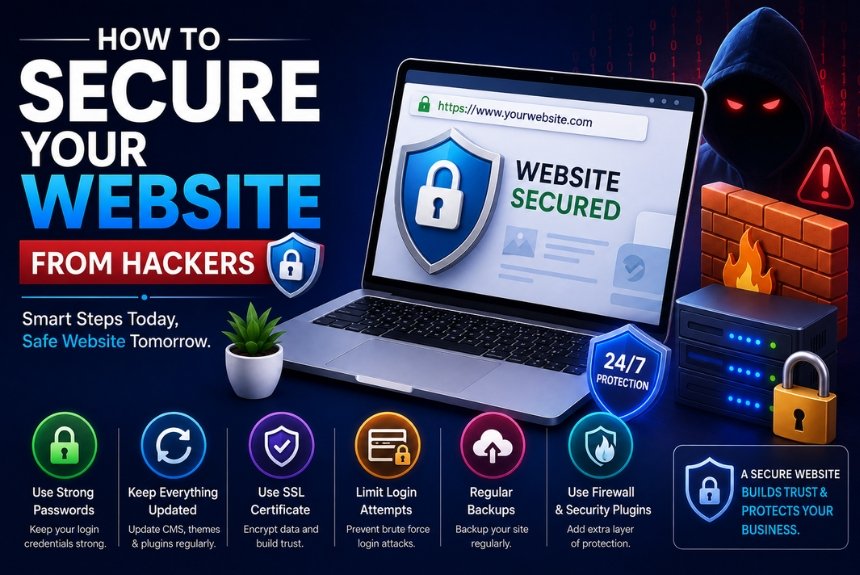
How to Secure Your Website from Hackers: A Complete Website Security Guide
Introduction
In today’s digital world, website security is more important than ever. Whether you own a personal blog, an eCommerce store, a business website, or a corporate portal, your website is constantly exposed to cyber threats. Hackers continuously search for vulnerable websites to steal sensitive information, spread malware, deface web pages, or exploit server resources.
Many website owners mistakenly believe that hackers only target large companies. In reality, automated bots scan millions of websites every day, looking for outdated software, weak passwords, insecure plugins, and server vulnerabilities. Even a small website can become a victim if proper security measures are not implemented.
A successful cyberattack can lead to:
- Loss of customer trust
- Website downtime
- Financial losses
- Stolen customer information
- SEO ranking penalties
- Blacklisting by Google
- Permanent damage to brand reputation
The good news is that most attacks can be prevented by following proven website security best practices. By taking a proactive approach, you can significantly reduce the risk of unauthorized access and keep your website safe.
Website security should not be treated as a single task that you complete once and forget. Websites constantly change as new plugins, themes, applications, users, integrations, and software updates are added. Each change can introduce new security risks.
This comprehensive guide explains everything you need to know about website security, including common threats, essential protection methods, step-by-step implementation, and best practices.
Understanding Website Security
Website security refers to the collection of technologies, policies, tools, and practices designed to protect websites, servers, applications, databases, and user data from cyberattacks.
A secure website combines multiple layers of protection rather than depending on a single security feature. For example, an SSL certificate protects data during transmission, while strong passwords protect user accounts, backups help with recovery, and a Web Application Firewall can block malicious traffic.
Its primary objectives include:
- Preventing unauthorized access
- Protecting customer information
- Maintaining website availability
- Securing financial transactions
- Preventing malware infections
- Preserving website integrity
- Ensuring business continuity
Website security is not a one-time task. It requires continuous monitoring, updates, and improvements as new threats emerge.
A proactive security strategy focuses on prevention, detection, response, and recovery. This means protecting the website before an attack, identifying suspicious activity quickly, responding to incidents, and maintaining reliable backups so the website can be restored if necessary.
Why Website Security Matters
Ignoring website security can have severe consequences.
A compromised website can affect much more than technical functionality. It can damage your reputation, interrupt business operations, expose customer information, and create additional recovery expenses.
Some of the biggest reasons include:
Protect Customer Information
Visitors trust your website with personal information such as:
- Names
- Email addresses
- Phone numbers
- Payment details
- Login credentials
A data breach can expose this information to cybercriminals.
Protecting customer information is particularly important for websites that collect account details, process payments, operate membership systems, or store customer records. A security incident involving personal information can have long-term consequences for both customers and the business.
Maintain Business Reputation
Customers quickly lose trust in websites that display malware warnings or experience repeated security incidents.
Recovering brand reputation after a cyberattack often takes years.
A visitor may leave immediately if their browser displays a security warning or if the website suddenly redirects them to an unfamiliar page. For businesses that depend on online leads, sales, bookings, or customer support, this loss of trust can directly affect revenue.
Improve SEO Rankings
Search engines prioritize secure websites.
If Google detects malware or phishing activities, your website may:
- Lose rankings
- Display security warnings
- Be removed from search results
- Experience a sharp decline in traffic
Security problems can therefore affect both technical performance and organic visibility. Keeping a website secure helps protect the search presence that has been built over time.
Prevent Financial Losses
Cyberattacks can result in:
- Revenue loss
- Ransom payments
- Legal expenses
- Recovery costs
- Lost customers
Investing in website security is far less expensive than recovering from an attack.
The financial impact may also include developer costs, emergency hosting changes, malware removal, lost advertising revenue, interrupted transactions, and time spent restoring the website.
Common Website Security Threats
Understanding common threats is the first step toward protection.
Different attacks target different parts of a website. Some attempt to steal information, while others try to gain administrative access, inject malicious code, or make the website unavailable.
1. Malware
Malicious software can infect your website and:
- Steal information
- Redirect visitors
- Spread viruses
- Damage files
Malware may be introduced through vulnerable plugins, compromised administrator accounts, outdated software, or malicious files. Once installed, it can affect website files, databases, visitors, and search visibility.
2. SQL Injection
Hackers inject malicious SQL commands into vulnerable forms to gain access to your database.
Consequences include:
- Data theft
- Data deletion
- Account compromise
SQL injection can be particularly dangerous for websites that rely heavily on databases. Proper input validation, secure coding practices, software updates, and access controls help reduce this risk.
3. Cross-Site Scripting (XSS)
XSS attacks inject harmful JavaScript into web pages.
This allows attackers to:
- Steal cookies
- Hijack user sessions
- Redirect visitors
XSS can affect both website owners and visitors, particularly when user-generated content or vulnerable applications are involved.
4. Brute Force Attacks
Hackers use automated software to repeatedly guess login credentials until they gain access.
Weak passwords make these attacks highly successful.
Limiting login attempts, using strong unique passwords, enabling Multi-Factor Authentication, and monitoring suspicious login activity can significantly strengthen account security.
5. DDoS (Distributed Denial of Service)
Thousands of compromised devices flood your server with fake traffic, making your website unavailable.
A DDoS attack can consume server resources and prevent legitimate visitors from accessing the website. Protection through suitable hosting infrastructure and a Web Application Firewall can help reduce the impact.
6. Phishing
Hackers create fake pages that resemble legitimate websites to steal login information.
Phishing attacks often target website administrators, employees, customers, or other users. Security awareness and careful verification of links and login pages are important defenses.
7. File Inclusion Attacks
Attackers upload malicious scripts to execute harmful code on the server.
These attacks can potentially give attackers greater control over website functionality and server resources.
8. Zero-Day Exploits
These attacks exploit newly discovered software vulnerabilities before developers release security patches.
Because zero-day vulnerabilities may not have an available patch when first exploited, additional layers of protection such as monitoring, access controls, firewalls, and secure hosting become especially important.
Step-by-Step Guide to Secure Your Website
Securing a website requires multiple layers of protection. The following steps provide a practical foundation that website owners can implement to reduce common security risks.
Step 1: Install an SSL Certificate
HTTPS encrypts communication between your website and visitors.
Benefits include:
- Secure data transmission
- Better SEO
- Increased visitor trust
- Protection against data interception
Always redirect HTTP traffic to HTTPS.
An SSL certificate helps protect information as it travels between a visitor’s browser and your website. This is especially important for login pages, contact forms, payment pages, and any area where users submit personal information.
Using HTTPS across the entire website also provides a consistent secure experience instead of protecting only selected pages.
Step 2: Keep Software Updated
Outdated software is one of the leading causes of website hacks.
Regularly update:
- CMS (WordPress, Joomla, Drupal)
- Themes
- Plugins
- Server software
- PHP version
- Databases
Enable automatic updates whenever possible.
Updates frequently include security patches that address known vulnerabilities. Delaying important security updates can leave a website exposed even when the vulnerability has already been publicly identified.
Before major updates, maintaining a reliable backup provides an additional layer of protection in case compatibility problems occur.
Step 3: Use Strong Passwords
Weak passwords remain one of the easiest ways for hackers to gain access.
A strong password should:
- Contain at least 12–16 characters
- Include uppercase and lowercase letters
- Include numbers
- Include special characters
- Be unique for every account
- Use a password manager to store credentials securely
Avoid using the same password across multiple accounts. If one account becomes compromised, reused passwords can put other systems at risk.
A password manager can make it easier to create and securely store strong, unique credentials.
Step 4: Enable Multi-Factor Authentication (MFA)
MFA adds an extra verification step during login.
Even if a password is stolen, attackers cannot easily access the account without the second authentication factor.
MFA is particularly valuable for administrator accounts because compromising an administrator account can give attackers extensive control over a website.
Whenever supported, enable MFA for:
- Website administrators
- Hosting accounts
- Email accounts
- Domain registrar accounts
- Other services connected to your website
Step 5: Install a Web Application Firewall (WAF)
A WAF filters malicious traffic before it reaches your website.
It helps block:
- SQL injection
- XSS attacks
- DDoS traffic
- Bot attacks
- Brute-force login attempts
A WAF acts as an additional security layer between incoming traffic and your website. It can identify suspicious requests and block certain malicious patterns before they reach the application.
Step 6: Regularly Backup Your Website
Backups allow you to restore your website quickly after an attack.
Maintain:
- Daily backups
- Weekly backups
- Off-site storage
- Cloud backups
- Automated backup schedules
Always test backup restoration periodically.
A backup strategy should not depend entirely on the same server where your website is hosted. If the server becomes unavailable or compromised, backups stored separately can provide an important recovery option.
Testing restoration is equally important because an untested backup may not work as expected when you actually need it.
Step 7: Limit Login Attempts
Restrict the number of failed login attempts.
This reduces the effectiveness of brute-force attacks.
Login protection is especially important for websites with administrator dashboards, customer accounts, membership areas, and other authentication systems.
Step 8: Scan for Malware
Use automated security scanners to detect:
- Malware
- Suspicious code
- Unauthorized file changes
- Hidden backdoors
Schedule regular scans and address issues promptly.
Regular scanning can help identify suspicious changes before they become larger problems. If a scanner detects an issue, investigate it promptly rather than ignoring repeated warnings.
Step 9: Remove Unused Plugins and Themes
Unused components increase your attack surface.
Delete:
- Inactive plugins
- Unused themes
- Outdated scripts
- Deprecated software
Every additional component can introduce potential vulnerabilities, particularly if it is no longer maintained or updated.
Keeping only the software you actually need makes the website easier to manage and reduces unnecessary exposure.
Step 10: Use Secure Hosting
Choose a hosting provider that offers:
- Malware scanning
- DDoS protection
- Server firewalls
- Automatic backups
- Security monitoring
- Regular patching
- 24/7 support
Hosting infrastructure forms an important part of website security. Even if your website itself is well configured, weaknesses at the server level can create additional risks.
A hosting provider with security monitoring and regular maintenance can provide another layer of protection.
Step 11: Protect File Permissions
Incorrect permissions can expose sensitive files.
General recommendations:
- Files: Read/write only as needed.
- Directories: Restrict write access to trusted users.
- Configuration files: Limit access to administrators.
File permissions should follow the principle of giving users and applications only the access they actually require.
Overly broad permissions can make sensitive files easier to modify or access if another part of the system becomes compromised.
Step 12: Monitor Website Activity
Monitor:
- Login attempts
- File changes
- User activity
- Server logs
- Error logs
- Traffic spikes
Early detection can prevent larger security incidents.
Monitoring allows website owners to identify unusual behavior before it becomes a major problem. For example, a sudden increase in failed login attempts or unexpected file changes may indicate suspicious activity.
Best Practices for Website Security
Use the following practices as an ongoing website security checklist:
- Use HTTPS on every page.
- Update software regularly.
- Choose reputable hosting providers.
- Enable Multi-Factor Authentication.
- Use strong, unique passwords.
- Schedule automatic backups.
- Remove unused plugins and themes.
- Install a Web Application Firewall.
- Scan for malware frequently.
- Limit admin access to trusted users.
- Encrypt sensitive customer data.
- Monitor logs and unusual activity.
- Educate team members about phishing and cybersecurity.
- Test backups regularly.
- Perform periodic security audits and vulnerability assessments.
These practices work best when used together. Website security should be treated as a layered system rather than a checklist where completing one item means the website is permanently protected.
Pros and Cons of Strong Website Security
Pros
- Protects customer data.
- Builds trust and credibility.
- Improves search engine rankings.
- Reduces risk of hacking.
- Minimizes downtime.
- Supports business continuity.
- Helps meet regulatory and compliance requirements.
- Lowers long-term recovery costs.
Strong website security can provide both immediate and long-term benefits. Preventing an attack is generally preferable to dealing with the financial, technical, and reputational consequences after a compromise.
Cons
- Initial setup may require time and effort.
- Advanced security services can increase operating costs.
- Ongoing maintenance is necessary.
- Some security measures may slightly affect performance if not configured properly.
- Users may find MFA slightly less convenient, though it greatly improves protection.
Security does require ongoing attention. Software needs to be updated, backups need to be tested, access needs to be reviewed, and security systems need to be monitored.
However, these responsibilities are part of maintaining a reliable website.
Frequently Asked Questions (FAQs)
1. What is website security?
Website security is the practice of protecting a website, its server, applications, and data from cyber threats such as hacking, malware, phishing, and unauthorized access.
It includes technical controls, security policies, monitoring, updates, backups, authentication, and other measures designed to keep the website and its users protected.
2. How do hackers usually attack websites?
Common methods include brute-force attacks, SQL injection, cross-site scripting (XSS), malware, phishing, DDoS attacks, and exploiting outdated software.
Attackers may target different areas depending on the vulnerabilities available. This is why relying on a single security measure is not enough.
3. Is an SSL certificate enough to secure a website?
No. An SSL certificate encrypts data in transit, but complete website security also requires software updates, strong passwords, firewalls, backups, malware scanning, and access controls.
SSL is an important security layer, but it does not protect against every type of attack.
4. How often should I update my website?
Check for updates regularly and apply security updates as soon as they are available. Enable automatic updates where appropriate.
Before making significant changes, maintain a current backup so you have a recovery option if an update creates unexpected compatibility issues.
5. Why are backups important?
Backups allow you to restore your website quickly if it is hacked, corrupted, or accidentally damaged.
A reliable backup strategy can reduce downtime and help protect business continuity following an unexpected incident.
6. Can small websites be hacked?
Yes. Automated bots target websites of all sizes, so even small blogs and business sites need strong security measures.
Website size does not guarantee protection. Automated scanning means attackers can discover vulnerable websites without specifically targeting a particular business.
7. How can I tell if my website has been hacked?
Warning signs include unexpected redirects, unfamiliar files, spam content, unusual traffic, browser security warnings, slow performance, or unauthorized administrator accounts.
If you notice several of these symptoms, investigate the website promptly and consider restoring from a known clean backup where appropriate.
Final Recommendation
Website security should be treated as an ongoing process rather than a one-time setup. Combining multiple layers of protection—such as HTTPS, regular software updates, strong authentication, reliable backups, malware scanning, secure hosting, and continuous monitoring—creates a strong defense against most cyber threats.
Whether you manage a personal blog, an online store, or a business website, investing in robust website security helps protect your data, maintain customer trust, improve search visibility, and ensure long-term success.
The most effective approach is to build security into your regular website management workflow. Keep your software updated, remove unnecessary components, use strong authentication, maintain independent backups, monitor activity, and periodically review your security setup.
No single security measure can eliminate every possible risk. However, combining multiple layers makes it significantly more difficult for attackers to compromise your website and gives you better recovery options if an incident occurs.
Ready to Strengthen Your Website Security?
Don’t wait until your website becomes the target of a cyberattack. Start strengthening your website security today by enabling HTTPS, updating your software, using strong authentication, creating regular backups, and monitoring your site for suspicious activity.
A proactive security strategy can save you from costly downtime, protect your visitors, and keep your online presence safe for the future.
Leave a Reply