


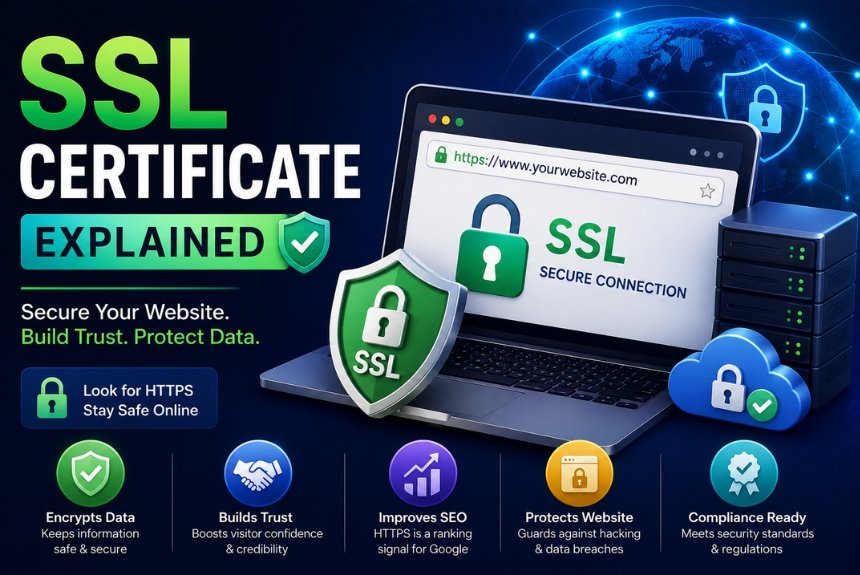
SSL Certificate Explained: Why Every Website Needs One
Introduction
In today’s digital world, website security is no longer optional—it is a necessity. Whether you run a personal blog, a business website, an online store, or a corporate portal, protecting your visitors’ information should be one of your highest priorities. One of the most effective and fundamental ways to secure a website is by installing an SSL Certificate.
Have you ever noticed that some websites begin with https:// instead of http://? Or have you seen a padlock icon in the browser’s address bar? These are indicators that the website uses an SSL Certificate.
An SSL Certificate encrypts the communication between a user’s browser and the web server, ensuring that sensitive information such as passwords, payment details, personal data, and login credentials cannot be intercepted by hackers.
Today, SSL is not only important for security but also plays a major role in:
- Building customer trust
- Improving search engine rankings
- Meeting data privacy requirements
- Enabling secure online payments
- Protecting brand reputation
Without SSL protection, visitors may see warnings such as “Not Secure” in their browser, which can significantly reduce trust and increase bounce rates.
This comprehensive guide explains everything you need to know about SSL Certificates, including how they work, different types, benefits, installation steps, best practices, advantages, disadvantages, FAQs, and recommendations.
Core Concepts of SSL Certificate
What is an SSL Certificate?
An SSL (Secure Sockets Layer) Certificate is a digital certificate that authenticates a website’s identity and encrypts the data exchanged between a website and its visitors.
Although modern websites technically use TLS (Transport Layer Security), the term SSL Certificate remains widely used.
When SSL is installed:
- Website traffic becomes encrypted.
- Data remains confidential.
- Hackers cannot easily steal information.
- Visitors see HTTPS instead of HTTP.
- Browsers display a secure padlock icon.
What Does SSL Do?
SSL performs three primary functions:
1. Encryption
Encryption converts readable information into coded data.
For example:
Without SSL:
Username: john123
Password: mypassword
A hacker intercepting the data could read it directly.
With SSL:
A9F#D72%KL*983…
The intercepted data is unreadable without the encryption key.
2. Authentication
SSL verifies that users are communicating with the legitimate website and not a fake or malicious one.
This helps prevent phishing attacks and fake websites.
3. Data Integrity
SSL ensures that data cannot be altered while it travels between the browser and the server.
If someone attempts to modify the data, the connection will fail.
How Does an SSL Certificate Work?
When a visitor opens a secure website:
Step 1
The browser requests a secure connection.
Step 2
The web server sends its SSL Certificate.
Step 3
The browser verifies:
- Certificate validity
- Trusted Certificate Authority (CA)
- Expiration date
- Domain ownership
Step 4
If everything is valid, an encrypted connection is established.
Step 5
All communication is securely encrypted.
This entire process takes only milliseconds.
Why Every Website Needs an SSL Certificate
1. Protects Sensitive Information
SSL protects:
- Passwords
- Credit card details
- Banking information
- Email addresses
- Customer data
- Personal information
Even simple contact forms should be encrypted.
2. Builds Customer Trust
Visitors are more likely to trust websites displaying:
- HTTPS
- Padlock icon
- Secure connection
Trust directly affects:
- Sales
- Sign-ups
- Contact form submissions
- Newsletter subscriptions
3. Improves SEO Rankings
Search engines like Google consider HTTPS a ranking signal.
Benefits include:
- Better search visibility
- Higher rankings
- Increased organic traffic
- Improved user confidence
4. Required for Online Payments
Payment gateways often require SSL.
Examples include:
- Credit card processing
- Net banking
- Digital wallets
- Subscription services
Without SSL, payment processors may reject transactions.
5. Prevents Data Theft
Hackers often use:
- Packet sniffing
- Man-in-the-middle attacks
- Data interception
SSL encryption helps protect against these threats.
6. Avoids Browser Security Warnings
Modern browsers warn users when websites lack SSL.
Visitors may see messages such as:
- “Not Secure”
- “Connection is not private”
These warnings can discourage users from continuing.
Types of SSL Certificates
1. Domain Validation (DV)
Suitable for:
- Blogs
- Personal websites
- Small businesses
Advantages:
- Easy to obtain
- Low cost or free
- Quick issuance
2. Organization Validation (OV)
Suitable for:
- Business websites
- Corporate sites
Benefits:
- Organization identity is verified
- Higher trust level
- Better credibility
3. Extended Validation (EV)
Suitable for:
- Banks
- E-commerce
- Financial institutions
Provides the highest level of validation and trust.
4. Wildcard SSL
Secures:
- Main domain
- Unlimited subdomains
Example:
- example.com
- blog.example.com
- shop.example.com
- support.example.com
5. Multi-Domain SSL (SAN SSL)
Protects multiple domains with a single certificate.
Example:
- example.com
- example.net
- example.org
Step-by-Step Guide: How to Install an SSL Certificate
Step 1: Choose an SSL Certificate
Select a certificate based on your website type and security needs.
Step 2: Generate a CSR (Certificate Signing Request)
Create a CSR from your hosting control panel or server.
Step 3: Purchase or Obtain the Certificate
You can:
- Buy an SSL Certificate from a trusted Certificate Authority.
- Use a free SSL option provided by many hosting providers.
Step 4: Verify Domain Ownership
Complete the verification process requested by the Certificate Authority.
Step 5: Install the Certificate
Install the SSL Certificate through your hosting control panel or server configuration.
Step 6: Force HTTPS
Redirect all HTTP traffic to HTTPS so every visitor uses the secure version of your website.
Step 7: Test Your Website
Verify that:
- HTTPS loads correctly.
- The padlock icon appears.
- There are no mixed-content warnings.
Best Practices
- Always enable HTTPS across your entire website.
- Redirect all HTTP URLs to HTTPS.
- Renew SSL Certificates before they expire.
- Regularly check for mixed-content issues.
- Use strong TLS settings and disable outdated protocols.
- Keep your website, CMS, plugins, and server software updated.
- Monitor certificate validity and security alerts.
- Back up your website regularly.
Pros and Cons of SSL Certificates
Pros
- Encrypts sensitive data.
- Builds customer trust.
- Improves SEO performance.
- Protects against many cyber threats.
- Enables secure online transactions.
- Meets many security and compliance requirements.
- Displays the HTTPS padlock icon.
- Enhances your website’s professional image.
Cons
- Some premium certificates involve annual costs.
- Certificates must be renewed before expiration.
- Incorrect installation can cause website errors.
- Mixed-content issues may require additional fixes after enabling HTTPS.
Frequently Asked Questions (FAQs)
1. What does SSL stand for?
SSL stands for Secure Sockets Layer, a technology used to encrypt data between a browser and a web server. Modern implementations use TLS, but the term “SSL” is still commonly used.
2. Is HTTPS the same as SSL?
No. HTTPS is the secure version of HTTP that uses an SSL/TLS certificate to encrypt communication.
3. Is a free SSL Certificate enough?
For many personal websites, blogs, and small business sites, a free SSL certificate is sufficient. Larger businesses or organizations may prefer paid certificates with additional validation and support.
4. Does SSL improve SEO?
Yes. HTTPS is a positive ranking signal and also improves user trust, which can indirectly benefit search performance.
5. What happens if an SSL Certificate expires?
Browsers display security warnings, visitors may leave the website, and trust is reduced. Renew certificates before they expire.
6. Do all websites need SSL?
Yes. Even websites that do not collect sensitive information benefit from HTTPS by protecting visitor privacy and increasing trust.
7. Can I use one SSL Certificate for multiple websites?
Yes. A Multi-Domain (SAN) SSL certificate can secure multiple domains, while a Wildcard SSL certificate secures one domain and its subdomains.
Final Recommendation
An SSL Certificate is one of the most essential security measures for any website. It encrypts data, protects user privacy, builds trust, supports better search engine rankings, and is often required for secure online transactions. Whether you manage a personal blog, a portfolio, a business website, or an e-commerce store, enabling HTTPS should be a top priority. Investing in SSL is a small step that provides significant long-term benefits for both website owners and visitors.
Ready to Secure Your Website With an SSL Certificate?
Don’t wait until your visitors see a “Not Secure” warning. Secure your website with an SSL Certificate today to protect user data, improve credibility, and strengthen your online presence. A secure website not only safeguards information but also creates a better experience for every visitor.
Leave a Reply