


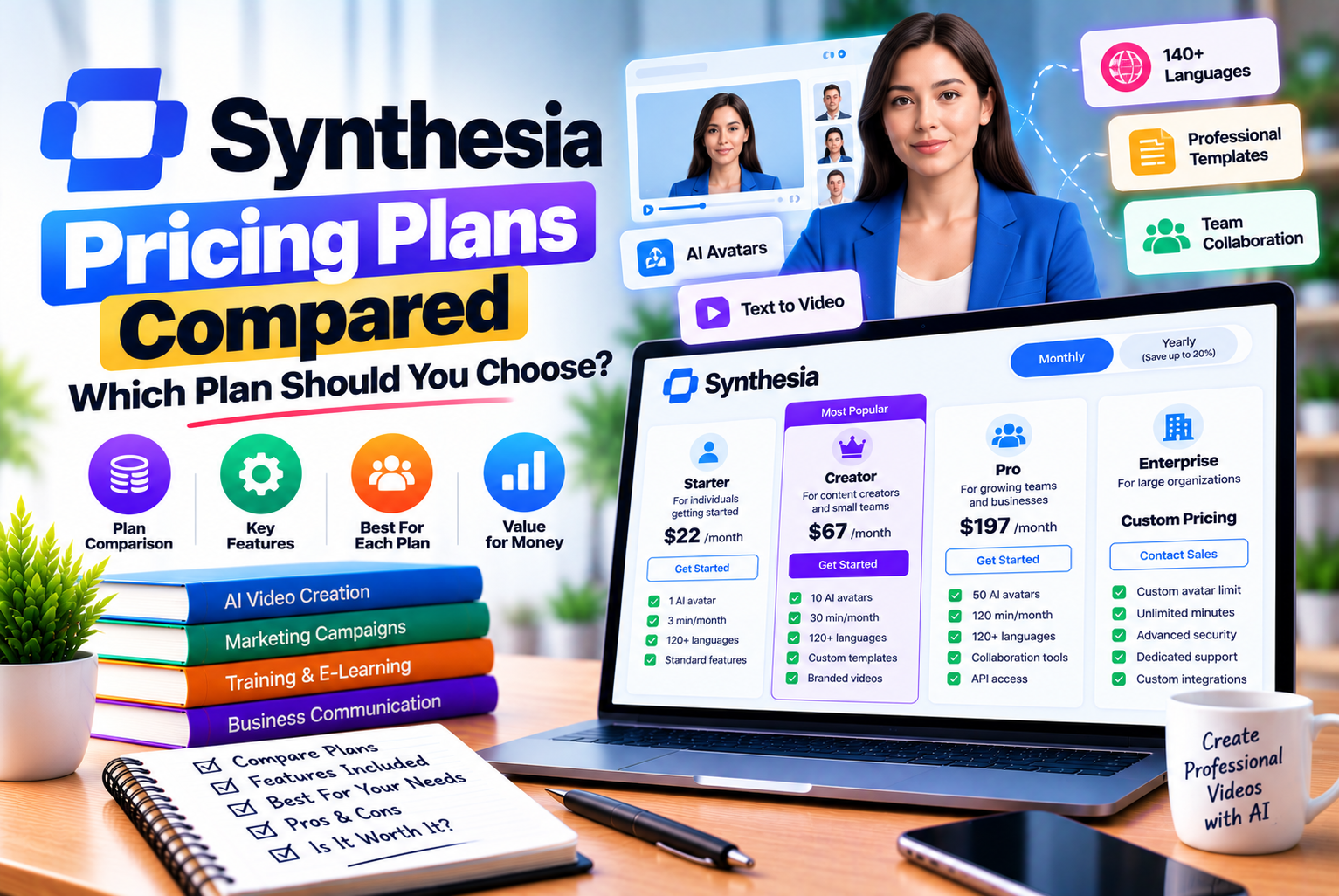
Synthesia Pricing Plans
Choosing the right AI video creation platform involves more than comparing subscription prices. You also need to understand how much content you can produce, which features are included, whether you can download videos without a watermark, and how usage limits affect your monthly budget.
Synthesia pricing plans are designed for different levels of video production, from individuals experimenting with AI-generated presenters to businesses creating training materials, product explainers, internal communications, and multilingual video content.
The platform offers a free Basic plan, paid Starter and Pro plans, higher-volume Pro tiers, and a custom Enterprise option. Each plan includes a monthly allowance for video creation or dubbing, survey responses, and credits that can be spent across supported features. Paid subscriptions provide additional credits and unlock features intended for more regular or advanced production.
However, the least expensive paid plan is not necessarily the best choice for every user. Someone creating a few short videos each month may have very different requirements from a marketing team producing dozens of videos or a company localizing training content for international employees.
This guide compares Synthesia’s available plans, explains its credit system, examines monthly and annual billing, and provides practical recommendations to help you choose a plan that fits your production requirements.
Pricing note: Synthesia can change its prices, features, and usage allowances. The prices in this article are the USD prices displayed on its official pricing page as checked on October 22, 2026. Confirm the latest price and terms on the official Synthesia pricing page before subscribing.
How Much Does Synthesia Cost in 2026?
Synthesia offers several subscription options depending on how frequently you create AI videos and which features you need.
The Basic plan costs nothing, while the Starter and Pro plans provide additional credits and production features. Enterprise pricing is customized for organizations with more extensive requirements.
Synthesia Pricing at a Glance
| Plan | Monthly Billing | Annual Billing | Best For |
| Basic | $0 | Not applicable | Beginners testing AI video creation |
| Starter | $29/month | $18/month equivalent | Individuals and small teams creating videos regularly |
| Pro | $89/month | $64/month equivalent | Frequent creators and teams needing advanced features |
| Pro 2× | $176/month | Check current pricing | Higher-volume video production |
| Pro 4× | $347/month | Check current pricing | Teams with substantial monthly content needs |
| Pro 6× | $514/month | Check current pricing | Large-scale content production |
| Pro 8× | $676/month | Check current pricing | Very high usage within the self-serve plans |
| Enterprise | Custom | Custom | Organizations requiring tailored capacity and administration |
Pricing shown is based on the official pricing page checked on October 22, 2026. Pro’s higher-volume tiers have separate credit allowances. The exact price for a selected tier and billing cycle should be verified before purchase.
The Basic plan is useful for evaluating the platform without committing to a subscription. Starter is a practical entry point for regular individual use, while Pro is designed for users who need more credits and additional production capabilities.
Organizations that need centralized brand management, advanced security, extensive collaboration, or customized usage arrangements should evaluate Enterprise.
Monthly Cost Versus Annual Cost
Synthesia offers monthly and annual billing for eligible self-serve plans. Annual billing lowers the effective monthly price, but it requires a larger commitment.
Based on the displayed prices:
| Plan | Monthly Billing | Annual-Billing Equivalent | Approximate Annual Cost at Displayed Rate |
| Starter | $29/month | $18/month | $216 |
| Pro | $89/month | $64/month | $768 |
The annual cost figures above are calculated by multiplying the displayed monthly equivalent by 12. Check the actual checkout total because the subscription terms, regional pricing, taxes, and billing presentation may affect the amount charged.
For example, Starter at $29 per month costs $348 over 12 months when paid monthly. At the displayed annual equivalent of $18 per month, the calculated annual cost is $216. That represents a potential difference of $132 over a year.
For Pro, paying $89 monthly for 12 months totals $1,068. At the displayed annual equivalent of $64 per month, the calculated annual cost is $768, a potential difference of $300.
Which billing option should you choose?
Monthly billing may be more appropriate when you are testing Synthesia for a short project or are uncertain about future usage. Annual billing is worth considering when you already know the platform fits your workflow and expect to use it consistently.
Before selecting annual billing, check the payment schedule, cancellation terms, and whether you receive the entire annual credit allowance upfront.
What Does Every Synthesia Plan Include?
Synthesia updated its self-serve plan structure on October 1, 2026. Every self-serve plan now includes a shared base allowance, with paid subscriptions adding credits on top.
According to Synthesia’s current plan documentation, the standard monthly allowance includes:
- 10 minutes of video creation or dubbing.
- Three survey responses.
- 500 credits to spend across supported usage-based features.
- A one-time allowance of 60 minutes of Interactive Avatar usage when signing up.
The free video allowance and survey responses are used before credits are consumed for those activities. Credits are then used for additional usage and other supported features.
The 60-minute Interactive Avatar allowance is a one-time signup benefit, not an additional allowance that automatically renews every month. Confirm its applicable terms in your account.
Understanding the Difference Between Included Minutes and Credits
It is important not to confuse included video minutes with credits.
Included minutes provide a defined allowance for video creation or dubbing. Credits are a shared usage balance that can be spent across multiple features, including additional video generation, dubbing, surveys, Interactive Avatars, and certain API or personalization activities.
For example, suppose you use your included video allowance and then create more avatar footage. The additional generation can consume credits. If you also use credits for dubbing or other supported features, fewer credits remain for additional video production.
This means your actual output depends on how you use the platform, not simply on your subscription price.
Synthesia Monthly Credit Allowances
| Plan | Additional Plan Credits | Total Monthly Credits |
| Basic | None beyond the shared allowance | 500 |
| Starter | 1,250 | 1,750 |
| Pro | 6,000 | 6,500 |
| Pro 2× | 12,000 | 12,500 |
| Pro 4× | 24,000 | 24,500 |
| Pro 6× | 36,000 | 36,500 |
| Pro 8× | 48,000 | 48,500 |
These figures reflect the current self-serve credit structure documented by Synthesia. The additional plan credits are added to the 500-credit allowance included with every plan.
A higher credit allowance is useful when you produce videos frequently, but it does not mean that every credit will always be used for video creation. Credits are shared across supported features.
Synthesia Basic Plan: Is the Free Plan Enough?
The Basic plan is Synthesia’s free option. It is designed for people who want to explore the platform, test AI presenters, experiment with scripts, and determine whether AI-generated video fits their needs.
Key Features of the Basic Plan
The free plan includes:
- 10 minutes of video creation or dubbing per month.
- Three survey responses.
- 500 monthly credits.
- Access to a limited selection of AI avatars.
- Templates and other introductory tools.
- Online sharing through a link.
- Access to pre-built libraries, roleplays, and surveys.
Videos created on the Basic plan carry a Synthesia watermark. The plan also has more limited production and collaboration capabilities than the paid options. Check the official plan comparison for the current feature restrictions.
Who Should Choose Basic?
The free plan is suitable for:
Beginners learning AI video creation: If you have never used an AI presenter, the free allowance provides an opportunity to learn the workflow.
Students and individual learners: It can be useful for presentations, demonstrations, and experiments where the platform’s restrictions are acceptable.
Business owners evaluating the tool: You can test a sample video before committing to a recurring expense.
Occasional creators: If your requirements fit within the included allowance, you may not need a paid subscription immediately.
Limitations of the Free Plan
The Basic plan may become restrictive when you need to publish professional videos regularly.
The watermark can be a problem for branded marketing videos or client-facing presentations. You may also need downloadable files, more avatar choices, or additional credits as your production volume increases.
Another consideration is that the included 500 credits are shared across supported features. Using some of them for dubbing or other credit-consuming activities leaves fewer available for additional video generation.
Verdict: Start with Basic if you are testing Synthesia. Upgrade when a specific limitation affects your workflow, such as the watermark, downloading, avatar selection, or credit capacity.
Synthesia Starter Plan: Best for Individuals and Small Teams
The Starter plan is the entry-level paid option for users who need more flexibility than the free plan offers.
It is priced at $29 per month with monthly billing or a displayed annual equivalent of $18 per month.
What Does Synthesia Starter Include?
Starter includes the Basic plan’s standard allowance, plus additional credits and features such as:
- 1,250 additional credits per month.
- 1,750 total monthly credits.
- Video downloads.
- Removal of the Synthesia logo from eligible videos.
- AI Video Assistant.
- Survey analytics.
- Three guest collaborators.
- Access to 125+ stock AI avatars.
- Chat and email support.
Features and availability can vary by plan updates, so review the official comparison before subscribing.
How Much Video Can You Create with Starter?
Synthesia estimates that video creation uses approximately 100 credits per minute of generated avatar footage. At that indicative rate, 1,750 credits could support around 17.5 minutes of additional generated video footage, alongside the 10-minute included video allowance.
This is an estimate, not a guaranteed output limit. The actual amount depends on how your credits are used, how much avatar footage is generated, and whether you use other credit-consuming features.
For example, a creator producing a few short explainer videos may find Starter sufficient. A team that creates longer videos every week, dubs content frequently, or generates many variations may need more capacity.
Who Should Choose Starter?
Starter may be a good choice for:
Freelancers: Create explainer videos, presentations, and instructional content for clients.
Small businesses: Produce product demonstrations, onboarding videos, and basic marketing materials.
Educators and trainers: Build short learning resources and instructional videos.
Content creators: Experiment with AI presenters for educational or informational content.
Small teams: Share projects with a limited number of collaborators through the available guest functionality.
When Is Starter Not Enough?
Consider a higher plan if you regularly exceed the available credits, need more advanced avatar capabilities, or want features reserved for Pro.
Starter may also be insufficient for organizations that require extensive brand controls, complex collaboration, or enterprise-level administration.
Verdict: Starter is the most sensible paid starting point for many individuals and small businesses that need downloadable, watermark-free videos and a manageable monthly production allowance.
Synthesia Pro Plan: Is It Worth the Higher Price?
The Pro plan is aimed at creators and teams that need more capacity and advanced production features.
It costs $89 per month with monthly billing or a displayed annual equivalent of $64 per month.
Key Features of Synthesia Pro
Pro includes the standard plan allowance and Starter features, along with:
- 6,000 additional credits per month.
- 6,500 total monthly credits.
- Five personal avatars, according to the current pricing page.
- Branded video pages.
- Interactive videos.
- Five guest collaborators.
- Access to 180+ stock AI avatars.
- On-brand avatar features.
- Priority chat and email support.
- Access to higher-volume Pro credit tiers.
The current feature set is documented on Synthesia’s official pricing page.
How Much Video Can You Create with Pro?
Using the approximate rate of 100 credits per minute of generated avatar footage, 6,500 credits could support around 65 minutes of additional video generation, in addition to the 10-minute included allowance.
That estimate assumes the credits are used for video creation rather than other features.
If you use credits for dubbing, surveys, Interactive Avatars, API generation, or other supported activities, the time available for video creation will decrease.
For example, a company producing weekly training videos in several languages may need to divide its credits between original videos and localization. Its total output will therefore differ from that of a company spending nearly all its credits on original video generation.
Who Should Choose Pro?
Pro is worth considering for:
Marketing teams: Produce product explainers, promotional content, and recurring campaign videos.
Learning and development departments: Create internal training modules and instructional resources.
Corporate communications teams: Develop regular employee announcements, policy explainers, and organizational updates.
Businesses creating branded video content: Use eligible personal avatars, branded video pages, and additional creative capabilities.
Frequent creators: Benefit from a higher monthly credit allowance than Starter provides.
Is Pro Worth the Extra Cost Compared with Starter?
The difference between the displayed monthly prices is $60. Pro also includes substantially more credits and features.
| Consideration | Starter | Pro |
| Displayed monthly price | $29 | $89 |
| Annual-billing equivalent | $18/month | $64/month |
| Total monthly credits | 1,750 | 6,500 |
| Stock AI avatars | 125+ | 180+ |
| Guest collaborators | 3 | 5 |
| Personal avatars | Check current plan terms | Five listed on the current pricing page |
| Branded video pages | Not included in the listed Starter features | Included |
| Interactive videos | Not included in the listed Starter features | Included |
| Best for | Regular, moderate production | Higher-volume and more advanced production |
The higher subscription price is justified when you actually use the additional credits and features. If you only make a few short videos each month, Starter may offer better value.
Verdict: Pro is a stronger option for teams that have a consistent video-production schedule and need its advanced features. Choose it because your workflow requires the additional capacity, not simply because it is the higher-tier plan.
Synthesia Pro 2×, 4×, 6×, and 8× Plans Explained
Some creators need more credits than the standard Pro plan provides but do not require a customized Enterprise arrangement.
Synthesia offers higher-volume Pro tiers to accommodate these workloads.
How the Higher-Volume Plans Work
The higher-volume options multiply the additional monthly credits available with Pro.
| Plan | Total Monthly Credits | Potential Additional Video at 100 Credits per Minute* |
| Pro | 6,500 | Approximately 65 minutes |
| Pro 2× | 12,500 | Approximately 125 minutes |
| Pro 4× | 24,500 | Approximately 245 minutes |
| Pro 6× | 36,500 | Approximately 365 minutes |
| Pro 8× | 48,500 | Approximately 485 minutes |
The table shows theoretical credit-based video-generation estimates, not guaranteed finished-video limits. It assumes all credits are spent at the indicative video-generation rate and excludes the separate 10-minute monthly allowance. Actual consumption varies by workflow and generated footage.
The official pricing page displays the following monthly prices for the higher-volume Pro tiers at the time checked:
| Plan | Displayed Monthly Price |
| Pro | $89 |
| Pro 2× | $176 |
| Pro 4× | $347 |
| Pro 6× | $514 |
| Pro 8× | $676 |
Verify the current price for the selected billing cycle and region before purchasing. The available annual options and their final charges should be checked directly in Synthesia’s billing interface.
Who Needs a Higher-Volume Pro Plan?
These tiers may be useful for:
- Organizations producing a large number of training videos.
- Agencies managing recurring video work for several clients.
- Teams creating localized versions of existing content.
- Businesses generating many personalized video variations.
- Departments with frequent publishing schedules and predictable video demand.
A higher credit allowance can be helpful, but it does not remove the need to plan usage. If a significant share of your credits goes toward dubbing, surveys, or other tools, you will have less available for original video generation.
Should You Upgrade from Pro?
Before moving to a higher-volume tier, review your usage over several billing periods.
Ask yourself:
- How many credits do you consume in a typical month?
- How much of that usage comes from video creation?
- Do you regularly reach your credit limit before renewal?
- Would the additional credits be used consistently?
- Is the higher subscription cost lower than the cost of managing the same workflow with your current setup?
If you consistently use nearly all your credits, a higher tier may be appropriate. If you only exceed your allowance during occasional campaigns, compare the cost of upgrading with the available options for buying extra credits.
Synthesia Enterprise Pricing: What Do Businesses Get?
Enterprise is designed for organizations that require broader administration, collaboration, security, and production capacity.
Unlike the self-serve plans, Enterprise uses customized pricing. The final cost depends on the organization’s requirements and the commercial terms agreed with Synthesia.
Enterprise Features
The official pricing page lists features such as:
- Custom credit volumes.
- Unlimited video minutes, subject to plan terms.
- Access to the full stock AI avatar library, listed as 240+ avatars.
- Unlimited personal avatars, subject to reasonable consumption and compute.
- One-click translations into 140+ languages.
- SAML and single sign-on.
- Live team collaboration.
- Brand Kits.
- SCORM export.
- Tailored onboarding.
- Implementation services.
- A dedicated customer success manager.
Confirm the exact entitlements, limits, and security provisions in the Enterprise proposal.
Who Should Consider Enterprise?
Enterprise may be appropriate for:
Large organizations: Businesses that need a centrally managed video-creation workflow.
Global teams: Companies producing content for employees or customers in multiple markets.
Learning and development departments: Organizations distributing structured training content through learning management systems.
Regulated or security-conscious businesses: Teams that need to evaluate single sign-on, administrative controls, and other enterprise requirements.
High-volume production teams: Businesses that require tailored usage allowances, onboarding, and implementation support.
How Much Does Synthesia Enterprise Cost?
Synthesia does not publish one universal Enterprise subscription price on its public pricing page. Interested organizations should contact the company for a quote.
Before accepting a proposal, clarify:
- The included credit volume and how it is measured.
- Whether video minutes are subject to any fair-use or technical restrictions.
- The number of editors, workspaces, and collaborators.
- Personal-avatar creation and usage terms.
- Translation and dubbing entitlements.
- Security, privacy, and administrative controls.
- Implementation and onboarding fees, if any.
- Contract duration, renewal, and cancellation terms.
- Support availability and service commitments.
- Any usage-based charges outside the agreed plan.
Verdict: Enterprise is worth evaluating when a business needs capabilities beyond a standard self-serve subscription. For an individual creator or small team, it may offer more capacity and administration than necessary.
How Synthesia Credits Work
Understanding the credit system is one of the most important steps when comparing Synthesia pricing plans.
Credits act as a shared balance for supported usage-based features. Rather than receiving a separate unrestricted allowance for every feature, you spend credits on eligible activities after the relevant included allowances have been used.
Credit Consumption by Feature
Synthesia’s documentation lists the following indicative rates under its October 2026 credit structure:
| Feature | Approximate Credit Cost |
| Video creation | 100 credits per minute |
| Dubbing with lip-sync | 80 credits per minute |
| Dubbing without lip-sync | 40 credits per minute |
| Survey responses | 350 credits per response |
| Interactive Avatar, avatar only | 10 credits per minute |
| Interactive Avatar with widget | 20 credits per minute |
| API video generation | 160 credits per minute |
| Bulk personalization | 180 credits per minute |
| Motion graphics | Free |
| B-roll assets | Varies by model and asset |
These rates are based on Synthesia’s official credit documentation. B-roll costs can vary, and the platform displays the relevant cost before generation.
Example 1: A Creator Producing Short Videos
Suppose you choose Starter and use its 1,750 monthly credits primarily for video generation.
At approximately 100 credits per minute, the credits could generate about 17.5 minutes of avatar footage. The plan also includes 10 minutes of video creation or dubbing each month.
If your workflow qualifies for the included allowance and you use the credits exclusively for additional video generation, your theoretical monthly total could be around 27.5 minutes.
This is an illustration, not a guaranteed output. Your actual result may differ if you generate more avatar footage than the final video length suggests or spend credits on other features.Example 2: A Company Producing Training Videos
Suppose a team uses Pro, with 6,500 total monthly credits, to create internal training videos.
If the team spends all its credits on video generation, the indicative credit-based allowance is approximately 65 additional minutes of generated avatar footage, alongside the included 10 minutes.
If the same team also dubs videos into other languages, its remaining video-generation allowance will be lower. It should estimate the credit cost of localization before deciding how many original videos it can produce.
Example 3: A Business Using Surveys and Video
Imagine a business using Starter for short explainer videos and survey activities.
The first three survey responses each month are included in the standard allowance. Additional survey responses consume approximately 350 credits each.
If the business uses its credits for extra survey responses, fewer credits remain for video creation, dubbing, or other usage-based features.
This is why a plan that appears to provide enough video minutes may not be sufficient for a mixed workflow.
What Happens When You Run Out of Credits?
Synthesia’s official pricing information states that video creation and survey response collection can pause when the applicable usage limits are reached. Depending on your plan and account options, you may be able to purchase additional credits or move to a higher credit tier.
Check the current rules for your subscription before relying on extra credits as a regular part of your production budget.
Monthly vs. Annual Synthesia Plans: Which Is Better?
The right billing cycle depends on how predictable your content requirements are and whether you can commit to using the platform over a longer period.
Advantages of Monthly Billing
Monthly billing can make sense if you:
- Are testing Synthesia for the first time.
- Have a short-term campaign or project.
- Are uncertain how many videos you will need.
- Want to evaluate the credit system before committing.
- Prefer a smaller recurring payment rather than a larger annual charge.
The main advantage is flexibility. You can evaluate your real usage before deciding whether a longer subscription makes sense.
Advantages of Annual Billing
Annual billing may be more attractive if you:
- Use Synthesia consistently throughout the year.
- Have a recurring training or marketing schedule.
- Expect to use most of your available credits.
- Have budget approval for an annual software subscription.
- Want to reduce the effective monthly subscription cost.
The displayed annual equivalents are lower than the monthly-billing prices for Starter and Pro, but you should check the actual payment due at checkout.
How Are Credits Delivered on Annual Plans?
Synthesia’s credit documentation states that monthly plans receive their credit allowance each month, while annual plans receive the year’s credit allowance when the subscription starts or renews.
This difference matters for planning.
An annual allowance can give you more flexibility when your production schedule varies during the year, but you should confirm the exact credit terms, expiry rules, and renewal conditions. Do not assume that all unused credits will automatically roll over indefinitely.
A Simple Decision Rule
Choose monthly billing when flexibility is more important than the lowest effective price.
Choose annual billing when you have tested the product, understand your usage, and expect to need it throughout the year.
How to Choose the Right Synthesia Pricing Plan
The best plan is the one that matches your actual production needs without making you pay for unused capacity.
Use the following factors to narrow down your options.
1. Estimate Your Monthly Video Output
Start by calculating the total number of minutes you intend to create each month.
For example:
| Monthly Video Requirement | Plan to Evaluate First |
| Occasional experiments | Basic |
| A few short videos | Basic or Starter |
| Regular short-form production | Starter |
| Frequent training or marketing videos | Pro |
| High-volume production | Pro 2× or a larger tier |
| Organization-wide production | Enterprise |
These are starting points, not fixed limits. Your actual output depends on how much of the included allowance you use and how you spend your credits.
2. Decide Whether You Need Watermark-Free Downloads
If you are only experimenting, the Basic plan’s watermark may be acceptable.
If you intend to publish videos on a business website, send them to clients, or use them in professional campaigns, downloadable content without Synthesia branding may be important.
Starter is the entry-level paid option that lists video downloads and removal of the Synthesia logo.
3. Check Your Avatar Requirements
Different plans provide access to different numbers of stock avatars and varying personal-avatar capabilities.
Basic is suitable for initial experimentation. Starter expands the available stock-avatar selection, while Pro provides a larger library and additional avatar-related capabilities.
If your business needs a specific type of custom avatar, check the precise plan conditions before subscribing. Do not assume every avatar feature is included simply because it appears in the platform.
4. Consider Collaboration Requirements
An individual working alone may not need multiple guest collaborators.
A small team, however, may benefit from sharing video projects for feedback and review. Starter lists three guests, while Pro lists five. Enterprise offers more extensive collaboration arrangements.
If multiple people need editing access rather than guest access, confirm the available workspace and seat configuration.
5. Calculate Your Credit Consumption
Estimate how much of your allowance will go toward:
- Original video creation.
- Dubbing and translation.
- Interactive Avatars.
- Survey responses.
- API generation.
- Bulk personalization.
- Other credit-consuming assets.
This step can prevent a common mistake: choosing a plan based on the number of video minutes advertised without accounting for other activities that consume the same credit balance.
6. Consider Business and Security Requirements
Enterprise may be worth evaluating if you need SSO, centralized brand controls, SCORM export, extensive collaboration, tailored onboarding, or a customized agreement.
If these capabilities are unnecessary, a self-serve subscription may be easier to manage.
7. Compare the Total Cost, Not Just the Monthly Price
Your actual cost may include more than the headline subscription price.
Depending on your requirements, consider:
- Subscription charges.
- Additional credits.
- Extra learner seats for roleplay training.
- Paid avatar add-ons.
- Taxes and currency conversion.
- Any negotiated Enterprise services or fees.
For example, Synthesia lists roleplay learner seats separately at a per-learner monthly price. If you plan to use this capability, include the relevant seat charges in your budget and verify the current price on the official pricing page.
Is Synthesia Worth the Price?
Whether Synthesia is worth paying for depends on the work you need it to do.
For a business that repeatedly creates instructional videos, product explainers, or internal communications, the platform can reduce the effort involved in filming presenters, coordinating recording sessions, and producing multiple language versions.
For someone who only needs one video occasionally, a paid subscription may be unnecessary.
When Synthesia Can Offer Good Value
Synthesia may offer good value when:
- You create video content regularly.
- You need consistent presenter-led videos.
- Your team frequently updates training materials.
- You need to localize content for multiple audiences.
- You want to reduce reliance on repeated filming sessions.
- You can use the available features and credits efficiently.
The value comes from the production workflow and time saved, not just the number of AI-generated minutes.
When Synthesia May Not Be Worth the Cost
It may be less suitable when:
- You only create a few videos each year.
- You primarily need live-action footage of real people, products, or locations.
- Your workflow depends heavily on complex cinematic editing.
- You need more generated video than your budget can support.
- You are unlikely to use the advanced features of a paid plan.
AI presenter tools are not a complete replacement for every type of video production. Some projects still require live filming, professional editing, product demonstrations, or location footage.
How to Calculate Your Return on Investment
A simple way to evaluate value is to compare the cost of your current video workflow with the cost of using Synthesia.
Consider:
- How many hours does your current process require?
- What is the estimated labor cost per video?
- How often do you need to update existing videos?
- How many language versions do you create?
- What does the Synthesia subscription cost over the same period?
- How much editing, review, and localization work remains necessary?
For example, if your team spends several hours recording and updating recurring training videos, reducing that production effort may justify the subscription.
However, the calculation should include script preparation, review, editing, translation checks, and any additional costs. Avoid assuming that every video can be created without human involvement.
Common Mistakes to Avoid When Buying a Synthesia Plan
Before subscribing, watch out for these common mistakes.
Choosing a Plan Based Only on Price
The cheapest paid plan is not necessarily the most economical if you repeatedly run out of credits or need features available only on Pro.
Compare the price with the features and capacity you will actually use.
Assuming All Credits Are for Video Creation
Credits are shared across multiple supported features. Dubbing, surveys, Interactive Avatars, API generation, and other activities can reduce the balance available for video production.
Build your estimate around your actual workflow.
Ignoring the Watermark
The Basic plan’s watermark may be acceptable for testing but unsuitable for some business uses.
Check the branding and download features before choosing a plan for professional publishing.
Paying Annually Before Testing the Workflow
An annual plan may offer a lower effective monthly price, but that benefit is less useful if you later discover that the tool does not suit your workflow.
Test the free plan first, then estimate the value of the paid features.
Overlooking Additional Costs
Some activities, seats, or avatar options may involve separate charges or restrictions. Confirm the costs of the specific capabilities you need rather than assuming the subscription covers everything.
Forgetting to Check the Latest Plan Changes
Software companies revise plan names, feature allowances, and credit systems. Synthesia renamed Creator to Pro in its October 2026 changes and adjusted the included credit structure.
If you are reading an older comparison article, verify its information against the current official pricing page before making a decision.
Synthesia Pricing Plans: Final Recommendation
Synthesia offers different pricing options for different levels of AI video production.
The Basic plan is a practical way to explore the platform without a subscription. Starter provides a more useful set of features for individuals and small teams that need regular, downloadable videos. Pro is better suited to creators and teams that need a larger credit allowance, additional avatars, and more advanced production capabilities.
The higher-volume Pro tiers are worth evaluating if your team consistently uses its monthly credits. Enterprise is designed for organizations that need customized capacity, security, administration, or implementation support.
Which Plan Should You Choose?
- Choose Basic if you are testing AI video creation and can work within its limitations.
- Choose Starter if you need watermark-free downloads and create a moderate amount of content.
- Choose Pro if you produce videos frequently and need advanced features or more credits.
- Choose Pro 2×, 4×, 6×, or 8× if your usage consistently exceeds standard Pro capacity.
- Choose Enterprise if your organization requires custom usage arrangements, centralized administration, or enterprise-level capabilities.
The most reliable way to choose is to start with your monthly video requirements, estimate your credit consumption, and compare those figures with the features each plan offers.
If you are new to Synthesia, test the Basic plan before committing to a paid subscription. Once you understand your actual production needs, you can choose a plan based on usage and value rather than price alone.
Frequently Asked Questions About Synthesia Pricing
1. How much does Synthesia cost per month?
Synthesia’s Basic plan is free. Starter costs $29 per month with monthly billing or a displayed annual equivalent of $18 per month. Pro costs $89 per month with monthly billing or a displayed annual equivalent of $64 per month. Higher-volume Pro tiers cost more, and Enterprise pricing is customized. Check the official pricing page for current prices.
2. Does Synthesia have a free plan?
Yes. The Basic plan includes 10 minutes of video creation or dubbing, three survey responses, and 500 credits each month. Videos carry a Synthesia watermark, and some features are restricted compared with paid plans.
3. What is the cheapest paid Synthesia plan?
Starter is the entry-level paid plan. It costs $29 per month with monthly billing, with a displayed annual equivalent of $18 per month. It includes video downloads, removal of the Synthesia logo, AI Video Assistant, and additional credits.
4. Is Synthesia Starter worth it?
Starter can be worthwhile for freelancers, small businesses, and individual creators who need regular AI-generated videos without the free plan’s watermark. Whether it offers good value depends on your monthly production volume and feature requirements.
5. What is the difference between Synthesia Starter and Pro?
Pro includes more monthly credits, a larger stock-avatar selection, personal-avatar capabilities, branded video pages, interactive videos, and more guest collaborators. Starter is better suited to moderate production needs, while Pro is aimed at users who need additional capacity and features.
6. How many credits does Synthesia Starter include?
Starter includes 1,750 total monthly credits: 500 credits from the standard allowance and 1,250 additional credits from the paid plan.
7. How many credits does Synthesia Pro include?
Pro includes 6,500 total monthly credits: 500 standard credits and 6,000 additional credits. Higher-volume Pro tiers offer larger balances.
8. How many video minutes can I create with Synthesia Starter?
Starter includes 10 minutes of video creation or dubbing per month. Its 1,750 credits could support approximately 17.5 additional minutes of video generation if spent at the indicative rate of 100 credits per minute. Actual output depends on your workflow and credit use.
9. How many video minutes can I create with Synthesia Pro?
Pro includes 10 minutes of video creation or dubbing and 6,500 monthly credits. At approximately 100 credits per minute, the credits could support around 65 additional minutes of generated avatar footage if used exclusively for video creation. This is an estimate, not a guaranteed finished-video limit.
10. Is Synthesia cheaper with annual billing?
The displayed annual-billing equivalents for Starter and Pro are lower than their monthly-billing prices. However, check the actual annual payment, cancellation terms, and applicable taxes before subscribing.
11. Are Synthesia credits renewed every month?
Monthly subscriptions receive their credit allowance each month. Annual subscriptions receive the year’s credit allowance when the plan starts or renews, according to Synthesia’s current documentation. Check the account’s credit and expiry terms for the exact conditions.
12. What happens when I run out of Synthesia credits?
Video creation and survey response collection can pause when the relevant usage limits are reached. Depending on your plan and available options, you may be able to purchase additional credits or upgrade to a higher credit tier.
13. Can I remove the Synthesia watermark?
Paid Starter and higher plans list the ability to remove Synthesia branding from eligible videos. The Basic plan’s videos carry a watermark. Confirm the current plan terms before publishing commercial content.
14. Does Synthesia charge extra for AI avatars?
Avatar access depends on your plan. The current pricing page lists different stock-avatar selections and personal-avatar capabilities across plans. Some specialized avatar options may be paid add-ons, so check the precise feature and its cost before subscribing.
15. Does Synthesia include dubbing?
Synthesia includes a monthly allowance for video creation or dubbing. Additional dubbing can consume credits, with the indicative credit cost depending on whether lip-sync is used. Review the current documentation to estimate the cost of your localization workflow.
16. Is Synthesia Enterprise pricing public?
No single universal Enterprise subscription price is displayed on the public pricing page. Organizations should contact Synthesia to discuss their required capacity, security, collaboration, and implementation needs.
17. Can I upgrade my Synthesia plan?
Synthesia provides plan-management options for upgrading or changing eligible subscriptions. The available choices and when changes take effect can depend on your current plan and billing arrangement. Check your account’s Plan & Billing settings before making changes.
18. Is Synthesia suitable for small businesses?
Yes. Small businesses that need product explainers, training materials, onboarding videos, or regular branded content may find Starter or Pro suitable. The right choice depends on the amount of content produced and the features required.
19. Which Synthesia plan is best for marketing teams?
Starter may suit small teams with moderate production needs. Pro may be more appropriate for teams that create videos frequently, need a larger credit balance, or use advanced features. Higher-volume tiers may be useful when production regularly exceeds standard Pro capacity.
20. Is Synthesia worth paying for in 2026?
Synthesia can be worth paying for if you regularly create presenter-led videos and benefit from its AI video workflow. The free plan is sufficient for initial testing, while paid plans offer more credits and professional production features. Estimate your usage and compare the cost with your current video-production process before subscribing.
Official References
- Synthesia pricing and plan comparison: https://www.synthesia.io/pricing
- Synthesia plan changes effective October 1, 2026: https://help.synthesia.io/en/articles/17217419-what-s-changing-in-synthesia-plans-on-october-1-2026
- Synthesia credit usage and allowances: https://help.synthesia.io/en/articles/11972627-what-are-credits-and-how-do-they-work-on-self-serve-plans
- Synthesia pricing-plan help article: https://help.synthesia.io/en/articles/15972650-what-are-synthesia-s-pricing-plans
Leave a Reply