


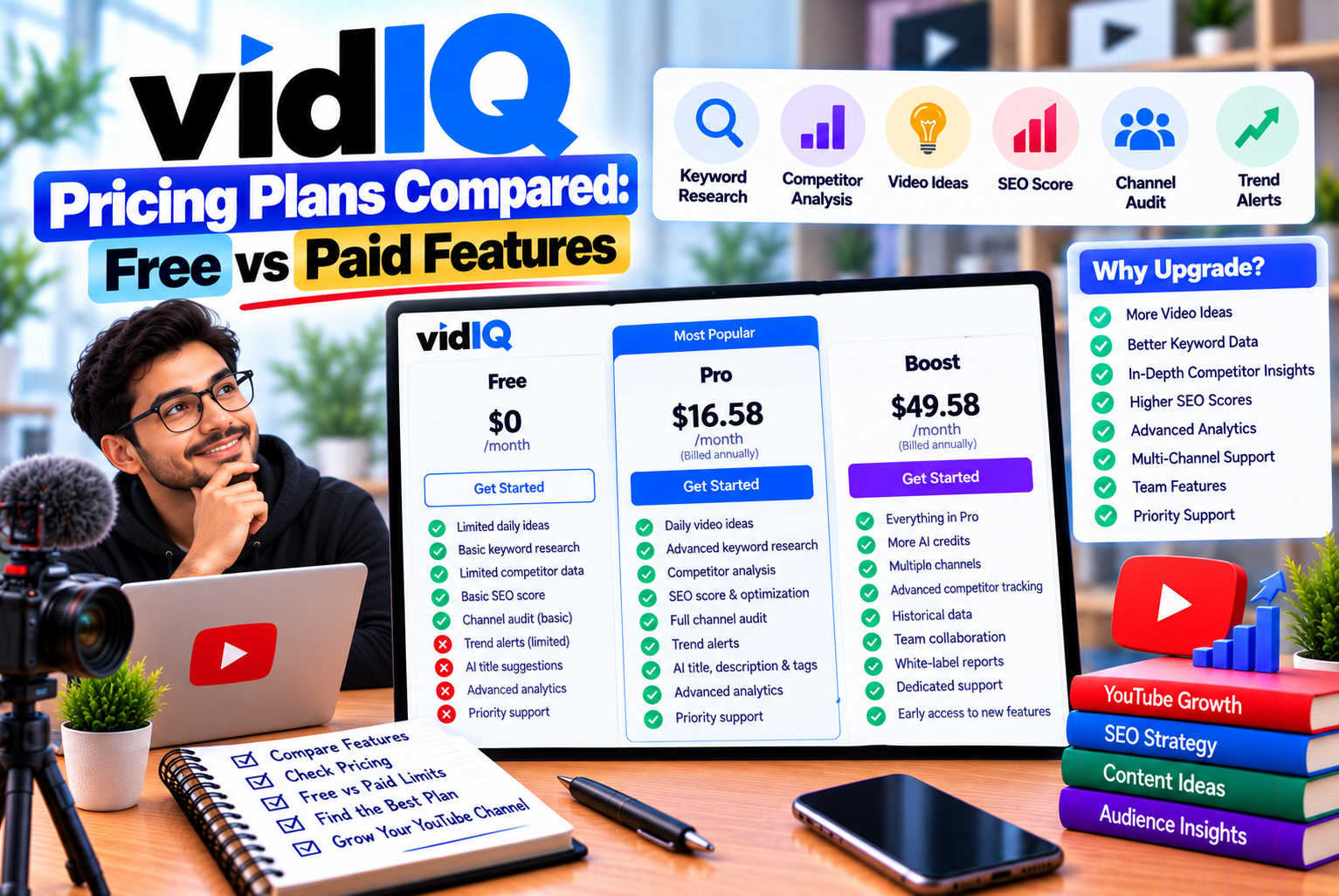
vidIQ Pricing Plans Compared: Free vs Paid Features
Choosing the right YouTube SEO tool can make content research, video optimization, and channel planning more manageable. However, before purchasing a subscription, creators need to understand what they are paying for and whether the available features justify the cost.
vidIQ offers several tools designed to help YouTubers discover keywords, research competitors, generate video ideas, optimize metadata, create thumbnails, and use AI to support their content workflow. Its subscription plans provide different levels of access to these capabilities.
The platform offers a free plan for creators who want to explore its tools, alongside paid Boost and Max subscriptions. It also provides coaching and enterprise options for users with more specialized requirements.
The difference between these plans is not simply the number of features available. AI credit allowances, keyword research limits, competitor tracking, analytics, and access to advanced tools can all influence which subscription provides the best value.
In this guide, we compare vidIQ pricing plans for 2026, explain the differences between Free, Boost, and Max, and examine which plan is most suitable for beginners, established creators, businesses, and multi-channel teams.
We will also explain how vidIQ’s AI credit system works, what users should check before subscribing, and when the free plan may be sufficient.
vidIQ Pricing Plans at a Glance
vidIQ’s primary self-service subscriptions are Free, Boost, and Max. The platform also offers one-on-one coaching and enterprise solutions for users who need personalized guidance or broader team access.
According to the official pricing page, the Free plan costs nothing, while Boost and Max provide expanded research, optimization, and AI capabilities. Paid subscriptions have monthly and annual billing options.
vidIQ pricing comparison for 2026
| Plan | Monthly billing | Annual billing equivalent | Monthly AI credits | Best for |
| Free | $0 | $0 | 150 | Beginners and occasional creators |
| Boost | $19/month | Approximately $16.58/month | 2,000–3,000 | Active YouTubers |
| Max | $49/month | Approximately $39/month | 6,000–10,000 | Frequent AI-tool users |
| Coaching | Varies | Varies | 6,000 | Creators seeking personal guidance |
| Enterprise | Custom | Custom | Depends on arrangement | Agencies, brands, and multi-channel teams |
Pricing figures are based on vidIQ’s published US pricing information and official plan documentation available in October 2026. The annual equivalents for Boost and Max are based on the commonly displayed one-channel configurations. Multi-channel configurations have different allowances and may have different prices. Taxes, regional pricing, promotional offers, and billing arrangements can affect the final amount. Verify the current price before purchasing.
Check the latest pricing: Official vidIQ Pricing Page
For readers in India, the final amount charged in rupees may differ from a US-dollar comparison because of exchange rates, taxes, regional pricing, and the billing method.
What Is Included in the vidIQ Free Plan?
The vidIQ Free plan is designed for creators who want to explore the platform without paying for a subscription.
It provides access to selected research, content discovery, optimization, and AI features. Although it has limitations, it can be useful for understanding how YouTube keyword research works and deciding whether a more advanced tool would benefit your workflow.
The official pricing page lists 150 monthly AI credits, niche trends, data-informed content ideas, personalized growth tips, and vidIQ MCP access on the Free plan.
Key features of vidIQ Free
1. Limited keyword research
The Free plan provides three keyword research results per search, according to vidIQ’s current plan documentation.
This allows users to explore a small selection of relevant terms, but it can become restrictive when researching a broad topic or comparing many keyword variations.
For example, a creator planning a video about home workouts might investigate:
- Home workout for beginners
- Full-body workout at home
- Home workout without equipment
- Beginner fitness routine
- 20-minute home workout
A free account can help with initial exploration, but the limited number of results may make extensive comparisons less convenient.
2. Limited competitor tracking
The Free plan supports tracking up to three competitors.
This can be sufficient for a beginner who wants to understand a small number of channels in the same niche.
For example, a new educational channel might monitor three established creators to learn which subjects they cover and how they structure their content.
Creators researching a crowded niche or managing multiple channels may find the limit restrictive.
3. Personalized video ideas
The Free plan includes three personalized daily ideas according to vidIQ’s feature comparison.
These suggestions can help creators identify possible topics without starting every research session from scratch.
However, the ideas should be evaluated against the channel’s audience, expertise, and content strategy rather than accepted automatically.
4. Basic video optimization tools
The Free plan includes selected browser-extension features, including an optimization score, video scorecards, Shorts scorecards, real-time statistics, and other video insights.
Some advanced research functions and filters remain restricted.
These features can help beginners understand how their videos are presented and identify areas that may need improvement.
5. 150 monthly AI credits
Free users receive 150 AI credits per month.
These credits are shared across supported AI tools, so using them for one task reduces the balance available for other AI activities.
For example, thumbnail generation, script writing, and AI Coach messages consume different amounts of credits.
The allowance is useful for experimenting with selected features, but it is not designed for unlimited AI-assisted production.
Advantages of the Free plan
- No subscription cost.
- Useful for learning basic keyword research.
- Provides limited competitor tracking.
- Includes selected video optimization tools.
- Offers content ideas and trend-related features.
- Allows users to test vidIQ before upgrading.
- Includes vidIQ MCP access.
Limitations of the Free plan
- Only three keyword research results per search.
- Competitor tracking is limited to three channels.
- Personalized daily ideas are restricted.
- Advanced filters and research functions are limited.
- AI usage is restricted to 150 monthly credits.
- Some advanced analytics and workflow tools require a paid plan.
Who should choose vidIQ Free?
The Free plan is a sensible choice for:
- New YouTubers.
- Students learning video SEO.
- Creators publishing occasionally.
- Small channels with limited research needs.
- Users evaluating vidIQ before purchasing.
- Creators who already use other tools for advanced research.
Our recommendation: Start with Free if you are new to YouTube SEO. Upgrade only when the available limits prevent you from completing a task that matters to your content strategy.
vidIQ Boost Pricing and Features
vidIQ Boost is designed for creators who want broader access to research, optimization, analytics, and AI-assisted tools.
The official pricing page lists Boost with 2,000, 2,500, or 3,000 monthly AI credits, depending on the selected one-, two-, or three-channel configuration. Its feature set includes thumbnail creation, personalized content ideas, unlimited trend research, video optimization, subscriber insights, and AI Coach with deep-thinking capabilities.
How much does vidIQ Boost cost?
The published US pricing for the one-channel configuration is commonly displayed as:
- Monthly billing: $19 per month.
- Annual billing: Approximately $16.58 per month, billed annually.
At the annual equivalent, the total subscription cost is approximately $199 per year.
These figures should be verified on the official pricing page before purchasing because the displayed price and available offers can change.
What do you get with vidIQ Boost?
1. Expanded keyword research
Boost provides unlimited keyword research results according to the current plan comparison.
This is useful for creators who frequently compare keyword variations and investigate related topics.
For example, a creator making smartphone tutorials could compare queries related to camera settings, battery optimization, troubleshooting, and device comparisons.
Broader research access can make it easier to investigate multiple opportunities before choosing the next video topic.
2. More competitor tracking
Boost supports tracking up to 20 competitors.
This is useful for creators who want to study a wider selection of channels in their niche.
A technology creator, for example, could monitor channels covering smartphones, computer hardware, software tutorials, and consumer electronics.
The goal should be to identify relevant audience interests and content gaps rather than copy competing videos.
3. More personalized content ideas
Boost provides up to 50 personalized daily ideas in vidIQ’s published plan comparison.
It also removes the Free plan’s lifetime restriction on customized daily ideas.
This may be helpful for creators who publish regularly and need to maintain a consistent content pipeline.
However, more ideas do not necessarily mean better content. Each suggestion still needs to be evaluated for relevance, originality, audience demand, and production feasibility.
4. Unlimited trend research
Boost includes unlimited trend research according to the current pricing information.
This can help creators investigate changing interests and identify topics worth exploring.
Trend research is particularly relevant to channels covering gaming, entertainment, technology updates, and other subjects where audience interests can change quickly.
Creators working in evergreen niches may use it less frequently.
5. Advanced video optimization
Boost provides expanded access to optimization and research features, including broader search results and additional filters.
The plan also includes advanced keyword and video research capabilities compared with the Free tier.
These tools can help creators review metadata and discover opportunities for improvement.
They should not be treated as a guarantee of better rankings or higher views.
6. AI Coach with deep thinking
Boost includes AI Coach access with deep-thinking capabilities, subject to the plan’s credit system.
This can help users brainstorm content ideas, review possible improvements, and develop a more structured channel strategy.
AI Coach can be useful when you need assistance organizing your ideas, but its recommendations should be checked against your actual audience data and experience.
7. Subscriber insights and creator education
Boost includes unlimited subscriber insights and access to additional educational resources, including masterclasses from creators.
These features may be valuable to users who want to learn more about YouTube strategy and investigate their audience.
Advantages of vidIQ Boost
- Expanded keyword research.
- Tracking for up to 20 competitors.
- Up to 50 personalized daily ideas.
- Unlimited trend research.
- More extensive optimization tools.
- Higher AI credit allowance.
- Deep-thinking AI Coach access.
- Subscriber insights and additional learning resources.
Limitations of vidIQ Boost
- It requires a paid subscription.
- AI credits are shared across supported tools.
- Unused monthly plan credits do not roll over.
- It does not include all Max-exclusive capabilities.
- Multi-channel configurations have different credit allowances.
- Creators who publish occasionally may not use enough features to justify the cost.
Who should choose vidIQ Boost?
Boost is worth considering for:
- Creators publishing videos regularly.
- Channels that need broader keyword research.
- YouTubers tracking several competitors.
- Educational and tutorial channels.
- Gaming and technology creators investigating trends.
- Businesses using YouTube for content marketing.
- Creators who frequently use optimization tools.
Our recommendation: Boost is the plan to evaluate first if you have outgrown Free and need more extensive research and optimization features.
vidIQ Max Pricing and Features
vidIQ Max is designed for creators who need greater AI capacity and additional advanced capabilities.
The official pricing page lists Max with 6,000, 8,000, or 10,000 monthly AI credits, depending on the selected one-, two-, or three-channel configuration. It includes Boost features and adds increased AI Coach capacity, Max Mode, and short-clipping and generation capabilities.
How much does vidIQ Max cost?
The published US pricing for the one-channel configuration is commonly displayed as:
- Monthly billing: $49 per month.
- Annual billing: Approximately $39 per month, billed annually.
The annual equivalent is approximately $468 per year.
Check the current pricing page to confirm the amount, billing frequency, and channel configuration before subscribing.
What do you get with vidIQ Max?
1. A larger AI credit allowance
Max provides more monthly AI credits than Boost.
The one-channel configuration includes 6,000 credits, while the two- and three-channel configurations include 8,000 and 10,000 credits respectively. These are shared account balances, not separate allowances for every channel.
A higher allowance can help creators who regularly use multiple AI tools.
However, the practical value depends on the tasks performed because different actions have different credit costs.
2. Max Mode AI Coach
Max includes access to Max Mode, which vidIQ describes as a more powerful AI Coach mode for deeper growth strategy.
The plan also provides up to three times the AI Coach conversations available with Boost, according to the official pricing page.
This can be useful for creators who want more extensive assistance with planning and evaluating their channel strategy.
It does not mean the recommendations will always be correct or that they can replace professional judgment.
3. Short clipping and generation
Max includes access to short-clipping and generation capabilities, with the official pricing page advertising up to 11 hours of short clipping and generations.
Actual usage depends on the tools used and their credit costs.
For creators producing long-form videos, these capabilities can help identify opportunities to repurpose existing content into shorter formats.
Before publishing a generated clip, review the context, captions, framing, and overall quality.
4. Boost features
Max includes the features available in Boost, such as broader keyword research, expanded competitor tracking, trend research, video optimization, and subscriber insights.
This means Max is not limited to AI generation. It also provides access to the wider research and optimization workflow.
Advantages of vidIQ Max
- Higher monthly AI credit allowance.
- Access to Max Mode AI Coach.
- Increased AI Coach conversation capacity.
- Short-clipping and generation capabilities.
- Expanded keyword and competitor research.
- Access to Boost features.
- Useful for creators who regularly use multiple AI tools.
Limitations of vidIQ Max
- Higher subscription cost than Boost.
- AI credits can still run out.
- Credit allowances are shared across connected channels.
- Advanced AI features do not guarantee better videos.
- The additional capabilities may be unnecessary for occasional creators.
Who should choose vidIQ Max?
Max may suit:
- Creators publishing several videos each week.
- Channels that frequently use AI-assisted production.
- Creators who repurpose long-form content into Shorts.
- Users who need more AI Coach capacity.
- Businesses producing content at a higher volume.
- Established channels with a consistent production workflow.
Our recommendation: Choose Max only if you expect to use its additional AI capacity and advanced features regularly. If your main need is keyword research and competitor analysis, Boost may offer sufficient functionality at a lower cost.
vidIQ Free vs Boost vs Max: Feature-by-Feature Comparison
The following table summarizes the main differences documented by vidIQ.
| Feature | Free | Boost | Max |
| Monthly AI credits | 150 | 2,000–3,000 | 6,000–10,000 |
| Keyword research results | 3 per search | Unlimited | Unlimited |
| Outlier research results | 8 per search | Unlimited | Unlimited |
| Personalized daily ideas | 3 per day | Up to 50 per day | Up to 50 per day |
| Customized daily ideas | 3 lifetime | Unlimited | Unlimited |
| Competitor tracking | Up to 3 | Up to 20 | Up to 50 |
| Trend research | Limited | Unlimited | Unlimited |
| Blueprint saving | Up to 3 | Unlimited | Unlimited |
| Keyword Inspector | 1 | 5 | 5 |
| Search panel results | 3 | Unlimited | Unlimited |
| Research filters | Limited | Full access | Full access |
| Channel audit | Limited sections and timeframe | Unlimited | Unlimited |
| CSV export | Up to 10 videos | Unlimited | Unlimited |
| Trending videos | 6 | Unlimited | Unlimited |
| Top keywords | 3 | Unlimited | Unlimited |
| Recommended tags | 3 | Unlimited | Unlimited |
| Best Time to Post | Not included | Included | Included |
| Subscriber analysis | Not included | Included | Included |
| AI Coach | Limited usage | Deep thinking | Deep thinking and Max Mode |
| Short clipping and generation | Limited access based on available tools | Access depends on the feature | Expanded capabilities |
| Multiple channels | 1 | Up to 3 | Up to 3 |
This comparison summarizes the official plan and credit documentation. Individual feature limits can change, and some legacy extension features may still be transitioning to the shared AI credit system. Review the current vidIQ plan comparison for the latest allowances.
Understanding vidIQ AI Credits
AI credits are an important part of vidIQ’s paid-plan comparison.
Rather than providing a completely separate allowance for every AI tool, vidIQ uses a shared monthly credit balance for supported actions.
This means using credits for thumbnails reduces the number available for script writing, AI Coach messages, clipping, and other supported features.
The official help documentation provides the following examples of credit costs.
vidIQ AI credit costs
| AI tool | Action | Credit cost |
| AI Coach | Regular or fast message | 10 credits |
| AI Coach | Deep-thinking message | 25 credits |
| AI Coach | Max Mode message | 35 credits |
| Thumbnail maker | Generation, regeneration, or edit | 22 credits |
| Script Writer | Per minute of selected script length | 1 credit |
| Video clipping | Per minute of input video | 9 credits |
| Shorts Generator | Per second of output video | 20 credits |
| Title Generator | Per generation, up to three titles | 3 credits |
| Description Generator | Per description | 1 credit |
| Remix | Per use | 3 credits |
Credit costs are based on vidIQ’s current published help documentation and may change. Some tools have additional rules or variable costs.
How many AI tasks can you perform with Free?
The Free plan includes 150 monthly credits.
Using the published credit costs, that balance could cover approximately:
- Six deep-thinking AI Coach messages, with credits remaining.
- Six thumbnail generations, with credits remaining.
- Fifty title-generation actions, if no other credit-consuming tools are used.
- A combination of several smaller tasks, depending on their costs.
These examples are theoretical calculations. They assume all credits are available and used only for the selected action.
In practice, you may want to reserve some credits for different tools rather than spend the entire allowance on one task.
How many AI tasks can you perform with Boost?
Boost includes 2,000 monthly credits for the one-channel configuration.
At the published credit costs, this provides substantially more flexibility for using AI Coach, thumbnails, script writing, and other supported tools.
For example, 2,000 credits could theoretically cover about 90 thumbnail generations at 22 credits each, with a small balance remaining.
However, generating that many thumbnails may not be the most useful allocation for a typical creator. A more balanced workflow might use credits for idea development, a smaller number of thumbnail iterations, scripts, and other production tasks.
How many AI tasks can you perform with Max?
Max includes 6,000 monthly credits for the one-channel configuration.
This gives frequent AI-tool users a larger allowance for tasks such as AI Coach conversations, thumbnail creation, script writing, and clipping.
However, the shared credit balance can still be consumed quickly when processing long videos or generating many assets.
For example, clipping a 60-minute source video at nine credits per input minute would consume 540 credits, assuming the action is charged for the entire source video. Actual clipping workflows and available options should be checked against the current tool instructions.
Do unused vidIQ AI credits roll over?
No. vidIQ’s official documentation states that unused monthly plan credits do not roll over.
Credits refresh monthly according to the plan’s billing or upgrade anniversary. Free users can check the exact refresh date in their account.
If you regularly finish the month with unused credits, you may be paying for more capacity than you need.
If you consistently run out, compare the cost of upgrading with the value of the additional features and credits.
How Many YouTube Channels Can You Manage With Each vidIQ Plan?
The number of channels you can connect is another important factor.
According to vidIQ’s official help documentation:
- Free: One YouTube channel.
- Boost: One-, two-, or three-channel configurations.
- Max: One-, two-, or three-channel configurations.
- Enterprise: Designed for organizations with broader multi-channel requirements.
The credit allowance depends on the selected Boost or Max configuration. For example, Boost provides 2,000 credits for one channel, 2,500 for two channels, and 3,000 for three channels. Max provides 6,000, 8,000, and 10,000 credits respectively.
Are AI credits separate for every channel?
No. The monthly credits belong to the vidIQ account, not to each connected channel.
For example, Max with three channels provides 10,000 shared monthly credits—not 10,000 credits for each channel. You can allocate the shared balance across your connected channels as needed.
This distinction matters for creators and agencies that manage multiple channels.
If each channel requires extensive AI usage, estimate the total workload before choosing a multi-channel subscription.
vidIQ Coaching: Is It Worth Paying for Personal Guidance?
vidIQ offers a coaching option for creators who want personalized feedback and strategic guidance.
According to the official pricing page, coaching includes access to a dedicated YouTube coach, a personalized channel audit, a step-by-step growth plan, and feedback on titles, thumbnails, hooks, and videos. The offering is limited to English-language channels.
Coaching is different from purchasing a standard software subscription.
Instead of relying only on dashboards and automated recommendations, you receive personalized guidance based on your channel and goals.
Who might benefit from vidIQ coaching?
Coaching may be worth considering if:
- You have been publishing consistently but are unsure what to improve.
- You need feedback on your video packaging.
- You want help evaluating your channel’s content strategy.
- You struggle to interpret performance data.
- You want an organized plan for future uploads.
However, coaching may not be necessary if you are just starting out or have not yet established a consistent publishing routine.
Before purchasing, confirm the coaching package, schedule, price, and terms offered to your account.
vidIQ Enterprise: Pricing for Agencies and Teams
vidIQ Enterprise is intended for brands, agencies, and multi-channel networks that need broader access and team-level management.
Its official pricing page lists centralized control, roles and permissions, priority onboarding and support, and cross-channel insights and reporting. Pricing is provided through an enterprise sales process rather than one standard self-service subscription.
Enterprise may be relevant when several people need to collaborate across multiple YouTube channels.
For example, an agency managing client channels may need consistent access controls, shared reporting, and a more organized way to review performance.
Individual creators generally do not need an enterprise plan.
Before requesting a quote, identify your requirements for channel access, team members, permissions, reporting, onboarding, and support.
Which vidIQ Plan Is Best for Different Types of YouTubers?
The right plan depends on how you produce content, how frequently you publish, and which features you actually use.
1. Best vidIQ plan for beginners
Recommended plan: Free
Beginners usually benefit more from learning YouTube fundamentals than purchasing advanced tools immediately.
The Free plan provides a way to explore keyword research, content ideas, and selected optimization features.
Start by learning how to identify relevant topics, write descriptive titles, produce useful videos, and review audience feedback.
Upgrade only when the free limits prevent you from completing important research tasks.
2. Best vidIQ plan for growing channels
Recommended plan: Boost
Boost may suit creators who publish consistently and need more extensive keyword research, competitor tracking, and optimization capabilities.
It is particularly relevant when content planning becomes a regular process rather than an occasional activity.
Before upgrading, identify the specific limitations you have encountered with Free.
3. Best vidIQ plan for AI-heavy workflows
Recommended plan: Max
Max is worth evaluating when you regularly use AI Coach, generate thumbnails, write scripts, or repurpose long-form content into shorter videos.
Its larger monthly credit allowance and additional AI capabilities can support a more demanding production workflow.
If you rarely use these features, the extra cost may not be justified.
4. Best vidIQ plan for gaming creators
Recommended plan: Free or Boost, depending on usage
Gaming channels may benefit from keyword research, trend discovery, and competitor analysis.
Free can be enough for occasional research, while Boost may be useful for creators who regularly investigate new games, updates, and content opportunities.
Max is more relevant if AI-assisted production is a major part of the workflow.
5. Best vidIQ plan for educational channels
Recommended plan: Boost
Educational creators often need to investigate specific questions, compare keyword variations, and identify topics that fit their audience.
Boost’s broader research access may be useful for building a consistent publishing schedule.
Creators should still prioritize accurate explanations and useful demonstrations over optimization scores.
6. Best vidIQ plan for businesses
Recommended plan: Boost or Enterprise
A small business running one YouTube channel may find Boost sufficient for routine research and optimization.
Organizations managing multiple channels or requiring team permissions and cross-channel reporting may need Enterprise.
The choice should depend on the scale of operations and reporting requirements.
7. Best vidIQ plan for agencies
Recommended plan: Enterprise for broader team needs
Agencies managing several clients should evaluate channel capacity, collaboration, permissions, reporting, and support.
A standard Boost or Max plan may be sufficient for a small operation, but Enterprise is worth exploring when multiple team members and many channels need coordinated access.
vidIQ Pricing: Monthly vs Annual Billing
vidIQ provides monthly and annual billing options for its paid plans. The annual option may reduce the effective monthly cost, but it requires a larger upfront payment.
Using the commonly displayed US one-channel prices:
| Plan | Monthly rate | Annual equivalent | Approximate annual cost |
| Boost | $19/month | $16.58/month | $199 |
| Max | $49/month | $39/month | $468 |
These are illustrative published US price points for comparison, not a guarantee of the price available to every customer. Confirm the current checkout total and billing conditions before purchasing.
When monthly billing makes sense
Monthly billing may be preferable when:
- You want to test the platform before committing.
- Your publishing schedule changes frequently.
- You are uncertain how often you will use the paid tools.
- You want more flexibility to reassess the subscription.
The effective monthly cost may be higher, but the flexibility can be valuable when you are still evaluating the product.
When annual billing makes sense
Annual billing may be suitable when:
- You already use vidIQ consistently.
- You understand which features provide value.
- You expect to maintain the same workflow throughout the year.
- The annual discount is meaningful relative to the cost of paying monthly.
Do not select annual billing simply because the monthly equivalent looks cheaper.
First, confirm that the platform meets your needs and that you are comfortable with the payment terms.
Is vidIQ Worth Paying For?
Whether vidIQ is worth paying for depends on how much value its additional features provide to your workflow.
A paid plan may be worthwhile if it helps you research topics more efficiently, manage several competitors, use optimization tools regularly, or accelerate video production.
However, a subscription is not essential for every creator.
When vidIQ is worth paying for
Consider a paid plan if:
- You publish videos regularly.
- You need extensive keyword research.
- You monitor multiple competing channels.
- You frequently use AI-assisted content tools.
- You need broader access to optimization features.
- You manage several connected channels.
- The subscription saves enough time to justify its cost.
When vidIQ may not be worth paying for
A paid plan may be unnecessary if:
- You publish only occasionally.
- You rarely conduct keyword research.
- You already have tools that meet your needs.
- You do not use AI-assisted production features.
- The free plan provides sufficient research access.
- You expect the software to guarantee views or subscribers.
How to calculate the value of a subscription
Rather than focusing only on the number of features, evaluate how the plan affects your work.
Suppose a subscription helps you save three hours per month on research and repetitive production tasks.
The subscription may be worthwhile if those saved hours can be used for activities that meaningfully improve your videos or business.
However, time savings should be measured realistically. AI tools may accelerate drafting and research, but their outputs still require review.
Also consider whether you will actually use the features. Paying for a large credit allowance that regularly goes unused may not be a good investment.
How to Choose the Right vidIQ Plan
Use the following decision process before subscribing.
Step 1: Identify your primary requirement
Decide whether your main need is keyword research, competitor analysis, video optimization, AI content generation, or multi-channel management.
A clear objective helps you avoid paying for features you do not need.
Step 2: Evaluate the Free plan first
Use the free tools to understand the platform and identify any restrictions that affect your workflow.
This is especially important if you have never used a dedicated YouTube SEO platform.
Step 3: Estimate your AI credit requirements
Review the credit cost of the tools you expect to use.
For example, frequent thumbnail generation and video clipping can consume credits differently from generating titles or descriptions.
Estimate your monthly usage before selecting Boost or Max.
Step 4: Check competitor and channel limits
If you monitor several channels, compare the number of competitors supported by each plan and confirm how many YouTube channels you can connect.
Remember that the credit allowance is shared across connected channels.
Step 5: Compare monthly and annual billing
Check the current price for your selected configuration.
Consider the upfront payment, subscription duration, renewal terms, and whether you are confident you will use the tools consistently.
Step 6: Upgrade only when necessary
If the Free plan meets your needs, there is no reason to upgrade simply because paid plans offer more features.
If you encounter meaningful restrictions, compare Boost and Max against the specific task you want to accomplish.
Step 7: Review the subscription periodically
Your needs may change as your channel grows.
A plan that was useful during a period of intensive production may become unnecessary if your publishing schedule slows down.
Review your usage and subscription value regularly.
Common Mistakes to Avoid When Buying vidIQ
Mistake 1: Choosing the most expensive plan automatically
Max provides greater AI capacity and additional capabilities, but that does not mean every creator needs it.
Better approach: Choose the plan that supports your actual workload.
Mistake 2: Ignoring AI credit costs
A large monthly credit allowance can appear generous, but some tasks consume substantially more credits than others.
Better approach: Estimate usage for the tools you expect to use regularly.
Mistake 3: Paying for unused features
You may not need coaching, clipping, or extensive competitor tracking.
Better approach: List your required features before purchasing.
Mistake 4: Assuming more keyword data guarantees growth
More keyword results can improve research flexibility, but they do not guarantee that a video will rank.
Better approach: Use keyword data alongside audience understanding, content quality, and performance analysis.
Mistake 5: Overlooking annual billing terms
An annual subscription may offer a lower effective monthly rate but requires a larger commitment.
Better approach: Test the service first if you are uncertain about its value.
Mistake 6: Forgetting that credits are shared across channels
Multi-channel plans provide a shared credit allowance rather than a separate balance for each connected channel.
Better approach: Estimate the combined workload across all channels before choosing a configuration.
Mistake 7: Expecting instant subscriber growth
A paid tool cannot replace relevant content, effective presentation, and a clear understanding of the audience.
Better approach: Use vidIQ to inform decisions and measure whether those decisions improve your workflow.
Frequently Asked Questions About vidIQ Pricing Plans
1. How much does vidIQ cost in 2026?
vidIQ offers a Free plan, Boost, and Max. Commonly displayed US pricing for the one-channel configurations is $19 per month for Boost and $49 per month for Max, with annual equivalents of approximately $16.58 and $39 per month. Actual prices depend on the current offer, billing arrangement, and configuration. Check the official pricing page before purchasing.
2. Is vidIQ free to use?
Yes. vidIQ has a Free plan that costs $0 and includes 150 monthly AI credits, content ideas, niche trends, personalized growth tips, and access to selected research and optimization tools. Some features and results are limited.
3. What is the difference between vidIQ Free and Boost?
Free provides limited keyword research, up to three tracked competitors, selected optimization tools, and 150 monthly AI credits. Boost provides expanded research, tracking for up to 20 competitors, more content ideas, unlimited trend research, and a larger AI credit allowance.
4. What is the difference between vidIQ Boost and Max?
Boost provides broader research and optimization tools, while Max includes Boost’s features plus a larger AI credit allowance, Max Mode AI Coach, increased AI Coach capacity, and additional short-clipping and generation capabilities.
5. How many AI credits does vidIQ Free provide?
The Free plan includes 150 AI credits per month. These credits are shared across supported AI tools, and unused monthly plan credits do not roll over.
6. How many AI credits does vidIQ Boost provide?
Boost provides 2,000 monthly credits for one channel, 2,500 for two channels, and 3,000 for three channels. The balance is shared across the connected channels.
7. How many AI credits does vidIQ Max provide?
Max provides 6,000 monthly credits for one channel, 8,000 for two channels, and 10,000 for three channels. The credits are shared across the account rather than provided separately for each channel.
8. Do vidIQ AI credits roll over?
No. Monthly plan credits do not roll over. They refresh according to the plan’s billing or upgrade anniversary. Check the credits indicator in your account to see the remaining balance and next refresh date.
9. How many YouTube channels can I connect to vidIQ?
The Free plan supports one channel. Boost and Max are available in one-, two-, and three-channel configurations. Organizations with broader requirements can contact vidIQ about Enterprise options.
10. Is vidIQ Boost worth the price?
Boost may be worth paying for if you regularly conduct keyword research, track competitors, investigate trends, and use optimization tools. If the Free plan already provides everything you need, upgrading may not be necessary.
11. Is vidIQ Max worth the extra cost?
Max may be worthwhile for creators who frequently use AI Coach, generate thumbnails, write scripts, or repurpose long videos into short clips. If your main requirement is keyword research, Boost may be sufficient.
12. Can beginners use vidIQ without paying?
Yes. Beginners can start with Free and use the available research, ideas, and optimization tools to learn the basics of YouTube SEO. A paid subscription is optional, not a requirement for growing a channel.
13. Does vidIQ offer monthly billing?
Yes. vidIQ provides monthly and annual billing options for its paid plans. The available price and configuration should be checked on the official pricing page before purchasing.
14. Is annual vidIQ billing cheaper than monthly billing?
Annual billing can provide a lower effective monthly cost, but it requires a larger upfront payment. Compare the total annual charge with the cost of monthly payments and review the current terms before deciding.
15. What happens when I run out of vidIQ AI credits?
Your remaining AI balance limits further use of supported credit-consuming tools until credits refresh or you obtain additional credits where available. vidIQ’s documentation describes top-up options for eligible Max and Coaching subscribers, subject to regional and billing restrictions.
16. Can I buy additional vidIQ AI credits?
vidIQ offers credit top-ups for eligible Max and Coaching accounts. Availability depends on factors such as region and billing method. Check your account’s Plans or Top Ups section for the current options and prices.
17. Does vidIQ pricing vary by country?
The displayed price and final amount charged may vary depending on regional pricing, taxes, currency conversion, promotions, and the billing platform. Confirm the final price shown to you before completing checkout.
18. Is vidIQ better than YouTube Studio?
The tools serve different purposes. YouTube Studio is essential for managing videos and reviewing native channel analytics. vidIQ adds research, competitor insights, optimization tools, and AI-assisted features. Many creators can use both together.
19. Can businesses and agencies use vidIQ?
Yes. Businesses can use standard plans for individual channels, while agencies and organizations with broader channel, collaboration, or reporting requirements can explore vidIQ Enterprise. The appropriate plan depends on the number of channels and team needs.
20. Which vidIQ plan should I choose?
Choose Free if you are starting out or have limited research needs. Choose Boost if you regularly need expanded keyword research, competitor tracking, and optimization features. Choose Max if you frequently use advanced AI tools and need a larger credit allowance. Enterprise and coaching are worth evaluating when you require specialized support or team-level capabilities.
Final Verdict: Which vidIQ Pricing Plan Is Best?
vidIQ offers different levels of access for creators with different research and production needs.
The Free plan is a practical starting point for beginners who want to learn YouTube SEO without paying for a subscription.
Boost is worth considering when you publish regularly and need broader keyword research, competitor tracking, trend research, and optimization capabilities.
Max is more suitable for creators who expect to use its higher AI credit allowance and additional AI-assisted production features consistently.
For teams, agencies, and creators who need personalized guidance, coaching and Enterprise provide additional options.
Our recommendation is to start with the Free plan, identify the limitations that affect your workflow, and upgrade only when a paid subscription solves a genuine problem.
Before purchasing, check the current price, monthly credit allowance, channel configuration, and renewal terms on vidIQ’s official website.
Remember that a subscription is a tool, not a growth guarantee. The value comes from using the available research and insights to create useful videos, improve your content strategy, and make better decisions over time.
Official References
- vidIQ pricing and subscription plans: Official vidIQ Pricing Page
- Feature limits and AI credits: vidIQ Help Center: Features and Credits by Plan
- AI credit top-ups and additional usage: vidIQ Help Center: Options for Getting More AI Credits
- Connected channel limits: vidIQ Help Center: How Many Channels Can I Add?
- vidIQ features: Official vidIQ Features Page
Leave a Reply