


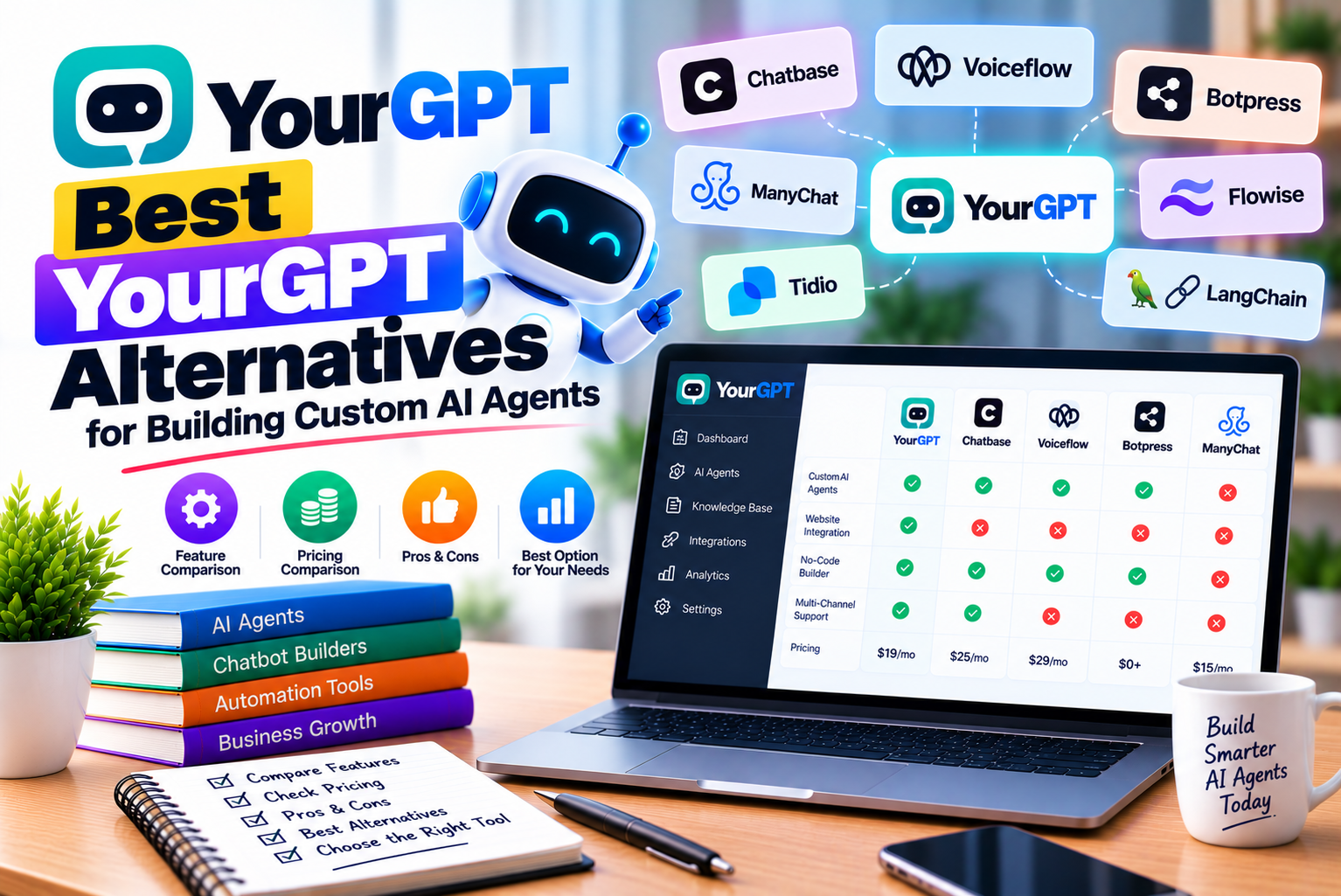
Best YourGPT Alternatives
Artificial intelligence is changing how businesses manage customer support, sales, internal operations, and repetitive administrative tasks. Instead of relying exclusively on employees to answer routine questions or perform manual work, companies can use AI agents to retrieve information, interact with business applications, and complete selected tasks automatically.
Platforms such as YourGPT make this process more accessible by providing tools for building AI agents without developing an entire conversational AI system from scratch.
However, YourGPT is not the only option available. Several platforms offer alternative approaches to AI agent development, ranging from simple website chatbots to visual workflow builders, enterprise automation systems, and developer-oriented platforms that provide greater control over application logic.
The right choice depends on what you want your AI agent to accomplish.
A small business that needs a chatbot to answer frequently asked questions may not require the same capabilities as a software company building an agent that retrieves customer information, updates records, and executes multi-step workflows. Similarly, a marketing agency managing chatbots for multiple clients may prioritize white-labeling and workspace management, while a developer may care more about APIs, deployment flexibility, and control over the underlying application.
The best YourGPT alternative is the platform that fits your actual workflow, technical requirements, and budget—not necessarily the one with the longest feature list.
In this guide, we compare eight alternatives to YourGPT:
- Chatbase
- Botpress
- Voiceflow
- Dify
- Relevance AI
- Zapier Chatbots
- Landbot
- Tidio with Lyro AI
Each platform serves a different purpose. Some are particularly suitable for customer-facing chatbots, while others are better suited to custom workflows, multi-agent systems, or business process automation.
We will examine their main features, pricing considerations, advantages, limitations, and ideal use cases so you can make an informed decision.
Research note: This article was prepared using publicly available product information reviewed in October 2026. Product features, prices, usage limits, and plan availability can change. Verify the latest details on each provider’s official website before purchasing.
1. What Is YourGPT?
YourGPT is a no-code AI agent platform designed for customer support, sales, and business operations.
It enables businesses to build agents grounded in their own information and connect them to selected tools and workflows. Rather than requiring a company to develop a conversational AI application entirely from scratch, the platform provides a managed environment for configuring and deploying agents.
Depending on the available features and subscription, businesses can use YourGPT to build assistants that answer customer questions, support lead generation, retrieve information, interact with connected systems, and escalate conversations when human assistance is needed.
1.1 Key Capabilities of YourGPT
YourGPT’s capabilities include several areas relevant to custom AI agent development.
Knowledge-based responses
Agents can use business information from supported sources, including websites, documents, and connected content systems. This helps ground answers in company-specific information instead of relying exclusively on a general-purpose language model.
Agent configuration
Businesses can define the agent’s purpose, instructions, response style, and permitted behaviour.
Workflow and tool integration
Where supported and correctly configured, agents can interact with external applications and APIs to perform selected operations.
Multiple communication channels
YourGPT supports deployment across a range of channels, including websites and supported messaging platforms. The exact channels and capabilities depend on the product configuration.
Customer support and lead generation
Agents can answer routine questions, collect enquiries, qualify prospects, and direct complex requests to human representatives.
Usage and performance monitoring
Businesses can monitor available analytics and usage information to evaluate performance and manage costs.
1.2 Why Look for YourGPT Alternatives?
YourGPT may suit many businesses, but different organizations have different technical and commercial requirements.
There are several reasons to evaluate alternatives.
| Reason | Why It Matters |
| Pricing and usage | Another platform may offer a billing model better suited to your conversation volume or workflow. |
| Technical control | Developer-oriented tools may provide more flexibility over logic, deployment, and integrations. |
| Workflow complexity | Some platforms emphasize visual conversation design, while others focus on multi-step business automation. |
| Existing technology stack | A tool with stronger support for your CRM, helpdesk, or automation applications may reduce implementation effort. |
| Knowledge management | Different platforms support different document formats, connectors, indexing methods, and update processes. |
| Deployment requirements | You may need a particular website widget, messaging channel, API, or hosting arrangement. |
| Collaboration | Agencies and larger teams may need shared workspaces, access controls, or client-specific environments. |
| Analytics and testing | Some projects require detailed conversation logs, evaluations, workflow testing, or operational monitoring. |
The important point is that searching for an alternative does not necessarily mean YourGPT is unsuitable. It means you should compare available platforms against the requirements of your particular project.
2. How We Evaluated the Best YourGPT Alternatives
An AI agent platform should be evaluated by its practical capabilities, not just its marketing description.
For this comparison, we considered eight criteria.
2.1 Ease of Building AI Agents
We considered whether a platform offers a visual builder, no-code configuration, reusable templates, or developer-oriented tools.
A simple chatbot should not require unnecessary engineering work. At the same time, complex workflows may benefit from more detailed control over logic and execution.
2.2 Knowledge Sources and Retrieval
We considered the ability to connect agents to business information, such as website content, documents, and external knowledge sources.
The important question is whether the platform can access the information your agent actually needs and keep it updated.
2.3 Workflow Automation
We examined whether the platform can connect conversations with business actions.
Examples include submitting forms, retrieving records, creating support tickets, and initiating approved operations through APIs.
2.4 Integrations
We considered the importance of connecting agents to tools such as CRMs, helpdesk systems, messaging applications, databases, and automation platforms.
The value of an integration depends on whether it supports the exact operations required.
2.5 Customization and Deployment
We considered how agents can be customized and deployed, including website widgets, messaging channels, APIs, and other supported environments.
2.6 Pricing and Usage
We examined published pricing where available, along with usage-based billing, included allowances, and the possibility of additional costs.
Prices should be treated as indicative rather than permanent.
2.7 Scalability and Collaboration
We considered whether the platforms can support additional agents, larger workloads, collaborative development, and more complex business requirements.
2.8 Security and Operational Control
We considered the importance of permissions, data handling, access controls, monitoring, and deployment requirements.
Actual security suitability must be verified against each organization’s needs.
Important: The alternatives below are not ranked solely by price. They are organized to help readers identify the platforms that best match different use cases.
3. The 8 Best YourGPT Alternatives in 2026
3.1 Chatbase: Best for Knowledge-Based Customer Support Agents
Chatbase is an AI agent platform that helps businesses create assistants using their own website content, documents, and other supported knowledge sources.
It is one of the more direct alternatives to YourGPT for businesses that want to deploy a customer-facing chatbot without building the entire application themselves.
Chatbase is particularly relevant when the main objective is to help customers find information, answer routine questions, and connect conversations with selected business tools.
Key Features of Chatbase
Website and document training
Businesses can use supported knowledge sources to configure agents around their products, services, policies, and documentation.
Customizable AI agents
Agents can be configured with instructions that define their purpose, communication style, and response behaviour.
Integrations and AI Actions
Chatbase supports integrations and action-oriented capabilities that can connect conversations to external applications and APIs.
Customer support capabilities
Businesses can investigate its available support-related features, including integrations with helpdesk systems and options for transferring conversations to human representatives.
Analytics and monitoring
Available analytics can help teams review conversations and identify opportunities to improve agent performance.
Multichannel capabilities
Chatbase supports website deployment and other channels, with availability depending on the current product configuration and subscription.
Chatbase Pricing
Chatbase offers a Free plan and paid subscriptions. The published pricing reviewed for this article listed Hobby at $40 per month, Standard at $150 per month, and Pro at $500 per month when billed monthly. Annual billing offers lower effective monthly prices.
The published plans include different monthly message-credit allowances, and the Free plan is substantially more limited than the paid options.
Because the pricing structure and included features may change, check the current plan details before budgeting for a production deployment.
Advantages of Chatbase
- Relatively direct approach to creating knowledge-based agents.
- Supports website and document-based knowledge sources.
- Offers integration and action-oriented capabilities.
- Provides options for customer support and human escalation.
- Has a Free plan for initial experimentation.
- Can be suitable for businesses that want to deploy an agent without building a full AI application.
Limitations of Chatbase
- Monthly message-credit allowances can constrain high-volume deployments.
- Some capabilities are restricted to particular plans.
- Advanced integrations may require additional configuration.
- It may not be the best fit for every developer-oriented or self-hosted use case.
- Actual workflow complexity must be tested before assuming that a task can be fully automated.
Who Should Choose Chatbase?
Chatbase is worth considering for:
- Small and medium-sized businesses.
- E-commerce websites.
- SaaS companies with documentation-heavy support.
- Businesses that want a website chatbot trained on their own content.
- Teams that need customer-support integrations.
- Organizations that want to test an AI agent before expanding its responsibilities.
Chatbase vs YourGPT
Choose Chatbase when its knowledge-management, support, and integration capabilities fit your requirements and its usage-based costs work for your expected workload.
Consider YourGPT when its available agent-building features, channel options, and pricing structure better match your needs.
Do not assume that one platform is universally easier or more capable. Test both using the same knowledge base and business workflow.
Official website: Chatbase
3.2 Botpress: Best for Custom AI Agents With Detailed Workflow Control
Botpress is an AI agent development platform that provides a visual environment for building conversational systems and integrating them with external applications.
It is particularly relevant to teams that need more control over how an agent behaves and how a conversation progresses.
While simpler chatbot builders often emphasize quickly creating a working assistant from existing content, Botpress is worth considering when the agent needs defined logic, conditional branches, tool calls, and more customized behaviour.
Key Features of Botpress
Visual development environment
Botpress provides tools for building conversational flows and configuring agent behaviour.
Custom workflows
Developers can design how the agent responds to different inputs, handles conditions, and progresses through a process.
Integrations and APIs
The platform supports connecting agents to external systems, allowing businesses to incorporate application-specific functionality.
AI agent development
Teams can combine language-model capabilities with defined workflows and integrations.
Collaboration options
Paid plans provide additional team and collaboration features, depending on the subscription.
Knowledge management
Botpress offers knowledge-related capabilities for building agents that answer questions using configured information sources.
Botpress Pricing
Botpress offers a Free plan and paid subscriptions.
The official pricing page reviewed for this article listed the Plus plan at $150 per month when billed annually and the Team plan at $750 per month when billed annually. The plans have different conversation allowances and included AI usage.
The Free plan includes a limited monthly conversation allowance. Additional conversations and AI usage can affect costs depending on the plan and configuration.
This is important because a chatbot with extensive tool use may incur different costs from a simpler agent that handles short conversations.
Always verify the latest pricing, conversation allowances, and AI usage terms before purchasing.
Advantages of Botpress
- Detailed control over conversational logic.
- Visual workflow-building capabilities.
- Suitable for customized integrations.
- Can support complex customer-support scenarios.
- Offers a Free plan for experimentation.
- Relevant to teams that want more control over agent behaviour.
Limitations of Botpress
- Complex implementations can require more configuration.
- Advanced workflows may need technical expertise.
- Usage-based AI costs should be monitored.
- Some business and collaboration features are available only on paid plans.
- It may be unnecessarily complex for a simple FAQ chatbot.
Who Should Choose Botpress?
Botpress is worth evaluating for:
- Development teams.
- SaaS businesses with specialized workflows.
- Companies building complex support agents.
- Businesses that need conditional logic and API integration.
- Teams that want greater control over conversational behaviour.
- Projects that require a configurable development environment.
Botpress vs YourGPT
Botpress may be a stronger fit when the development team needs detailed control over how an agent behaves, including its conversation flow and integrations.
YourGPT may be more suitable when its managed agent-building environment and included capabilities reduce the work needed for the intended deployment.
The correct choice depends on how much customization your project requires and how much technical effort your team can support.
Official website: Botpress
3.3 Voiceflow: Best for Complex Chat and Voice Experiences
Voiceflow is a platform for designing, building, and managing AI agents for customer experiences.
It is particularly relevant when a company needs to carefully design how a conversation unfolds rather than simply allow an AI model to answer questions from a knowledge base.
For example, a company may want an agent to identify the customer’s intent, ask follow-up questions, verify information, and route the request according to specific business rules.
Voiceflow provides tools for designing conversational behaviour and connecting agents to external systems.
Key Features of Voiceflow
Visual conversation design
Teams can design conversation flows and define how an agent should respond to different situations.
AI-powered agent behaviour
Agents can use language models while following configured instructions and workflows.
Chat and voice experiences
Voiceflow supports the development of customer experiences across chat and voice, subject to the applicable product configuration.
API integrations
Businesses can connect agents to external applications and services.
Testing and observability
Available testing and analytics tools help teams review agent behaviour and investigate problems.
Team collaboration
Voiceflow offers business-oriented capabilities for teams managing agent development and deployment.
Voiceflow Pricing
Voiceflow’s pricing model and public pricing information have changed over time.
The official pricing page reviewed for this article presents a free trial for agencies and partners, while business offerings emphasize custom pricing and implementation options.
Teams should request current pricing if they need a production deployment and confirm the applicable usage charges, channel costs, and service requirements.
Advantages of Voiceflow
- Useful for designing complex conversational experiences.
- Supports chat and voice use cases.
- Provides tools for defining conversation behaviour.
- Supports API-based integrations.
- Offers testing and monitoring capabilities.
- Can suit agencies and customer-experience teams.
Limitations of Voiceflow
- Business pricing may require contacting the vendor.
- Usage-based costs need to be understood before scaling.
- More detailed conversation design can require additional planning.
- Teams may need technical assistance for advanced integrations.
- It may be excessive for a simple website FAQ assistant.
Who Should Choose Voiceflow?
Voiceflow is worth evaluating for:
- Agencies building agents for clients.
- Businesses designing detailed customer journeys.
- Companies developing voice-enabled customer experiences.
- Customer-experience teams that need conversation testing.
- Organizations that want to integrate agents with several business applications.
Voiceflow vs YourGPT
Voiceflow is particularly relevant when the structure of the conversation itself is a major design requirement.
YourGPT may be preferable when the desired result can be achieved more efficiently through its existing agent configuration and workflow capabilities.
Compare both platforms using a real customer journey rather than evaluating only their visual builders.
Official website: Voiceflow
3.4 Dify: Best for Building Custom AI Applications and Workflows
Dify is a platform for developing AI applications, including chatbots, agents, workflows, and applications that use retrieval-augmented generation.
It is particularly relevant to developers and technical teams that want to combine language models, knowledge bases, and application logic in a configurable environment.
Unlike platforms focused primarily on a ready-to-deploy customer-support widget, Dify can be used to build a wider range of AI applications.
For example, a company might create an internal assistant that retrieves information from documentation, summarizes selected records, and routes the result into another workflow.
Key Features of Dify
AI application development
Dify supports building different types of AI applications through its application studio.
Visual workflows
Teams can connect processing steps and configure how information moves through an application.
Knowledge bases
Dify provides tools for importing and organizing documents that an AI application can use to answer questions.
Model-provider configuration
The platform supports configuring model providers, subject to the applicable product and deployment setup.
API access
Applications can be connected to other systems through available APIs.
Cloud and self-hosted options
Dify offers a managed cloud service and an open-source option for teams that want to operate the software themselves, subject to its licensing and deployment requirements.
Dify Pricing
Dify offers a free Sandbox plan, paid cloud subscriptions, and options for self-hosted and enterprise deployments.
The official pricing information reviewed for this article listed the Professional cloud plan at $59 per month and the Team plan at $159 per month, with lower effective monthly rates available through annual billing.
The plans differ in message credits, knowledge storage, team-member allowances, and other limits. Model-related usage and self-hosting costs should also be considered.
Because pricing and feature allowances can change, verify the current plan details before choosing a deployment.
Advantages of Dify
- Supports a broad range of AI application types.
- Provides visual workflow tools.
- Includes knowledge-base functionality.
- Offers API integration capabilities.
- Supports cloud and self-hosted deployment options.
- Can be useful for technical teams that need application-level flexibility.
Limitations of Dify
- Advanced implementations may require technical knowledge.
- Self-hosting introduces infrastructure and maintenance responsibilities.
- Model-provider costs may be separate from platform costs.
- Workflow design can become complicated as applications grow.
- It may require more setup than a simple managed chatbot platform.
Who Should Choose Dify?
Dify is worth considering for:
- Developers building custom AI applications.
- Startups creating AI-powered products.
- Companies building internal knowledge assistants.
- Teams that need configurable AI workflows.
- Organizations considering self-hosted deployment.
- Businesses that want to integrate AI applications into existing software.
Dify vs YourGPT
Dify is a strong candidate when you want to build a broader AI application rather than focus exclusively on a customer-facing chatbot.
YourGPT may be more suitable when a managed agent-building experience aligns better with the intended business use case.
If self-hosting, application-level flexibility, or technical control is essential, evaluate Dify carefully.
Official website: Dify
3.5 Relevance AI: Best for Multi-Agent Business Automation
Relevance AI is a platform for creating AI agents and coordinating them to perform business tasks.
It is particularly relevant to companies that want to automate work across different applications rather than focus exclusively on customer conversations.
For example, a business could build agents that research prospects, organize information, prepare summaries, and trigger approved actions in connected systems.
These tasks can involve multiple steps and applications, which makes integration and workflow management important considerations.
Key Features of Relevance AI
AI agent creation
The platform provides tools for creating agents that perform defined tasks.
Tool building
Businesses can configure reusable tools and workflows for agents to use.
Application integrations
Relevance AI advertises a broad integration ecosystem and supports custom API connections.
Multi-agent coordination
Teams can combine agents into coordinated groups or workforces for more complex processes.
Scheduling and automation
Available plans provide capabilities for scheduling tasks and automating work.
Monitoring and collaboration
Higher-tier plans include additional collaboration, analytics, and operational capabilities.
Relevance AI Pricing
Relevance AI offers a Free plan, Pro and Team subscriptions, and customized enterprise options.
The official pricing page reviewed for this article listed Pro at $29 per month when billed monthly and Team at $349 per month when billed monthly. Annual billing offers different effective monthly rates.
The plans differ in included actions, vendor credits, collaboration features, scheduling capabilities, and other limits.
Because the platform distinguishes between task actions and AI-related vendor credits, businesses should calculate both when estimating costs.
Advantages of Relevance AI
- Suitable for business process automation.
- Supports creating multiple specialized agents.
- Offers a large integration ecosystem.
- Provides tools for scheduling and automating tasks.
- Supports custom application connections.
- Can be useful for teams coordinating several AI-driven workflows.
Limitations of Relevance AI
- Action consumption can increase with workflow complexity.
- Model-related credits need to be considered separately.
- Complex multi-agent systems require careful testing.
- Some collaboration and management capabilities are limited to higher tiers.
- It may be unnecessary for businesses that only need a simple FAQ chatbot.
Who Should Choose Relevance AI?
Relevance AI is worth considering for:
- Operations teams.
- Sales and marketing teams.
- Businesses automating research and administrative tasks.
- Companies coordinating multiple AI agents.
- Teams that need integrations across several applications.
- Organizations exploring AI-assisted workflows beyond customer support.
Relevance AI vs YourGPT
Relevance AI is particularly relevant when the primary objective is automating internal business work across several applications.
YourGPT may be more suitable when the focus is on customer-facing agents, support interactions, and the available channel and workflow capabilities.
The distinction is not absolute: both platforms may support overlapping use cases. Test the exact process you want to automate before choosing.
Official website: Relevance AI
3.6 Zapier Chatbots: Best for Connecting AI Chatbots to Business Automations
Zapier is widely used to connect business applications and automate workflows. Its chatbot product extends this approach by allowing businesses to create AI-powered chatbots and connect them to automation.
This makes it relevant to businesses that already rely on connected applications and want to use chatbot conversations to trigger actions.
For example, a lead-generation chatbot could collect a visitor’s requirements and initiate a workflow that adds the lead to a CRM, sends a notification, and creates a follow-up task.
The practical value comes from connecting the conversation to the business process that follows it.
Key Features of Zapier Chatbots
Custom chatbot configuration
Businesses can create chatbots with instructions tailored to their products, services, and objectives.
Knowledge sources
Available plans support knowledge sources that help the chatbot respond using business information.
Website embedding
Eligible plans allow chatbots to be embedded on websites.
Application automation
Zapier can connect chatbot workflows to a large ecosystem of applications through its automation platform.
Lead collection
Chatbots can collect information that supports lead generation and follow-up processes.
Broader workflow capabilities
Depending on the product and plan, businesses can combine chatbot interactions with other automation features.
Zapier Chatbots Pricing
Zapier offers Free, Pro, Advanced, and custom chatbot plans, separate from some of its broader automation subscription options.
The official chatbot pricing reviewed for this article listed Pro at $13.33 per month and Advanced at $66.67 per month when billed annually.
The Free plan supports limited chatbot creation, while paid tiers provide different chatbot counts, knowledge-source allowances, and customization options.
Do not confuse these chatbot subscription prices with the pricing for Zapier’s broader automation platform. If your implementation uses additional workflows, tasks, or AI features, those costs may need to be considered separately.
Advantages of Zapier Chatbots
- Useful for connecting conversations to business applications.
- Can support lead collection and follow-up.
- Offers a Free plan.
- Provides website embedding on eligible plans.
- Fits organizations already using Zapier automation.
- Can reduce the need to build every application connection from scratch.
Limitations of Zapier Chatbots
- Chatbot capabilities vary by subscription.
- Knowledge-source allowances may limit larger deployments.
- More advanced automations can introduce additional usage costs.
- It may not provide the same specialized conversation-design experience as a dedicated agent builder.
- Complex processes still require testing, validation, and error handling.
Who Should Choose Zapier Chatbots?
Zapier Chatbots is worth evaluating for:
- Small businesses automating lead capture.
- Marketing teams connecting forms and CRM workflows.
- Companies already using Zapier.
- Teams that need straightforward chatbot-to-application automation.
- Businesses that want to test a chatbot before investing in a larger agent platform.
Zapier Chatbots vs YourGPT
Zapier Chatbots may be attractive when the main objective is to connect a chatbot to a broader automation ecosystem.
YourGPT may be a better fit when its specific agent-building, knowledge, and customer-support capabilities align more closely with the intended deployment.
If your chatbot must perform several operations, test the full automation and calculate the cost of the complete workflow rather than only the chatbot subscription.
Official website: Zapier
3.7 Landbot: Best for Visual Lead Generation and Messaging Flows
Landbot is a conversational automation platform that focuses on building interactive chatbot experiences for websites and supported messaging channels.
It is especially relevant to businesses that want to guide visitors through structured conversations, collect information, qualify leads, or direct customers toward an appropriate action.
For example, a property business could create a chatbot that asks visitors about their preferred location, budget, property type, and contact details before sending the information to its sales team.
This type of workflow benefits from a combination of structured questions, conditional logic, and AI-powered responses where appropriate.
Key Features of Landbot
Visual conversation builder
Businesses can design interactive conversation flows without building every component from scratch.
Conditional logic
Flows can follow different paths depending on a visitor’s answers and other configured conditions.
AI agents
Eligible plans support AI-powered interactions, allowing businesses to combine structured flows with natural-language responses.
Lead collection
Landbot can help collect information and qualify enquiries through conversational forms.
Messaging integrations
The platform supports web and selected messaging channels, with availability depending on the plan.
Business integrations
Available integrations and webhooks can connect chatbot interactions to other systems.
Landbot Pricing
Landbot offers a Free plan and paid subscriptions.
The official pricing information reviewed for this article listed the Starter plan at €40 per month and the Professional plan at €100 per month when billed monthly, with lower effective monthly prices available through annual billing.
The Free plan has a limited chat allowance and does not include AI chats. Paid plans provide different chat allowances, AI-chat limits, integrations, and other features.
For WhatsApp deployments, verify the applicable subscription, number requirements, and any additional messaging charges.
Advantages of Landbot
- Visual builder for structured conversations.
- Useful for lead generation and qualification.
- Supports conditional flows.
- Combines structured interactions with AI capabilities on eligible plans.
- Offers website and messaging options.
- Can help standardize repetitive enquiry processes.
Limitations of Landbot
- Chat and AI-chat allowances vary by plan.
- Messaging channels may require additional configuration or charges.
- Complex integrations may require technical work.
- Structured flows need maintenance when business processes change.
- It may not be the ideal choice for every developer-oriented agent application.
Who Should Choose Landbot?
Landbot is worth considering for:
- Marketing agencies.
- Lead-generation businesses.
- Real estate companies.
- Education and training providers.
- Service businesses that qualify enquiries.
- Companies that want interactive conversational forms.
Landbot vs YourGPT
Landbot is particularly relevant when the conversation itself is part of a structured lead-generation or customer-acquisition process.
YourGPT may be preferable when the primary objective is a knowledge-based assistant or a more customized agent workflow.
If you need both structured questions and open-ended AI conversations, compare the two implementations using the same lead-generation journey.
Official website: Landbot
3.8 Tidio With Lyro AI: Best for Small Businesses and E-Commerce Support
Tidio combines customer communication tools with AI-powered customer-support capabilities, including Lyro AI.
It is particularly relevant to businesses that want to manage customer conversations and automate common support questions within a customer-service environment.
For an online store, this might involve answering product questions, explaining delivery policies, and helping customers find information without requiring an employee to respond to every enquiry.
Tidio is worth considering when AI assistance needs to work alongside live customer conversations rather than operate as an isolated chatbot.
Key Features of Tidio and Lyro AI
AI customer support
Lyro can answer customer questions using configured business information and supported knowledge sources.
Live chat
Tidio provides customer communication features that allow businesses to interact with visitors and customers.
Automation workflows
Available automation tools can help route conversations and support repetitive processes.
E-commerce integrations
Tidio offers integrations relevant to online stores, including Shopify-related functionality.
Customer conversation management
The platform brings customer interactions and support tools into a business-oriented environment.
Analytics
Available reporting features can help businesses evaluate support activity and performance.
Tidio Pricing
Tidio offers several subscription options, with pricing depending on the selected customer-service product and usage.
Lyro AI may have separate usage-based pricing or allowances from other Tidio features. Therefore, businesses should not assume that purchasing a general Tidio subscription automatically includes unlimited AI conversations.
Review the current official pricing page to understand the cost of the live-chat product, AI conversations, automation, and any additional usage.
Advantages of Tidio and Lyro AI
- Combines AI support with live customer conversations.
- Relevant to small and medium-sized businesses.
- Provides customer communication tools alongside AI.
- Offers e-commerce-related capabilities.
- Can help automate common support questions.
- May reduce the need to maintain separate customer-service tools.
Limitations of Tidio and Lyro AI
- AI usage and feature availability depend on the subscription.
- The total cost may include several components.
- It may not provide the same level of application-development flexibility as a developer-oriented agent platform.
- Businesses with specialized multi-step workflows may require additional integrations.
- Its strongest use cases are customer communication and support rather than every type of internal automation.
Who Should Choose Tidio and Lyro AI?
Tidio is worth considering for:
- Small online stores.
- E-commerce support teams.
- Service businesses that receive frequent customer enquiries.
- Companies that want AI assistance alongside live chat.
- Businesses seeking to improve the management of customer conversations.
Tidio vs YourGPT
Tidio may be more appropriate when the business needs an integrated customer-support environment with live chat and AI assistance.
YourGPT may be more suitable when its broader agent-building capabilities and supported workflows better match the intended project.
The choice depends on whether the main problem is managing customer conversations or building a more customized AI agent.
Official website: Tidio
4. Best YourGPT Alternatives: Comparison Table
The following table summarizes the eight platforms according to their main strengths.
| Platform | Best For | Main Strength | Build Approach | Pricing Consideration |
| Chatbase | Knowledge-based customer support | Website and document-based agents with support integrations | Managed agent builder | Subscription plus message-credit limits |
| Botpress | Custom conversational agents | Detailed workflow and logic control | Visual and technical | Subscription, conversation allowances, and AI usage |
| Voiceflow | Complex chat and voice experiences | Conversation design and customer-experience workflows | Visual and hybrid | Business pricing and usage conditions |
| Dify | Custom AI applications | Configurable workflows and application development | Visual and developer-oriented | Subscription, model usage, and hosting where applicable |
| Relevance AI | Business process automation | Multi-agent workflows and application integrations | Agent and tool builder | Action and AI-credit allowances |
| Zapier Chatbots | Chatbot-driven business automation | Connections to broader app workflows | No-code | Chatbot subscription plus applicable automation usage |
| Landbot | Lead generation | Structured conversational flows | Visual no-code builder | Chat allowances, AI usage, and channel costs |
| Tidio with Lyro AI | Small-business customer support | AI combined with live customer conversations | Managed support platform | Product subscription and AI usage |
How to use this table: Start with the platform category that matches your primary goal. Then compare the relevant plans, integrations, and implementation requirements.
A tool built for customer-support conversations is not automatically the best choice for automating internal business processes. Similarly, a developer-oriented workflow builder may offer capabilities that a small business never needs.
5. YourGPT Alternatives by Use Case
A useful way to shortlist alternatives is to begin with the task you want to automate.
5.1 Best Alternative for Website Customer Support
If your main objective is to answer customer questions using your website and documents, begin by evaluating Chatbase and Tidio.
Chatbase is relevant to knowledge-based agents and support integrations. Tidio is worth considering when the business also wants live chat and customer communication tools.
YourGPT remains a valid option if its agent-building and support capabilities match your requirements.
What to test:
- Accuracy of answers from your documentation.
- Handling of questions outside the knowledge base.
- Website integration.
- Human handoff.
- Conversation analytics.
- Cost at your expected monthly volume.
5.2 Best Alternative for Complex AI Workflows
For more customized workflows, consider Botpress, Voiceflow, and Dify.
These platforms provide different approaches to designing and implementing agent behaviour.
Botpress is relevant when you need control over conversational logic. Voiceflow is useful for designing complex chat and voice experiences. Dify is worth considering when you want to build a broader AI application with configurable workflows.
What to test:
- Conditional logic.
- API calls.
- Error handling.
- Workflow testing.
- Integration requirements.
- Ease of maintaining the implementation.
5.3 Best Alternative for Multi-Agent Automation
If you want several agents to perform different business tasks, evaluate Relevance AI.
Its agent and tool-building capabilities are relevant to workflows that span multiple applications or require several specialized processes.
Dify may also be worth exploring for custom AI applications that coordinate multiple components.
What to test:
- Whether tasks can be divided into appropriate steps.
- How agents share information.
- Whether tool calls are reliable.
- How permissions are controlled.
- How usage is calculated.
- How the system handles failed operations.
5.4 Best Alternative for Lead Generation
For conversational lead capture, compare Landbot, Zapier Chatbots, and YourGPT.
Landbot is particularly relevant when a structured conversation guides the visitor through a qualification process.
Zapier Chatbots is worth evaluating when the lead needs to trigger additional workflows across connected applications.
YourGPT may be suitable when lead generation is part of a broader AI agent deployment.
What to test:
- Form completion rate.
- Lead-data accuracy.
- CRM integration.
- Follow-up automation.
- Handling of incomplete submissions.
- Total cost per qualified lead.
5.5 Best Alternative for E-Commerce
E-commerce businesses should evaluate Chatbase and Tidio, while also testing YourGPT if it supports the required integrations.
The correct choice depends on whether the business needs basic product assistance or more advanced order-related workflows.
What to test:
- Product information accuracy.
- Order-status retrieval.
- Return-policy handling.
- Integration with the store.
- Customer authentication.
- Escalation for refunds and complaints.
Do not give an AI agent permission to perform sensitive operations simply because the integration allows it. Establish appropriate verification and approval requirements.
5.6 Best Alternative for Developers
Developers should consider Dify and Botpress first, then evaluate Voiceflow if detailed conversational design is important.
The right platform depends on the desired balance between managed infrastructure and implementation control.
What to test:
- API capabilities.
- Version management.
- Workflow debugging.
- Model-provider configuration.
- Deployment requirements.
- Integration flexibility.
- Maintenance effort.
5.7 Best Alternative for Small Businesses With Limited Budgets
A small business should not automatically choose the lowest-priced platform.
Instead, shortlist tools that offer a free plan, trial, or affordable starting tier that includes the required features.
Chatbase, Botpress, Dify, Zapier Chatbots, and Landbot offer free starting options, although the limitations differ.
Use a free plan to test whether the platform can answer your real questions and complete your intended workflow. Before launch, calculate the cost of the paid plan and any additional usage.
6. YourGPT Alternatives: Pricing and Total Cost of Ownership
Pricing comparisons can be misleading when different platforms measure usage differently.
One platform may charge based on AI credits, another on message credits, and another on conversations, actions, or separate model consumption.
Therefore, the lowest advertised subscription price does not necessarily mean the lowest operating cost.
6.1 Understand the Main Pricing Models
Subscription-Based Pricing
A platform charges a recurring subscription for access to specific features and usage allowances.
This model can be convenient when your expected workload fits comfortably within the included limits.
However, additional usage, premium integrations, or advanced features may increase the total cost.
Message-Based Pricing
A platform provides a monthly allowance of messages or message credits.
The number of customers you can serve depends on how the platform defines a billable message and whether additional charges apply when you exceed the allowance.
Conversation-Based Pricing
A platform measures usage by conversation.
This can be easier to estimate when your business has a relatively predictable number of customer conversations, but you still need to understand what qualifies as a conversation and how overages are handled.
AI Credit or Token-Based Pricing
Usage may depend on the language model, input length, output length, or other processing requirements.
Long conversations and complex workflows can consume more resources than simple questions.
Action-Based Pricing
Automation platforms may charge according to the number of actions performed.
A workflow that updates a CRM, sends an email, and creates a task may consume more actions than one that only sends an email.
6.2 Calculate Your Expected Monthly Workload
Before choosing a platform, estimate:
- Monthly conversations.
- Average number of messages per conversation.
- Expected number of automated actions.
- Average response length.
- Required model capabilities.
- Number of agents.
- Number of team members.
- Expected use of voice or messaging channels.
- Integration and infrastructure costs.
Then calculate the expected cost under each platform’s current pricing rules.
Example Cost Comparison
Imagine that a company receives 1,500 customer conversations each month.
It is considering two platforms.
| Cost Component | Platform A | Platform B |
| Monthly subscription | $100 | $150 |
| Additional AI usage | $40 | $10 |
| Integration-related services | $20 | $15 |
| Estimated total | $160 | $175 |
These figures are hypothetical and do not represent quotes from the platforms discussed in this article.
In this example, Platform A has the lower estimated cost. However, the company should also compare response accuracy, workflow completion, implementation effort, and maintenance.
A platform that costs slightly more but reliably completes a valuable task may offer better overall value.
6.3 Include Implementation and Maintenance
The subscription is only one component of the total cost of ownership.
You may also need to account for:
- Initial configuration.
- Knowledge-base preparation.
- API development.
- Integration testing.
- Security review.
- Staff training.
- Ongoing monitoring.
- Troubleshooting.
- Updating business information.
- Reviewing failed conversations.
For example, a developer-oriented platform may offer substantial flexibility but require more implementation work than a managed chatbot service.
The additional work may be worthwhile if the business needs specialized functionality. It may not be worthwhile for a simple FAQ chatbot.
6.4 Calculate Return on Investment
AI agents should be evaluated by the value they create, not only by the cost of the software.
A useful formula is:
Monthly net benefit = estimated monthly savings and additional gross profit − total monthly operating cost
Suppose an AI agent reduces manual support work by an estimated $600 per month and contributes an additional $200 in gross profit from improved lead handling.
If its total monthly operating cost is $250, the estimated net monthly benefit is:
$600 + $200 − $250 = $550.
This is an illustrative calculation. Actual results depend on the business, implementation, and measurement method.
Avoid counting every automated response as a saving. Measure whether the agent actually reduces employee work, improves conversion, or resolves customer problems successfully.
7. How to Choose the Right YourGPT Alternative
A structured selection process can help you avoid buying a platform that looks impressive but does not meet your needs.
Step 1: Define the Exact Job
Start by writing down what the AI agent should accomplish.
Avoid broad objectives such as “automate customer service.”
Instead, define a specific task:
“Answer questions about delivery policies and retrieve order status for authenticated customers.”
Or:
“Collect lead information, qualify enquiries according to predefined criteria, and send suitable prospects to the sales CRM.”
A specific objective makes it easier to identify the required capabilities.
Step 2: Separate Essential Features From Optional Features
Create two lists.
Essential requirements:
- Required knowledge sources.
- Necessary integrations.
- Supported deployment channel.
- Required workflow actions.
- Security requirements.
- Maximum acceptable operating cost.
Optional requirements:
- Additional communication channels.
- Advanced analytics.
- Custom branding.
- Extra team workspaces.
- Specialized workflow capabilities.
This prevents you from paying for features that do not contribute to the project’s goals.
Step 3: Identify Your Technical Requirements
Determine whether your team prefers a managed no-code platform or a more configurable development environment.
A marketing team may prefer a visual builder that can be maintained without developer assistance.
A software company may be comfortable configuring APIs and custom workflows.
A large organization may need deployment controls, auditability, or contractual assurances.
Your technical requirements should determine which platforms enter the shortlist.
Step 4: Check Required Integrations
List the applications the agent must use.
For example:
- WordPress.
- Shopify.
- A CRM.
- A helpdesk.
- Google Sheets.
- A scheduling application.
- A messaging service.
- An internal database.
For each application, confirm the required operations.
An integration that can read customer information may not support updating records or initiating transactions.
Step 5: Build the Same Prototype on Two or Three Platforms
Avoid testing every platform at once.
Select two or three alternatives based on your requirements and create the same prototype on each.
Use identical:
- Knowledge sources.
- Agent instructions.
- Questions.
- Expected outcomes.
- Integration requirements.
- Evaluation criteria.
This helps you compare the actual implementation experience rather than relying on marketing claims.
Step 6: Test Difficult Questions and Failure Scenarios
Do not test only easy questions.
Include scenarios involving:
- Missing information.
- Contradictory documents.
- Incorrect customer input.
- API failures.
- Unauthorized requests.
- Questions outside the knowledge base.
- Human escalation.
- Incomplete transactions.
A good AI agent should recognize when it cannot safely complete a task.
Step 7: Calculate Total Operating Cost
Use the same workload assumptions for every platform.
Include subscription costs, usage, integrations, infrastructure, and maintenance.
If a platform uses a complex credit system, estimate consumption using realistic examples and the provider’s current usage documentation.
Step 8: Run a Limited Pilot
Deploy the best-performing option to a small group of users or a limited section of the website.
Keep human support available while evaluating the system.
Measure actual results over a defined period before expanding its responsibilities.
Step 9: Review Performance Before Scaling
Track the metrics that matter to your business.
These might include:
- Successful resolution rate.
- Incorrect-answer rate.
- Human escalation rate.
- Customer satisfaction.
- Workflow completion rate.
- Integration failure rate.
- Cost per successful resolution.
- Time saved.
Expand the deployment only when the results justify it.
8. Common Mistakes to Avoid When Selecting an AI Agent Platform
Choosing the right platform is only part of a successful implementation. Businesses should also avoid common purchasing and deployment mistakes.
8.1 Choosing Based Only on Price
The cheapest plan may lack a critical integration or have a usage allowance that is too small for your workload.
Compare the total cost of completing the required task.
8.2 Assuming Every Platform Supports the Same Features
Two platforms may both advertise AI agents while offering different levels of workflow control, API access, and deployment flexibility.
Verify each requirement against current product documentation.
8.3 Ignoring Knowledge-Base Quality
An AI agent cannot reliably answer questions if its source material is incomplete or contradictory.
Review and organize the knowledge base before evaluating response quality.
8.4 Confusing a Chatbot With a Fully Automated Workflow
Answering a question is not the same as completing a business operation.
A workflow may require authentication, validation, external API calls, error handling, and confirmation.
Test the complete process.
8.5 Ignoring Usage Limits
A plan that works well during testing may become expensive when conversation volume increases.
Estimate the cost at your expected workload and under a higher-volume scenario.
8.6 Giving Agents Excessive Permissions
An agent should receive only the access required for its assigned purpose.
Sensitive operations may require human approval or additional verification.
8.7 Skipping Ongoing Monitoring
Business information changes, customer questions evolve, and integrations can fail.
Regularly review conversations and workflow results so problems can be identified and corrected.
8.8 Overlooking Switching Costs
Moving between platforms may require rebuilding agents, reconnecting APIs, recreating workflows, and repeating security reviews.
Keep documentation of your agent instructions, knowledge sources, test cases, and integrations.
This will make future changes easier to manage.
9. Frequently Asked Questions About YourGPT Alternatives
1. What are the best YourGPT alternatives in 2026?
Some of the alternatives worth evaluating are Chatbase, Botpress, Voiceflow, Dify, Relevance AI, Zapier Chatbots, Landbot, and Tidio with Lyro AI. Each serves different needs, from knowledge-based customer support to custom workflows and business process automation.
2. Which YourGPT alternative is best for beginners?
Chatbase and Tidio may be useful starting points for businesses that want managed customer-facing AI support. Landbot is worth considering for structured conversational flows, while Zapier Chatbots can be relevant to straightforward chatbot-driven automations. The easiest platform depends on the task you want to build.
3. Which YourGPT alternative is best for developers?
Botpress and Dify are worth evaluating for developers who need more control over agent behaviour, workflows, and integrations. Voiceflow may also be relevant when detailed conversational design is important.
4. Which alternative is best for building custom AI agents?
There is no universal winner. Botpress is relevant for customized conversational logic, Dify for broader AI applications, and Relevance AI for business automation using agents and tools. The best choice depends on the workflow, technical requirements, and deployment model.
5. Is Chatbase a good alternative to YourGPT?
Chatbase is a relevant alternative for businesses that want knowledge-based customer-support agents, website chat, and selected integrations. Compare its message-credit allowances, available actions, and plan restrictions with YourGPT’s capabilities before choosing.
6. Is Botpress better than YourGPT?
Botpress may be a better fit when a team needs detailed control over conversational workflows and agent logic. YourGPT may be more suitable when its managed agent-building features better match the project. Test both using the same workflow and integration requirements.
7. Is Dify an alternative to YourGPT?
Yes. Dify supports AI applications, workflows, knowledge bases, and API integration. It is particularly relevant to teams building custom AI applications or evaluating self-hosted deployment. It may require more technical work than a managed chatbot platform.
8. Which YourGPT alternative offers a free plan?
Chatbase, Botpress, Dify, Relevance AI, Zapier Chatbots, and Landbot offer free starting options or tiers. Tidio also provides ways to get started with its customer-support platform. The included features and usage limits differ, so confirm the current terms before relying on a free tier for production.
9. Can I build AI agents without coding?
Yes. Several platforms in this guide offer no-code or visual agent-building tools. However, complex workflows may still require API configuration, authentication, data mapping, or technical assistance. No-code does not mean that every integration can be completed without technical work.
10. Which platform is best for e-commerce?
Chatbase and Tidio are worth evaluating for customer-support use cases in e-commerce. YourGPT may also be suitable if its available integrations support your requirements. Test product questions, order lookup, returns, and human escalation using realistic scenarios.
11. Which platform is best for lead generation?
Landbot is relevant for structured conversational forms and lead qualification. Zapier Chatbots can be useful when chatbot responses need to trigger workflows across connected applications. YourGPT may also fit when lead generation is part of a broader agent deployment.
12. Can AI agents connect to CRMs?
Many platforms provide native integrations or API-based connections that can support CRM workflows. The specific operations available depend on the platform, CRM, and implementation. Verify whether the agent can create, read, or update the records you need.
13. Can I use an AI agent on WordPress?
Yes. Depending on the platform, you may be able to embed a website widget, use a supported plugin, or connect through an API. Follow the platform’s current installation instructions and test mobile display, page performance, and compatibility with your WordPress setup.
14. What is the difference between an AI chatbot and an AI agent?
An AI chatbot primarily focuses on conversational interaction, such as answering questions. An AI agent may also use tools, retrieve data, and execute defined tasks. In practice, the distinction depends on the platform’s capabilities and how the system is configured.
15. Are AI agent platforms expensive?
Costs vary widely. Some platforms provide free starting tiers, while others use subscriptions, message credits, AI credits, action-based billing, or custom enterprise pricing. The total cost depends on usage, integrations, implementation, and maintenance.
16. Which platform is best for voice AI?
Voiceflow is worth evaluating for complex chat and voice experiences. Other platforms may offer voice capabilities depending on their current product configuration. Compare supported channels, latency, speech quality, telephony costs, and human handoff before choosing.
17. Can I build multiple agents with these platforms?
Many of the platforms discussed support creating multiple agents or applications. However, the number of agents, team permissions, workspace limits, and collaboration features vary by plan. Check the current subscription details before committing to a multi-agent deployment.
18. Are AI agents suitable for small businesses?
Yes. Small businesses can use AI agents to answer routine questions, collect enquiries, provide product information, and automate selected tasks. Start with a limited use case and expand only after confirming that the agent performs reliably and delivers measurable value.
19. How do I calculate the cost of an AI agent?
Include the subscription, model usage, messages or actions, integrations, infrastructure, and maintenance. Estimate the cost using realistic conversation volumes and workflow complexity. Compare the total cost of completing the same task across different platforms.
20. How should I choose the best YourGPT alternative?
Define the task you want to automate, identify essential integrations, compare technical requirements, and calculate the total cost. Build the same prototype on two or three platforms, test realistic and difficult scenarios, and run a limited pilot before making a long-term commitment.
10. Final Verdict: Which YourGPT Alternative Should You Choose?
The best alternative to YourGPT depends on whether you want a straightforward customer-facing chatbot, a custom conversational system, or a broader business automation platform.
Here is a concise summary.
Choose Chatbase if you want to build knowledge-based customer-support agents and its available integrations and usage allowances fit your needs.
Choose Botpress if you need greater control over conversational logic and customized workflows.
Choose Voiceflow if designing detailed chat and voice experiences is a major priority.
Choose Dify if you want to build custom AI applications, configure workflows, or investigate self-hosted deployment.
Choose Relevance AI if your objective is to automate business processes using multiple agents, tools, and application integrations.
Choose Zapier Chatbots if you want chatbot conversations to connect naturally with your existing automation workflows.
Choose Landbot if you want structured conversational forms, lead qualification, and interactive marketing journeys.
Choose Tidio with Lyro AI if your main requirement is AI-powered customer support alongside live customer conversations.
The Most Important Decision Is Not the Platform Name
An AI agent platform should be selected based on the task it needs to complete.
Before purchasing, define your use case, test the required integrations, compare costs under realistic usage assumptions, and evaluate how the platform handles errors and unsupported requests.
A simple knowledge-based chatbot may not require a complex development environment. Conversely, a business automating several departments may need more control over workflows, permissions, and integrations.
The bottom line: Shortlist the platforms that match your requirements, build a small prototype, and compare actual results. The right YourGPT alternative is the one that solves your business problem reliably while remaining affordable and maintainable as your needs grow.
Leave a Reply