


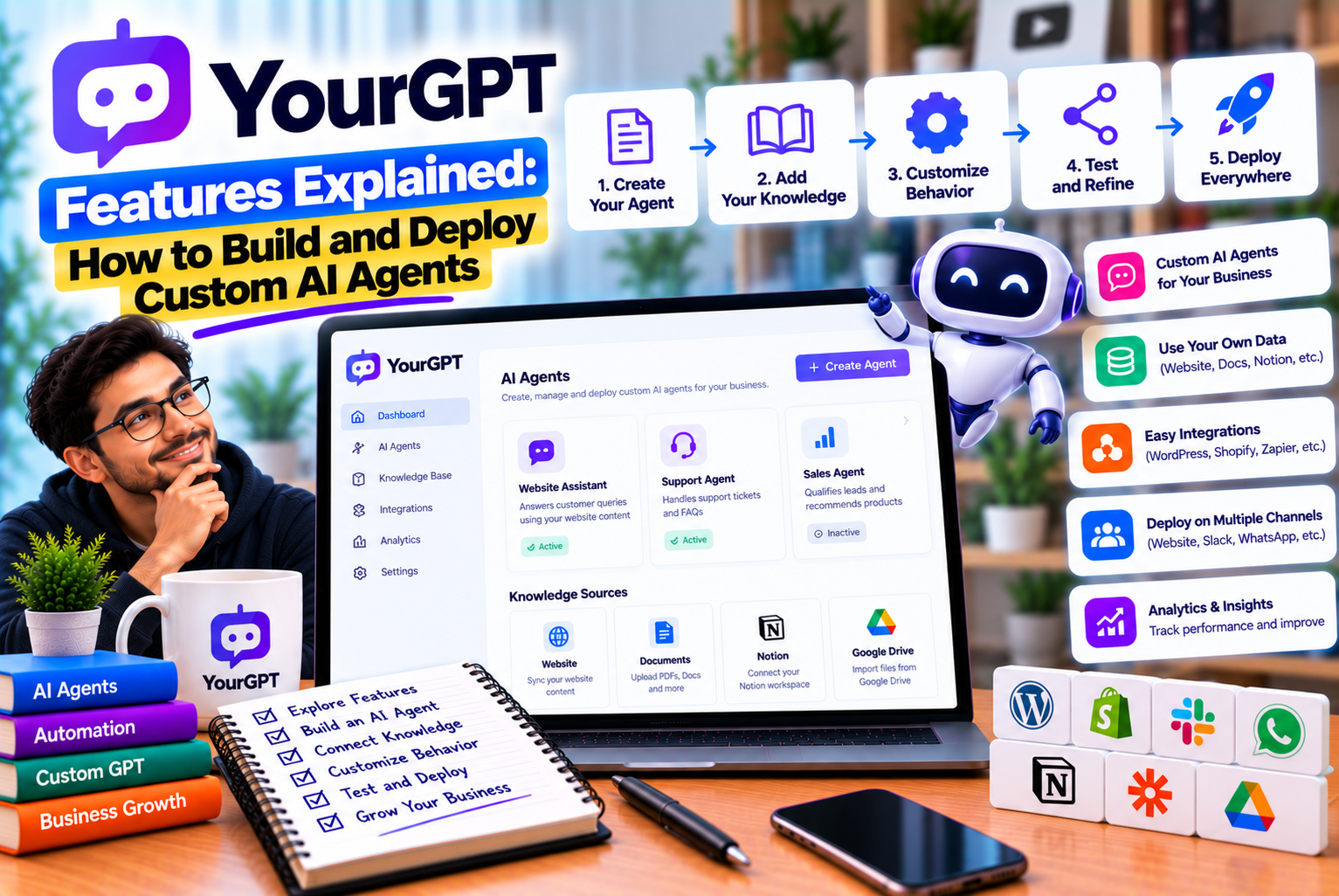
YourGPT Features Explained
Artificial intelligence is becoming an important part of how businesses manage customer interactions, automate repetitive work, and deliver information. From answering product questions to retrieving order details and coordinating business processes, AI agents can help organizations reduce manual effort while making services more accessible.
However, an AI agent is only as useful as the information, tools, instructions, and safeguards behind it. A chatbot that produces fluent responses but cannot access current business information or complete the requested task may create additional work instead of reducing it.
This is where AI agent platforms become important.
YourGPT provides tools for building AI agents around business knowledge, configuring their behaviour, connecting external applications, and deploying them across supported communication channels. Its capabilities extend beyond a basic website chatbot through features such as AI Studio, knowledge-source integrations, API calls, workflow logic, and agent tools.
Businesses can use these capabilities to create customer-support assistants, lead-generation agents, internal knowledge assistants, and workflow-driven systems that perform selected actions.
For example, an e-commerce business could create an agent that answers questions about delivery policies, retrieves order information through a connected API, and directs refund requests to the appropriate process. A service company could build an agent that collects customer requirements, checks appointment availability through a connected system, and submits a booking request.
These use cases require different levels of configuration. A simple knowledge-based assistant may need only a well-maintained knowledge base and clear instructions. A more advanced agent may require conditional workflows, API authentication, validation, error handling, and human approval.
Understanding YourGPT features means understanding how its components work together to create a reliable AI agent—not simply learning where the chatbot settings are located.
This guide explains the major YourGPT features, how to use them, how to build and deploy a custom AI agent, and how to evaluate the results after launch.
Research note: Product capabilities in this article are based on YourGPT’s official website and documentation reviewed in October 2026. Features, interfaces, integrations, and subscription restrictions may change. Check the latest documentation for the exact configuration available to your account.
1. What Is YourGPT?
YourGPT is a no-code AI agent platform designed for customer support, sales, and business operations.
It allows businesses to build agents that use their own information and, where configured, interact with connected tools and applications. Rather than developing an entire AI application from scratch, teams can use the platform’s agent-building environment to configure knowledge sources, instructions, workflows, and deployment options.
YourGPT supports two broad approaches to agent development.
The first is a knowledge-based agent designed to answer questions using business information. This approach can be appropriate for product FAQs, service information, policies, documentation, and other content-driven use cases.
The second is a more customized workflow-driven agent. Using AI Studio and supported integrations, businesses can create more structured processes involving conditions, API calls, code, data capture, and handoffs.
These approaches can complement one another. A business might begin with a knowledge-based assistant and later add workflow automation when it identifies tasks that require more than a conversational response.
According to the official documentation, supported knowledge sources include websites, documents, Notion, Google Drive, Dropbox, Confluence, YouTube, and other sources. Supported integrations and deployment channels vary by configuration.
1.1 How YourGPT Works
A typical implementation follows five stages.
Stage 1: Provide Business Knowledge
The business connects the information the agent needs to answer questions.
This may include public website content, product documentation, internal policies, support articles, and approved documents.
Stage 2: Configure Agent Behaviour
The business defines the agent’s purpose, instructions, tone, and restrictions.
For example, a travel company might instruct its agent to answer questions using approved tour information and direct customers to the reservations team when availability has not been confirmed.
Stage 3: Add Tools and Workflows
If the agent needs to perform actions, the business connects supported tools, APIs, or workflow components.
These might allow the agent to retrieve information, create a support ticket, collect lead details, or initiate an approved operation.
Stage 4: Test and Deploy
The agent is tested with representative questions and workflows before being made available to customers.
Deployment may involve a website widget, supported messaging channel, or API-based integration.
Stage 5: Monitor and Improve
After launch, the business reviews conversations, identifies incorrect answers, checks failed actions, and updates the agent’s knowledge and configuration.
The process is continuous. An agent should be reviewed whenever its source information, business rules, integrations, or operating requirements change.
2. YourGPT Features at a Glance
YourGPT provides a collection of capabilities for creating, configuring, deploying, and managing AI agents.
The following table summarizes the main feature categories and their practical applications.
| Feature | Purpose | Example Use Case |
| No-code AI agent builder | Create an agent without developing the entire application from scratch | Website FAQ assistant |
| Knowledge sources | Ground answers in business-specific information | Product and policy questions |
| AI model selection | Configure a supported model for the intended task | Balancing response quality and usage cost |
| Agent persona and instructions | Define the agent’s role, tone, and boundaries | Customer-support assistant |
| AI Studio | Design custom workflows and agent behaviour | Order-status and return-request workflows |
| Visual workflow elements | Define conditions, messages, data capture, and actions | Lead qualification |
| API calls | Connect agents to external systems | Retrieving order information |
| Code execution | Support custom logic and data processing | Validating or transforming input |
| Webhooks | Trigger workflows from supported external events | Responding to a new support ticket |
| Multi-agent workflows | Coordinate specialized agents | Separate support and billing agents |
| Knowledge updates | Keep the agent’s information aligned with source changes | Updated product documentation |
| Human escalation | Transfer requests that require human intervention | Complex complaints |
| Multichannel deployment | Make agents available through supported channels | Website and messaging support |
| Customization and branding | Align the agent’s appearance with the business | Branded website widget |
| APIs and SDKs | Integrate agent functionality into custom applications | In-app AI assistant |
| Monitoring and logs | Review execution and identify problems | Debugging a failed API call |
The exact availability of individual features depends on the product, configuration, and subscription. The official YourGPT feature directory and documentation provide further details.
3. YourGPT AI Agent Builder
The AI agent builder is the starting point for creating a custom assistant.
Instead of developing every component manually, a business can configure an agent’s identity, knowledge sources, model, instructions, and deployment settings through the available interface.
The objective is to create an assistant that understands its role and provides appropriate responses within clearly defined boundaries.
3.1 Create an Agent for a Specific Purpose
Before configuring the platform, define what the agent is supposed to do.
A vague objective such as “help customers” is difficult to evaluate. A specific objective makes it easier to choose the required knowledge, tools, and restrictions.
Examples include:
- Answer questions about product specifications.
- Explain company services and policies.
- Qualify leads and collect enquiry information.
- Retrieve order status for authenticated customers.
- Help employees find internal documentation.
- Route support questions to the appropriate department.
A clearly defined purpose also helps prevent unnecessary functionality from being added to the first version.
For example, a business launching a website FAQ assistant does not need to give that agent permission to update customer accounts.
3.2 Configure the Agent’s Persona
An agent’s persona defines how it communicates and what role it performs.
A well-written persona should explain:
- Who the agent represents.
- Who it assists.
- What information it can use.
- What tasks it is allowed to perform.
- What it must not do.
- When it should ask for clarification.
- When it should transfer the request to a human.
Consider this example for a fictional e-commerce business.
Example agent instructions
You are the customer-support assistant for an online store. Answer questions using the approved product documentation, shipping policies, and return guidelines. Keep responses clear and concise. Do not invent product specifications, delivery dates, or refund decisions. If order-specific information is required, use the authorized order lookup tool. If a request cannot be resolved using the available information, explain the limitation and offer to connect the customer with the support team.
This instruction establishes the agent’s role and limitations.
It does not replace technical access controls. If the agent is not authorized to retrieve certain information, that restriction must also be enforced by the connected systems.
3.3 Define Boundaries and Restrictions
An AI agent should have clear boundaries.
For example, a support agent may be permitted to explain a refund policy but not approve every refund automatically.
A sales agent may collect a customer’s requirements but should not promise a discount that has not been approved.
A company knowledge assistant may summarize internal policies but should not expose confidential information to unauthorized users.
Useful restrictions include:
- Do not invent missing information.
- Do not claim an action succeeded without confirmation.
- Do not disclose private customer records.
- Do not make commitments outside approved policies.
- Ask clarifying questions when required details are missing.
- Escalate high-risk or unresolved requests.
These instructions should be combined with appropriate tool permissions, validation, and testing.
4. YourGPT Knowledge Sources and Training
Knowledge sources provide the information an agent uses to answer business-specific questions.
Without an appropriate knowledge base, a general-purpose model may not know a company’s current prices, product specifications, return policy, internal procedures, or service availability.
YourGPT supports several ways to supply business information. The available sources include website content, uploaded documents, knowledge links, supported applications, and manually supplied question-and-answer content.
4.1 Website and URL Training
Website training allows an agent to use information published on selected web pages.
For example, a software company might provide URLs for its:
- Product overview.
- Pricing page.
- Help documentation.
- Feature descriptions.
- Terms and policies.
- Frequently asked questions.
The agent can then use the imported information to answer relevant questions.
How to Prepare Website Content
Before importing website content, review the source pages.
Remove or update information that is:
- Outdated.
- Contradictory.
- Duplicated unnecessarily.
- No longer relevant.
- Inconsistent with current business policies.
For example, if a pricing page lists one subscription price while an older blog post lists another, the agent may retrieve inconsistent information.
A clean knowledge base is easier to maintain and can improve answer reliability.
Website Updates
YourGPT documents website-source options that can include automatic synchronization. The actual refresh behaviour depends on the source and configuration.
After changing a critical policy or pricing page, verify that the agent is using the updated content rather than assuming that the change has already been reflected.
4.2 Upload Documents
Businesses often store important information in documents rather than on public websites.
Depending on the supported configuration, YourGPT can accept formats such as PDF, DOCX, PPT, CSV, TXT, and others. The documentation also describes OCR capabilities for extracting text from images within supported document workflows.
Examples include:
- Product catalogues.
- Training manuals.
- Employee handbooks.
- Technical documentation.
- Service brochures.
- Return policies.
- Internal operating procedures.
Best Practices for Document Preparation
Use clear headings. Well-organized documents are easier to review and maintain.
Remove obsolete versions. An agent should not have to retrieve information from both an old and a current policy without a clear indication of which one is authoritative.
Separate unrelated topics. Organize content into logical groups where possible.
Check scanned documents. OCR can help extract text, but scanned or poorly formatted documents should be reviewed for extraction errors.
Respect access restrictions. Do not upload sensitive documents unless the platform and your configuration are approved for the intended data.
4.3 Connect External Knowledge Sources
Some businesses store their information across several applications.
For example:
- Product documentation may be stored in Notion.
- Team files may be stored in Google Drive.
- Technical content may be maintained in Confluence.
- Support knowledge may exist in a helpdesk.
- Training videos may be hosted on YouTube.
YourGPT lists supported connections for several such sources, although the precise availability depends on the connector and product configuration.
Connecting existing information can reduce the need to create a separate copy of every document.
However, you should verify how each connector handles synchronization, permissions, deleted content, and updates.
4.4 Add FAQs and Structured Text
Not every knowledge source needs to be a large document.
For straightforward questions, manually supplied question-and-answer pairs can be useful.
For example:
Question: What is your standard delivery time?
Answer: Standard delivery typically takes three to five business days. Delivery estimates may vary by location and product availability. Check the order confirmation for the latest information.
This answer is more useful than a vague statement because it provides a clear estimate and explains the limitation.
Structured FAQs are particularly valuable for common questions that require consistent wording.
4.5 Organize Knowledge by Topic
A business may benefit from separating information into logical categories, such as:
- Products.
- Pricing.
- Shipping.
- Returns.
- Technical support.
- Billing.
- Company policies.
- Internal procedures.
The best structure depends on the size and complexity of the knowledge base.
For example, a company with thousands of technical documents may need a different organization strategy from a small service business with ten FAQ pages.
4.6 Test the Knowledge Base
Once the information has been added, test whether the agent can retrieve it correctly.
Use questions that represent actual customer needs.
For example:
- What is included in the standard plan?
- How can a customer request a return?
- What documents are required?
- What is the expected delivery period?
- Which services are available in a particular location?
- What should the agent do when a policy does not cover a situation?
Include questions whose answers are not present in the knowledge base. The agent should recognize the limitation rather than invent a response.
Key takeaway: Good knowledge management is not simply about uploading as many files as possible. It is about providing relevant, accurate, current, and appropriately accessible information.
5. AI Models and Response Configuration
Language models influence how an agent interprets questions, generates responses, and performs reasoning.
YourGPT’s product information describes a model-agnostic approach with supported model options that can include models from providers such as OpenAI, Anthropic, and Google. Actual availability depends on the current product and configuration.
Choosing a model should involve more than comparing benchmark scores.
Different business tasks have different requirements.
5.1 Simple FAQ Responses
A simple FAQ assistant may need to answer short questions using a reliable knowledge source.
For this use case, the business may prioritize:
- Low operating cost.
- Fast responses.
- Consistent answers.
- Reliable knowledge retrieval.
- Appropriate handling of missing information.
A more expensive model may not provide enough additional value to justify its cost for every simple question.
5.2 Complex Reasoning and Workflows
An agent that must interpret a complicated request, compare information, and choose among several tools may require different model capabilities.
For example, a customer might ask to change an appointment while also requesting an explanation of a cancellation policy.
The agent may need to:
- Understand the customer’s intent.
- Retrieve the relevant policy.
- Check the appointment details.
- Determine whether the change is permitted.
- Call the scheduling tool if authorized.
- Confirm the result.
The overall quality depends on the model, workflow design, tool definitions, and system safeguards.
5.3 Compare Models Using Your Own Test Set
Instead of assuming that a particular model is always the best, test candidate models against the same questions.
Evaluate:
| Criterion | What to Measure |
| Accuracy | Does the answer match approved information? |
| Completeness | Does it address all parts of the question? |
| Response time | How long does the answer take? |
| Tool selection | Does it choose the correct action? |
| Reliability | Does the result remain consistent across similar tests? |
| Cost | What is the estimated usage cost? |
| Safety | Does it respect the agent’s restrictions? |
A smaller or less expensive model may be sufficient for simple tasks, while a more capable model may be justified for complicated workflows.
Always confirm which models are supported by your subscription and how their usage is billed.
6. YourGPT AI Studio: Building Custom Workflows
AI Studio is one of the most important features to understand when building more advanced agents.
It provides a visual environment for designing workflows that combine conversational responses, logic, data capture, API calls, code, and other supported components.
The purpose is to let businesses define how an agent should progress through a task rather than relying entirely on a single open-ended response.
YourGPT’s official AI Studio page describes workflow-building capabilities that include conditions, guardrails, API connections, custom code, webhooks, and multi-agent configurations.
6.1 What Is a Workflow?
A workflow is a sequence of steps that defines how a request is handled.
For example, a lead-generation workflow might:
- Receive a visitor’s message.
- Identify whether the visitor wants a consultation.
- Ask for the required information.
- Validate the contact details.
- Send the information to a CRM.
- Confirm the result.
- Escalate if the integration fails.
Each step has a defined purpose.
This makes the workflow easier to inspect and test than an agent that is expected to perform the entire process without clear operational boundaries.
6.2 Visual Workflow Components
YourGPT documentation describes workflow elements for messages, AI responses, retrieval, conditions, data capture, validation, actions, API calls, code execution, and other operations. The exact available components should be confirmed in the current interface.
Common component categories include:
Message Components
These display text or other supported content to the user.
They can be used for greetings, instructions, confirmations, and follow-up questions.
AI Response Components
These allow the agent to generate a response based on the configured instructions and context.
Knowledge Retrieval Components
These help the agent retrieve relevant information from configured knowledge sources.
Conditions and Logic
These determine which path the workflow should follow based on information or a condition.
For example, a workflow might route billing questions to a billing process and product questions to a product-support process.
Capture and Validation
These components collect and validate information supplied by the user.
For example, the agent may request an email address before submitting a lead record.
Validation should be performed before data is sent to a connected system.
API and Action Components
These connect the workflow to external applications or services.
They can retrieve data, submit information, or initiate approved operations when configured correctly.
Code Execution
Where supported, code components can perform custom calculations, transformations, or logic that is difficult to express using standard workflow elements.
Escalation and Transfer
These components allow the workflow to route a request to a human representative or another destination.
6.3 Conditions, Guardrails, and Fallbacks
A production workflow should not assume that every request follows the expected path.
For example, a customer may omit an order number or provide an invalid email address.
A reliable workflow should detect missing information and ask the customer to correct it.
Similarly, if an API returns an error, the agent should not report that the action succeeded.
Consider a simple workflow:
- If the order number is valid, continue to order lookup.
- If the order number is missing, ask the customer to provide it.
- If the order cannot be found, explain the result and offer support.
- If the API fails, log the error and provide a safe fallback.
- If the customer requests a person, transfer the conversation.
This approach makes the agent more reliable and easier to maintain.
7. How to Build a Custom AI Agent With YourGPT
The following implementation guide demonstrates how to build a customer-support agent.
The exact interface may change, but the overall process follows the platform’s documented setup approach: create an agent, configure its behaviour, add knowledge, test it, and deploy it.
Step 1: Create Your Account
Visit the official YourGPT website and create an account using the available sign-up process.
After signing in, review the dashboard and identify the areas for agent creation, knowledge sources, integrations, and deployment.
Available features may depend on your account and subscription.
Step 2: Create a New Agent
Create an agent for a specific task.
For this example, use the following purpose:
Agent name: Customer Support Assistant
Primary objective: Answer questions about products, delivery, returns, and company policies.
Secondary objective: Direct unresolved requests to the human support team.
Keep the initial scope manageable. It is easier to test a focused agent than one expected to handle every possible customer request.
Step 3: Configure the Persona
Add instructions that define the agent’s role, tone, and boundaries.
For example:
You are the customer-support assistant for our business. Answer questions using the approved knowledge base. Keep responses clear and helpful. If a question cannot be answered from the available information, say so and offer the appropriate next step. Never invent prices, policies, order details, or confirmations. Escalate sensitive, disputed, or unresolved requests to the support team.
Adjust the instructions to match your business.
Step 4: Choose a Supported AI Model
Select an available model appropriate for your task.
If your agent primarily answers straightforward questions, begin with a model that meets your quality and cost requirements.
If it must interpret complicated requests or coordinate several tools, evaluate whether a more capable model is necessary.
Do not assume that the most expensive option will automatically deliver the best business result.
Step 5: Add Knowledge Sources
Connect the sources the agent needs to answer questions.
For the customer-support example, these might include:
- Product pages.
- Shipping policies.
- Return and refund guidelines.
- Frequently asked questions.
- Support documentation.
- Approved product catalogues.
Check the content before importing it.
Remove obsolete policies and make sure the information does not contradict other sources.
Step 6: Configure the Agent’s Appearance
Customize the agent’s available presentation settings.
Depending on the platform and plan, these may include:
- Agent name.
- Widget appearance.
- Colours and branding.
- Welcome message.
- Initial suggestions.
- Other supported interface settings.
For a business website, use the brand’s existing visual identity and ensure that the widget works on desktop and mobile devices.
Step 7: Test Basic Questions
Before adding complex workflows, verify that the agent can answer common questions accurately.
Example tests:
Question: What are your delivery options?
Expected result: The agent explains the options listed in the approved shipping information.
Question: What is your return policy?
Expected result: The agent provides the current policy without inventing exceptions.
Question: Do you offer a discount that is not mentioned in the knowledge base?
Expected result: The agent does not invent a discount and directs the customer to an appropriate source.
Question: Can you tell me another customer’s order status?
Expected result: The agent refuses to disclose private information and follows the approved privacy process.
Step 8: Add a Workflow if Required
If the agent needs to perform an action, use the appropriate workflow and integration capabilities.
For example, if the agent needs to create a support ticket, determine:
- Which information is required.
- How the user supplies that information.
- How the information is validated.
- Which API or integration creates the ticket.
- How the workflow detects success or failure.
- What response the customer receives.
- When human intervention is required.
Do not connect sensitive actions until the access controls and failure paths have been tested.
Step 9: Test the Workflow
Test successful and unsuccessful scenarios.
For a ticket-creation workflow, include:
- A complete and valid request.
- Missing customer information.
- Invalid contact details.
- A failed API call.
- A duplicate request.
- A request that needs human review.
Verify the actual result in the connected support system rather than relying only on the agent’s response.
Step 10: Deploy the Agent
Once the agent has passed the required tests, deploy it through the appropriate supported channel.
For a website, this may involve using an integration option or embedding the provided code snippet.
For other channels, follow the current instructions for the relevant integration.
Step 11: Monitor and Improve
After deployment, review conversations and workflow logs.
Identify:
- Questions the agent could not answer.
- Incorrect or incomplete responses.
- Unnecessary escalations.
- Failed tool calls.
- Outdated knowledge.
- Unexpected usage costs.
Use the findings to improve the knowledge base, instructions, workflow, and integration configuration.
8. Example: Building an E-Commerce Support Agent
An e-commerce support agent illustrates how knowledge, instructions, workflow logic, and integrations can work together.
Imagine an online store that receives frequent questions about delivery, returns, and order status.
The business wants an agent that answers general questions and retrieves order information when a customer is authorized to access it.
8.1 Define the Requirements
The agent should:
- Answer product and policy questions.
- Retrieve order status through an authorized integration.
- Ask for missing information.
- Avoid revealing another customer’s data.
- Never claim that an operation succeeded without confirmation.
- Transfer complicated cases to a human.
8.2 Organize the Knowledge Base
Provide the relevant product information and customer-support policies.
For example:
| Knowledge Category | Example Content |
| Products | Specifications and compatibility |
| Delivery | Delivery options and estimated timeframes |
| Returns | Return eligibility and procedures |
| Refunds | Approved refund policies |
| Payments | Supported payment methods |
| Support | Contact options and escalation procedures |
The business should designate authoritative sources for policies and keep them current.
8.3 Connect the Order System
If the agent must retrieve order status, connect it to an authorized order lookup mechanism.
The integration should enforce authentication and verify that the customer is permitted to access the requested record.
Do not rely on a language-model instruction alone to protect private customer data.
8.4 Define the Workflow
A simplified order-status workflow might be:
- Customer asks about an order.
- Agent determines that order information is required.
- Agent requests the required identifier or initiates the approved authentication process.
- The workflow validates the input.
- The connected system retrieves the order.
- The workflow checks the response.
- The agent explains the result.
- If the lookup fails, the agent offers a safe next step.
This process should distinguish between a valid order that does not exist, a failed API call, and a request that lacks authorization.
Those situations require different responses.
8.5 Measure the Results
After launch, measure:
- Percentage of order-status requests completed successfully.
- Percentage of requests escalated to a person.
- Incorrect-answer rate.
- API failure rate.
- Average resolution time.
- Cost per successful resolution.
- Customer satisfaction.
The goal is not simply to increase the number of automated responses. It is to resolve appropriate requests accurately while maintaining access to human support.
9. API Integration and Custom Code
API integration allows an AI agent to interact with systems outside its own knowledge base.
YourGPT’s developer documentation describes APIs, SDKs, and programmatic integration options for building custom experiences, managing data, and triggering workflows.
These capabilities are important when an agent needs current information or must perform an operation.
9.1 When Should You Use an API?
Use an API when the agent needs to interact with a system that cannot be served adequately by static knowledge.
Examples include:
- Retrieving a live order status.
- Checking appointment availability.
- Creating a support ticket.
- Updating an authorized CRM record.
- Submitting a lead.
- Retrieving account-specific information.
- Initiating a supported billing workflow.
A knowledge base is useful for explaining a return policy. An API is more appropriate for checking the status of a particular return request.
9.2 API Integration Process
A typical integration involves the following stages.
Identify the Required Operation
Determine exactly what the agent needs to do.
For example, a lead-generation agent may need to create a contact record in a CRM.
Review the API Documentation
Identify the required endpoint, request method, parameters, authentication method, and expected response.
Configure Authentication
Use the appropriate credentials or authentication mechanism.
Store secrets securely and avoid exposing credentials in user-visible responses or untrusted content.
Map the Data
Determine how the information collected from the conversation maps to the fields required by the external application.
Validate important values before submitting them.
Handle Success and Failure
The workflow should distinguish successful operations from failed requests, invalid responses, and timeouts.
Test Before Deployment
Use a test environment where available.
Verify that the operation works as intended and that failed requests do not create unintended side effects.
9.3 Custom Code Execution
Custom code may be useful when the workflow requires logic that is not easily expressed through standard components.
Examples include:
- Formatting dates.
- Transforming structured data.
- Validating a complex input.
- Calculating a result.
- Calling a specialized service.
- Processing an API response.
YourGPT’s AI Studio documentation describes support for custom code in workflow construction.
Use code only when it provides a clear benefit.
Custom scripts create maintenance responsibilities and should be reviewed for errors, permissions, and security risks.
9.4 Webhooks and Event-Driven Workflows
Webhooks allow an external application to notify a connected system when an event occurs.
For example, a supported payment or support system might trigger a workflow after a new event is recorded.
An event-driven workflow could:
- Receive the event.
- Validate the payload.
- Identify the relevant customer or record.
- Perform an approved action.
- Record the result.
- Notify the appropriate destination.
The precise implementation depends on the external system and the available YourGPT integration.
Before enabling webhooks, confirm authentication, retry behaviour, duplicate-event handling, and error logging.
10. Multi-Agent Workflows
Some business tasks benefit from using several specialized agents instead of one agent that handles everything.
A multi-agent approach separates responsibilities into smaller roles.
For example:
- A support agent answers general questions.
- A billing agent handles approved billing-related workflows.
- A returns agent handles return-policy questions.
- A human representative handles exceptions.
YourGPT’s AI Studio documentation describes multi-agent workflows and routing work between specialized agents.
10.1 Why Use Multiple Agents?
Specialization can make responsibilities clearer.
A billing agent can be configured with the information and tools required for billing-related tasks, while a support agent handles general product questions.
This can reduce unnecessary complexity in a single workflow.
However, multi-agent systems also introduce additional considerations:
- More components to configure.
- More routing logic.
- Potentially more model usage.
- More complex debugging.
- Greater need for consistent permissions.
- Additional testing requirements.
For a simple FAQ chatbot, multiple agents may be unnecessary.
10.2 Example: Multi-Agent Customer Support
Consider a business that receives product, billing, and return enquiries.
A possible routing design is:
Customer message → Intent identification → Appropriate agent → Approved workflow → Response or human handoff
The support agent handles general questions.
The billing agent handles permitted billing enquiries and connects to the appropriate system.
The returns agent explains policy and initiates the approved return workflow.
If the request is unclear or involves an exception, the workflow transfers it to a human representative.
10.3 Avoid Overcomplicating the Architecture
Start with one agent and add specialized agents only when the responsibilities are genuinely different.
A good design should make it clear:
- Which agent owns a task.
- What information it can access.
- Which tools it can use.
- How a task is transferred.
- How errors are handled.
- Which requests require human review.
The aim is reliable task completion, not maximizing the number of agents.
11. Multichannel Deployment and Integration
A business may want its agent to appear on a website, messaging application, or another supported environment.
YourGPT lists integrations for channels such as WhatsApp, Instagram, Messenger, Slack, Discord, Telegram, email, and Twilio-based communication options. Availability depends on the relevant integration and configuration.
11.1 Website Deployment
A website chatbot is often the simplest place to begin.
It can answer visitor questions, explain products, collect enquiries, and direct users to relevant information.
Before deploying, check:
- Widget placement.
- Mobile display.
- Page loading performance.
- Branding.
- Welcome messages.
- Privacy disclosures.
- Human contact options.
Test the widget on the pages where it will appear.
11.2 Messaging Channels
Messaging integrations can help businesses respond to customers through channels they already use.
However, each channel may have different setup requirements, platform rules, and operational constraints.
Before deployment, confirm:
- The required account and permissions.
- Message-handling rules.
- Supported conversation features.
- Any applicable messaging charges.
- How human handoff works.
- Whether the agent can access the necessary conversation context.
11.3 APIs and Custom Applications
For businesses with their own software, an API or SDK may allow AI functionality to be embedded into a custom experience.
For example, a SaaS company might place an AI assistant inside its application so customers can ask questions without leaving the product.
YourGPT’s developer documentation covers web and mobile SDKs, APIs, and AI Copilot integration options.
This approach can offer more control over the user experience, but it may require development and testing work.
12. Customization, Branding, and User Experience
An AI agent should be consistent with the business it represents.
Customization can affect both the visual interface and the way the agent communicates.
Depending on the plan and configuration, YourGPT provides customization options for the widget, branding, and agent presentation. Its feature directory describes capabilities such as widget customization, branding, and white-label options.
12.1 Visual Customization
Businesses may be able to configure elements such as:
- Agent name.
- Logo.
- Widget colours.
- Welcome message.
- Button labels.
- Other supported presentation settings.
The objective is to make the assistant recognizable without distracting from the main website experience.
12.2 Communication Style
A professional-services business may prefer concise, formal responses.
An online retailer may prefer a friendly and conversational tone.
Regardless of the brand style, the agent should prioritize clarity and accuracy.
Avoid instructions that encourage the agent to sound confident when it lacks reliable information.
12.3 Accessibility and Mobile Usability
A chatbot that works well on desktop may still create problems on smaller screens.
Test:
- Text readability.
- Keyboard navigation where applicable.
- Button spacing.
- Input fields.
- Widget placement.
- Compatibility with mobile browsers.
- Access to human support.
A useful chatbot should not obstruct the main content or make it difficult for visitors to navigate the website.
13. Security, Privacy, and Access Control
Security is essential when an AI agent interacts with customer records, internal documents, or business systems.
An agent should have access only to the information and operations required for its assigned task.
13.1 Apply the Principle of Least Privilege
The principle of least privilege means granting only the permissions necessary for the job.
For example, an agent that answers questions about public products may not need access to private customer accounts.
An agent that retrieves order status should not automatically receive permission to issue refunds or modify payment details.
Separate read-only operations from operations that change data wherever possible.
13.2 Protect API Credentials
API credentials should not be exposed in public conversations or stored in places where unauthorized users can access them.
Use appropriate secret-management and access-control mechanisms.
Rotate credentials when necessary and revoke permissions that are no longer required.
13.3 Protect Personal Information
If the agent handles personal data, review the applicable privacy obligations and the platform’s current data-handling terms.
Determine:
- Which information is collected.
- Why it is collected.
- Which systems process it.
- Who can access it.
- How long it is retained.
- How it can be deleted.
- Whether the intended deployment meets organizational requirements.
13.4 Require Approval for Sensitive Actions
Some actions should require human approval.
Examples include:
- Issuing a large refund.
- Changing account ownership.
- Modifying sensitive records.
- Making a financial commitment.
- Performing an irreversible operation.
An agent should not receive unrestricted authority simply because it can call an API.
13.5 Test Against Manipulation and Unauthorized Requests
Users may submit instructions that conflict with the agent’s intended purpose.
Test whether the agent can be persuaded to reveal restricted information, bypass a business rule, or trigger an unauthorized action.
Enforce critical restrictions in the connected application and workflow rather than relying exclusively on natural-language instructions.
14. Testing and Monitoring YourGPT Agents
Testing should begin before deployment and continue afterward.
An agent may answer common questions correctly but fail when it encounters ambiguous requests, missing information, or an integration error.
14.1 Create a Test Set
Develop a list of questions and tasks that represent actual use.
Include:
- Common questions.
- Complicated questions.
- Questions with missing information.
- Questions outside the knowledge base.
- Requests involving sensitive information.
- Requests that require a tool.
- Failed integration scenarios.
- Requests that should be escalated.
For example, a support agent should be tested on both “What is your return policy?” and “Can you guarantee that my refund will arrive today?”
The first question may be answered from the knowledge base. The second may require live information or an explicit limitation.
14.2 Measure Accuracy and Task Completion
Use measurable criteria rather than relying only on a subjective impression of response quality.
| Metric | What It Measures |
| Answer accuracy | Whether the response matches approved information |
| Resolution rate | Whether the customer received an appropriate resolution |
| Workflow completion rate | Whether the intended action succeeded |
| Escalation rate | How often the agent transfers a request |
| Error rate | How frequently the agent or integration fails |
| Response time | How long the user waits |
| Cost per resolution | Total cost divided by successful resolutions |
| Customer satisfaction | How users evaluate the interaction |
Define each metric clearly before comparing results.
For example, an automated response should not count as a successful resolution merely because the agent produced a message.
14.3 Review Logs and Execution Results
When a workflow fails, inspect the available logs and execution information.
Look for:
- Missing inputs.
- Incorrect data mapping.
- API authentication errors.
- Invalid response formats.
- Unexpected branches.
- Tool-selection mistakes.
- Timeout conditions.
- Failed confirmation steps.
YourGPT’s documentation includes guidance on workflow execution logs and debugging.
14.4 Update the Agent Carefully
When changing the knowledge base or workflow, test the revised configuration before making it available to all users.
For important workflows, keep a record of changes and maintain a way to restore the previous working version where the platform supports it.
Avoid making several unrelated changes at once if you need to understand which change caused a performance improvement or regression.
15. Common Mistakes When Using YourGPT
Even a capable AI agent platform can produce poor results when the implementation is not designed carefully.
Mistake 1: Uploading Too Much Unorganized Information
More information does not automatically produce better answers.
If the knowledge base contains obsolete documents, duplicates, or contradictory policies, the agent may retrieve the wrong information.
Solution: Organize and review the source material before importing it.
Mistake 2: Using Vague Instructions
Instructions such as “be helpful and answer everything” do not define the agent’s boundaries.
Solution: Specify the role, information sources, permitted actions, restrictions, and escalation conditions.
Mistake 3: Expecting a Chatbot to Complete Every Task
Some tasks require current data, API calls, authentication, or approval.
Solution: Identify the exact steps needed and implement a workflow for actions that require more than a conversational answer.
Mistake 4: Giving the Agent Excessive Permissions
An agent with broad permissions may create unnecessary risk.
Solution: Grant only the access needed for the assigned task and require approval for sensitive operations.
Mistake 5: Skipping Failure Testing
A workflow that succeeds once may still fail with missing data, invalid input, or a temporary API outage.
Solution: Test both successful and unsuccessful paths.
Mistake 6: Ignoring Usage Costs
Longer conversations, model selection, and tool use can affect operating costs.
Solution: Estimate usage under realistic and high-volume scenarios before scaling.
Mistake 7: Launching Without Monitoring
Knowledge can become outdated, customer questions can change, and integrations can fail.
Solution: Review conversations and workflow results regularly.
Mistake 8: Automating Sensitive Actions Too Early
An agent should not immediately receive permission to perform irreversible or high-impact actions.
Solution: Begin with lower-risk tasks and introduce approval requirements where necessary.
16. Frequently Asked Questions About YourGPT Features
1. What are the main features of YourGPT?
YourGPT offers AI agent building, knowledge-source integrations, agent configuration, workflow automation, API connections, customization, and deployment across supported channels. Its AI Studio provides additional capabilities for designing more complex workflows. Feature availability depends on the product and subscription.
2. Is YourGPT a no-code AI agent builder?
Yes. YourGPT provides no-code options for creating and configuring AI agents. More advanced workflows can also use APIs or custom code where required. The amount of technical work depends on the complexity of the implementation.
3. What is YourGPT AI Studio?
YourGPT AI Studio is a visual workflow-building environment for configuring agent behaviour, connecting systems, and coordinating actions. It can be used for more structured workflows than a simple knowledge-based chatbot.
4. Can I build a custom AI agent with YourGPT?
Yes. You can configure an agent’s purpose, instructions, knowledge sources, and available tools. More advanced implementations may also use workflow components, integrations, APIs, and code.
5. What knowledge sources does YourGPT support?
YourGPT documents support for websites, uploaded documents, FAQs, text, and connected sources such as Notion, Google Drive, Dropbox, Confluence, and YouTube. Available sources and synchronization options depend on the current product configuration.
6. Can YourGPT learn from website content?
Yes. Website content can be used as a knowledge source. Supported synchronization options can help keep imported information current, but you should verify that important changes have been reflected in the agent’s knowledge base.
7. Can I upload PDFs to YourGPT?
YourGPT’s documentation lists PDF and other document formats among its supported knowledge sources. Check current file-size, document-count, and processing restrictions before uploading a large collection of files.
8. Does YourGPT support API integrations?
Yes. YourGPT documents API capabilities for connecting agents to external systems and supporting custom integrations. The implementation depends on the target application’s API, authentication method, and the features available in your account.
9. Can YourGPT agents perform actions?
Yes, when the relevant tools and workflows are configured. An agent may be able to retrieve information or initiate an approved operation through a connected system. Sensitive actions should have appropriate authorization, validation, and failure handling.
10. Can I build multi-agent workflows in YourGPT?
YourGPT AI Studio documents support for coordinating specialized agents within workflows. For example, separate agents can handle support and billing requests. The routing logic and permissions should be designed and tested carefully.
11. Does YourGPT support multiple languages?
YourGPT advertises multilingual capabilities and support for more than 100 languages. Actual quality can vary by language, model, and task. Test the languages your customers use before deploying the agent broadly.
12. Can I deploy a YourGPT agent on WordPress?
A website agent can be deployed using the platform’s supported website integration method. Follow the current YourGPT instructions for embedding the widget or using another supported integration, and test the implementation on desktop and mobile devices.
13. Can YourGPT connect to WhatsApp?
YourGPT lists WhatsApp among its supported integrations. Confirm the current setup requirements, account permissions, channel availability, and any applicable messaging costs before deployment.
14. Can YourGPT integrate with a CRM?
YourGPT supports integration options and APIs that can connect an agent to external applications. Confirm that the specific CRM and required operations are supported. Reading a record, creating a contact, and updating a record may require different permissions or API configuration.
15. Can YourGPT automate customer support?
YourGPT can support customer-service automation by answering questions, retrieving information, connecting to business systems, and routing requests through configured workflows. The degree of automation depends on the knowledge base, integrations, permissions, and safeguards.
16. How do I test a YourGPT agent before launch?
Create a test set of realistic questions and workflows. Include missing information, unsupported requests, integration failures, and sensitive scenarios. Verify both the quality of the response and the actual outcome of any connected action.
17. Is YourGPT suitable for e-commerce businesses?
It can be suitable for e-commerce use cases such as answering product questions, explaining policies, collecting leads, and supporting order-related workflows where the required integrations are available. Sensitive operations should be restricted and tested before launch.
18. Can I customize the appearance of a YourGPT chatbot?
YourGPT documents widget customization and branding options. The available controls, branding removal, and domain-related options may depend on the subscription. Confirm the current feature availability before choosing a plan.
19. Does YourGPT provide APIs and SDKs?
Yes. YourGPT’s developer documentation describes API access and SDK options for integrating conversational AI into websites, mobile applications, and other software. Review the current developer guide for supported endpoints and authentication requirements.
20. How can I improve a YourGPT agent after deployment?
Review conversations, investigate incorrect answers, update outdated knowledge, test workflow changes, and monitor usage. Track meaningful metrics such as successful resolution rate, workflow completion, escalation, errors, and cost per successful resolution.
17. Final Thoughts: Making the Most of YourGPT Features
YourGPT provides a range of tools for building AI agents, from straightforward knowledge-based assistants to workflow-driven systems that interact with connected applications.
The most effective implementation begins with a clear business objective.
A company that wants to answer common questions may need only a focused agent, an accurate knowledge base, and a website deployment. A business that wants to automate order support or lead qualification may need API integration, conditional workflows, validation, and error handling. Larger implementations may also require specialized agents, additional permissions, and more detailed monitoring.
These approaches should not be treated as competing ways to use AI. They represent different levels of complexity.
Start with the smallest configuration that solves the problem. Test the responses and workflows using realistic scenarios. Expand the agent’s responsibilities only when the results justify it.
The most important considerations are accuracy, reliability, security, maintainability, and measurable business value.
The bottom line: Use YourGPT features strategically. Build around a clearly defined task, provide reliable knowledge, connect only the tools the agent needs, test every important workflow, and monitor performance after launch. This approach will give your AI agent a stronger foundation for delivering useful results.
References for Fact-Checking
Use these official resources to verify product capabilities and current setup instructions before publishing:
- YourGPT official website: https://yourgpt.ai/
- YourGPT AI Studio: https://yourgpt.ai/ai-studio
- YourGPT features: https://yourgpt.ai/all-features
- YourGPT documentation: https://docs.yourgpt.ai/chatbot
- YourGPT knowledge sources: https://docs.yourgpt.ai/chatbot/training/sources
- YourGPT integrations: https://yourgpt.ai/integrations
- YourGPT developer guide: https://docs.yourgpt.ai/chatbot/developer-guide
- YourGPT quick-start guide: https://docs.yourgpt.ai/chatbot/getting-started/setup
Leave a Reply