


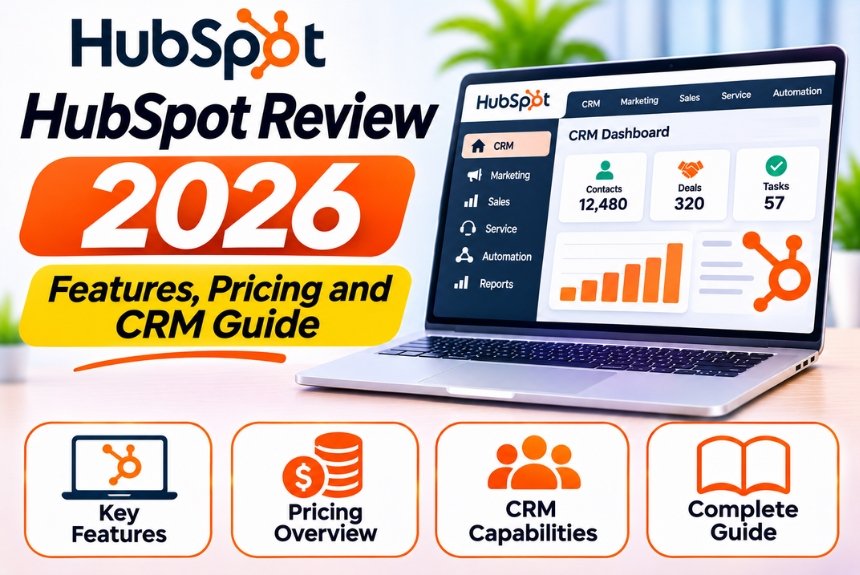
HubSpot Review 2026 – Features, Pricing and CRM Guide
Managing customer relationships, generating leads, tracking sales opportunities, and coordinating marketing campaigns are essential activities for businesses of every size. However, handling these processes through spreadsheets and disconnected applications can quickly become inefficient.
This is where Customer Relationship Management (CRM) software becomes valuable.
HubSpot is a popular CRM and customer platform that helps businesses manage contacts, organize sales pipelines, automate marketing activities, and improve customer communication through a centralized system.
From small businesses and startups to marketing agencies and large enterprises, HubSpot provides tools for managing different stages of the customer journey.
But is HubSpot worth using in 2026? Is its free CRM sufficient for small businesses? How much do its paid plans cost? And how does it compare with alternatives such as Salesforce, Zoho CRM, and Pipedrive?
In this comprehensive HubSpot review, we will explore its features, pricing structure, advantages, disadvantages, use cases, integrations, and alternatives to help you determine whether it is the right platform for your business.
What Is HubSpot?
HubSpot is a customer relationship management and business software platform that helps companies manage marketing, sales, customer service, and customer relationships.
Its core CRM provides a centralized database for storing contacts, companies, deals, and customer interactions.
Beyond CRM, HubSpot offers several interconnected products through its customer platform.
HubSpot Products
| Product | Primary Purpose |
| Marketing Hub | Marketing campaigns, lead generation, and automation |
| Sales Hub | Sales pipeline management and sales productivity |
| Service Hub | Customer support and service management |
| Content Hub | Website management and content creation |
| Operations Hub | Data synchronization and business process automation |
| Commerce Hub | Commerce-related tools and payment workflows |
| Smart CRM | Centralized customer data and relationship management |
Businesses can begin with core CRM capabilities and explore additional products as their requirements grow.
Official Website: HubSpot
HubSpot Review: At a Glance
| Category | Details |
| Software Type | CRM and Customer Platform |
| Primary Purpose | Customer relationship management, sales, and marketing |
| Free CRM | Available |
| Contact Management | Yes |
| Company Management | Yes |
| Deal Management | Yes |
| Sales Pipeline | Yes |
| Marketing Automation | Available through eligible products and plans |
| Email Marketing | Available with plan-dependent features |
| Reporting and Analytics | Available |
| Integrations | Extensive integration ecosystem |
| AI Features | Available across selected products |
| Target Audience | Startups, SMBs, agencies, and enterprises |
| Pricing | Free and paid subscriptions |
| Best For | Businesses seeking connected CRM, marketing, and sales tools |
HubSpot Pricing in 2026
Pricing is one of the most important factors to consider before adopting HubSpot.
The platform offers a free CRM and several paid products with different features, limitations, and subscription requirements.
HubSpot Pricing Overview
| Plan | Best For |
| Free CRM | Individuals, freelancers, and small businesses |
| Starter | Small teams needing additional functionality |
| Professional | Growing businesses requiring advanced automation |
| Enterprise | Organizations with complex CRM and operational requirements |
HubSpot pricing varies depending on the product, subscription tier, number of users, marketing contacts, billing frequency, and additional features.
Some products have separate pricing structures, so businesses should evaluate their complete requirements before choosing a subscription.
Check the latest official pricing: HubSpot Pricing
Is HubSpot CRM Free?
Yes. HubSpot provides a free CRM with core customer relationship management features.
The free CRM is useful for businesses that want to start organizing contacts, companies, deals, and activities without immediately purchasing a paid subscription.
However, advanced automation, reporting, customization, and certain marketing and sales features may require paid plans.
What Affects HubSpot Pricing?
Several factors influence the overall subscription cost.
1. Number of Users
The number of users and access requirements may affect the subscription structure.
2. Marketing Contacts
Marketing Hub pricing may depend on the number of marketing contacts included in your subscription.
3. Selected Products
Businesses using multiple HubSpot products may have different overall costs than those using only CRM or one individual product.
4. Automation Requirements
Advanced workflows, automation, and operational capabilities may require higher subscription tiers.
5. Reporting and Customization
Businesses that need advanced reporting, custom objects, or more extensive CRM customization should evaluate higher-tier plans.
6. Onboarding and Additional Services
Certain subscriptions may involve onboarding requirements, additional services, or other costs.
Our recommendation: Start by identifying the CRM, marketing, sales, and reporting features your business actually needs. Avoid purchasing a higher-tier subscription simply because it includes more features.
HubSpot Features: A Complete Overview
HubSpot offers a wide range of tools for managing customer relationships and business activities.
Let’s explore its most important features.
1. Contact Management
Contact management is one of the core features of HubSpot CRM.
Businesses can create and manage contact records containing customer and prospect information.
Contact Management Features
- Contact database
- Contact profiles
- Email and phone information
- Company associations
- Contact ownership
- Lifecycle stage tracking
- Lead status management
- Activity history
- Custom contact properties
- Contact segmentation
Why It Is Useful
Contact management helps businesses maintain organized customer information.
For example, a marketing agency can store information about potential clients, including their company, industry, requirements, communication history, and assigned sales representative.
This makes it easier to understand customer relationships and manage follow-up activities.
2. Company Management
HubSpot allows businesses to create company records and associate contacts with their respective organizations.
This is especially useful for B2B companies that interact with multiple people within the same organization.
Company Management Features
- Company profiles
- Website domain information
- Industry classification
- Company size
- Annual revenue properties
- Company ownership
- Associated contacts
- Related deals
- Activity history
Practical Example
Suppose your sales team is communicating with three employees from the same organization.
Instead of maintaining three disconnected customer records, you can associate all three contacts with a single company record.
This provides a better overview of the business relationship.
3. Deal and Sales Pipeline Management
HubSpot provides deal management tools that help businesses track sales opportunities.
A deal represents a potential sale that moves through different stages of the sales process.
Deal Management Features
- Deal creation
- Sales pipeline management
- Deal stage tracking
- Deal amount tracking
- Expected closing date
- Deal ownership
- Contact and company associations
- Sales forecasting
- Deal activity tracking
Visual Sales Pipeline
HubSpot’s deal board allows users to view opportunities according to their current stages.
For example:
| Stage | Description |
| New Lead | Opportunity identified |
| Contacted | Initial outreach completed |
| Qualified | Prospect meets qualification criteria |
| Meeting Scheduled | Sales discussion arranged |
| Proposal Sent | Proposal shared |
| Negotiation | Commercial terms discussed |
| Closed Won | Sale completed |
| Closed Lost | Opportunity unsuccessful |
Businesses can customize pipelines to reflect their sales processes, subject to plan and permissions.
Why It Is Useful
Sales pipeline management helps businesses identify bottlenecks, prioritize opportunities, and track potential revenue.
Sales managers can review which deals require attention and which opportunities are progressing toward completion.
4. Marketing Automation
Marketing automation is one of HubSpot’s major strengths.
It allows businesses to automate repetitive marketing activities using customer data, behavior, and predefined conditions.
Marketing Automation Features
- Automated email campaigns
- Contact segmentation
- Lead nurturing
- Workflow automation
- Form-based lead capture
- Lead assignment
- Marketing campaign management
- Customer journey automation
- Personalization
- Marketing performance reporting
Example
When a visitor submits a website form, HubSpot can automatically:
- Create or update the contact record.
- Assign the contact to an appropriate team member.
- Send a confirmation email.
- Add the contact to a relevant list.
- Enroll the contact in an eligible nurturing workflow.
- Notify the sales team when qualification criteria are met.
Automation capabilities depend on the product and subscription.
5. Email Marketing
HubSpot provides email marketing tools for businesses that want to communicate with their contacts and customers.
Email Marketing Features
- Email campaign creation
- Email templates
- Contact segmentation
- Personalization
- Marketing email scheduling
- Campaign reporting
- Automated email workflows
- Email performance tracking
Common Use Cases
Businesses can use HubSpot email marketing for:
- Newsletters
- Product announcements
- Promotional campaigns
- Educational content
- Webinar invitations
- Lead nurturing
- Customer onboarding
- Re-engagement campaigns
Is HubSpot Good for Email Marketing?
HubSpot can be a strong option for businesses that want email marketing connected to their CRM data.
However, businesses that only need standalone email marketing may find dedicated email platforms more cost-effective.
6. Workflow Automation
HubSpot workflows help businesses automate repetitive tasks across marketing, sales, and other business operations.
Workflow Capabilities
Depending on your subscription, workflows may support:
- Contact enrollment
- Deal-based automation
- Property updates
- Email actions
- Task creation
- Notifications
- Delays
- Conditional branching
- Record assignment
- Automated data management
Example Workflow
Trigger: A new lead submits a website form.
Action 1: Assign the contact to a sales representative.
Action 2: Send a confirmation email.
Action 3: Create a follow-up task.
Action 4: Wait for a specified period.
Action 5: Check whether the contact meets qualification criteria.
Action 6: Notify the sales team when appropriate.
This helps businesses maintain consistent processes without manually managing every lead.
7. Lead Management and Lead Scoring
HubSpot provides tools to organize leads and track their progression through the customer journey.
Businesses can use contact properties, engagement data, and available scoring tools to identify promising prospects.
Lead Management Features
- Lead status tracking
- Lifecycle stage management
- Lead assignment
- Contact segmentation
- Lead qualification
- Lead scoring
- Sales follow-up
- Marketing-to-sales handoff
Why Lead Scoring Matters
Lead scoring helps sales teams prioritize prospects according to their characteristics and engagement.
For example, a business may assign scores based on:
- Company size
- Industry
- Job title
- Website visits
- Form submissions
- Product interest
- Demo requests
- Content downloads
Lead scoring capabilities and available criteria depend on your subscription.
8. Landing Pages and Forms
HubSpot offers tools for creating landing pages and forms to support lead generation.
Businesses can use these tools to capture contact information and connect visitors with relevant marketing campaigns.
Landing Page Use Cases
- Product demonstrations
- Webinar registrations
- Ebook downloads
- Consultation requests
- Newsletter subscriptions
- Lead generation campaigns
Form Features
- Contact information collection
- Custom form fields
- CRM record creation or updates
- Lead capture
- Form submission tracking
- Campaign integration
Businesses can use forms and landing pages to create structured lead generation workflows.
9. Customer Service and Ticket Management
HubSpot’s Service Hub provides customer support and service management capabilities.
Service Features
- Ticket management
- Customer support workflows
- Shared communication tools
- Knowledge base capabilities
- Customer feedback collection
- Service automation
- Reporting and analytics
These features help businesses manage customer inquiries and improve support processes.
However, the available tools depend on the selected product and subscription tier.
10. Reporting and Analytics
HubSpot provides reporting tools that help businesses monitor CRM, sales, marketing, and customer service performance.
Common Reporting Capabilities
| Report | Purpose |
| Contact Growth | Track CRM database growth |
| Lead Conversion | Measure lead progression |
| Sales Pipeline | Monitor active opportunities |
| Deal Forecasting | Estimate potential revenue |
| Revenue Reports | Analyze closed deals |
| Marketing Performance | Evaluate campaigns |
| Email Performance | Track engagement |
| Sales Activities | Monitor calls, meetings, and tasks |
| Customer Service Reports | Evaluate support operations |
Why Reporting Matters
Reporting helps businesses identify bottlenecks, measure campaign effectiveness, and make informed decisions.
For example, if a business generates many leads but few become customers, reporting can help identify whether the issue occurs during qualification, follow-up, or sales conversion.
Advanced reporting capabilities may require higher subscription tiers.
11. AI-Powered Features
HubSpot continues to incorporate AI-powered tools across its customer platform.
Depending on the product and subscription, AI features may help with:
- Marketing content generation
- Sales email drafting
- Customer interaction summaries
- Meeting preparation
- Customer service assistance
- CRM data analysis
- Workflow support
- Content creation
How AI Helps Businesses
Marketing Teams: Generate ideas, draft content, and support campaign planning.
Sales Teams: Prepare outreach messages and summarize customer interactions.
Customer Service Teams: Assist with customer responses and support workflows.
Business Managers: Explore data and identify potential insights.
AI capabilities, limits, and availability may change. Businesses should verify current functionality before relying on specific features.
12. Integrations
HubSpot offers a large integration ecosystem that allows businesses to connect their CRM with other applications.
Popular Integration Categories
- Email and calendar applications
- Accounting software
- Ecommerce platforms
- Customer support tools
- Marketing applications
- Productivity software
- Data management platforms
- Business automation tools
Popular HubSpot Integrations
Businesses commonly explore integrations with:
| Integration | Use Case |
| Gmail | Email communication |
| Microsoft Outlook | Business email management |
| Google Calendar | Meeting scheduling |
| Slack | Team notifications |
| Shopify | Ecommerce data and customer management |
| WordPress | Website and lead generation |
| Stripe | Payment-related workflows |
| Zapier | Connecting external applications |
Integration availability and functionality may differ. Some integrations may require additional subscriptions or configuration.
Explore the official HubSpot App Marketplace: HubSpot App Marketplace
HubSpot User Interface and Ease of Use
One of the major reasons businesses consider HubSpot is its user-friendly interface.
The platform organizes its tools into sections, making it easier for users to navigate between CRM, sales, marketing, and customer service functions.
What Users May Appreciate
- Centralized CRM dashboard
- Organized contact and company records
- Visual deal pipelines
- Accessible activity timelines
- Customizable dashboards
- Connected business tools
- Guided onboarding resources
- Structured workflows
Potential Learning Curve
Although HubSpot is relatively accessible for beginners, its extensive functionality can become complicated as businesses adopt more products.
Users may need time to understand:
- CRM objects and associations
- Contact properties
- Sales pipelines
- Workflow enrollment
- Marketing subscriptions
- Reporting configuration
- Advanced automation
For small businesses using only core CRM functionality, the learning curve is generally more manageable.
For larger organizations implementing several HubSpot products, training and planning become increasingly important.
HubSpot Pros and Cons
Let’s evaluate the major advantages and disadvantages of HubSpot.
Pros of HubSpot
1. Free CRM Availability
HubSpot provides free CRM tools that allow businesses to begin organizing contacts, companies, and deals without immediately purchasing a paid subscription.
2. Easy-to-Use Interface
The platform provides an organized interface that is relatively accessible to beginners.
3. Centralized Customer Data
Businesses can manage customer information, sales activities, and interactions in a centralized environment.
4. Strong Marketing and Sales Integration
HubSpot connects CRM data with marketing and sales tools, helping businesses coordinate activities across teams.
5. Marketing Automation Capabilities
Eligible plans provide workflows and automation features that can reduce repetitive marketing tasks.
6. Extensive Integration Ecosystem
HubSpot supports integrations with many popular business applications.
7. Scalable Product Ecosystem
Businesses can explore additional products as their marketing, sales, and customer service requirements grow.
8. Reporting and Analytics
Dashboards and reports help businesses monitor performance and evaluate business activities.
Cons of HubSpot
1. Paid Plans Can Become Expensive
Advanced marketing automation, reporting, and other features may require higher-tier subscriptions.
2. Pricing Can Be Complex
Different products, subscription tiers, contact limits, and additional services can make total costs difficult to estimate.
3. Advanced Features Require Training
Businesses using advanced workflows, customization, and reporting may need additional training.
4. Feature Limitations on Free Plans
The free CRM does not provide the same automation, reporting, and customization capabilities as paid plans.
5. Additional Costs for Scaling
As the number of users, marketing contacts, and required products increases, businesses should carefully review subscription costs.
6. Not Ideal for Every Business
Companies that need only basic contact management may find simpler or less expensive CRM platforms sufficient.
HubSpot Use Cases: Who Benefits the Most?
HubSpot is suitable for businesses with different customer management requirements.
1. Small Businesses
Small businesses can use HubSpot to organize customer information, track sales opportunities, and maintain a structured follow-up process.
2. Marketing Agencies
Marketing agencies can manage leads, prospects, sales pipelines, and client relationships.
They can also connect marketing campaigns with CRM data to monitor lead generation and campaign performance.
3. B2B Companies
B2B businesses often manage multiple contacts within the same organization.
HubSpot’s company records, deal associations, and sales pipeline tools can help them manage these relationships.
4. SaaS Companies
SaaS businesses can use HubSpot to manage product inquiries, demo requests, sales opportunities, and customer communication.
5. Ecommerce Businesses
Ecommerce businesses can explore HubSpot integrations to connect customer data, marketing campaigns, and other business activities.
6. Sales Teams
Sales teams can use HubSpot to organize prospects, track deals, manage follow-ups, and monitor sales performance.
7. Customer Service Teams
Businesses that need structured customer support can explore Service Hub for ticket management, service workflows, and customer communication.
HubSpot vs. Other CRM Platforms
HubSpot competes with several popular CRM platforms.
The right choice depends on your business size, budget, customization requirements, and preferred workflow.
| CRM | Best For | Key Strength |
| HubSpot | Marketing-focused businesses and growing teams | Connected CRM, sales, and marketing tools |
| Salesforce | Mid-sized and large enterprises | Extensive customization and ecosystem |
| Zoho CRM | Small and growing businesses | Broad business application ecosystem |
| Pipedrive | Sales-focused teams | Visual sales pipeline management |
| Freshsales | Sales teams and growing businesses | Sales engagement and CRM features |
| monday CRM | Teams seeking flexible workflow management | Customizable visual workflows |
HubSpot vs. Salesforce
HubSpot is often attractive to businesses that want a connected marketing, sales, and CRM platform with an accessible interface.
Salesforce is known for its extensive customization, enterprise capabilities, and large ecosystem.
Businesses with complex enterprise requirements should evaluate both platforms carefully.
HubSpot vs. Zoho CRM
Zoho CRM is part of a broader business application ecosystem.
It can be attractive to companies that want CRM alongside other Zoho applications.
HubSpot may be preferable for businesses prioritizing integrated marketing, sales, and customer relationship management.
HubSpot vs. Pipedrive
Pipedrive is primarily focused on sales pipeline management and sales productivity.
HubSpot provides a broader customer platform that connects CRM with marketing, service, and other business tools.
For a sales-focused team, Pipedrive may be worth evaluating. For businesses requiring connected marketing and CRM functionality, HubSpot may be more suitable.
HubSpot Security and Data Privacy
Customer relationship management platforms store important business and customer information.
Before adopting HubSpot, businesses should evaluate its security, privacy, and data management practices.
Important Considerations
- User access permissions
- Account authentication
- Customer data protection
- Data processing agreements
- Privacy and consent management
- Data retention requirements
- Integration security
- Data export and deletion processes
Businesses operating in different jurisdictions should also review applicable privacy regulations and contractual requirements.
Using a CRM platform does not automatically guarantee compliance with every applicable privacy law. Organizations remain responsible for how they collect, process, and use customer information.
How to Get Started With HubSpot
If you are considering HubSpot, follow these steps to implement it effectively.
Step 1: Create an Account
Visit the official HubSpot website and create your account.
Step 2: Define Your Business Goals
Identify what you want to achieve.
Examples include:
- Improving lead management
- Increasing sales conversion
- Organizing customer information
- Automating follow-up
- Improving marketing campaign performance
- Managing customer support
Step 3: Configure Your CRM
Set up contacts, companies, properties, and sales pipelines according to your business processes.
Step 4: Import Existing Data
Import relevant contact and company information from spreadsheets or other CRM platforms.
Clean your data before importing it.
Step 5: Connect Your Business Tools
Connect supported email, calendar, website, and other business applications.
Step 6: Create Your First Workflow
Start with a simple workflow, such as automatic lead assignment or welcome email automation.
Step 7: Build Your Dashboard
Create reports that monitor meaningful business metrics.
Step 8: Train Your Team
Make sure team members understand CRM processes, data entry requirements, and follow-up procedures.
Step 9: Monitor and Optimize
Regularly review CRM performance and improve your processes as your business grows.
Is HubSpot Worth It in 2026?
HubSpot can be a valuable investment for businesses that need a connected CRM, marketing, and sales platform.
However, whether it is worth the cost depends on your business requirements.
HubSpot Is Worth Considering If:
- You need centralized contact and company management.
- You want to track sales opportunities.
- You require marketing automation.
- You want to connect marketing and sales activities.
- You need reporting and performance visibility.
- You want to scale your CRM operations.
- You prefer a platform with multiple connected business tools.
HubSpot May Not Be Necessary If:
- You need only basic contact management.
- Your business operates with a very simple sales process.
- You do not require marketing automation.
- Your budget is limited.
- You already use a CRM that meets your requirements.
- You prefer a specialized sales pipeline tool.
Our Verdict
HubSpot is a strong CRM platform for businesses looking to centralize customer relationships, sales activities, and marketing operations.
Its free CRM makes it accessible to beginners, while its broader ecosystem supports businesses as their requirements grow.
However, its paid products can become expensive, particularly for organizations that need advanced marketing automation, extensive reporting, or multiple HubSpot products.
Our recommendation is to begin with the free CRM, evaluate your actual workflow requirements, and upgrade only when the additional capabilities provide measurable business value.
Frequently Asked Questions About HubSpot
1. Is HubSpot CRM free?
Yes. HubSpot offers a free CRM with core contact, company, deal, and customer management features. Advanced automation, reporting, and other capabilities may require paid subscriptions.
2. How much does HubSpot cost in 2026?
HubSpot offers free and paid plans. Pricing depends on the product, subscription tier, users, marketing contacts, and additional requirements. Check the official pricing page for current rates.
3. Is HubSpot suitable for small businesses?
Yes. HubSpot can help small businesses organize contacts, manage leads, track sales opportunities, and improve customer communication. However, businesses should evaluate paid subscription costs as their requirements grow.
4. What is HubSpot mainly used for?
HubSpot is used for customer relationship management, contact management, sales pipeline tracking, marketing automation, lead generation, and customer service.
5. Does HubSpot offer marketing automation?
Yes. HubSpot offers marketing automation capabilities through eligible products and subscription plans. These can include workflows, email automation, segmentation, and lead nurturing.
6. Is HubSpot better than Salesforce?
Neither platform is universally better. HubSpot is attractive to businesses seeking connected CRM, sales, and marketing tools, while Salesforce is known for its extensive customization and enterprise capabilities.
7. Can HubSpot integrate with WordPress?
Yes. HubSpot offers WordPress integration options for lead generation, forms, and other marketing activities. Specific functionality depends on the integration and configuration.
8. Is HubSpot good for email marketing?
HubSpot can be a good choice for businesses that want email marketing connected to CRM data, customer segmentation, and automation. Businesses requiring only standalone email marketing may prefer a dedicated platform.
9. Does HubSpot support workflow automation?
Yes. HubSpot provides workflow automation capabilities that can help businesses automate lead assignment, task creation, contact updates, email communication, and other processes, depending on the subscription.
10. Can I customize HubSpot CRM?
Yes. HubSpot supports CRM customization through properties, pipelines, views, and other configuration options. Advanced customization, including custom objects, may require higher subscription tiers.
11. Does HubSpot offer AI features?
Yes. HubSpot provides AI-powered capabilities across selected products. Availability and usage depend on the subscription and current product offerings.
12. Is HubSpot suitable for marketing agencies?
Yes. Agencies can use HubSpot to manage leads, prospects, sales pipelines, client relationships, marketing campaigns, and follow-up activities.
13. What are the main alternatives to HubSpot?
Popular alternatives include Salesforce, Zoho CRM, Pipedrive, Freshsales, and monday CRM. The best choice depends on business size, pricing, features, and workflow requirements.
14. Can HubSpot manage customer service?
Yes. HubSpot’s Service Hub offers customer support capabilities such as ticket management, service workflows, and customer communication, depending on the subscription.
15. Is HubSpot easy to use?
HubSpot is relatively beginner-friendly for core CRM activities. However, advanced automation, reporting, integrations, and customization may require additional learning and training.
Conclusion
HubSpot is more than a traditional CRM. It is a connected customer platform that helps businesses manage relationships, organize sales processes, automate marketing activities, and coordinate customer service.
Its free CRM makes it an accessible option for startups and small businesses, while its paid products offer additional capabilities for growing teams and enterprises.
However, businesses should carefully evaluate pricing, subscription requirements, automation limitations, and available features before making a long-term commitment.
If your business wants to improve customer management and connect marketing with sales, HubSpot is worth exploring in 2026.
Ready to get started? Visit HubSpot, explore its free CRM, and determine which features align with your business goals.
Leave a Reply