


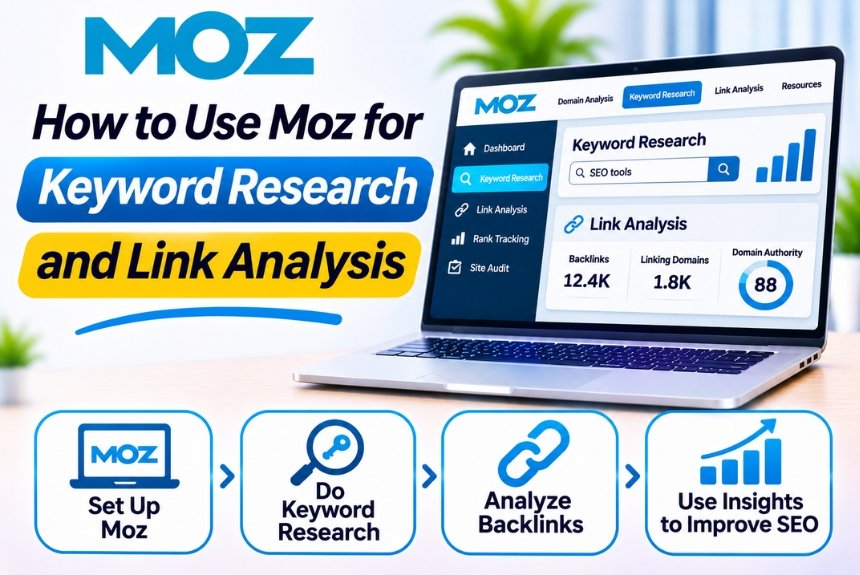
How to Use Moz for Keyword Research and Link Analysis
Keyword research and link analysis are two essential components of a successful search engine optimization (SEO) strategy. Keyword research helps you understand what your audience searches for, while link analysis reveals how websites build authority and acquire backlinks.
For SEO professionals, bloggers, digital marketers, and business owners, combining these two activities can help identify content opportunities, understand competitors, and improve organic search visibility.
Moz offers several tools that simplify these processes, particularly its Keyword Explorer and Link Explorer. These tools provide valuable insights into keyword opportunities, search competition, backlink profiles, linking domains, and other SEO metrics.
In this guide, we will explain how to use Moz for keyword research and link analysis, explore its essential metrics, and share practical strategies for applying these insights to your SEO campaigns.
What Is Moz and How Does It Help With SEO?
Moz is an SEO software provider offering tools for keyword research, backlink analysis, rank tracking, website auditing, and competitive research.
Its two tools are particularly relevant to this guide:
| Tool | Primary Purpose | Main SEO Application |
| Keyword Explorer | Keyword discovery and analysis | Finding and prioritizing target keywords |
| Link Explorer | Backlink research and analysis | Evaluating backlink profiles and link-building opportunities |
These tools allow you to research both sides of SEO: the search terms people use and the links that contribute to website visibility.
You can explore the tools on the official website:
Moz: https://moz.com/
Part 1: How to Use Moz for Keyword Research
Keyword research helps you identify the search queries your target audience uses when looking for information, products, services, or solutions.
Moz Keyword Explorer provides keyword suggestions and useful metrics to help you evaluate potential opportunities.
Step 1: Access Moz Keyword Explorer
Visit the Moz website and navigate to Keyword Explorer.
Depending on your account, you may need to sign in or subscribe to access certain features or higher usage limits.
Once inside the tool, you can enter a keyword, phrase, or topic related to your website.
For example, if you manage an SEO blog, you could enter:
Seed Keyword: SEO tools
Moz will generate keyword suggestions related to your initial search and provide metrics to help you evaluate them.
Step 2: Enter Your Seed Keyword
A seed keyword is the starting point for your keyword research process.
Choose a keyword that represents your business, website, product, or content category.
Examples:
| Industry | Seed Keyword |
| SEO | SEO tools |
| Digital Marketing | Digital marketing |
| Web Hosting | Web hosting |
| Email Marketing | Email marketing software |
| eCommerce | Shopify apps |
| AI | AI writing tools |
| Finance | Personal loan |
| HR Software | Payroll software |
Avoid choosing overly broad keywords when your website is new. Start with topics that closely match your website’s expertise and target audience.
Step 3: Analyze Keyword Metrics in Moz
After entering your keyword, Moz Keyword Explorer displays several metrics that help you understand the potential value of the search term.
| Metric | Description | How to Use It |
| Monthly Search Volume | Estimated monthly searches for a keyword | Evaluate search demand |
| Keyword Difficulty | Estimated difficulty of ranking organically | Assess competition |
| Organic CTR | Estimated opportunity for organic clicks | Understand potential click availability |
| Priority | Combined metric intended to help prioritize keywords | Compare potential opportunities |
| Keyword Suggestions | Related keywords and variations | Discover additional topics |
Let’s understand these metrics in more detail.
Monthly Search Volume
Search volume estimates how frequently users search for a particular keyword.
For example:
| Keyword | Illustrative Search Volume |
| SEO tools | 12,000 |
| Free SEO tools | 4,500 |
| SEO tools for beginners | 1,200 |
| Best SEO tools for small businesses | 700 |
These figures are illustrative examples, not current Moz data.
A high-volume keyword may attract more traffic, but it can also be highly competitive.
For newer websites, targeting relevant keywords with moderate or lower search volumes may be a more practical approach.
Keyword Difficulty
Keyword Difficulty estimates how challenging it may be to rank for a particular keyword.
Moz generally presents this metric as a score on a 0–100 scale.
A higher score typically indicates greater ranking difficulty.
| Difficulty Range | General Interpretation |
| 0–20 | Relatively low difficulty |
| 21–40 | Moderate-low difficulty |
| 41–60 | Moderate difficulty |
| 61–80 | High difficulty |
| 81–100 | Very high difficulty |
These ranges are only a simplified framework for interpretation, not official Moz ranking thresholds.
Always consider your website’s authority, content quality, topical relevance, and competition before selecting keywords.
Organic CTR
Organic click-through rate estimates the potential for users to click organic search results.
Search results may contain advertisements, featured snippets, AI-generated answers, knowledge panels, and other SERP features that influence how users interact with organic listings.
A keyword with high search volume but limited organic click potential may not deliver as much traffic as expected.
Priority Score
Moz’s Priority metric combines multiple keyword indicators into a score intended to help users identify promising opportunities.
It can be helpful for creating a shortlist, but it should not replace manual analysis.
A keyword with a lower Priority score may still be valuable if it closely matches your audience’s needs or has strong conversion potential.
Step 4: Find Long-Tail Keywords Using Moz
Long-tail keywords are specific search phrases that often indicate a clearer user intent.
For example:
| Broad Keyword | Long-Tail Keyword |
| SEO tools | Best SEO tools for beginners |
| Keyword research | How to find low-competition keywords |
| Link building | Link-building strategies for small businesses |
| Website audit | How to audit a WordPress website |
| Web hosting | Best web hosting for high-traffic websites |
| Email marketing | Best email marketing software for startups |
To discover long-tail keywords:
- Enter a broad seed keyword into Keyword Explorer.
- Review keyword suggestions.
- Apply available filters to narrow the results.
- Identify specific phrases relevant to your audience.
- Evaluate search volume and difficulty.
- Group similar keywords by topic and intent.
- Select keywords that match your content strategy.
Long-tail keywords are particularly useful for informational blog articles, comparison pages, tutorials, and product-specific guides.
Step 5: Analyze Keyword Search Intent
Search intent describes the purpose behind a user’s search query.
Moz provides keyword data, but you should also examine the search results to understand what users expect.
| Search Intent | User Goal | Example Keyword |
| Informational | Learn something | What is keyword research? |
| Navigational | Find a specific website | Moz Keyword Explorer |
| Commercial | Compare options | Best keyword research tools |
| Transactional | Take an action or purchase | Buy SEO software |
For example, someone searching for “Moz Keyword Explorer tutorial” wants instructions, while someone searching for “Moz Keyword Explorer alternatives” likely wants a comparison.
Important: Always align your content format with search intent. A mismatch between keyword intent and page content can limit SEO performance, even if the keyword metrics look promising.
Step 6: Find Competitor Keyword Opportunities
Moz can also help you discover keywords that competing websites target or rank for.
To perform competitor keyword research:
- Identify websites ranking for your target keywords.
- Enter competitor domains into Moz’s available domain research tools.
- Review relevant keyword and competitive insights.
- Identify topics your website does not adequately cover.
- Evaluate whether those keywords align with your audience.
- Create new content or improve existing articles.
Example of a Keyword Gap Analysis
Suppose you operate a digital marketing blog and your competitors cover the following topics:
| Competitor Keyword | Your Website Status | Recommended Action |
| Best SEO tools for beginners | Not covered | Create a detailed guide |
| Moz Pro vs Semrush | Partially covered | Publish a comparison |
| Free keyword research tools | Weak coverage | Update existing content |
| SEO audit checklist | Not ranking | Develop a comprehensive tutorial |
| Keyword difficulty explained | Covered briefly | Expand the explanation |
The goal is not to reproduce competitor content. Instead, identify missing information and create a more useful resource.
Step 7: Organize Keywords Into Clusters
Once you have collected keywords, organize them into topical groups.
This helps you avoid publishing multiple articles that compete for the same search intent.
Example: SEO Tools Keyword Cluster
| Topic | Target Keyword | Content Type |
| SEO Tools | Best SEO tools | Listicle |
| Moz | Moz Pro review | Software review |
| Moz Tutorial | How to use Moz Pro | Tutorial |
| Keyword Research | How to perform keyword research | Educational guide |
| Keyword Tools | Best keyword research tools | Comparison article |
| Keyword Difficulty | What is keyword difficulty? | Explainer |
| Competitor Research | How to analyze competitor keywords | Tutorial |
Each article should serve a distinct search intent while linking naturally to related content.
Part 2: How to Use Moz for Link Analysis
Link analysis involves examining backlinks pointing to your website and understanding how other websites link to your competitors.
Backlinks can contribute to search engine discovery and ranking signals. However, their value depends on several factors, including relevance, quality, context, and how they were acquired.
Moz’s Link Explorer helps you analyze backlink profiles and discover link-building opportunities.
Step 1: Open Moz Link Explorer
Visit Moz and navigate to Link Explorer.
Enter the domain you want to analyze.
For example:
- Your own website
- A competitor’s website
- A specific landing page
- A resource page in your industry
Depending on your subscription, you may have access to different reports, filters, and usage limits.
Step 2: Understand Link Explorer Metrics
Moz Link Explorer provides several metrics for evaluating backlinks.
| Metric | Description | SEO Application |
| Domain Authority (DA) | Estimates the relative ranking strength of a domain | Comparative domain analysis |
| Page Authority (PA) | Estimates the relative ranking strength of a page | Page-level comparisons |
| Linking Domains | Domains linking to the analyzed website | Evaluate referring-domain diversity |
| Inbound Links | Links pointing to a domain or page | Review backlink volume |
| Anchor Text | Text used in backlinks | Understand link context |
| Followed Links | Links that may pass ranking signals | Evaluate link attributes |
| Lost Links | Previously discovered links that are no longer present | Identify potential recovery opportunities |
| Top Pages | Pages attracting notable link activity | Find link-worthy content |
Important: Domain Authority and Page Authority are Moz metrics. Google does not use these scores as direct ranking factors.
Step 3: Analyze Your Website’s Backlink Profile
Start by entering your own domain into Link Explorer.
Review the available backlink reports to understand:
- How many domains link to your website
- Which pages attract the most backlinks
- Which websites link to your content
- What anchor text is used
- Whether backlinks have been gained or lost
- Which pages have the strongest link profiles according to Moz metrics
Example Backlink Analysis
The following example is illustrative:
| Page | Linking Domains | Possible Interpretation |
| Homepage | 150 | Brand or business mentions |
| SEO Guide | 85 | Educational content attracting references |
| Hosting Comparison | 45 | Comparison-based link opportunities |
| Product Review | 20 | Product-specific citations |
The numbers do not indicate that every backlink is equally valuable.
Focus on the relevance and quality of linking websites rather than simply maximizing backlink counts.
Step 4: Analyze Competitor Backlinks
Competitor backlink analysis is one of the most useful applications of Link Explorer.
It helps you understand which types of websites link to competing content and identify potential outreach opportunities.
How to Analyze Competitor Backlinks
- Identify your main SEO competitors.
- Enter their domains into Link Explorer.
- Review linking domains and inbound links.
- Identify relevant websites linking to their content.
- Analyze the pages receiving those links.
- Determine why the content attracts backlinks.
- Identify opportunities to create a more useful resource.
Example: Competitor Backlink Opportunities
| Competitor Content | Backlink Opportunity |
| SEO Statistics | Publish updated industry statistics |
| SEO Checklist | Create a detailed downloadable checklist |
| Marketing Research | Conduct original research |
| Tool Comparison | Develop a comprehensive comparison guide |
| Beginner’s Guide | Create a more practical tutorial |
This process can help you develop a sustainable link-building strategy based on content value.
Step 5: Find Relevant Linking Domains
A linking domain is a unique website that links to your website.
For example, if a single website links to five different pages on your domain, it may count as five inbound links but only one linking domain.
When evaluating linking domains, consider:
- Relevance to your industry
- Editorial quality
- Content usefulness
- Audience overlap
- Organic visibility
- Link placement
- Natural linking behavior
A smaller number of relevant, editorially earned links can be more valuable than a large number of unrelated links.
Step 6: Analyze Anchor Text
Anchor text is the clickable text used in a hyperlink.
It provides context about the linked page to users and search engines.
Examples:
| Anchor Text | Type |
| Moz Pro | Branded |
| moz.com | URL-based |
| Keyword research guide | Descriptive |
| Click here | Generic |
| Best SEO tools | Keyword-focused |
What Should You Look for in Anchor Text?
When reviewing your backlink profile, check whether:
- Your brand name appears naturally.
- Links use descriptive and relevant phrases.
- Anchor text accurately represents the destination page.
- There is an excessive concentration of exact-match commercial anchors.
- Links appear in relevant editorial contexts.
An unnatural backlink profile dominated by manipulative exact-match anchors may create risks.
Avoid acquiring backlinks solely to manipulate search rankings.
Step 7: Identify Lost Backlinks
Lost backlinks are links that Moz previously discovered but no longer detects.
They may disappear because:
- The linking page was deleted.
- The website removed the link.
- The page was updated.
- The destination URL changed.
- A temporary technical issue affected the page.
- The backlink was no longer accessible to Moz’s crawler.
How to Recover Lost Backlinks
- Open Link Explorer.
- Enter your website or relevant page.
- Review the lost-link data available to you.
- Identify backlinks from relevant websites.
- Visit the original linking page to confirm the situation.
- Determine whether the link can reasonably be restored.
- Contact the website owner when appropriate.
Do not contact website owners about every lost link. Prioritize valuable and relevant opportunities.
Step 8: Find Broken Link-Building Opportunities
Broken link building is a strategy in which you identify broken links on relevant websites and offer a suitable replacement resource.
Moz can support backlink research, while additional manual checking helps verify whether the target link is actually broken.
Broken Link-Building Workflow
| Step | Action |
| 1 | Find relevant websites in your niche |
| 2 | Identify resource pages or articles |
| 3 | Check for broken outbound links |
| 4 | Identify the original topic of the missing resource |
| 5 | Create or locate a relevant replacement |
| 6 | Contact the website owner |
| 7 | Suggest the resource only when it adds value |
Example Outreach Email
Hi,
I was exploring your resource page and noticed that one of the links appears to be no longer working.
I recently came across a useful guide on the same topic that may be relevant to your readers.
Here is the resource: [Your URL]
Feel free to review it and consider including it if you think it would be helpful for your audience.
Thank you for your time.
Best regards
[Your Name]
Keep outreach personalized and avoid sending mass emails with irrelevant link requests.
Part 3: Combining Keyword Research and Link Analysis
Keyword research and link analysis become more powerful when used together.
Keyword research helps you identify what content to create, while link analysis helps you understand how competing content attracts backlinks.
Here is a practical combined workflow.
Step 1: Identify a Valuable Topic
Use Keyword Explorer to discover keywords with relevant search intent and realistic ranking potential.
Step 2: Analyze the Search Results
Examine the pages ranking for your target keyword.
Look for:
- Content structure
- Topic coverage
- Search intent
- Content quality
- Unique information
- Backlink profiles
Step 3: Review Competitor Backlinks
Use Link Explorer to identify websites linking to competing pages.
Determine whether these links are editorial references, resource placements, research citations, or other relevant mentions.
Step 4: Create Link-Worthy Content
Develop a resource that offers meaningful value.
Examples include:
- Original research
- Detailed tutorials
- Industry statistics
- Comprehensive comparisons
- Free templates
- Practical checklists
- Expert insights
- Data-driven studies
Step 5: Optimize Your Content
Use your keyword research to improve the article’s:
- Title
- Headings
- Topic coverage
- Internal links
- Search intent alignment
- Content structure
Avoid overusing the primary keyword.
Step 6: Promote the Content
Reach out to relevant publishers, bloggers, and industry websites when your content genuinely adds value to their resources.
Use ethical outreach and focus on relationships rather than automated link acquisition.
Step 7: Track Results
Monitor:
- Keyword rankings
- Organic impressions
- Organic clicks
- Referring domains
- Backlink growth
- Organic traffic
- Conversions
This helps you understand whether your strategy is producing meaningful improvements.
Part 4: Common Mistakes to Avoid When Using Moz
Although Moz provides useful SEO data, mistakes in interpreting its metrics can lead to ineffective strategies.
1. Targeting Only High-Volume Keywords
High search volume does not guarantee traffic or conversions.
Choose keywords based on relevance, competition, intent, and business value.
2. Treating Keyword Difficulty as a Guarantee
Keyword Difficulty is an estimate. A low score does not guarantee rankings, and a high score does not make ranking impossible.
Analyze the actual search results before making decisions.
3. Focusing Only on Domain Authority
Increasing Domain Authority should not be your primary SEO objective.
Focus on publishing valuable content, earning relevant links, improving technical SEO, and attracting qualified organic traffic.
4. Acquiring Irrelevant Backlinks
Backlinks from unrelated or low-quality websites may provide little value and can introduce risks if acquired through manipulative practices.
Prioritize relevant, natural, editorially earned links.
5. Ignoring Search Intent
A keyword may have attractive metrics but still be unsuitable for your content.
Always determine what users expect before creating or optimizing a page.
6. Overlooking Competitor Content Quality
Backlinks alone do not explain why a page ranks.
Consider content relevance, usefulness, topical coverage, user experience, and technical accessibility.
7. Making SEO Decisions Based on One Tool
Moz provides third-party estimates.
Use Google Search Console, Google Analytics, and manual SERP analysis to validate important decisions.
Part 5: Moz Keyword Explorer vs. Link Explorer
Although these tools are part of the same SEO ecosystem, they serve different purposes.
| Feature | Keyword Explorer | Link Explorer |
| Primary Purpose | Keyword research | Backlink analysis |
| Keyword Suggestions | Yes | No |
| Search Volume | Yes | No |
| Keyword Difficulty | Yes | No |
| Backlink Analysis | No | Yes |
| Linking Domains | No | Yes |
| Anchor Text Analysis | No | Yes |
| Competitor Research | Keyword opportunities | Backlink opportunities |
| Main SEO Application | Content planning | Link-building strategy |
For an effective SEO workflow, use Keyword Explorer before content creation and Link Explorer during competitor research and content promotion.
Frequently Asked Questions
1. What is Moz Keyword Explorer used for?
Moz Keyword Explorer is used to discover keyword suggestions, estimate search volume, evaluate keyword difficulty, and identify potential SEO opportunities.
2. How do I find low-competition keywords using Moz?
Enter a relevant seed keyword into Keyword Explorer, review suggestions, and evaluate difficulty and search volume. Then validate the keywords through manual search results and search intent analysis.
3. What is Moz Link Explorer?
Moz Link Explorer is a backlink analysis tool that provides information about inbound links, linking domains, anchor text, and link-related metrics.
4. What is Domain Authority in Moz?
Domain Authority is a Moz metric that estimates the relative ranking strength of a domain. It is useful for comparing websites but is not a direct Google ranking factor.
5. Can Moz identify competitor backlinks?
Yes. Link Explorer can help you analyze competitor backlink profiles, discover linking domains, and identify potential link-building opportunities.
6. Is Moz suitable for beginners?
Yes. Moz provides accessible SEO tools and metrics for beginners. However, users should understand basic SEO concepts before making major decisions based on the data.
7. Can Moz help with long-tail keyword research?
Yes. Keyword Explorer provides keyword suggestions that can help users discover more specific search phrases and long-tail opportunities.
8. How often should I perform backlink analysis?
A monthly review is a reasonable starting point for many websites. Larger websites, active link-building campaigns, and agencies may benefit from more frequent monitoring.
9. Does Moz show all backlinks to a website?
No third-party backlink tool can guarantee complete coverage of every backlink on the internet. Moz’s database may differ from those of other SEO platforms.
10. Is Moz better than Ahrefs for backlink analysis?
Both tools provide backlink analysis, but their databases, metrics, features, and pricing differ. Evaluate them using the specific websites and SEO tasks you need to analyze.
Conclusion
Moz offers useful tools for discovering keyword opportunities and understanding backlink profiles. Keyword Explorer helps you identify relevant search terms, analyze difficulty, and develop a content strategy. Link Explorer helps you investigate backlinks, analyze competitors, and identify potential link-building opportunities.
The most effective approach is to combine these tools rather than use them independently.
Start by identifying keywords that match your audience’s search intent. Analyze competing content and backlink profiles. Create useful resources, optimize your pages, and pursue relevant editorial links. Finally, monitor your results using Moz alongside Google Search Console and Google Analytics.
Want to improve your SEO knowledge further? Explore more tutorials, SEO software reviews, and digital marketing guides on NextBloggers to build a stronger organic growth strategy.
Leave a Reply